1. Uvod
Thank you for choosing the UPERFECT 18.4-Inch 4K UHD Portable Monitor. This manual provides essential information for setting up, operating, and maintaining your new monitor. Please read this manual thoroughly before use to ensure proper functionality and to maximize your viewing iskustvo.
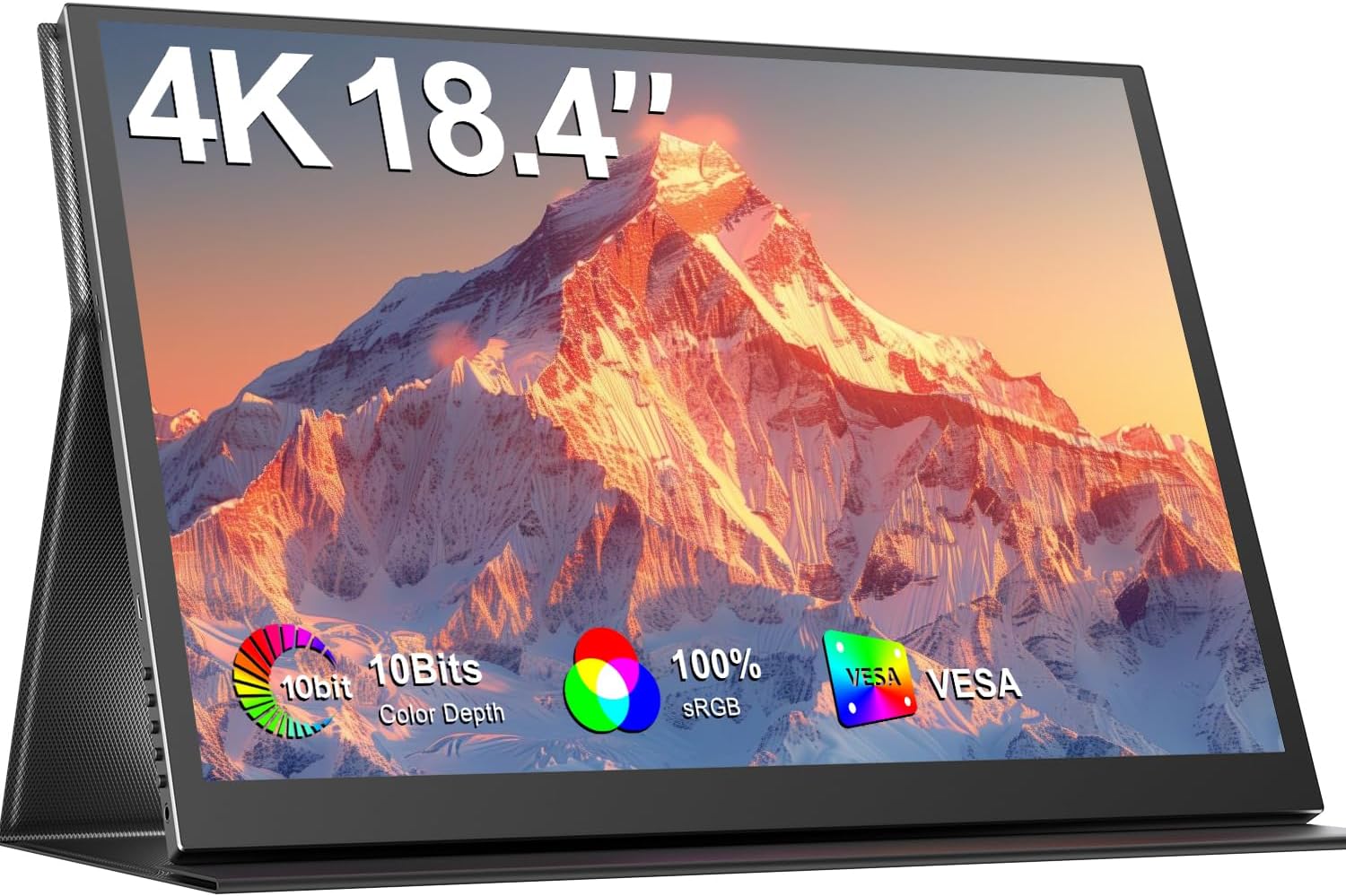
Image 1.1: The UPERFECT 18.4-Inch 4K UHD Portable Monitor, showcasinnjegov ekran i tanak dizajn.
2. Proizvod je gotovview
2.1 Ključne karakteristike
- Large 18.4-Inch 4K UHD Display: Features a 3840x2160 resolution IPS panel for detailed visuals.
- Vivid 10-Bit Color & HDR: Offers 10-bit color depth, 100% sRGB coverage, and HDR support for accurate and vibrant images.
- VESA za montažu: Equipped with 75mm VESA holes for flexible mounting options.
- Široka kompatibilnost uređaja: Connects via USB-C and Mini HDMI ports to various devices including laptops, smartphones, and gaming consoles.
- Prijenosni dizajn: Slim, lightweight, and includes a protective leather cover for travel and use as a stand.
- Integrirani audio: Features built-in speakers and a headphone jack.
- Karakteristike za njegu očiju: Includes Blue Light Filter and Flicker-Free technology.

Image 2.1: Visual comparison illustrating the larger display area of the 18.4-inch monitor compared to a 15.6-inch model, enhancing productivity.
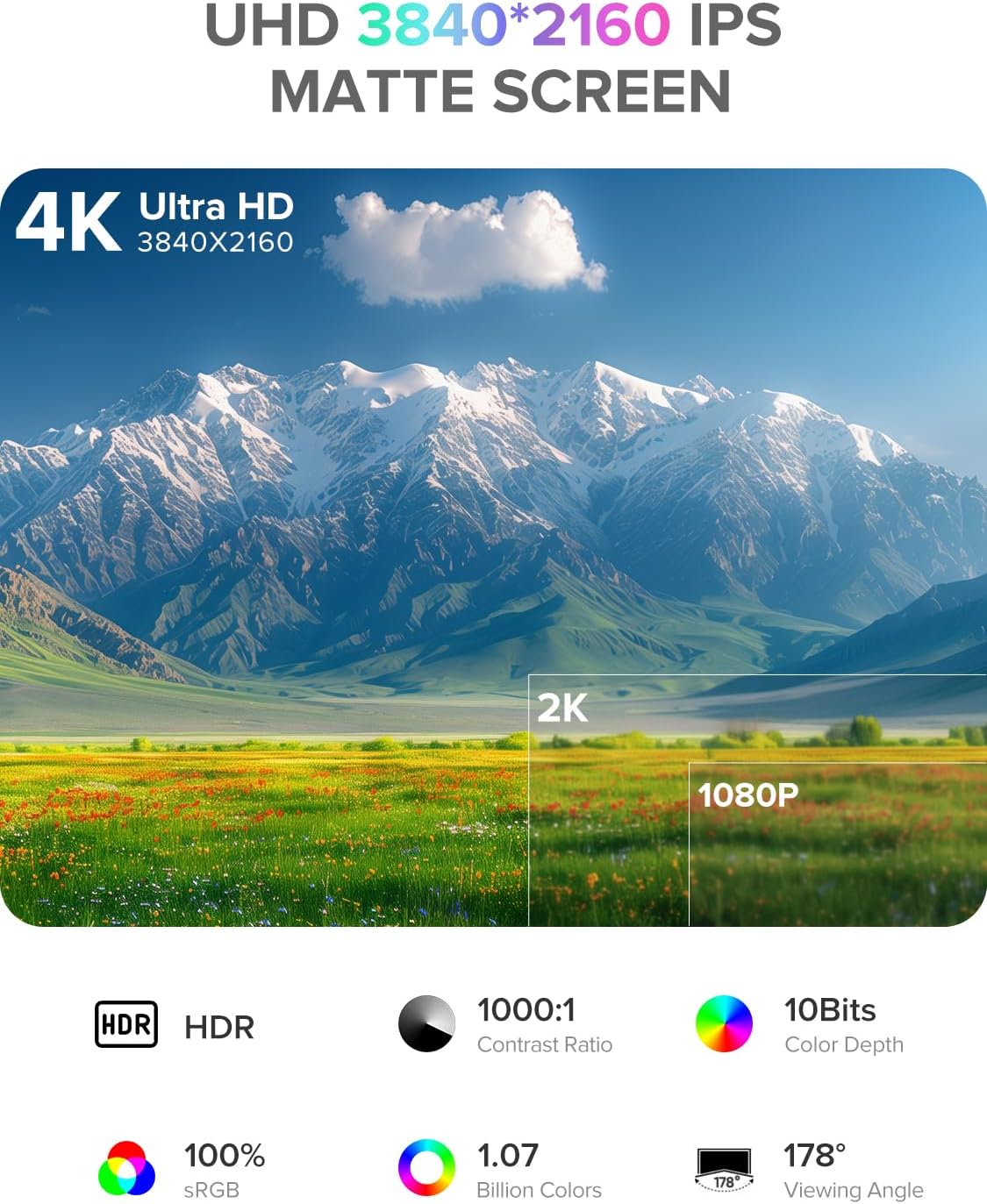
Image 2.2: Details of the monitor's 4K UHD (3840x2160) IPS matte screen, highlighting HDR, 1000:1 contrast ratio, 10-bit color depth, 100% sRGB, 1.07 billion colors, and 178° viewing kut.

Image 2.3: Illustration of 10-bit color depth, demonstrating smoother color transitions compared to 8-bit, resulting in 1.07 billion colors.
2.2 Sadržaj paketa
Molimo Vas da provjerite paket za sljedeće stavke:
- UPERFECT 18.4-Inch 4K UHD Portable Monitor
- Protective Leather Cover (doubles as a stand)
- USB-C to USB-C Cable (for power and video)
- Mini HDMI na HDMI kabel (za video)
- Adapter za napajanje (USB-C)
- Uputstvo za upotrebu
3. Upute za postavljanje
Follow these steps to set up your portable monitor:
- Raspakirajte: Pažljivo izvadite monitor i svu dodatnu opremu iz ambalaže.
- pozicija: Place the monitor on a stable, flat surface. You can use the included leather cover as a stand by folding it appropriately.
- Priključite napajanje: Connect the provided power adapter to a power outlet and then to one of the USB-C ports on the monitor. An external power source is recommended for optimal performance, especially when connecting to devices that do not provide sufficient power or when using the monitor at high brightness.
- Povežite se na uređaj:
- USB-C veza: If your device (laptop, smartphone, tablet) has a full-featured USB-C port that supports DisplayPort Alternate Mode and power delivery, connect it to the monitor using the provided USB-C to USB-C cable. This single cable can transmit video, audio, and power.
- Mini HDMI priključak: If your device uses HDMI, connect it to the monitor's Mini HDMI port using the provided Mini HDMI to HDMI cable. In this setup, you will also need to connect the monitor to an external power source via USB-C.
- Uključeno: Pritisnite dugme za napajanje na monitoru da ga uključite.
4. Uputstvo za upotrebu
The monitor features an On-Screen Display (OSD) menu for adjusting various settings.
4.1 Kontrole
The control buttons are typically located on the side of the monitor.
- Dugme za uključivanje/isključivanje: Press to power the monitor on or off.
- Dugme menija: Press to access the OSD menu.
- Navigation Buttons ("-" / "+"): Use these buttons to navigate through the OSD menu options and adjust values.
- Dugme za povratak: Used to go back to the previous menu level or exit the OSD.
4.2 Navigacija kroz OSD meni
- Pritisnite Meni dugme da biste otvorili OSD meni.
- Koristite "-" or "+" buttons to navigate between menu categories (e.g., Picture, Color, OSD Settings).
- Pritisnite Meni button again to enter a selected category.
- Koristite "-" or "+" buttons to select an option within the category and adjust its value.
- Pritisnite Povratak button to exit the current menu or the OSD entirely.
4.3 Uobičajene postavke
- Svjetlina/kontrast: Podesite ukupnu svjetlinu i razliku između svijetlih i tamnih područja.
- Temperatura boje: Select predefined color temperature settings or customize RGB values.
- HDR način rada: Omogućite ili onemogućite Visoki dinamički raspon za kompatibilan sadržaj.
- Omjer širine i visine: Izaberite između 16:9, 4:3 ili drugih dostupnih omjera širine i visine.
- Volumen: Adjust the output volume for the built-in speakers or connected headphones.
- Izvor ulaza: Manually select between USB-C and Mini HDMI inputs if auto-detection fails.
5. Povezivanje
The UPERFECT portable monitor offers versatile connectivity options to suit various devices.

Slika 5.1: Krupni plan view of the monitor's ports, including Mini HDMI, Type-C 3.1, Micro-USB OTG, and audio jack, along with icons illustrating compatibility with phones, pads, laptops, MacBooks, Switch, PS4, PS5, and PCs.
- USB-C (Full-featured): Two USB-C ports are available. These ports support video, audio, and power delivery. Connect to compatible laptops, smartphones, and tablets with a single USB-C cable.
- Mini HDMI: For devices with an HDMI output, use the Mini HDMI port for video and audio transmission. An additional USB-C connection for power is required when using Mini HDMI.
- Micro-USB OTG: This port allows you to connect peripherals such as a keyboard or mouse directly to the monitor, expanding its functionality.
- 3.5 mm audio priključak: Connect headphones or external speakers for private listening or enhanced audio.
Important Note on Power: For optimal brightness and stable operation, especially when using Mini HDMI or connecting to devices with limited power output, always connect the monitor to an external power source using the provided USB-C power adapter.
6. VESA montaža
The monitor is VESA compatible, allowing for flexible mounting on monitor arms or wall mounts.

Image 6.1: The portable monitor mounted on a VESA arm, demonstrating its ability to transition between landscape and portrait modes. The VESA size is 75x75 mm, and the recommended screw size is M4x4 mm.
- VESA standard: The monitor supports the 75mm x 75mm VESA mounting standard.
- Veličina zavrtnja: Use M4x4 mm screws for mounting. Ensure screws are not too long to avoid damaging internal components.
- Instalacija: Attach the VESA mount adapter (if included or purchased separately) to the monitor, then secure it to your desired VESA-compatible arm or stand.
7. Održavanje
Proper care will extend the life and performance of your monitor.
- Čišćenje ekrana:
- Isključite monitor i iskopčajte sve kablove.
- Gently wipe the screen with a soft, lint-free cloth (e.g., microfiber cloth).
- Za tvrdokorne mrlje, lagano dampOperite krpu vodom ili sredstvom za čišćenje ekrana posebno namijenjenim za elektroniku. Ne prskajte tekućinu direktno na ekran.
- Izbjegavajte korištenje jakih kemikalija, alkohola ili abrazivnih sredstava za čišćenje.
- Čišćenje C-aasing: Obrišite monitor casing mekom, suhom krpom.
- Skladištenje: When not in use, store the monitor in its protective leather cover to prevent scratches and dust accumulation.
- Rukovanje: Izbjegavajte pretjerani pritisak na ekran ili ispuštanje monitora.
8. Otkrivanje problema
Ako naiđete na probleme s monitorom, pogledajte sljedeće uobičajene probleme i rješenja.
| Problem | Moguće rješenje |
|---|---|
| Nema signala / Crni ekran |
|
| Monitor se ne uključuje |
|
| Treperenje ili nestabilan prikaz |
|
| Nema zvuka |
|
9. Specifikacije
| Feature | Detalj |
|---|---|
| Brand | SUPERFEKTNO |
| Broj modela | 184T02 |
| Veličina ekrana | 18.4 inča |
| Rezolucija ekrana | 3840 x 2160 piksela (4K UHD) |
| Tip panela | IPS |
| Dubina boje | 10-bitni |
| Gamut boja | 100% sRGB |
| HDR podrška | Da |
| Kontrast Ratio | 1000:1 |
| Vrijeme odgovora | 1 milisekunda |
| Refresh Rate | 60 Hz |
| Aspect Ratio | 16:9 |
| Površina ekrana | Mat |
| Povezivanje | 2x USB-C (Full-featured), 1x Mini HDMI, 1x Micro-USB OTG, 1x 3.5mm Audio Jack |
| VESA kompatibilnost | 75mm x 75mm (M4x4 mm screws) |
| Posebne karakteristike | Blue Light Filter, Built-In Speakers, Eye Care, Flicker-Free, Frameless |
| Boja | Crna |
10. Garancija i podrška
UPERFECT products are designed for reliability and performance. This monitor comes with a standard manufacturer's warranty. Please refer to the warranty card included in your package or visit the official UPERFECT webstranicu za detaljne uslove i odredbe garancije.
For technical assistance, troubleshooting, or any product-related inquiries, please contact UPERFECT customer support. Our support team is available to provide prompt and knowledgeable assistance.
Kontakt informacije obično možete pronaći na službenoj stranici UPERFECT-a. webweb-mjestu ili putem prodavača gdje ste kupili proizvod.


