Uvod
Thank you for choosing the NOVOO 12-in-1 USB-C Docking Station. This manual provides essential information for setting up, operating, and maintaining your device. This docking station is designed to expand the connectivity of your USB-C enabled laptop, offering multiple ports for displays, data transfer, and power delivery.
Product Overview
The NOVOO 12-in-1 USB-C Docking Station is a versatile hub that provides extensive connectivity options through a single USB-C connection to your host device. It features a comprehensive array of ports to enhance your productivity and expand your workspace.

Image: NOVOO 12-in-1 USB-C Docking Station showing all available ports and their functions.
Ključne karakteristike:
- 12-u-1 povezivost: Includes 2 x 4K HDMI, 1 x VGA, 3 x USB-A 3.0 (5Gbps), 1 x USB-C 3.0 Data, 2 x USB-A 2.0, 1 x SD Card Reader, 1 x TF Card Reader, and 1 x 100W Power Delivery (PD) charging port.
- Podrška za tri ekrana: Connect up to three external displays. Windows supports Extend Mode (4K@30Hz + 1080P with two monitors; 1080P@60Hz with three monitors). macOS supports Mirror Mode only. HDMI 1 supports up to 4K@60Hz when used alone. Requires a DP1.4 laptop and monitor for optimal performance.
- Brzi prijenos podataka: USB-A 3.0 and USB-C 3.0 ports offer 5Gbps data transfer. USB-A 2.0 ports provide 480Mbps.
- Isporuka snage 100W: The PD port supports up to 100W input for stable power supply and up to 85W USB-C output for fast charging compatible laptops and devices. Note: The PD charging port is compatible only with devices that support the PD protocol.
- Čitač SD/TF kartica: Easily access files from SD and Micro SD cards with simultaneous reading support.
- Prijenosni dizajn: Compact and lightweight with a 30cm (11.8 inches) extension cable for flexible use, ideal for travel and various workspaces.
Setup
Follow these steps to set up your NOVOO 12-in-1 USB-C Docking Station:
- Provjerite kompatibilnost laptopa: Ensure your laptop's USB-C port supports Data, Power Delivery, and DisplayPort Alt Mode for full functionality. Refer to the diagram below for port capabilities.
- Povežite se s laptopom: Plug the integrated USB-C cable from the docking station into an available USB-C port on your laptop.
- Priključite napajanje (opciono, ali preporučeno): For best performance and to charge your laptop, connect your laptop's power adapter (65W+ recommended) to the 100W PD USB-C input port on the docking station.
- Povežite eksterne ekrane: Use HDMI or VGA cables to connect your monitors to the corresponding ports on the docking station.
- Povežite periferne uređaje: Plug in your USB devices (keyboard, mouse, external drives, etc.) into the available USB-A or USB-C data ports. Insert SD or TF cards into the card reader slots as needed.

Image: USB-C port compatibility guide for various functions including data, power delivery, and display output.
Video za postavljanje:
Video: Official NOVOO video demonstrating the setup and features of the 12-in-1 USB-C Docking Station.
Uputstvo za upotrebu
Konfiguracija zaslona:
Priključna stanica podržava različite konfiguracije ekrana u zavisnosti od operativnog sistema i verzije DisplayPort (DP) porta na laptopu.

Slika: prample of a multi-screen display setup using the docking station.
- Windows sistemi: Supports both Mirror Mode (duplicate displays) and Extend Mode (separate displays). You can achieve up to three extended displays.
- macOS sistemi: Supports Mirror Mode (duplicate displays) across all external monitors. Extend Mode is not supported for multiple external displays; all external displays will mirror each other.
Windows Display Resolution:
| Interface Protocol | Mode | HDMI1 | HDMI2 | VGA |
|---|---|---|---|---|
| DP1.4 | Pojedinačni prikaz | 4K@60Hz | 4K@30Hz | 1080P @ 60Hz |
| Dual Display | 4K@30Hz | 1080P @ 60Hz | - | |
| Trostruki ekran | 1080P @ 60Hz | 1080P @ 60Hz | 1080P @ 60Hz | |
| DP1.2 | Pojedinačni prikaz | 4K@30Hz | 4K@30Hz | 1080P @ 60Hz |
| Dual Display | 1080P @ 60Hz | - | 1080P @ 60Hz | |
| Trostruki ekran | 1080P @ 60Hz | 1080P @ 60Hz | 640*480@30Hz |
macOS Display Resolution:
| Interface Protocol | Mode | HDMI1 | HDMI2 | VGA |
|---|---|---|---|---|
| DP1.4 | Pojedinačni prikaz | 4K@60Hz | 4K@30Hz | 1080P @ 60Hz |
| Dual Display | 4K@30Hz | - | 1080P @ 60Hz | |
| Trostruki ekran | 1080P @ 60Hz | 1080P @ 60Hz | 1080P @ 60Hz | |
| DP1.2 | Pojedinačni prikaz | 4K@30Hz | 4K@30Hz | 1080P @ 60Hz |
| Dual Display | 4K@30Hz | - | 1080P @ 60Hz | |
| Trostruki ekran | 1080P @ 60Hz | 1080P @ 60Hz | 640*480@30Hz |
Punjenje putem Power Delivery (PD):
The dedicated USB-C PD port allows you to charge your laptop while using the docking station. Connect your laptop's original power adapter (or a compatible 65W+ USB-C PD charger) to this port. The docking station will pass through up to 85W of power to your laptop, reserving 15W for its own operation.

Image: Diagram illustrating 100W PD input and 85W output for laptop charging.
Data Transfer and Card Reader:
Utilize the USB-A 3.0, USB-C 3.0, and USB-A 2.0 ports for connecting various peripherals and transferring data. The SD and TF card slots enable quick access to memory card content.
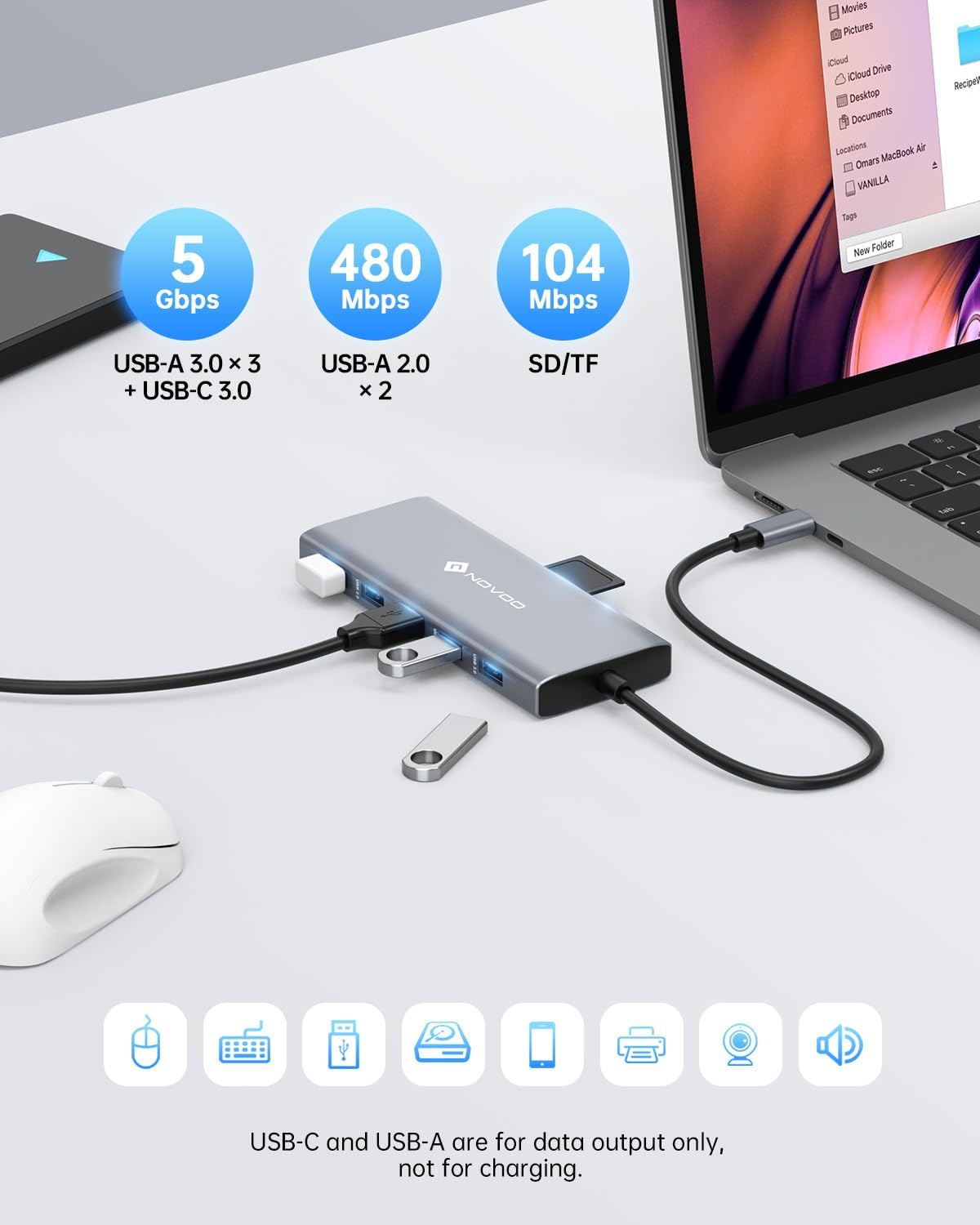
Image: High-speed data transfer capabilities with USB 3.0 and SD/TF card reader.
Specifikacije
| Feature | Detalj |
|---|---|
| Dimenzije proizvoda | 1.85 x 0.57 x 5.16 inča |
| Težina artikla | 4.6 unce |
| Broj modela | NHM12S-MH12 |
| Brand | NOVOO |
| Boja | Grey |
| Hardversko sučelje | USB tip C |
| Posebna karakteristika | Fast Charging, Portable |
| Kompatibilni uređaji | MacBook Pro, Dell, HP, Surface (any USB-C laptop supporting DP Alt Mode and PD) |
Rješavanje problema
- Nema izlaza za prikaz:
- Provjerite da li USB-C port vašeg laptopa podržava DisplayPort Alt Mode.
- Check all cable connections (USB-C to laptop, HDMI/VGA to monitors).
- Verify monitor input settings are correct (e.g., HDMI 1, HDMI 2, VGA).
- For Windows, check display settings (Display Settings > Multiple Displays) to detect and configure monitors.
- For macOS, remember only Mirror Mode is supported for multiple external displays.
- Spor prijenos podataka:
- Ensure you are using USB 3.0 ports for high-speed devices. USB 2.0 ports offer slower speeds.
- The performance of the connected device (e.g., external hard drive) can also affect transfer speeds.
- Laptop se ne puni:
- Confirm your laptop supports Power Delivery (PD) via its USB-C port.
- Ensure your power adapter is connected to the docking station's PD port and is 65W or higher.
- Check if the power adapter itself is functioning correctly.
- Povremene veze:
- Uverite se da su svi kablovi dobro povezani.
- Avoid excessive bending or strain on the docking station's integrated USB-C cable.
- Try connecting the docking station to a different USB-C port on your laptop if available.
Održavanje
To ensure the longevity and optimal performance of your NOVOO 12-in-1 USB-C Docking Station, follow these maintenance guidelines:
- čišćenje: Use a soft, dry cloth to wipe the surface of the docking station. Avoid using liquid cleaners or abrasive materials, which can damage the finish or internal components.
- Skladištenje: Kada se ne koristi, priključnu stanicu čuvajte na hladnom i suhom mjestu, dalje od direktne sunčeve svjetlosti i ekstremnih temperatura.
- Rukovanje: Avoid dropping or subjecting the device to strong impacts. Do not pull on the integrated USB-C cable forcefully.
- ventilacija: Ensure the docking station has adequate airflow to prevent overheating, especially during prolonged use with multiple connected devices and displays.
Garancija i podrška
NOVOO products are designed for reliability and performance. For warranty information, technical support, or any inquiries regarding your 12-in-1 USB-C Docking Station, please refer to the official NOVOO webweb-mjesto ili direktno kontaktirajte njihovu korisničku službu. Sačuvajte račun za kupovinu u slučaju reklamacije.
Proizvođač: NOVOO


