1. Uvod
The ICY BOX M.2 NVMe/SATA & 2.5”/3.5” Hard Drive Docking Station provides a versatile solution for connecting various types of storage drives to your computer. This docking station supports M.2 NVMe/SATA SSDs and 2.5”/3.5” SATA HDDs/SSDs, offering high-speed data transfer up to 10 Gbit/s via USB 3.2 Gen2x1 Type-C. Its tool-free design and broad compatibility make it suitable for data recovery, backups, and storage expansion across Windows and macOS systems.
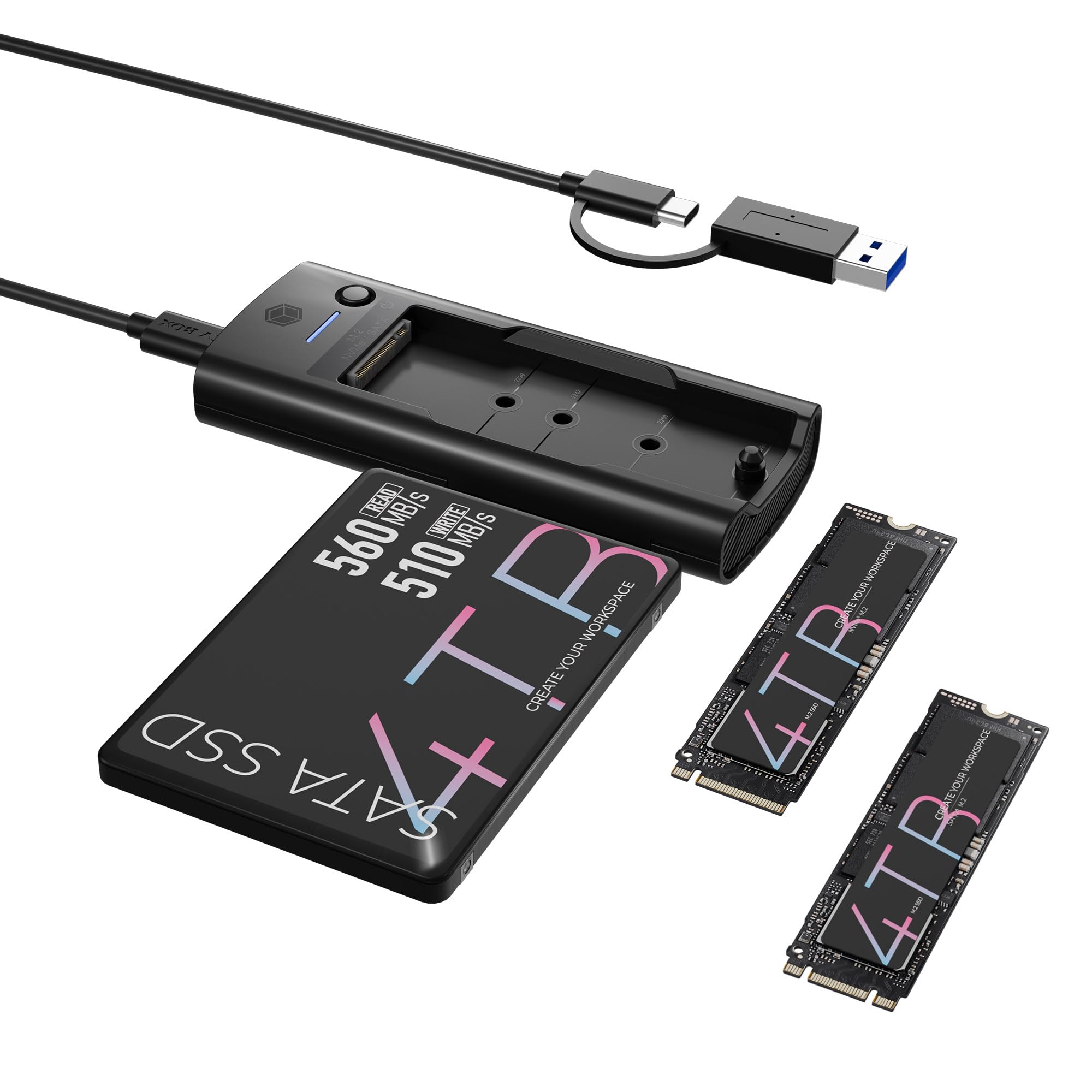
Figure 1: ICY BOX M.2 NVMe/SATA & 2.5”/3.5” Hard Drive Docking Station.
2. Sadržaj paketa
Molimo Vas da provjerite da li se u paketu nalaze svi artikli:
- M.2 NVMe & SATA SSD/HDD Docking Station
- 2-in-1 Cable (USB-C to USB-C & USB-C to USB-A)
- 2x M.2 rubber fixations
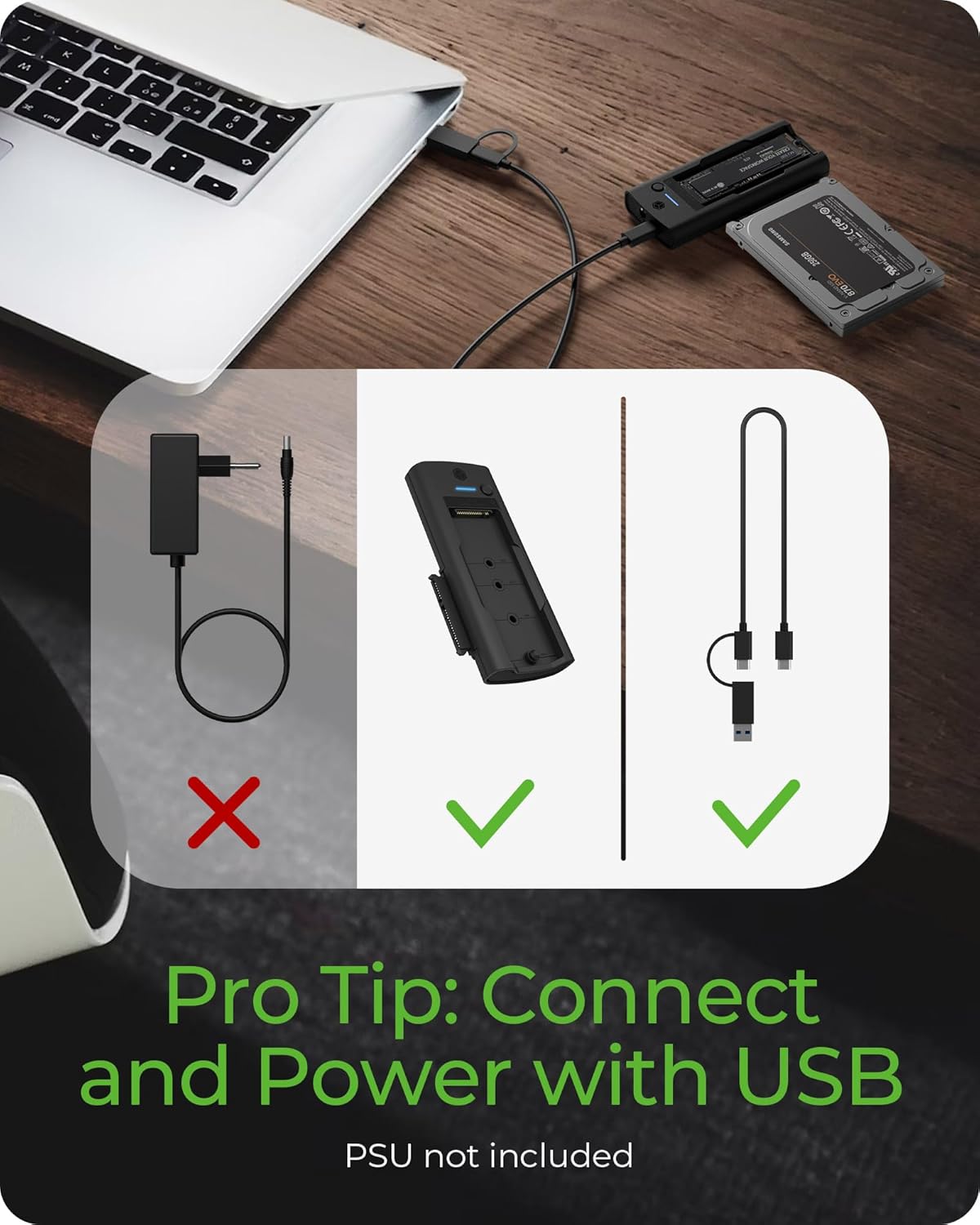
Figure 2: Included accessories with the docking station. Note: A power supply unit (PSU) for 3.5" HDDs is not included.
3. Vodič za postavljanje
3.1 Connecting an M.2 SSD
- Gently insert your M.2 NVMe or SATA SSD into the designated M.2 slot on the docking station.
- Secure the M.2 SSD with one of the provided rubber fixations.
3.2 Connecting a 2.5”/3.5” SATA Drive
- Slide your 2.5” or 3.5” SATA HDD/SSD into the SATA drive bay until it is firmly seated.
- For 3.5” HDDs, an external 12V DC power adapter (not included) is required for operation. Connect the power adapter to the DC input port on the docking station.
3.3 Povezivanje s računarom
- Use the provided 2-in-1 USB cable to connect the docking station to your computer.
- Connect the USB-C end of the cable to the USB Type-C host connection port on the docking station.
- Connect the other end of the cable (USB-C or USB-A, depending on your computer's port) to an available USB port on your computer.

Slika 3: Gotovoview of the docking station components, including M.2 slot, SATA connection, USB-C host connection, and power input.

Figure 4: The included 2-in-1 cable supports both USB Type-A and USB Type-C connections for broad compatibility.
4. Uputstvo za upotrebu
4.1 Drive Detection
Once connected, your operating system (Windows or macOS) should automatically detect the docking station and any inserted drives. New drives may require initialization and formatting before use.
4.2 One-Touch Drive Switching
The docking station features a front-panel tact switch to toggle between the M.2 SSD and the 2.5”/3.5” HDD/SSD. Press the switch to select the active drive. This allows for quick switching without needing to disconnect and reconnect drives.
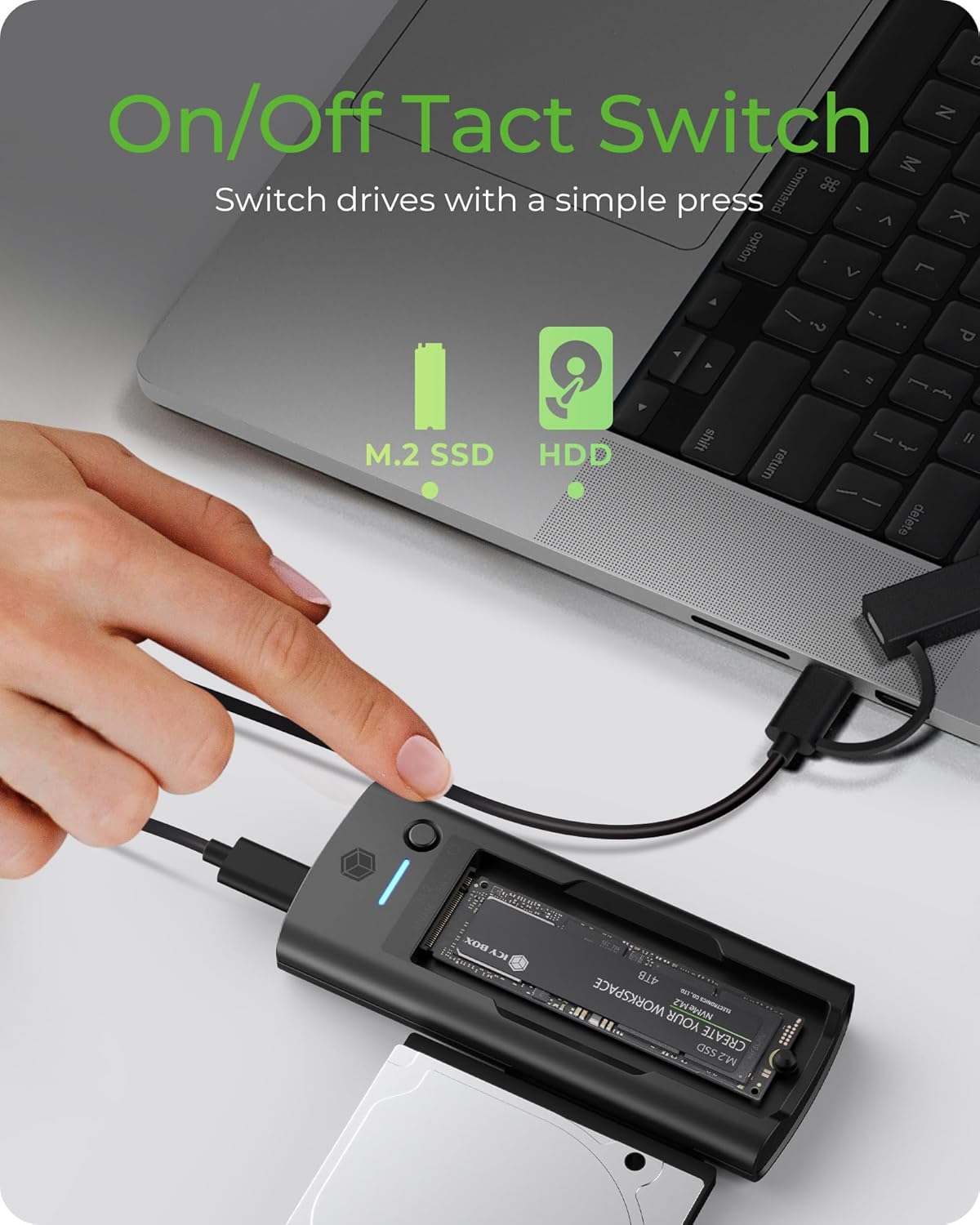
Figure 5: The tact switch allows for instant switching between M.2 SSD and 2.5”/3.5” SATA drives.
4.3 Prijenos podataka
The docking station supports USB 3.2 Gen2x1, providing data transfer speeds up to 10 Gbit/s. This is ideal for transferring large files, performing backups, or working with high-resolution media.

Figure 6: Experience fast data transfer speeds up to 10 Gbit/s.
4.4 Kompatibilnost sistema
This device is compatible with both macOS and Windows operating systems, ensuring seamless integration with most desktop and laptop environments.
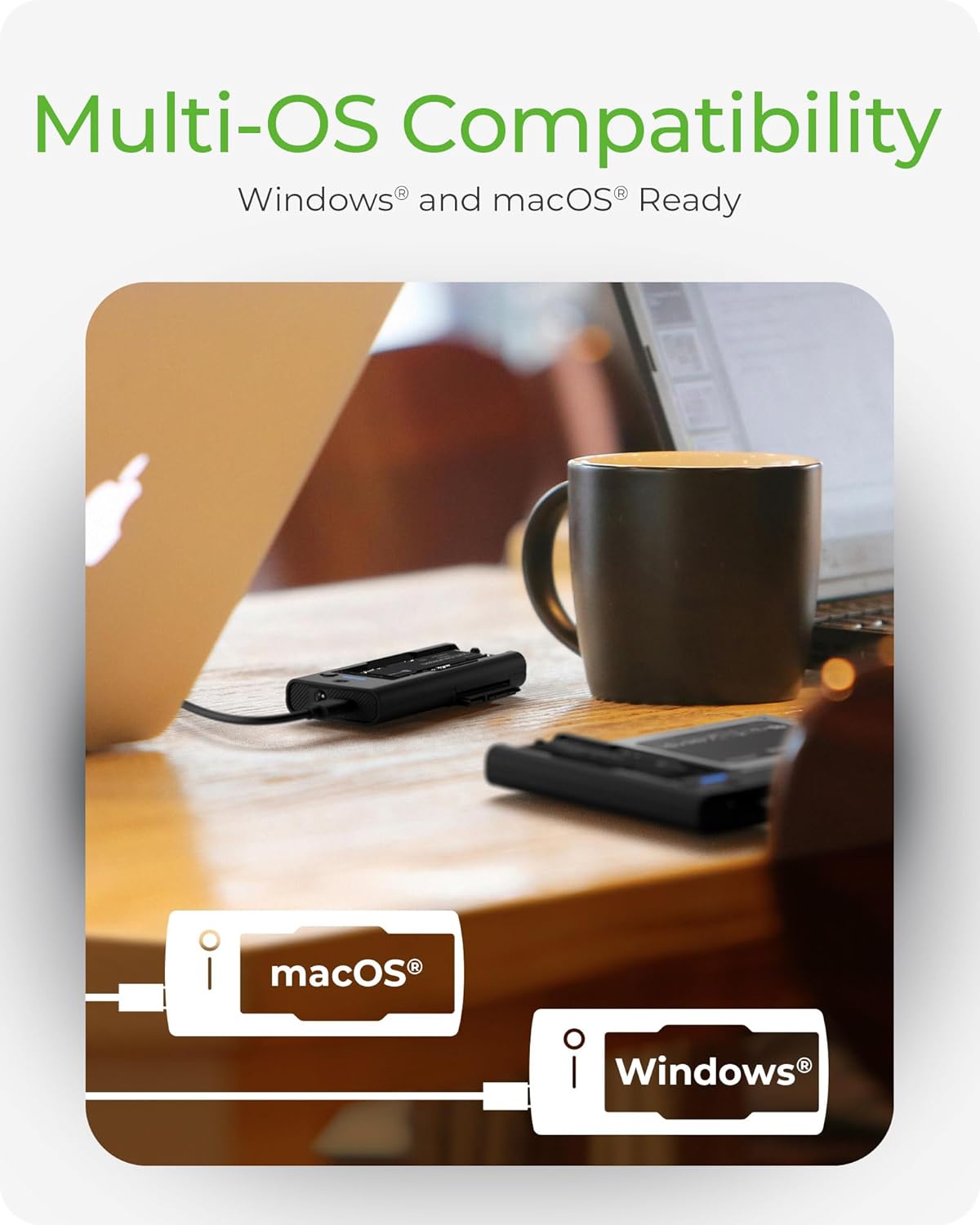
Figure 7: The docking station offers multi-OS compatibility for Windows and macOS.
5. Održavanje
To ensure the longevity and optimal performance of your ICY BOX docking station, follow these maintenance guidelines:
- čišćenje: Use a soft, dry cloth to clean the exterior of the docking station. Avoid using liquid cleaners or solvents, as they may damage the device.
- Skladištenje: Kada se ne koristi, priključnu stanicu čuvajte na hladnom i suhom mjestu, dalje od direktne sunčeve svjetlosti i ekstremnih temperatura.
- Rukovanje: Pažljivo rukujte uređajem kako biste spriječili fizička oštećenja. Izbjegavajte ispuštanje ili izlaganje jakim udarcima.
- ventilacija: Ensure the docking station has adequate ventilation during operation to prevent overheating, especially when using multiple drives or during prolonged data transfers.
6. Otkrivanje problema
6.1 Disk nije otkriven
- Provjerite veze: Ensure all cables are securely connected to both the docking station and your computer.
- Napajanje: For 3.5” SATA HDDs, confirm that an external 12V DC power adapter is connected and providing power. 2.5” SATA drives and M.2 SSDs typically draw power from the USB connection, but a power adapter may be beneficial for stability with some systems.
- Sjedala za vozača: Verify that the M.2 SSD or SATA drive is correctly and firmly seated in its respective slot.
- Operativni sistem: Provjerite Upravljanje diskovima (Windows) ili Uslužni program diska (macOS) na računaru da vidite da li je disk prepoznat, ali nije inicijaliziran ili nije formatiran.
- Pokušajte s drugim priključkom/kablom: Test with a different USB port on your computer or a different USB cable if available.
6.2 Spore brzine prijenosa podataka
- USB port: Ensure the docking station is connected to a USB 3.0 (or higher) port on your computer. Connecting to a USB 2.0 port will limit speeds.
- Performanse pogona: The actual transfer speed is limited by the slowest component, which could be the drive itself. Older HDDs or slower SSDs will not reach 10 Gbit/s.
- Opterećenje sistema: Visoka upotreba CPU-a ili drugi pozadinski procesi na vašem računaru mogu utjecati na brzinu prijenosa.
6.3 3.5” HDD Not Powering On
- Potrebno vanjsko napajanje: 3.5” HDDs require an external 12V DC power adapter (not included) to operate. The USB connection alone cannot provide sufficient power for these drives.
- Specifikacije adaptera za napajanje: Ensure the power adapter used provides 12V DC and sufficient amperage (e.g., 2A or 3A) for the HDD. Using an incorrect power adapter can damage the drive or the docking station.
7. Specifikacije
| Dimenzije proizvoda | 4.45 x 2.17 x 0.59 inča (11.3 x 5.5 x 1.5 cm) |
| Težina artikla | 4.6 unce (130 grama) |
| Hardversko sučelje | USB 3.2 Gen 2 |
| Brzina prijenosa podataka | Do 10 Gbit/s |
| Kompatibilni diskovi | M.2 NVMe/SATA SSDs (2230, 2242, 2260, 2280), 2.5"/3.5" SATA HDDs/SSDs |
| Kompatibilni sistemi | macOS, Windows |
| Ukupni USB portovi | 2 (Internal for drives) |
| Ulazni voltage | 12 Volts (DC) for external power (for 3.5" HDDs) |
| Boja | Crna |
8. Garancija i podrška
8.1 Informacije o garanciji
This ICY BOX product comes with a 24-month warranty from the date of purchase. This warranty covers manufacturing defects and ensures the product functions as intended under normal use. Please retain your proof of purchase for warranty claims.
8.2 Korisnička podrška
For technical assistance, troubleshooting, or warranty inquiries, please contact ICY BOX customer service. Refer to the official ICY BOX webnajnovije kontakt informacije potražite na web stranici ili na pakovanju vašeg proizvoda.


