1. Uvod
Thank you for choosing the OREiN OL17006 Bathroom Exhaust Fan with Light. This product is designed to enhance air quality and illumination in your bathroom, laundry room, or similar indoor spaces. It features a humidity sensor, adjustable airflow (CFM), a multi-color temperature LED light, and a nightlight function. Please read this manual thoroughly before installation and operation to ensure safe and efficient use.
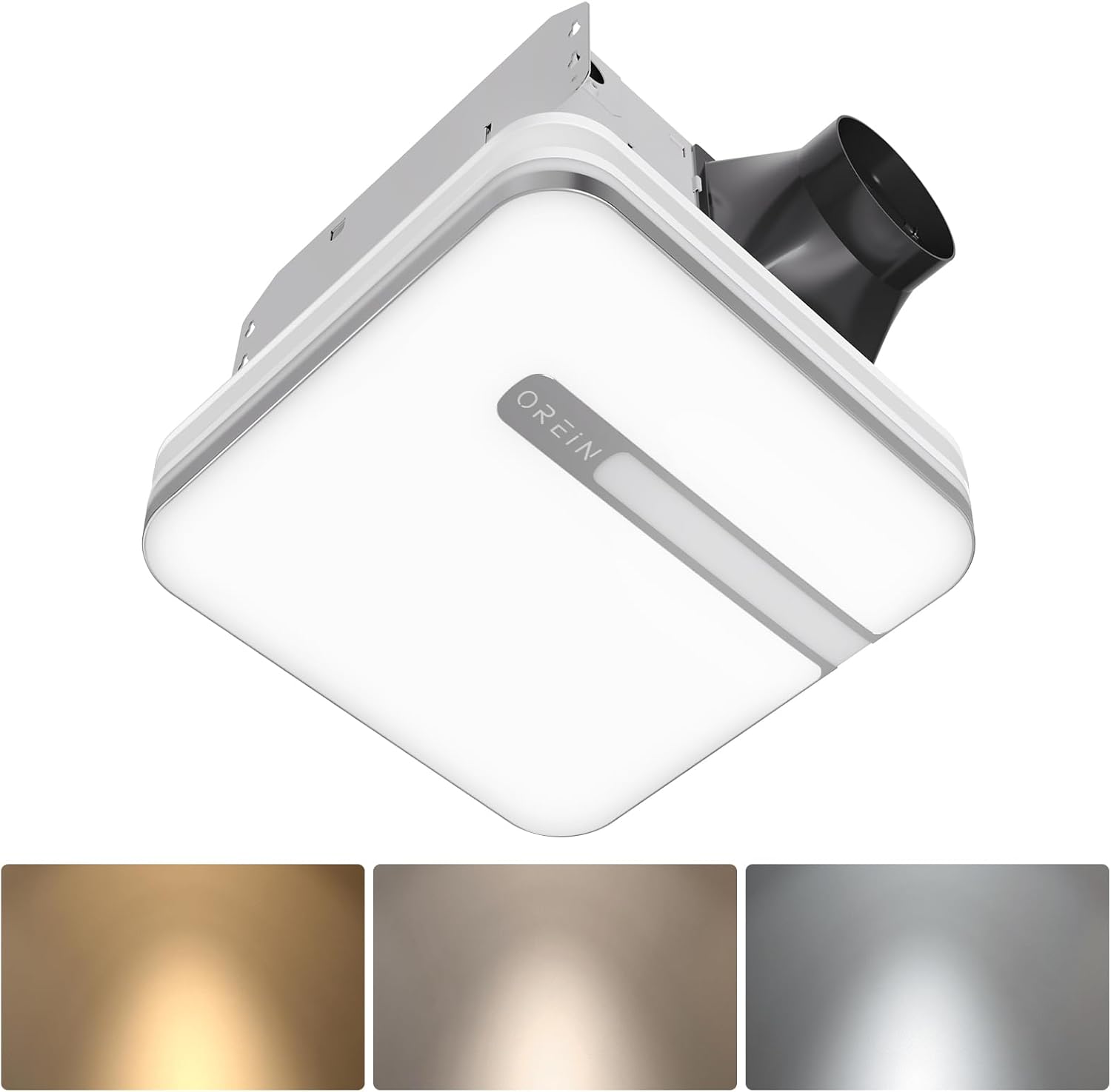
Image 1.1: The OREiN OL17006 Bathroom Exhaust Fan with Light, showcasing its sleek design and integrated lighting.
2. Sigurnosne informacije
Always follow basic safety precautions when installing, operating, and maintaining this product to reduce the risk of fire, electric shock, or injury to persons.
- Pročitajte sva uputstva: Familiarize yourself with the product and its functions before use.
- električna sigurnost: Disconnect power at the service panel before wiring or servicing the unit. Ensure all wiring complies with local electrical codes and standards.
- Kvalificirano osoblje: Installation and wiring should be performed by a qualified electrician.
- uzemljenje: Ova jedinica mora biti pravilno uzemljena.
- ventilacija: Do not use this fan in kitchens or areas where it may be exposed to grease.
- Odobrenje: Održavajte odgovarajuću udaljenost od zapaljivih materijala.
- Šteta: Do not operate any fan with a damaged cord or plug, or if the fan motor is dropped or damaged in any manner.
3. Sadržaj paketa
Prije početka instalacije provjerite da li su sve komponente prisutne:
- OREiN OL17006 Ispušni ventilator za kupatilo sa svjetlom
- Fast Bracket for Installation
- Korisnički priručnik (ovaj dokument)
- Mounting Hardware (Screws, wire nuts, etc.)
4. Specifikacije
| Feature | Specifikacija |
|---|---|
| Brand | OREiN |
| Naziv modela | OL17006 |
| Kapacitet protoka zraka | 80 / 110 Cubic Feet Per Minute (CFM) selectable |
| Nivo buke | 0.8 / 1.0 Sones |
| Wattage | 30 watts (Fan) |
| Voltage | 120 Volts |
| Light Output | 1500 lumena |
| Temperatura boje | 3000K (Soft White), 4000K (Bright White), 5000K (Daylight) selectable |
| Noćno svjetlo | 2200K |
| Posebne karakteristike | Humidity Sensor, Adjustable Color Temperature, LED Light |
| Prečnik kanala | 4 inča |
| Dimenzije kućišta | 9.25" x 9.75" x 7.1" |
| Install Size | 10.24" x 9.37" (260 x 238 mm) |
| Veličina poklopca svjetla | 13" x 13" |
| Vrsta sobe | Bathroom, Laundry Room |
5. Postavljanje i instalacija
The OREiN OL17006 fan is designed for easy installation in new construction or retrofit applications. It fits 10.24" x 9.37" ceiling constructions with a 4-inch duct.
5.1 Koraci prije instalacije
- Isključivanje struje: Ensure power is turned OFF at the circuit breaker before starting any installation work.
- Odabir lokacije: Choose a suitable location in the ceiling, ensuring adequate space for the fan housing and ductwork.
- Cjevovod: Plan for a 4-inch duct connection to the exterior.
5.2 Procedura instalacije
The fan comes with a fast bracket for secure and easy installation. You can mount the exhaust fan between ceiling joists using the fast bracket, or nail/screw it directly to a joist.
- Montaža kućišta: Secure the fan housing to the ceiling joists using the provided fast bracket or by nailing/screwing directly. Ensure the housing is level and firmly attached.
- Priključak kanala: Connect the 4-inch ductwork to the fan's exhaust port. Seal all duct connections with appropriate tape or sealant to prevent air leakage.
- Električno ožičenje: Connect the electrical wiring according to the wiring diagram provided with the unit and local electrical codes. Ensure proper grounding.
- Light Cover Installation: Once wiring is complete and tested, attach the light cover to the fan housing.

Image 5.1: Diagram illustrating the product dimensions, installation size (10.24" x 9.37"), and the fast bracket for mounting.
6. Uputstvo za upotrebu
The OREiN OL17006 fan offers versatile operation modes and lighting options.
6.1 CFM Selection (Airflow Speed)
You can select between 80 CFM and 110 CFM airflow speeds to suit your ventilation needs. This is done by sliding a toggle switch located on the fan housing before final installation of the light cover.
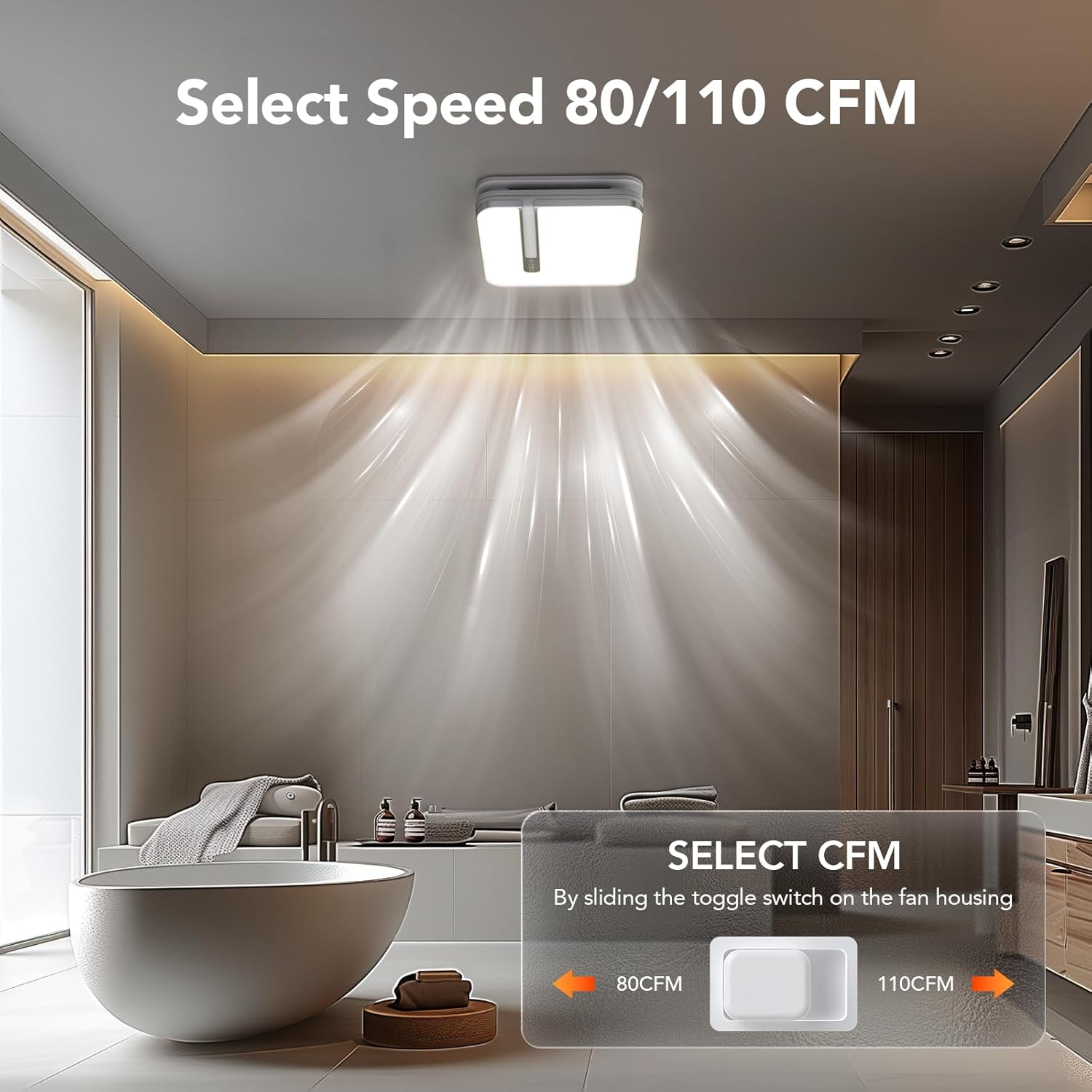
Image 6.1: Illustration of the toggle switch on the fan housing used to select between 80 CFM and 110 CFM airflow settings.
6.2 Light Color Temperature (CCT) Selection
The integrated LED light offers three color temperature options: 3000K (Soft White), 4000K (Bright White), and 5000K (Daylight). To select your desired CCT, slide the toggle switch located on the back of the bath fan shade before installing it.

Image 6.2: Visual guide for selecting the LED light's color temperature (3000K, 4000K, 5000K) using the switch on the lamphlad.
6.3 Funkcija noćnog svjetla
The fan includes a 2200K nightlight. To activate the nightlight mode, cycle the wall switch of the light from OFF to ON-OFF-ON within 2 seconds. This quick sequence will switch the light to nightlight mode.

Slika 6.3: Bivši/aample of the 2200K nightlight providing subtle illumination in a bathroom setting.
6.4 Humidity Sensing Mode
The built-in humidity sensor automatically turns the fan on when the humidity level in the room exceeds 60%. The LED indicator light on the back of the fan will be green when in humidity sensing mode.
To switch between Manual Mode (fan runs continuously) and Humidity Sensing Mode, cycle the wall switch of the fan to the "OFF" position and then back to the "ON" position. The fan will indicate the current mode by the color of its indicator light.
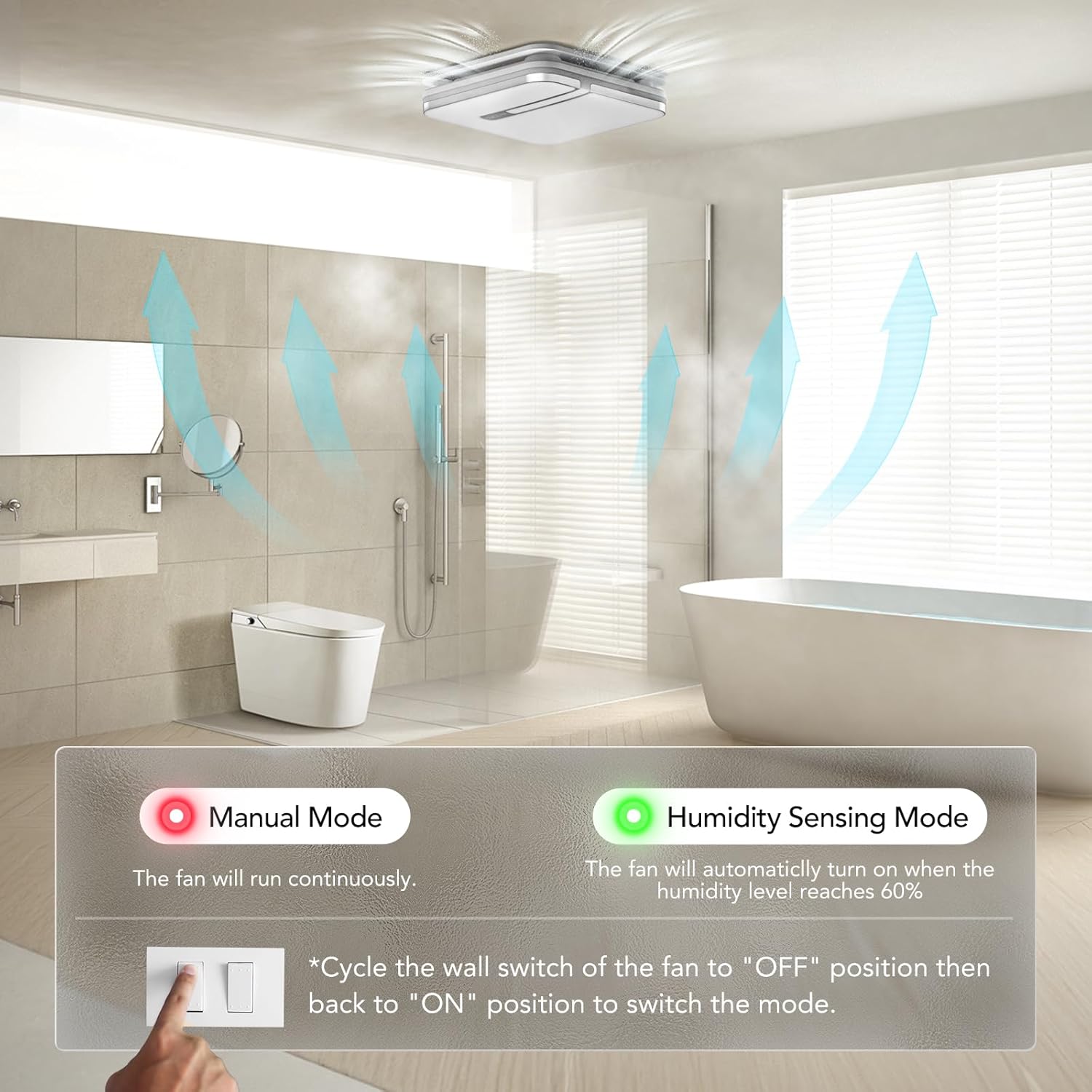
Image 6.4: Explanation of Manual Mode (red indicator, continuous operation) and Humidity Sensing Mode (green indicator, automatic activation at 60% humidity).
7. Održavanje
Redovno održavanje osigurava optimalne performanse i dugotrajnost vašeg ispušnog ventilatora.
- Isključivanje struje: Always turn off power at the circuit breaker before performing any maintenance.
- Cleaning the Grille/Light Cover: Remove the light cover and wash it with mild soap and water. Rinse thoroughly and dry completely before reattaching.
- Čišćenje lopatica ventilatora: Gently wipe the fan blades with a damp cloth to remove dust and debris. Do not bend the blades.
- Održavanje motora: Motor je trajno podmazan i ne zahtijeva dodatno podmazivanje.
- Inspekcija kanala: Periodically check ductwork for obstructions or damage.
8. Otkrivanje problema
If you encounter issues with your OREiN OL17006 fan, refer to the following common problems and solutions:
| Problem | Mogući uzrok | Rješenje |
|---|---|---|
| Ventilator ne radi | Nema napajanja Labavo ožičenje Neispravnost motora | Provjerite osigurač i zidni prekidač Verify all wire connections are secure (ensure power is off) Kontaktirajte korisničku podršku |
| Svjetlo se ne pali | Nema napajanja Labavo ožičenje Kvar LED dioda | Provjerite osigurač i zidni prekidač Verify all wire connections are secure (ensure power is off) Kontaktirajte korisničku podršku |
| Ventilator je bučan | Labava montaža Duct obstruction Prljave lopatice ventilatora Problem sa motorom | Ensure fan housing is securely mounted Check ductwork for debris Clean fan blades (ensure power is off) Kontaktirajte korisničku podršku |
| Humidity sensor not activating | Odabran je pogrešan način rada Humidity level below 60% Neispravnost senzora | Cycle wall switch to switch to Humidity Sensing Mode Ensure room humidity is above 60% Kontaktirajte korisničku podršku |
| Nightlight not activating | Nepravilan redoslijed prekidača | Ensure ON-OFF-ON sequence is performed within 2 seconds |
9. Garancija i podrška
OREiN products are manufactured with quality and reliability in mind. For specific warranty details, please refer to the warranty card included with your product or contact OREiN customer service directly.
9.1 Korisnička podrška
For technical assistance, troubleshooting not covered in this manual, or warranty inquiries, please contact OREiN customer support:
- Telefon: 1 (844) 506-1530 (24-Hour Service)
- Online: Visit the OREiN store on Amazon or search for OREiN on the internet to find contact options.

Image 9.1: OREiN customer service contact details, including a 24-hour service phone number.