1. Proizvod je gotovview
The ShanWan Q38 is a versatile wireless Bluetooth controller designed for a wide range of gaming platforms. It features advanced controls such as Hall Effect joysticks and micro-switch buttons for enhanced precision and responsiveness.

Slika 1.1: Od vrha prema dolje view of the ShanWan Q38 Wireless Bluetooth Controller, showcasing svojim kompaktnim dizajnom i rasporedom tipki.
2. Sadržaj paketa
Molimo Vas da se uvjerite da su svi artikli prisutni u paketu:
- ShanWan Q38 Wireless Bluetooth Controller
- USB kabl za punjenje
- Korisnički priručnik (ovaj dokument)
- 1 AAA baterija (unaprijed instalirana ili uključena zasebno)
3. Podešavanje i povezivanje
3.1 Punjenje kontrolera
Before initial use, ensure the controller is sufficiently charged. Connect the provided USB charging cable to the controller's charging port and to a USB power source (e.g., computer, USB wall adapter). The LED indicator will show charging status.
3.2 Kompatibilnost
The ShanWan Q38 controller is compatible with the following platforms:
- Nintendo Switch / Switch 2 (firmware upgrade may be required for Switch 2)
- Steam Deck
- PC (Windows)
- Android devices (phones, tablets)
- iPhone
- iPad
- macOS uređaji
- PS4 (as indicated by mode switch, specific compatibility may vary)

Image 3.1: The ShanWan Q38 controller demonstrating compatibility with multiple gaming platforms.
3.3 Povezivanje putem Bluetooth-a
Da povežete kontroler sa svojim uređajem:
- Uključeno: Press and hold the Home button on the controller until the indicator lights begin to flash.
- Odaberite način rada: Use the mode switch located on the top edge of the controller to select the appropriate mode for your device:
- X Mode: For Mobile & Computer (Android, PC, macOS, iOS).
- S Mode: For Nintendo Switch.
- P način rada: For PS4 (if compatible).
- Uparivanje: On your device, navigate to the Bluetooth settings and search for available devices. Select "ShanWan Q38" (or similar) from the list to pair.
- Potvrda: Nakon uspješnog uparivanja, indikatorska lampica na kontroleru će početi stalno svijetliti.
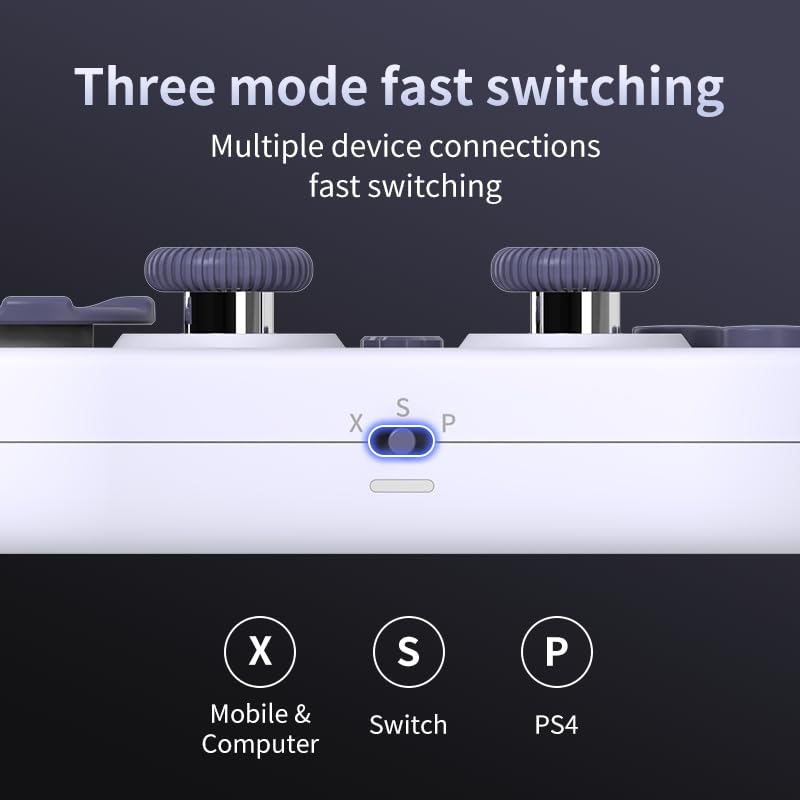
Image 3.2: Detail of the three-mode fast switching selector on the controller.
3.4 Customization and Calibration
For advanced customization, including button remapping and macro functions, download the official "gamepad space" application. This application also allows for controller calibration to ensure optimal performance.
4. Upravljanje kontrolerom
4.1 Ključne karakteristike
- Džojstici sa Hall efektom: Provides high precision and sensitivity. The joystick height is adjustable between 5mm and 8mm for personalized comfort.
- Composite Micro-Switch Buttons: These buttons offer a tactile response similar to mechanical keyboards, providing quick and precise input.
- Mechanical Triggers: Designed for fast response times.
- Dual Micro Motors: Provides dual vibration feedback for an immersive gaming experience.
- Somatosensory Gyroscope: Equipped with a 6-axis gyroscope for motion control in supported games.

Image 4.1: Detail of the adjustable Hall Effect joysticks.

Image 4.2: Close-up of the composite micro-switch action buttons.

Image 4.3: Diagram illustrating the internal components of the composite micro-keypad.
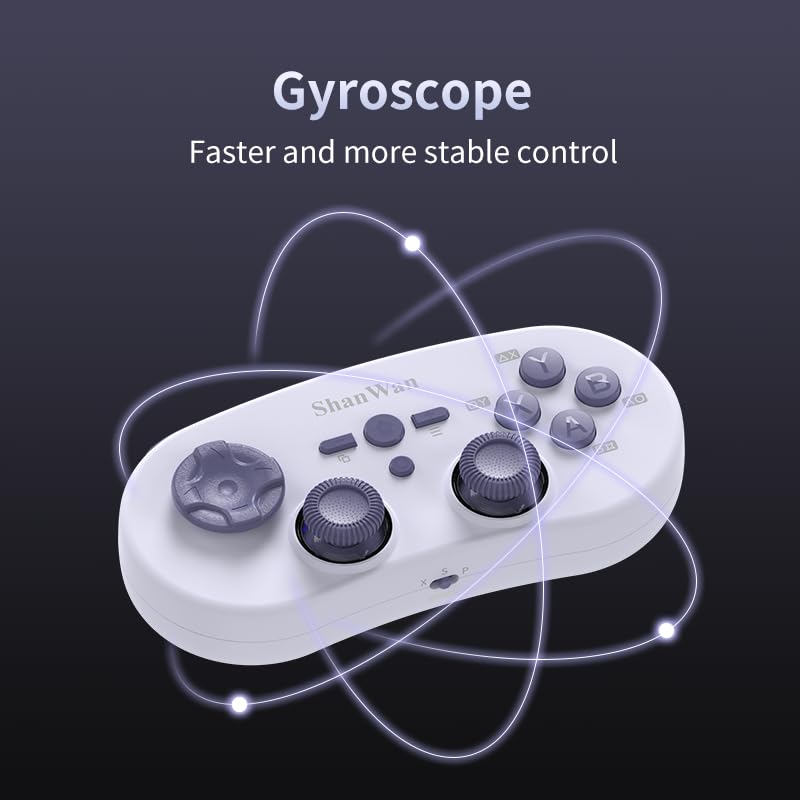
Image 4.4: Visual representation of the controller's gyroscope functionality.
4.2 Iskustvo igranja
The compact design allows for portability, making it suitable for gaming on the go with devices like the Nintendo Switch or smartphones.

Image 4.5: Controller in use with a Nintendo Switch.

Image 4.6: Controller paired with a smartphone for mobile gaming.
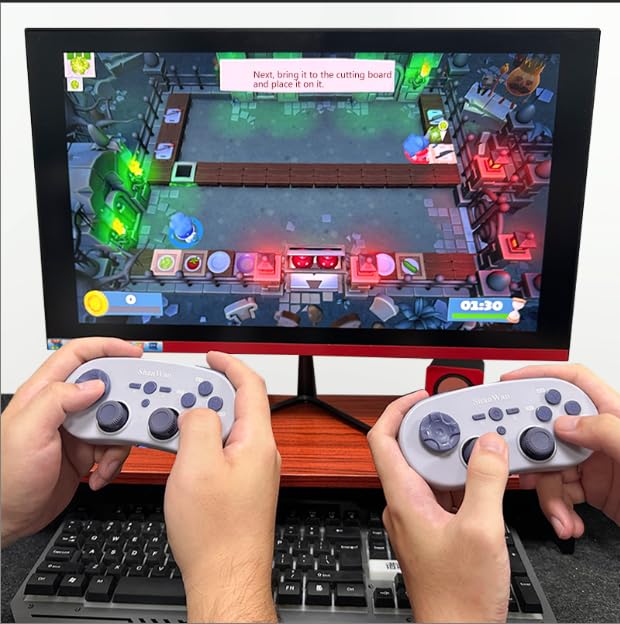
Image 4.7: Two controllers in use for multiplayer gaming on a PC.
5. Održavanje
To ensure the longevity and optimal performance of your ShanWan Q38 controller, follow these maintenance guidelines:
- čišćenje: Koristite meku, suhu krpu za brisanje kontrolera. Za tvrdokornu prljavštinu, laganoamp Može se koristiti krpa, ali pazite da vlaga ne uđe u uređaj. Izbjegavajte jake hemikalije ili abrazivna sredstva za čišćenje.
- Skladištenje: Kontroler čuvajte na hladnom i suhom mjestu, dalje od direktne sunčeve svjetlosti i ekstremnih temperatura.
- Održavanje baterije: If using replaceable AAA batteries, remove them if the controller will not be used for an extended period to prevent leakage.
- Izbjegavajte kapi: Protect the controller from physical impact and drops, which can damage internal components.
6. Otkrivanje problema
If you encounter issues with your ShanWan Q38 controller, refer to the following common problems and solutions:
- Controller Does Not Power On:
- Ensure the battery is correctly inserted and has sufficient charge. Replace AAA batteries if necessary.
- Connect the controller to a power source using the USB cable to confirm if it charges.
- Difficulty Connecting via Bluetooth:
- Ensure the controller is in the correct mode (X, S, or P) for your device.
- Isključite i uključite Bluetooth na svom uređaju.
- Zaboravite uređaj u Bluetooth postavkama i pokušajte ponovo upariti uređaj.
- Ensure the controller is within the effective range of your device.
- Buttons or Joysticks Not Responding Correctly:
- Calibrate the controller using the "gamepad space" application.
- Provjerite ima li fizičkih prepreka ili ostataka oko dugmadi ili džojstika.
- Ensure the controller's firmware is up to date, especially for Switch 2 compatibility.
- Slučajni prekidi veze:
- Provjerite da u blizini nema jakih bežičnih smetnji.
- Keep the controller close to the connected device.
- Re-pair the controller if disconnections are frequent.
7. Specifikacije
| Feature | Detalj |
|---|---|
| Broj modela | Q38 |
| Proizvođač | ShanWan |
| Povezivanje | Bluetooth bežični |
| Kompatibilnost | Switch/Switch 2, Steam Deck, PC, Android, iPhone, iPad, macOS, PS4 |
| Tip džojstika | Hall Effect, Adjustable Height (5mm-8mm) |
| Tip dugmeta | Composite Micro-Switch |
| Vibracije | Dual Micro Motors |
| Kontrola kretanja | 6-osni žiroskop |
| Dimenzije paketa | 5.63 x 4.53 x 1.54 inča |
| Težina artikla | 4.6 unce |
| Baterije | Potrebna 1 AAA baterija (uključena) |

Image 7.1: Physical dimensions of the ShanWan Q38 controller.
8. Garancija i podrška
For warranty information and customer support, please refer to the official ShanWan webweb-mjesto ili kontaktirajte prodavača od kojeg ste kupili proizvod. Sačuvajte dokaz o kupovini za slučaj reklamacije.


