1. Uvod
This manual provides essential information for the safe and efficient use of your JVC VIDAA LT-43VDF5455 43-inch Full HD Smart TV. Please read these instructions thoroughly before operating the device and retain them for future reference.
The JVC LT-43VDF5455 is a 43-inch Full HD Smart TV featuring HDR10 support for enhanced contrast and natural colors. It includes an integrated triple tuner (DVB-C/T2/S2) for versatile program reception and runs on the VIDAA operating system, offering access to various streaming applications.
2. Važne informacije o sigurnosti
- Napajanje: Provjerite je li TV priključen na utičnicu s odgovarajućom jačinom napona.tage. Ne preopterećujte utičnice.
- ventilacija: Ne blokirajte ventilacijske otvore. Osigurajte dovoljno prostora oko televizora za pravilan protok zraka kako biste spriječili pregrijavanje.
- Voda i vlaga: Ne izlažite TV kiši, vlazi ili stavljajte predmete napunjene tekućinom na ili blizu TV-a.
- čišćenje: Isključite televizor iz struje prije čišćenja. Koristite meku, suhu krpu. Ne koristite tekuća ili aerosolna sredstva za čišćenje.
- plasman: Postavite TV na stabilnu, ravnu površinu. Izbjegavajte postavljanje na direktnu sunčevu svjetlost ili u blizinu izvora topline.
- servisiranje: Ne pokušavajte sami servisirati TV. Za sve popravke obratite se kvalifikovanom servisnom osoblju.
3. Sadržaj paketa
Molimo Vas da provjerite da li su svi artikli prisutni i u dobrom stanju:
- JVC VIDAA LT-43VDF5455 43-inch Full HD Smart TV
- Daljinski upravljač (sa 2 AAA baterije uključene)
- TV Feet (Stand)
- Korisnički priručnik (ovaj dokument)
4. Podešavanje
4.1 Pričvršćivanje TV postolja
Carefully place the TV screen-down on a soft, flat surface to prevent damage. Attach the provided feet to the designated slots on the bottom of the TV using the screws supplied. Ensure the stand is securely fastened before placing the TV upright.

Slika: Front view of the JVC LT-43VDF5455 Smart TV with its stand attached.
4.2 Fizičke dimenzije i smještaj
The TV has a width of 96.5 cm, a height of 60 cm (with stand), and a depth of 26.1 cm (with stand). The screen diagonal is 43 inches (108 cm). For wall mounting, the VESA standard is M4 100x100. Ensure adequate space for ventilation.

Image: Diagram illustrating the physical dimensions of the JVC LT-43VDF5455 television, including width, height with stand, depth with stand, and screen diagonal.
4.3 Priključak za napajanje
Connect the power cord to the TV's power input and then to a suitable wall outlet.
4.4 Čarobnjak za početno podešavanje
Upon first power-on, the TV will guide you through an initial setup wizard. This includes language selection, country, network connection (Wi-Fi), and channel scanning for the integrated triple tuner (DVB-C/T2/S2).
5. Upravljanje televizorom
5.1 Funkcije daljinskog upravljača
The provided remote control allows you to navigate the TV's features. Key functions include:
- Dugme za napajanje: Uključuje/isključuje TV ili ga stavlja u stanje pripravnosti.
- Dugme za unos: Selects input sources (HDMI, USB, Tuner).
- Brojčana dugmad: Direktan odabir kanala.
- Volumen +/-: Podešava jačinu zvuka.
- Kanal +/-: Mijenja kanale.
- Navigacijski gumbi (gore/dolje/lijevo/desno) i OK: Za navigaciju i odabir menija.
- Dugmad prečica aplikacije: Direct access to popular streaming services like Netflix, YouTube, Prime Video, Disney+.

Image: The remote control for the JVC Smart TV, highlighting dedicated buttons for popular streaming applications such as YouTube, Netflix, Prime Video, and Disney+.
5.2 Funkcije Smart TV-a (VIDAA OS)
Your JVC TV runs on the VIDAA operating system, providing a user-friendly interface for accessing a wide range of applications and services.
- App Store: Browse and download additional applications.
- Usluge prijenosa: Enjoy pre-installed apps like Netflix, Prime Video, Disney+, YouTube, and DAZN.
- Web Preglednik: Pristupite internetu direktno sa svog televizora.
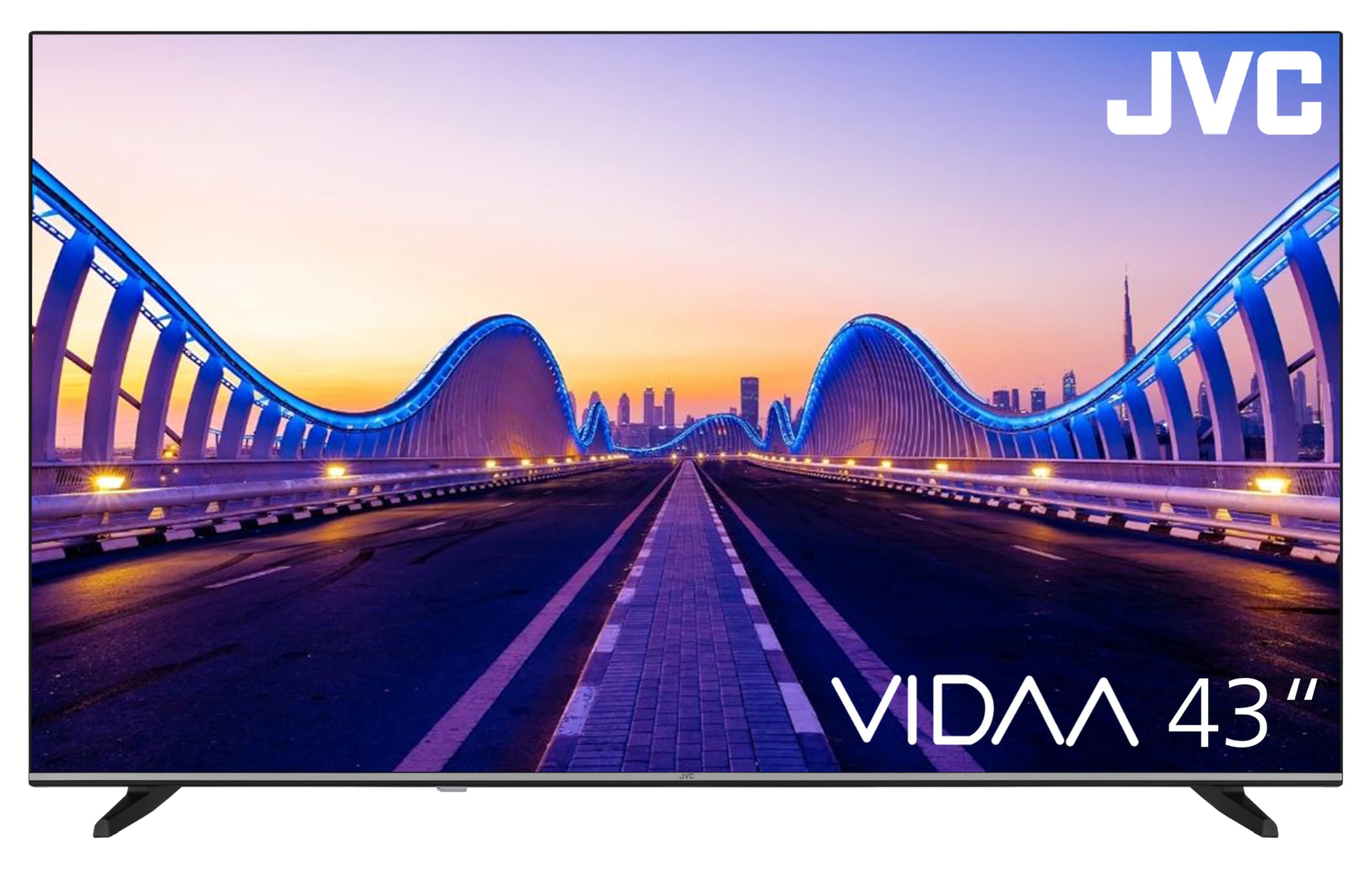
Image: The JVC Smart TV displaying the VIDAA operating system home screen, featuring a selection of popular streaming applications and content recommendations.
5.3 Postavke slike i zvuka
Access the TV's menu to adjust picture settings (brightness, contrast, color, sharpness, HDR mode) and sound settings (equalizer, sound mode). The TV supports HDR10 for enhanced dynamic range.

Image: A JVC Smart TV screen showcasing content with high dynamic range (HDR), demonstrating improved detail and contrast.
6. Veze
Your JVC TV offers various connection options for external devices:
- HDMI portovi (x2): Connect devices such as Blu-ray players, game consoles, or set-top boxes. One port supports ARC (Audio Return Channel) for simplified audio connections to soundbars or AV receivers, and both support CEC (Consumer Electronics Control).
- USB priključak (x1): Povežite USB uređaje za pohranu za reprodukciju medija files (photos, music, videos) using the integrated media player.
- Antenski ulaz: Connect an antenna for DVB-T2 (terrestrial) reception or a cable for DVB-C (cable) reception.
- Satelitski ulaz: Connect a satellite dish for DVB-S2 (satellite) reception.
- LAN port: Za žičanu internet vezu.
- Digitalni audio izlaz: Connect to an external audio system for high-quality digital sound.
- Priključak za slušalice: Priključite slušalice za privatno slušanje.
- CI utor: For Common Interface modules, typically used with pay-TV services.
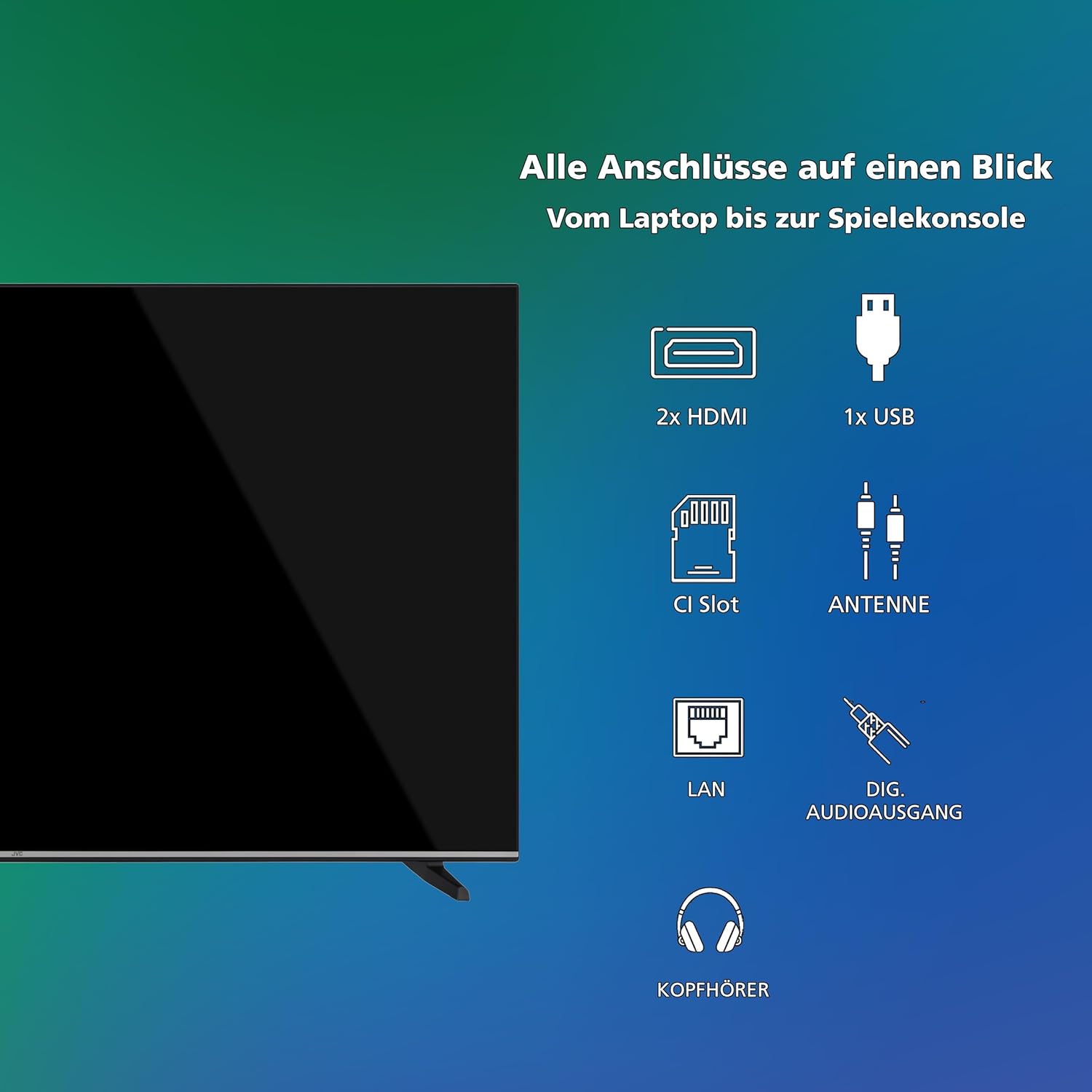
Slika: Vizualni prikaz prekoview of all available connection ports on the JVC Smart TV, including HDMI, USB, CI Slot, Antenna, LAN, Digital Audio Output, and Headphone jack.
7. Održavanje
- Čišćenje ekrana: Nježno obrišite ekran mekom krpom koja ne ostavlja dlačice. Za tvrdokorne mrlje, lagano obrišiteampOperite krpu vodom ili specijaliziranim sredstvom za čišćenje ekrana (nanesite na krpu, a ne direktno na ekran).
- Čišćenje kabineta: Za čišćenje kućišta televizora koristite meku, suhu krpu.
- Uklanjanje prašine: Regularly dust the ventilation openings to prevent dust buildup, which can affect performance and lifespan.
- Kabl za napajanje: Povremeno provjeravajte kabel za napajanje da li ima oštećenja.
8. Otkrivanje problema
Ako imate problema s televizorom, pogledajte sljedeća uobičajena rješenja:
- Nema napajanja:
- Provjerite je li kabel za napajanje sigurno priključen i u televizor i u zidnu utičnicu.
- Provjerite da li zidna utičnica funkcioniše tako što ćete je testirati s drugim uređajem.
- Pritisnite dugme za napajanje na daljinskom upravljaču ili na samom televizoru.
- Nema slike/zvuka:
- Verify that the correct input source is selected (e.g., HDMI 1, DTV).
- Provjerite jesu li svi kablovski priključci (HDMI, antena, itd.) sigurni.
- Pazite da zvuk nije isključen ili postavljen na minimum.
- Loš kvalitet slike:
- Provjerite priključke antene ili kablova.
- Podesite postavke slike (svjetlinu, kontrast, oštrinu) u TV meniju.
- Ako koristite eksterni uređaj, provjerite njegovu izlaznu rezoluciju.
- Daljinski upravljač ne radi:
- Zamijenite baterije (2 AAA).
- Provjerite da nema prepreka između daljinskog upravljača i IR senzora televizora.
- Smart TV Apps Not Loading/Working:
- Check your internet connection (Wi-Fi or LAN).
- Restart the TV by unplugging it for a few minutes and plugging it back in.
- Provjerite da li je softver televizora ažuriran.
9. Specifikacije
| Broj modela | LT-43VDF5455 |
| Brand | JVC |
| Veličina ekrana | 43 inča (108 cm) |
| Rezolucija | 1080p (Full HD) |
| Display Technology | LCD, LED |
| Refresh Rate | 120 Hz |
| Operativni sistem | VIDAA |
| Posebne karakteristike | VIDAA Smart TV, HDR10 |
| Povezivanje | 2x HDMI (CEC, ARC), 1x USB, Wi-Fi, LAN, Digital Audio Out, Headphone, CI Slot |
| Tip tjunera | Integrated DVB-C/T2/S2 Triple Tuner |
| Dimenzije (sa postoljem) | 96.5 cm (Š) x 60 cm (V) x 26.1 cm (D) |
| SDR Energy Consumption | 42 kWh/1000h |
| HDR potrošnja energije | 62 kWh/1000h |
| Dostupnost rezervnih dijelova | 7 godina |
9.1 Informacije o energiji
Detailed energy consumption data and product information can be found on the EU EPREL database.

Image: The EU Energy Label for the JVC LT-43VDF5455 television, showing energy efficiency class E and consumption values.
Za više detalja posjetite EPREL database (QR code 2198541).

Image: The official product data sheet for the JVC LT-43VDF5455 television, detailing technical parameters and compliance information.
Dodatne informacije dostupne su na EPREL database (QR code 2198541).
9.2 Optimalno Viewing Udaljenost
For the JVC LT-43VDF5455 (43-inch Full HD), the recommended optimal viewUdaljenost između njih je otprilike 216 cm.

Image: A table providing recommended optimal viewing distances based on TV screen size and resolution (4K, Full HD, HD).
10. Garancija i podrška
JVC products are manufactured to high standards and are designed for reliable performance.
- rezervni dijelovi: Spare parts for this model are guaranteed to be available for up to 7 years from the date of market placement.
- Ažuriranja softvera: Informacije o zagarantovanim ažuriranjima softvera nisu dostupne.
- Korisnička podrška: For technical assistance, warranty claims, or further inquiries, please contact JVC customer support. Refer to the official JVC webweb-mjesto ili vašu dokumentaciju o kupovini za kontakt podatke.


