1. Proizvod je gotovview
The HID Signo 20NKS-T1-000000 is a next-generation access control reader designed for secure and modern credential authentication. This model is optimized for narrow mullion door frames and supports advanced security features. It is specifically built for high-frequency SEOS and Mobile Access environments.
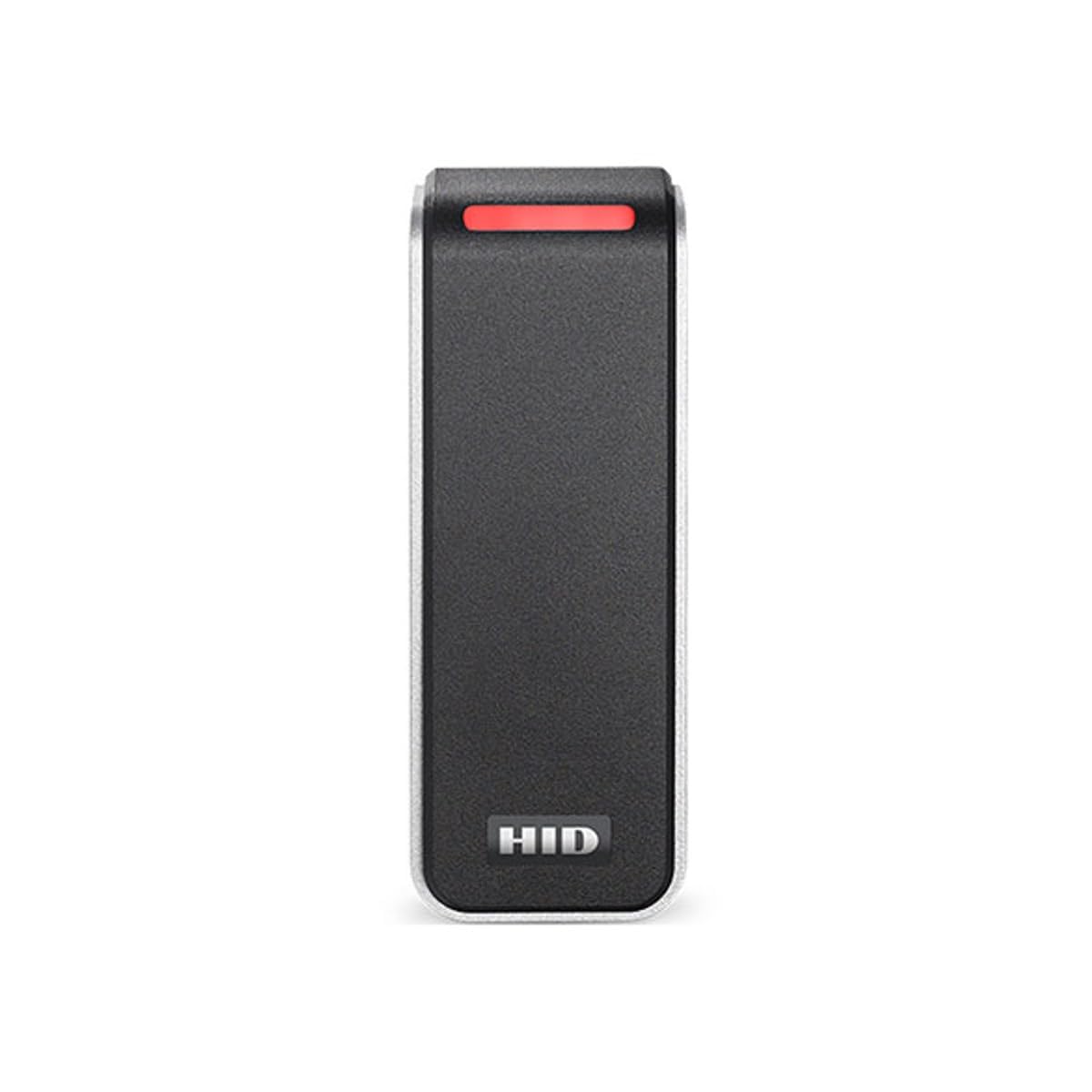
Figure 1: HID Signo 20NKS-T1-000000 Mullion Pigtail Reader. This image displays the front view of the compact, black reader unit with a red indicator light at the top and the HID logo at the bottom.
2. Ključne karakteristike
- Credential Support: SEOS and HID Mobile Access via Bluetooth Low Energy (BLE).
- Stil montaže: Mullion mount, ideal for narrow door frames.
- Sigurna komunikacija: Native support for OSDP (Open Supervised Device Protocol).
- Tamper detekcija: Ugrađena tamper sensor for enhanced physical security.
- Trajnost: Weather- and impact-resistant design (IP65-rated).
- Firmware: Field-upgradable for future features and patches.
- Zahtjevi za napajanje: 12 VDC (supports 5–16 VDC range).
3. Instalacija
3.1. Montaža
The HID Signo 20NKS-T1-000000 is designed for mullion mounting, suitable for narrow door frames. Ensure the mounting surface is stable and provides adequate space for the reader and wiring.
3.2. Ožičenje
This model features a pigtail connection for wiring. Connect the reader to your access control panel according to the wiring diagram provided by your system integrator or the detailed installation guide. Ensure proper power supply within the 5-16 VDC range, with a nominal 12 VDC recommended.

Figure 2: Hardware Options and Wiring Connection. This image illustrates various HID Signo reader models and highlights the 'N - Pigtail' wiring option relevant to this product. It also shows body color and trim/mounting plate color options.
3.3. Početno uključivanje
After mounting and wiring, apply power to the reader. Observe the indicator lights for proper initialization. Refer to the full installation manual for specific LED behavior during power-up and operation.
4. Operacija
The HID Signo 20NKS-T1-000000 reader operates by authenticating compatible credentials presented within its reading field. Once a valid credential is detected, the reader communicates with the access control panel to grant or deny access.
4.1. Presenting Credentials
To gain access, present your HID Seos smart card or HID Mobile Access-enabled device (via BLE) to the reader. The reader will typically provide visual (LED) and/or audible feedback upon successful credential reading.
4.2. Credential Compatibility
This specific T1 variant of the HID Signo 20NKS-T1-000000 reader is designed exclusively for high-security SEOS and HID Mobile Access credentials. It does ne support legacy credential types.
- Supported Credential Types:
- HID Seos
- HID Mobile Access Credentials (via BLE)
- Unsupported Credential Types:
- HID iCLASS
- HID iCLASS SE
- HID iCLASS SR
- MIFARE DESFire EV1/EV2/EV3
- MIFARE Classic
- HID Prox
- 125 kHz Prox

Figure 3: Credential Compatibility. This image clearly lists the credential types compatible and incompatible with the HID Signo reader, emphasizing support for HID Seos and HID Mobile Access credentials.
4.3. Credential Profile Selection (T1 Variant)
The T1 variant of this reader is configured with the 'Priority Seos Profile'. This profile prioritizes the reading of Seos credentials. For detailed information on credential profiles and their implications, consult the HID Signo How to Order Guide or contact your system administrator.

Figure 4: Credential Profile Selection. This table from the HID 'How to Order Guide' shows various credential profiles and their supported technologies. The T1 variant corresponds to the 'Priority Seos Profile'.
5. Specifikacije
| Model | 20NKS-T1-000000 |
| Podrška za vjerodajnice | SEOS, HID Mobile Access (BLE) |
| Communication Protocol | OSDP |
| Montaža | Mullion |
| Zahtjevi za napajanje | 5-16 VDC (Nominal 12 VDC) |
| Ocjena izdržljivosti | IP65 (Weather- and impact-resistant) |
| Tamper Detection | Ugrađeni senzor |
| Firmware | Field-upgradable |
| Dimenzije paketa | 7.09 x 4.72 x 1.85 inča |
| Težina artikla | 6.4 unce |
6. Održavanje i njega
The HID Signo reader is designed for durability and requires minimal maintenance. To ensure optimal performance and longevity:
- čišćenje: Povremeno obrišite površinu čitača mekom,amp krpom. Izbjegavajte abrazivna sredstva za čišćenje ili rastvarače.
- Zaštita životne sredine: While IP65-rated for weather resistance, avoid exposing the reader to extreme conditions beyond its operational specifications.
- inspekcija: Regularly inspect the reader and its wiring for any signs of damage or wear.
7. Otkrivanje problema
If you encounter issues with your HID Signo reader, consider the following:
- Čitalac ne odgovara: Provjerite napajanje kako biste bili sigurni da je unutar specificirane jačinetage range (5-16 VDC). Verify all wiring connections are secure and correct.
- Akreditiv se ne čita: Ensure you are using a compatible credential type (HID Seos or HID Mobile Access). Refer to Section 4.2 for compatibility details. Present the credential firmly and steadily to the reader.
- Pristup odbijen: If the reader acknowledges the credential but access is denied, the issue may lie with the access control panel configuration or the credential's permissions. Contact your system administrator.
- Tamper upozorenje: Ako je uamper alert is triggered, inspect the reader for any physical damage or attempts to remove it from its mounting.
For persistent issues, consult the comprehensive HID Signo installation and configuration guides, or contact your authorized HID reseller or technical support.
8. Garancija i podrška
Warranty information for the HID Signo 20NKS-T1-000000 reader is typically provided at the point of purchase or can be found on the official HID Global webMolimo sačuvajte dokaz o kupovini za potrebe reklamacije.
For technical support, product documentation, or service inquiries, please visit the HID Global support portal or contact your authorized HID reseller. Ensure you have your product model number (20NKS-T1-000000) and any relevant system details available when seeking support.


