1. Uvod
Thank you for choosing the Roborock Q10 VF Robot Vacuum and Mop. This device is designed to provide efficient and thorough cleaning of your home, combining powerful vacuuming with advanced mopping capabilities. This manual will guide you through the setup, operation, maintenance, and troubleshooting of your new robot cleaner to ensure optimal performance and longevity.
2. Sigurnosne informacije
Molimo vas da pažljivo pročitate sva sigurnosna uputstva prije upotrebe ovog proizvoda. Nepoštivanje ovih uputstava može dovesti do strujnog udara, požara ili ozbiljnih povreda.
- Ovaj uređaj mogu koristiti djeca starija od 8 godina i osobe sa smanjenim fizičkim, senzornim ili mentalnim sposobnostima ili nedostatkom iskustva i znanja ako su pod nadzorom ili upute o korištenju uređaja na siguran način i razumiju opasnosti koje su uključene. .
- Djeca trebaju biti pod nadzorom kako bi se osiguralo da se ne igraju s uređajem.
- Čišćenje i korisničko održavanje ne smiju obavljati djeca bez nadzora.
- Koristite samo originalni adapter za napajanje i punjač koje je isporučio proizvođač.
- Ne koristite robota u okruženjima s otvorenim plamenom ili zapaljivim materijalima.
- Držite kosu, široku odjeću, prste i sve dijelove tijela dalje od otvora i pokretnih dijelova.
- Ne uranjajte robota ili njegovu stanicu za punjenje u vodu ili druge tekućine.
- Ensure the robot is placed on a stable surface to prevent falls.
3. Podešavanje
3.1 Raspakivanje i postavljanje
Carefully remove all components from the packaging. Place the charging dock against a wall on a hard, level surface, ensuring there is adequate space around it for the robot to maneuver. Connect the power adapter to the charging dock and plug it into a power outlet.

Image: The Roborock Q10 VF robot vacuum and mop with its charging dock, ready for initial setup.
3.2 Početno punjenje
Place the robot on the charging dock. Ensure the charging contacts on the robot align with those on the dock. The robot will begin charging automatically. For first-time use, it is recommended to fully charge the robot before operation.
3.3 Preuzimanje aplikacije i povezivanje
Download the Roborock app from your mobile device's app store. Follow the in-app instructions to connect your robot to your home Wi-Fi network. Note: The robot supports only 2.4GHz Wi-Fi networks.
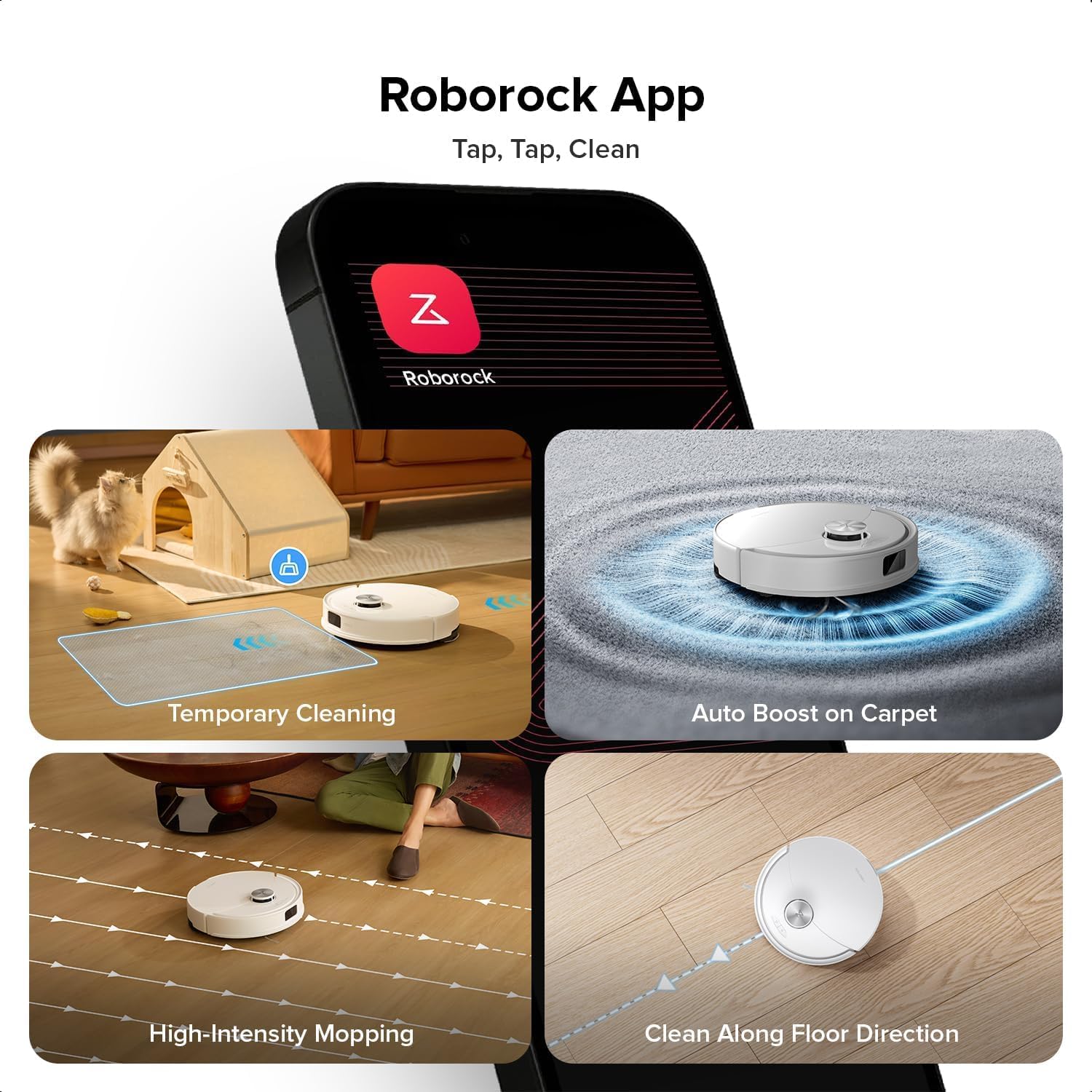
Image: A smartphone displaying the Roborock app interface, showing various cleaning options and controls.
3.4 Početno mapiranje
Once connected, initiate a full cleaning cycle from the app. The robot will use its PreciSense LiDAR Navigation system to create a detailed map of your home. This map is crucial for efficient cleaning and allows for advanced features like zone cleaning and no-go zones.

Image: The Roborock Q10 VF robot vacuum using its LiDAR sensor to scan and map the surrounding environment for navigation.
4. Uputstvo za upotrebu
4.1 Pokretanje i zaustavljanje čišćenja
Press the power button on the robot or use the Roborock app to start a cleaning cycle. Press the button again or use the app to pause or stop cleaning. The robot will automatically return to its charging dock when cleaning is complete or when its battery is low.
4.2 Režimi čišćenja
The Roborock Q10 VF offers various cleaning modes accessible via the app:
- Samo usisivač: Za uklanjanje suhog otpada.
- Samo krpa: Za mokro čišćenje tvrdih podova.
- Usisivač i krpa: Istovremeno usisavanje i brisanje podova.
- Prilagođeno čišćenje: Odaberite određene prostorije ili zone za čišćenje.
4.3 Napredne funkcije
- HiperForce usisavanje: The robot provides an impressive 10000Pa suction power, effectively lifting hair, crumbs, and debris from deep carpets and floor crevices.
- ReactiveTech Obstacle Avoidance: Powered by structured light, this advanced system detects and navigates around obstacles effortlessly, even in cluttered rooms.

Image: The Roborock Q10 VF robot vacuum transitioning from a hard floor to a carpet, with its mop module automatically lifting to avoid wetting the carpet.
- Auto-Lifting Mopping System: The mop automatically lifts when carpet is detected, allowing for seamless cleaning of both hard floors and carpets in a single session without manual adjustments.

Image: The Roborock Q10 VF robot vacuum intelligently detecting and navigating around various household obstacles on the floor.
- Pametne zone zabranjenog pristupa: The app allows you to define virtual no-go zones and invisible walls to restrict the robot from entering certain areas or crossing boundaries.
5. Održavanje
Regular maintenance ensures your Roborock Q10 VF operates at peak performance. Always power off the robot before performing any maintenance.
5.1 Pražnjenje kante za prašinu
Open the robot's top cover and remove the dustbin. Empty its contents into a trash can. It is recommended to empty the dustbin after each cleaning cycle.
5.2 Cleaning the Main Brush and Side Brush
The Dual Anti-Tangle Design features a main brush and a side brush that work together to minimize hair tangles. Remove the main brush cover and lift out the main brush. Use the cleaning tool to remove any tangled hair or debris. Clean the side brush similarly. Reinstall all components securely.

Slika: Krupni plan view of the Roborock Q10 VF's underside, highlighting its dual anti-tangle main brush and side brush design.
5.3 Cleaning the VibraRise 2.0 Mopping System
Remove the mop pads from the robot. Wash the mop pads thoroughly with water and mild detergent. Allow them to air dry completely before reattaching. The VibraRise 2.0 system tackles stubborn stains with high-frequency scrubbing.
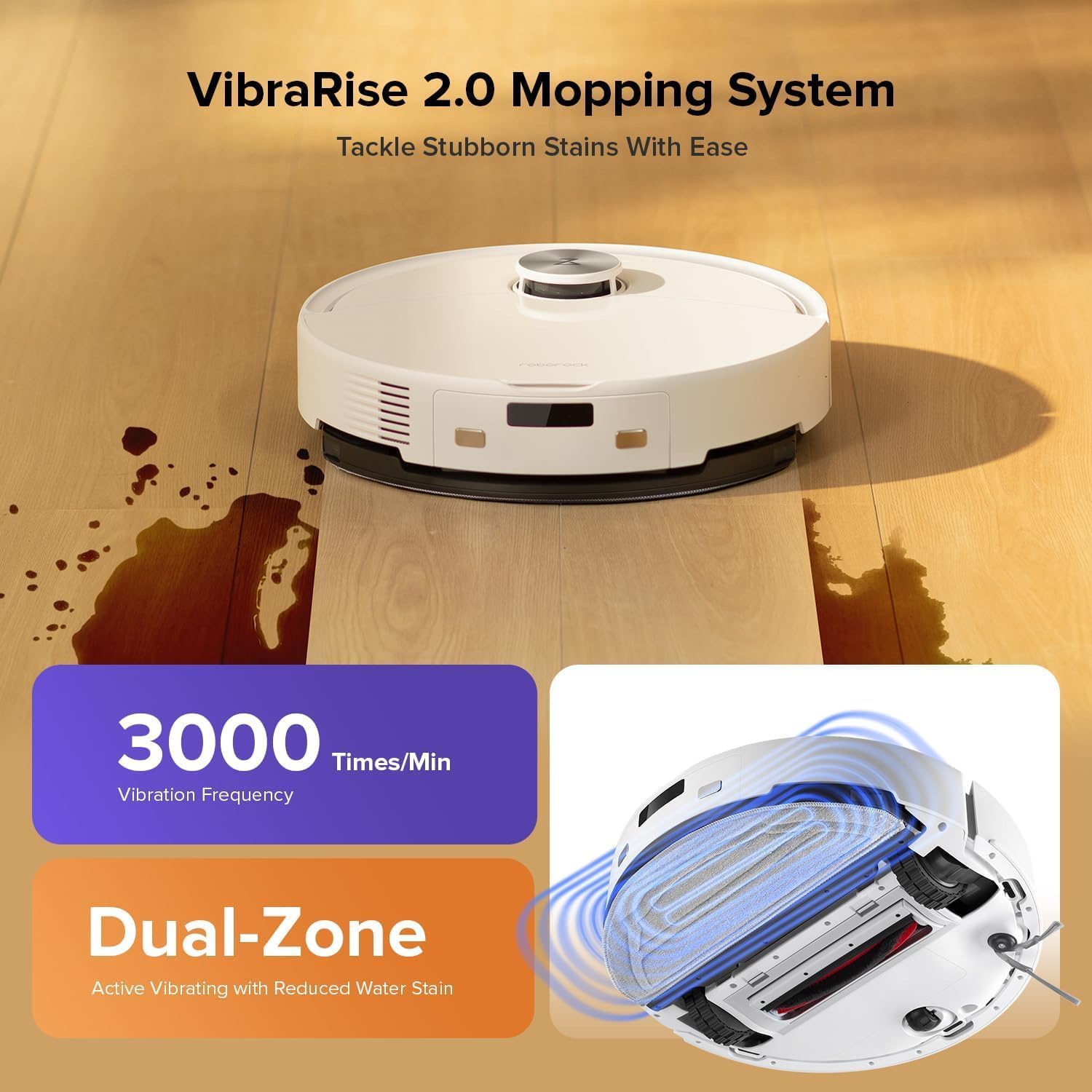
Image: The Roborock Q10 VF robot vacuum actively mopping a hard floor, illustrating the VibraRise 2.0 high-frequency scrubbing action.
5.4 Cleaning Filters and Sensors
Tap the filter to remove dust. The filter can be rinsed with water; ensure it is completely dry before reinstalling. Wipe all sensors (LiDAR, cliff sensors, wall sensors) with a soft, dry cloth to maintain optimal navigation and obstacle detection.
6. Otkrivanje problema
Ako naiđete na probleme s robotom, pogledajte sljedeće uobičajene probleme i rješenja:
| Problem | Mogući uzrok | Rješenje |
|---|---|---|
| Robot se ne uključuje | Slaba baterija; Dugme za napajanje nije pravilno pritisnuto | Napunite robota; Pritisnite i držite dugme za napajanje 3 sekunde |
| Nije moguće povezati se na Wi-Fi | Incorrect Wi-Fi password; Not 2.4GHz network; Router issues | Verify password; Ensure 2.4GHz network; Restart router and robot |
| Loše performanse čišćenja | Full dustbin; Clogged brushes/filter; Dirty sensors | Empty dustbin; Clean brushes and filter; Wipe sensors |
| Robot se često zaglavi | Obstacles on floor; Dirty cliff sensors | Clear floor of small objects; Clean cliff sensors |
| Mop not lifting on carpet | Carpet detection sensor dirty or blocked | Clean the carpet detection sensors on the underside of the robot |
7. Specifikacije
| Feature | Detalj |
|---|---|
| Brand | Roborock |
| Broj modela | Q10VF02-00 |
| Boja | Bijelo |
| Dimenzije proizvoda | 39.2 x 46.8 x 14 cm |
| Težina artikla | 15.2 kilograma |
| Voltage | 220.0 V |
| Nivo buke | 65 dB |
| Max Runtime | 250 minutes (4 hours 10 minutes) |
| Posebne karakteristike | LiDAR Navigation, ReactiveTech Obstacle Avoidance, Auto-Lifting Mop |
| Surface Recommendation | Carpet, Hardwood Floor |
| Tip kontrolera | Kontrola aplikacija |
| Uključene komponente | Baterija |
| Filter Type | Cloth and Foam |
| Dustbin Capacity | 500 ml |
| Kapacitet rezervoara za vodu | 200 ml |
| Maksimalna površina usisavanja | 1,937 sqft |
8. Garancija i podrška
Your Roborock Q10 VF Robot Vacuum and Mop comes with a standard manufacturer's warranty. For detailed warranty information, please refer to the warranty card included in your product packaging or visit the official Roborock website. For technical support, troubleshooting assistance, or to purchase replacement parts, please contact Roborock customer service through their official channels.
You can visit the official Roborock store on Amazon for more information and support: Roborock Amazon trgovina