1. Uvod
Thank you for choosing the BMAX I8 Plus Android 16 Tablet. This manual provides essential information for the safe and efficient use of your device. Please read it carefully before use and keep it for future reference.
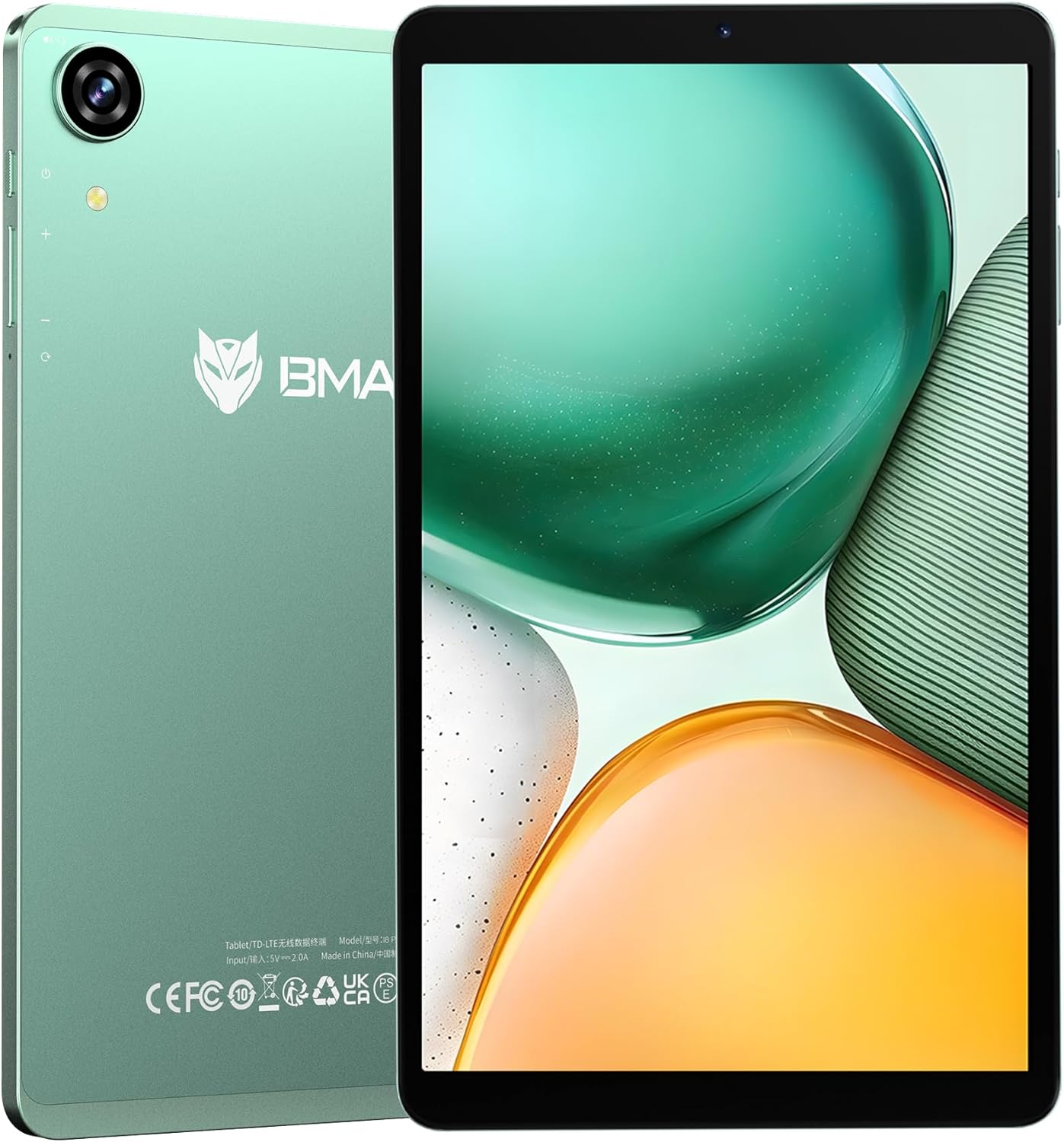
Figure 1: BMAX I8 Plus Tablet Overview
The BMAX I8 Plus is an 8.7-inch tablet featuring the latest Android 16 OS, optimized for performance and user experience. It offers 20GB (4GB physical + 16GB virtual) RAM, 128GB internal storage expandable up to 1TB, and is powered by a Unisoc T7250 octa-core CPU with Mali G57 GPU. Key features include 4G LTE connectivity, dual-band Wi-Fi, Bluetooth 5.2, a 90Hz high refresh rate display, Widevine L1 certification for high-quality streaming, face recognition, split-screen multitasking, and parental control options.
2. Sadržaj paketa
Prilikom raspakivanja, molimo Vas da se uvjerite da su prisutni svi dolje navedeni artikli:
- BMAX I8 Plus Tablet
- USB kabel tipa C
- Adapter za napajanje
- Alat za izbacivanje SIM kartice
- Korisnički priručnik (ovaj dokument)
Video 1: Unboxing the BMAX I8 Plus Tablet. This video demonstrates the unboxing process and shows all included accessories, such as the tablet, charging cable, power adapter, and SIM ejector tool.
3. Izgled uređaja
Familiarize yourself with the physical components of your BMAX I8 Plus tablet:

Figure 2: BMAX I8 Plus Tablet Component Diagram
- Prednja kamera: For video calls and face recognition.
- stražnja kamera: Za snimanje fotografija i videa.
- mikrofon: Za audio ulaz.
- 3.5 mm priključak za slušalice: Za povezivanje žičanih slušalica.
- Dugme za napajanje: To turn the device on/off or put it to sleep/wake it up.
- Dugmad za jačinu zvuka: To adjust the device's volume.
- Reset otvor: For force restarting the device if unresponsive.
- SIM & SD Card Slot: For inserting SIM cards and microSD cards.
- Tip-C priključak za punjenje: Za punjenje uređaja i prijenos podataka.
- Zvučnici: Za audio izlaz.
4. Podešavanje
4.1 Početno punjenje
Before first use, fully charge your tablet. Connect the USB Type-C cable to the tablet's charging port and the power adapter to a wall outlet. The battery indicator will show charging status.

Figure 3: Charging the BMAX I8 Plus Tablet
4.2 Uključivanje/isključivanje napajanja
- Za uključivanje: Press and hold the Power button until the BMAX logo appears.
- Za isključivanje: Pritisnite i držite dugme za napajanje, a zatim odaberite "Isključivanje" iz ponuđenih opcija.
- Za ponovno pokretanje: Pritisnite i držite dugme za napajanje, a zatim odaberite "Ponovno pokretanje" iz ponuđenih opcija.
4.3 Instalacija SIM kartice i MicroSD kartice
The tablet supports dual SIM cards and a microSD card for expanded storage up to 1TB.
- Locate the SIM & SD card slot on the side of the tablet.
- Umetnite alat za izbacivanje SIM kartice u mali otvor pored ladice i lagano pritisnite dok ladic ne iskoči.
- Place your SIM card(s) and/or microSD card into the designated slots on the tray, ensuring correct orientation.
- Pažljivo gurnite ladicu nazad u tablet dok ne klikne na svoje mjesto.
Video 2: SIM and SD Card Installation. This video demonstrates how to correctly insert SIM cards and a microSD card into the tablet's tray.
5. Upravljanje tabletom
5.1 Operativni sistem Android 16
Your BMAX I8 Plus tablet runs on the latest Android 16 OS, offering enhanced stability, improved operational comfort, and support for new features. The system UI has been optimized for a more user-friendly experience.

Slika 4: Interfejs Android 16 OS-a
5.2 Karakteristike ekrana
- Visoka brzina osvježavanja od 90Hz: Enjoy a smooth visual experience with seamless animations.
- IPS In-cell TDDI Display: Pruža udobnost viewing with 1340x800 resolution and a 16:10 aspect ratio.
- Widevine L1 Certification: Stream high-quality content from platforms like Netflix, YouTube, Amazon Prime Video, and Disney+.
- Bežična projekcija: Easily connect your tablet to a larger TV for an expanded viewing iskustvo.

Figure 5: Widevine L1 Support for High-Quality Streaming

Figure 6: Wireless Screen Casting Functionality
5.3 Povezivanje
- 4G LTE: Dual SIM support for flexible mobile communication.
- Dvopojasni Wi-Fi (2.4G/5G): Fast and stable wireless connections.
- Bluetooth 5.2: Reduced latency for wireless accessories, improving audio synchronization.
- GPS: Supports GPS, Beidou, Galileo, and Glonass for accurate navigation and location services.

Figure 7: 4G LTE and VoLTE Communication

Figure 8: GPS Navigation Support
5.4 Cameras and Audio
- stražnja kamera: 13MP with autofocus and LED flash for clear photos in various conditions.
- Prednja kamera: 5MP for smooth video calls and selfies.
- Dvostruki zvučnici: Two sound cavity speakers provide a pure and immersive audio experience.
- FM radio: Uživajte u svojim omiljenim FM radio stanicama.

Figure 9: High-Quality Cameras for Photos and Video Calls

Figure 10: Immersive Audio Experience
5.5 Security and Productivity
- Prepoznavanje lica: Unlock your tablet quickly and securely in 0.3 seconds by simply facing the camera.
- Podijeljeni ekran: Display two applications simultaneously, enhancing multitasking efficiency.
- OTG podrška: Transfer photos, videos, and files with external devices.
- Privatni prostor: Keep sensitive apps and data invisible for enhanced privacy.
- App Pair: Pair frequently used apps for quick multitasking.

Figure 11: Fast and Secure Face Recognition Unlock

Slika 12: Multitasking na podijeljenom ekranu
5.6 Kids Protection (Parental Controls)
The tablet offers parental control features to manage children's usage. Utilize Google's built-in 'FamilyLink' to set screen time limits, monitor app usage, remotely lock the device, and check your child's tablet location information. This helps parents provide a balanced learning and entertainment environment.

Figure 13: Parental Controls for Kids Protection
6. Održavanje
6.1 Njega baterija
The tablet is equipped with a 6000mAh cobalt lithium battery. To prolong battery life:
- Izbjegavajte ekstremne temperature.
- Use the provided charger and cable.
- Ne dozvolite da se baterija često potpuno isprazni.
- Za dugotrajno skladištenje, napunite bateriju do oko 50%.
6.2 Čišćenje
Za čišćenje ekrana i kućišta tableta koristite meku krpu koja ne ostavlja dlačice. Izbjegavajte upotrebu jakih hemikalija ili abrazivnih materijala.
7. Otkrivanje problema
If you encounter issues with your tablet, try the following basic troubleshooting steps:
- Uređaj ne reaguje: Pritisnite i držite dugme za napajanje 10-15 sekundi da biste prisilno ponovo pokrenuli računar.
- Rušenje aplikacija: Clear the cache of the problematic app or reinstall it.
- Loša Wi-Fi veza: Restart your router and the tablet. Ensure you are within range of the Wi-Fi signal.
- Baterija se brzo prazni: Provjerite korištenje aplikacija u pozadini, smanjite svjetlinu ekrana ili onemogućite nepotrebne funkcije poput GPS-a ili Bluetootha kada ih ne koristite.
For more complex issues, please refer to the support information in Section 9.
8. Specifikacije
| Feature | Specifikacija |
|---|---|
| Brand | BMAX |
| Naziv modela | I8 Plus |
| OS | Android 16 |
| Veličina ekrana | 8.68 inča |
| Rezolucija ekrana | 1340x800 piksela |
| Refresh Rate | 90Hz |
| CPU | Unisoc T7250 Octa-Core (2x A75@1.8GHz + 6x A55) |
| GPU | Mali-G57 |
| RAM | 20 GB (4 GB fizičke + 16 GB virtuelne) |
| Interna pohrana | 128GB |
| Proširiva pohrana | Do 1TB putem microSD kartice |
| Zadnja kamera | 13MP with Autofocus and LED Flash |
| Prednja kamera | 5MP |
| Baterija | 6000mAh |
| Port za punjenje | USB Type-C |
| Wi-Fi | 802.11a/b/g/n/ac (2.4G/5G Dual-band) |
| Bluetooth | 5.2 |
| Celularna mreža | 4G LTE (Dual SIM support) |
| Navigacija | GPS, Beidou, Galileo, Glonass |
| Dimenzije | 8.4mm thin, approx. 355g weight |
| Boja | Zeleno |
| Certifikati | PSE, CE, FCC, TELEC, GMS, Widevine L1 |
9. Garancija i podrška
Your BMAX I8 Plus tablet comes with a one-year quality warranty. We are committed to providing satisfactory support to our customers.
9.1 Kontaktiranje podrške
If you have any questions or require assistance, please contact us via email. Support is available in both English and Japanese.
Da nas kontaktirate:
- Go to your Amazon account > Order History > Select your order > Contact Seller.
- Alternatively, on the product page, click on the store name below the "Add to Cart" button, then click "Ask a question" in the upper right corner to send us an email.

Figure 14: Customer Support Information


