1. Uvod
This manual provides detailed instructions for the operation and maintenance of your Monster Open Touch Pro 100 Wireless Earbuds. Please read this manual thoroughly before use to ensure proper functionality and to maximize your listening experience.
2. Sadržaj paketa
Provjerite da li se sve stavke nalaze u vašem paketu:
- Monster Open Touch Pro 100 Wireless Earbuds (Left and Right)
- Futrola za punjenje sa ekranom osjetljivim na dodir
- USB kabel za punjenje (tip-C)
- Korisnički priručnik (ovaj dokument)
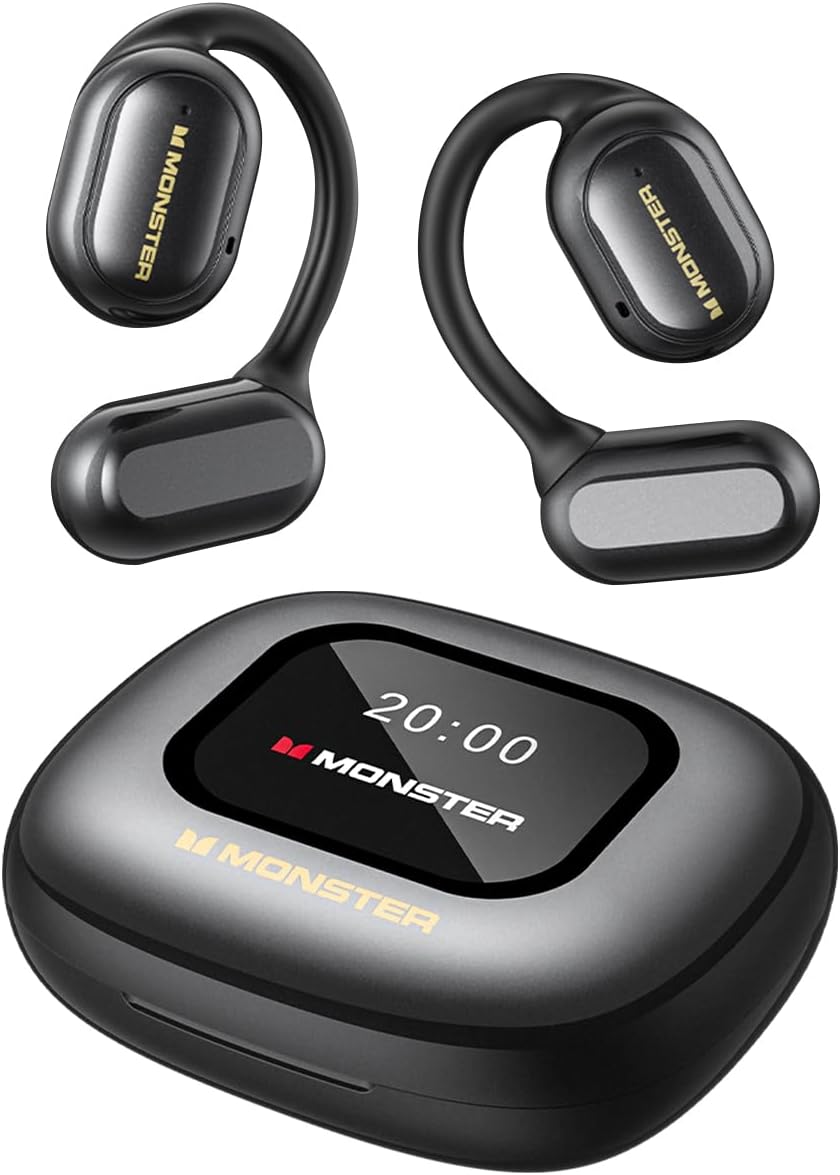
Image: The Monster Open Touch Pro 100 wireless earbuds and their charging case, illustrating the complete product package.
3. Proizvod je gotovview
3.1 Komponente slušalica
- Dizajn otvorenog uha: Omogućava svijest o okolini.
- Kuke za uši: Ergonomic curved design for secure and comfortable wear.
- 16.2mm dinamički drajveri: For clear sound quality.
- mikrofoni: For Environmental Noise Cancellation (ENC) during calls.
- Kontakti za punjenje: Za punjenje unutar kućišta.
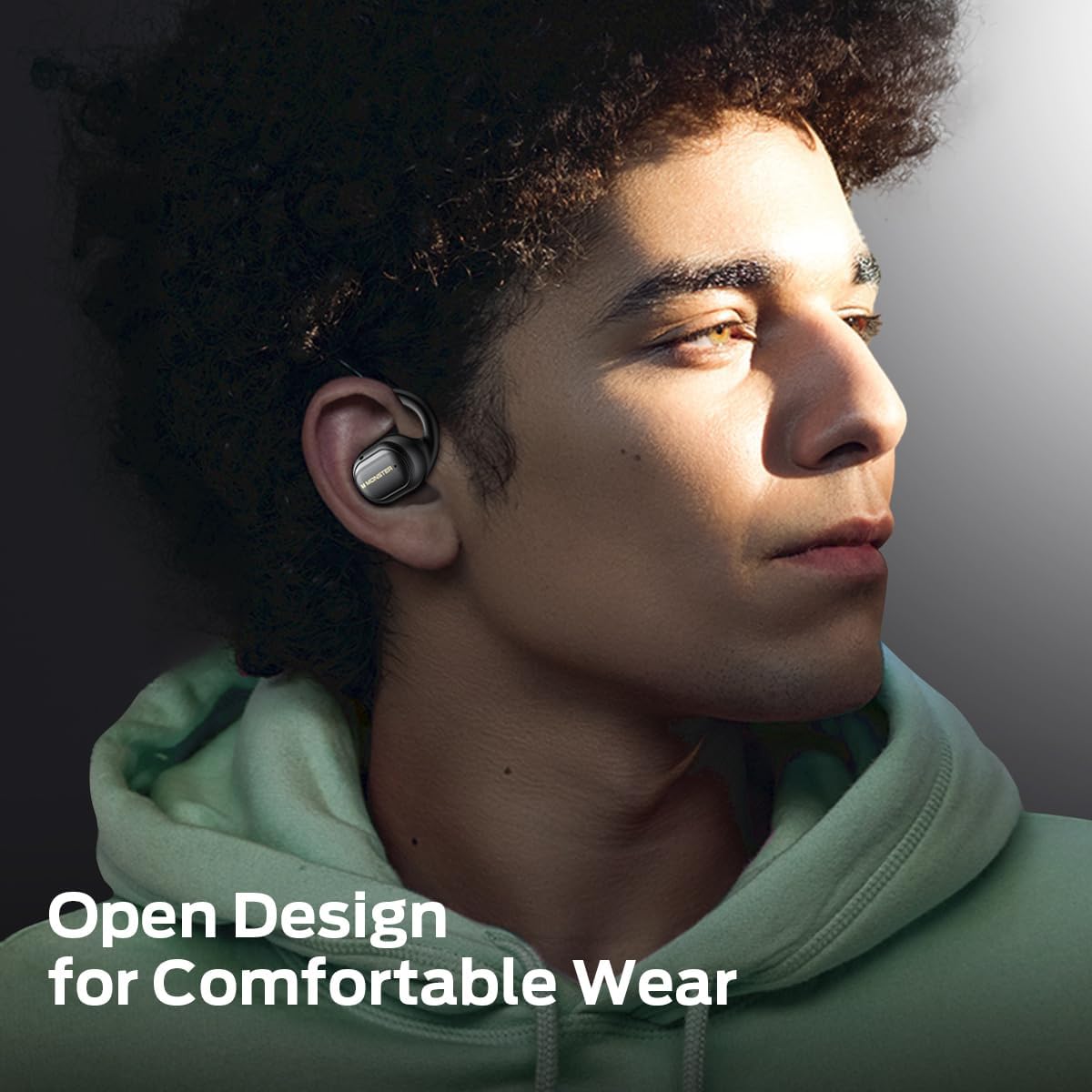
Image: A man wearing the Monster Open Touch Pro 100 earbud, demonstrating its open-ear design and comfortable fit.
3.2 Karakteristike kućišta za punjenje
- LED Full-Color Smart Touch Screen: For control over music, settings, and more.
- Utor za TF karticu: Supports independent MP3 playback (TF card not included).
- USB-C priključak za punjenje: Za ponovno punjenje kućišta.

Image: The Monster Open Touch Pro 100 charging case displaying its LED full-color smart touch screen, showing various control options.
4. Podešavanje
4.1 Početno punjenje
Before first use, fully charge the earbuds and the charging case. Place the earbuds into the charging case and connect the USB-C cable to the charging port on the case, then connect the other end to a USB power source (e.g., computer, wall adapter).
The LED screen on the charging case will indicate the charging status. A full charge typically takes approximately 1.5-2 hours for the case and earbuds.
4.2 Uključivanje/isključivanje
- Uključeno: Otvorite kutijicu za punjenje. Slušalice će se automatski uključiti i ući u način rada za uparivanje.
- Iskljuciti: Vratite slušalice u kutijicu za punjenje i zatvorite poklopac. Slušalice će se automatski odspojiti i isključiti.
4.3 Bluetooth uparivanje
- Provjerite jesu li slušalice napunjene i uključene (otvorite kućište za punjenje).
- Na vašem uređaju (pametnom telefonu, tabletu, laptopu) omogućite Bluetooth.
- Traži available Bluetooth devices and select "Monster Open Touch Pro 100".
- Nakon povezivanja, slušalice će signalizirati uspješno uparivanje, a uređaj će ih prikazati kao povezane.
Slušalice će se automatski pokušati ponovo povezati s posljednjim uparenim uređajem kada se izvade iz kutijice.
5. Uputstvo za upotrebu
5.1 Dodirne kontrole slušalica
The earbuds feature touch-sensitive areas for controlling playback and calls:
- Pusti/pauza: Single click on either L/R earbud.
- Sljedeća pjesma: Double click on the Right earbud.
- Prethodna pjesma: Triple click on the Left earbud.
- Odgovori na poziv: Double click on either L/R earbud.
- Prekinuti vezu: Hold for 3 seconds on either L/R earbud.
- Aktivirajte glasovnog asistenta: Hold for 2 seconds on either L/R earbud.

Image: A visual guide to the touch controls on the Monster Open Touch Pro 100 earbuds, detailing actions for play/pause, track skipping, call management, and voice assistant activation.
5.2 Charging Case Touch Screen Functions
The full-color touch screen on the charging case provides advanced controls:
- Kontrola reprodukcije muzike: Play, pause, skip tracks, adjust volume directly from the screen.
- EQ načini rada: Select from multiple equalizer presets (e.g., Rock and Roll, Pop, Normal, Jazz, Classic) to customize your audio experience.
- Promjena jezika: Change the system language of the case interface.
- Okidač kamere: Use the case as a remote shutter button for your smartphone camera.
- Pronađi moje slušalice: Locate misplaced earbuds by activating an audible signal.
- Postavke: Pristupite dodatnim postavkama uređaja.

Image: The Monster Open Touch Pro 100 charging case screen displaying the language selection interface, allowing users to switch between languages.

Image: The Monster Open Touch Pro 100 charging case screen displaying various equalizer modes such as Rock and Roll, Pop, Normal, Jazz, and Classic.
5.3 Independent MP3 Mode (TF Card)
The charging case features a TF card slot, allowing the earbuds to function as an independent MP3 player without requiring a connected phone or network.
- Insert a TF card (not included) with your music files into the designated slot on the charging case.
- On the touch screen, navigate to the "SD Music" option.
- Select and play your desired music directly from the TF card.
Note: Hot-swapping of the TF card is not supported. Ensure the device is powered off or in a safe state before inserting or removing the TF card.

Image: The Monster Open Touch Pro 100 charging case with a TF card being inserted, highlighting its independent MP3 playback capability.
6. Održavanje
6.1 Čišćenje
- Obrišite slušalice i kućište za punjenje mekom, suhom krpom koja ne ostavlja dlačice.
- Ne koristite abrazivna sredstva za čišćenje, alkohol ili hemijske rastvarače.
- Keep charging contacts clean and dry to ensure proper charging.
6.2 Otpornost na vodu
The earbuds are rated IPX5 waterproof, meaning they are protected against low-pressure water jets from any direction. This makes them suitable for workouts and light rain.
Important: The charging case is NOT waterproof. Avoid exposing the charging case to water or moisture.

Image: A woman exercising while wearing the Monster Open Touch Pro 100 earbuds, illustrating their IPX5 waterproof performance against sweat and light moisture.
6.3 Skladištenje
Kada se ne koriste, slušalice čuvajte u kutijici za punjenje kako biste ih zaštitili i osigurali da ostanu napunjene. Čuvajte ih na hladnom i suhom mjestu, dalje od ekstremnih temperatura.
7. Otkrivanje problema
| Problem | Mogući uzrok | Rješenje |
|---|---|---|
| Slušalice se ne uparuju | Earbuds not in pairing mode; Bluetooth off on device; out of range. | Ensure case is open and earbuds are powered on. Turn Bluetooth off and on on your device. Move closer to your device. |
| Nema zvuka iz slušalica | Jačina zvuka je preniska; slušalice nisu povezane; reprodukcija medija je pauzirana. | Increase volume on device and earbuds. Reconnect earbuds. Check media playback status. |
| Futrola za punjenje se ne puni | Kabl nije pravilno povezan; neispravan kabl/adapter; prljav priključak za punjenje. | Ensure USB-C cable is securely connected. Try a different cable or power adapter. Clean the charging port gently. |
| Slušalice se ne pune u futroli | Earbuds not seated correctly; dirty charging contacts. | Adjust earbuds in case to ensure proper contact. Clean earbud and case charging contacts. |
| Ekran na dodir ne reaguje | Privremeni softverski kvar; slaba baterija. | Restart the charging case (if possible, by closing and reopening). Ensure the case is sufficiently charged. |
8. Specifikacije
| Feature | Detalj |
|---|---|
| Naziv modela | Monster Open Touch Pro 100 |
| Tehnologija povezivanja | bežični (Bluetooth) |
| Bluetooth verzija | 5.4 |
| Postavljanje uha | Otvori uho |
| Vrsta audio drajvera | Dinamički drajver (16.2 mm) |
| Funkcije kontrole buke | Ukidanje buke iz okoliša (ENC) |
| Kontrolni metod | Dodirnite |
| Posebne karakteristike | LED Full-Color Smart Screen, TF Card Support, IPX5 Waterproof (earbuds only) |
| Trajanje baterije (slušalice) | Do 8 sati (jedno punjenje) |
| Ukupno vrijeme reprodukcije | Do 30 sata (sa futrolom za punjenje) |
| Materijal | Silikon (kukice za uši) |
| Težina artikla | 7.4 unce |
| Kompatibilni uređaji | Pametni telefoni, laptopi, tableti, pametni zvučnici |
9. Garancija i podrška
For warranty information and customer support, please refer to the documentation included with your purchase or visit the official Monster webSačuvajte dokaz o kupovini za slučaj reklamacije.
Proizvođač: Monster


