1. Uvod
Welcome to the Hot Pepper K82A Smartphone User Manual. This guide provides essential information on setting up, operating, and maintaining your new device. The Hot Pepper K82A is designed for optimal performance, featuring a vibrant AMOLED display, a powerful octa-core processor, and advanced camera capabilities.
Ključne karakteristike uključuju:
- Curved AMOLED Display: A 6.67-inch screen for vivid colors and immersive visuals.
- Powerful Octa-core Processor: Ensures smooth and fast performance for applications and games.
- AmpPohrana i memorija: 256 GB internal storage and 8 GB RAM for effortless multitasking and data storage.
- Dugotrajna baterija: A 5000 mAh battery provides extended usage throughout the day.
- Trostruki sistem kamera: A 50 MP main camera and 24 MP front camera for capturing high-quality photos and videos.
2. Šta se nalazi u kutiji
Upon unboxing your Hot Pepper K82A, please verify that all the following items are included:

Image: Contents of the Hot Pepper K82A retail box, showing the smartphone, USB adapter, USB-C charging cable, user manual, and silicone case.
- Hot Pepper K82A Smartphone
- USB adapter
- USB-C kabl za punjenje
- Uputstvo za upotrebu
- Silikonska torbica
3. Proizvod je gotovview
Familiarize yourself with the physical components and ports of your Hot Pepper K82A smartphone.

Image: Diagram illustrating the various components and ports of the Hot Pepper K82A, including the 3.5mm headphone jack, AI face unlock, side fingerprint unlock, built-in microphone, and USB-C charging port.
- Headphone/AUX: 3.5mm Jack located on the top.
- Otključavanje licem pomoću umjetne inteligencije: Front-facing camera for facial recognition.
- Otključavanje otiskom prsta: Side-mounted sensor for quick and secure access.
- mikrofon: Built-in for calls and voice commands.
- punjač: USB-C port at the bottom for charging and data transfer.
4. Podešavanje
4.1. Umetanje SIM kartice i uključivanje
- Pronađite ladicu za SIM karticu sa strane telefona.
- Koristite priloženi alat za izbacivanje SIM kartice da biste otvorili ladicu.
- Place your Nano-SIM card(s) and/or microSD card (for expandable storage up to 1TB) into the tray, ensuring correct orientation.
- Gently push the tray back into the phone.
- Press and hold the Power button (usually on the right side) until the Hot Pepper logo appears.
- Slijedite upute na ekranu da biste dovršili početno podešavanje, uključujući odabir jezika, Wi-Fi vezu i postavljanje Google računa.
4.2. Početna konfiguracija
Your Hot Pepper K82A runs on Android 13.0. During the initial setup, you will be guided through:

Image: The Hot Pepper K82A displaying the Android 13 operating system interface.
- Povezivanje na Wi-Fi mrežu.
- Signing in to your Google account or creating a new one.
- Setting up screen lock methods (PIN, pattern, password, fingerprint, face unlock).
- Restoring data from a previous device (optional).
5. Uputstvo za upotrebu
5.1. Osnovna navigacija
- Početni ekran: Prevucite prstom lijevo ili desno za navigaciju između početnih ekrana.
- Ladica za aplikacije: Prevucite prstom prema gore od dna ekrana da biste pristupili svim instaliranim aplikacijama.
- Obavještenja i brze postavke: Prevucite nadole od vrha ekrana do view prekidače za obavještenja i pristup brzim postavkama.
- Nedavne aplikacije: Prevucite prstom prema gore od dna ekrana i držite prst na njemu (ili dodirnite kvadratni gumb za navigaciju ako je omogućen) da biste vidjeli nedavno korištene aplikacije.
5.2. Upućivanje poziva i slanje poruka
- Pozivi: Dodirnite ikonu telefona, unesite broj i dodirnite dugme za pozivanje.
- Poruke: Dodirnite ikonu Poruke, započnite novi razgovor, unesite broj primaoca ili odaberite iz kontakata i upišite poruku.
5.3. Povezivanje na Wi-Fi i Bluetooth
- Wi-Fi: Idi na Postavke > Mreža i internet > Internet, odaberite željenu mrežu i unesite lozinku ako se to od vas zatraži.
- Bluetooth: Idi na Postavke> Povezani uređaji> Postavke veze> Bluetooth. Turn on Bluetooth and pair with available devices. The K82A supports Bluetooth 5.0.
6. Karakteristike kamere
The Hot Pepper K82A features an AI Triple Camera system to help you capture every moment with clarity.

Image: Close-up of the Hot Pepper K82A's rear camera module, detailing the 50 Megapixel rear camera, 24 Megapixel front camera, and 2 Megapixel macro camera, along with 1080p auto-focus video capabilities.
- stražnja kamera: 50 Megapixel main sensor for high-resolution photos.
- Prednja kamera: 24 Megapixel for clear selfies and video calls.
- Makro kamera: 2 Megapixel for detailed close-up shots.
- Video snimanje: Supports 1080p video with auto-focus.
To use the camera, tap the Camera app icon. You can switch between photo, video, and other modes by swiping across the screen or selecting from the options.
7. Baterija i punjenje
The Hot Pepper K82A is equipped with a 5000 mAh battery designed for long-lasting performance.
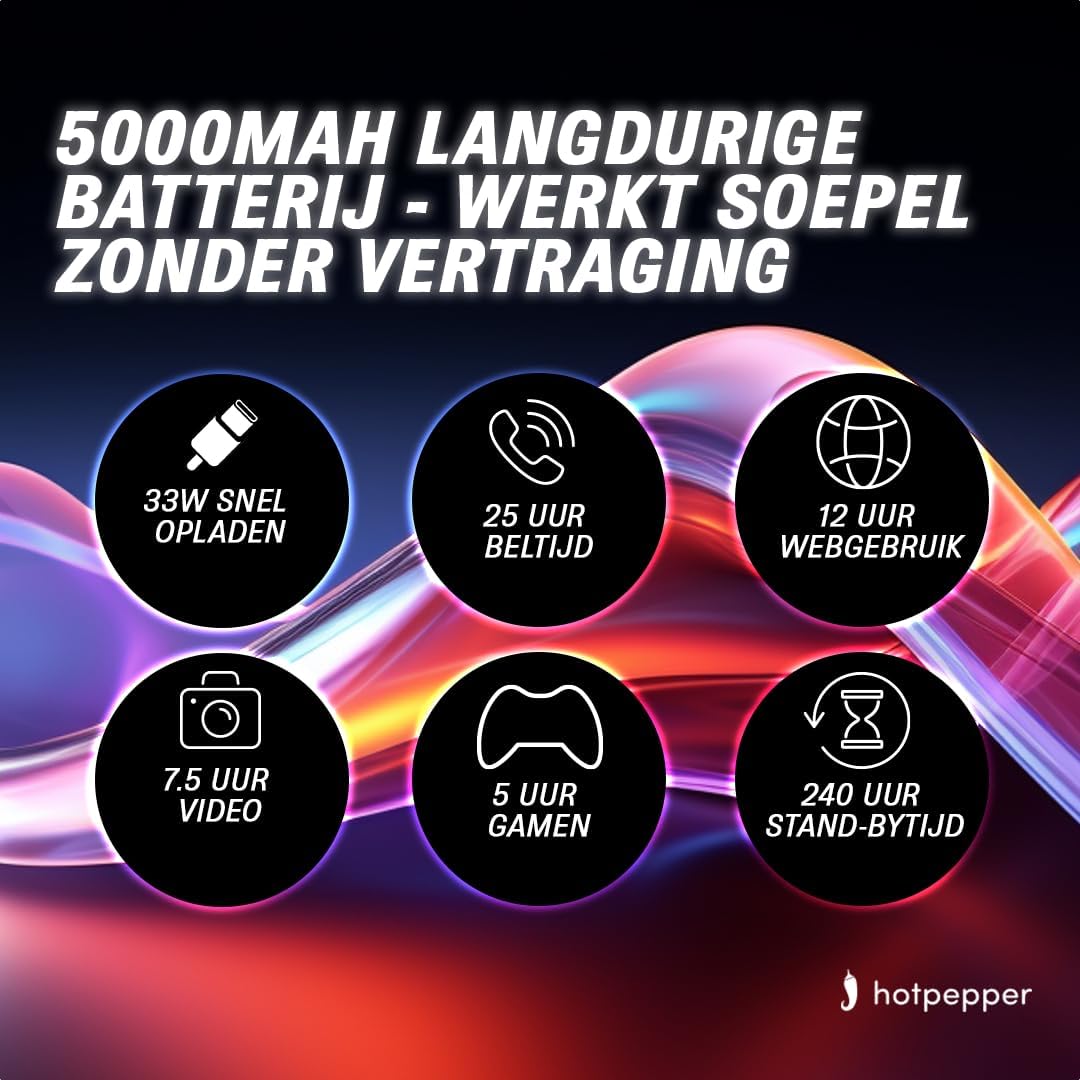
Image: Infographic detailing the 5000mAh long-lasting battery of the Hot Pepper K82A, showing 33W fast charging, 25 hours call time, 12 hours web usage, 7.5 hours video, 5 hours gaming, and 240 hours standby time.
- Kapacitet baterije: 5000 mAh (Lithium-ion).
- Brzo punjenje: Podržava brzo punjenje od 33W.
- Estimated Usage Times:
- 25 hours Call Time
- 12 sati Web Upotreba
- 7.5 hours Video Playback
- 5 hours Gaming
- 240 hours Standby Time
To charge your device, connect the provided USB-C charging cable to the phone's USB-C port and the USB adapter to a power outlet. For optimal charging, use the original charger and cable.
8. Pohrana i memorija
The Hot Pepper K82A offers generous storage and memory for your applications, photos, and files.

Image: Infographic highlighting key features of the Hot Pepper K82A, including 8GB RAM and 256GB ROM, and 1TB TF expansion.
- Interna pohrana: 256 GB.
- RAM: 8 GB.
- Proširiva pohrana: Supports up to 1 TB via microSD card (TF expansion).
To manage your storage, go to Postavke > Pohrana. Možeš view used space, free up space, and manage files.
9. Otkrivanje problema
If you encounter issues with your Hot Pepper K82A, try the following basic troubleshooting steps:
- Uređaj ne reagira: Pritisnite i držite dugme za napajanje oko 10-15 sekundi da biste prisilno ponovo pokrenuli računar.
- Rušenje aplikacije: Close the app from recent apps, clear its cache (Postavke > Aplikacije > [Naziv aplikacije] > Pohrana i keš memorija > Obriši keš memoriju), or reinstall the app.
- Mrežni problemi: Uključivanje i isključivanje avionskog načina rada, ponovno pokretanje telefona ili resetiranje mrežnih postavki (Postavke > Sistem > Opcije resetiranja > Resetiraj Wi-Fi, mobilne uređaje i Bluetooth).
- Baterija se brzo prazni: Provjerite potrošnju baterije u Postavke> Baterija to identify power-hungry apps. Reduce screen brightness, disable unnecessary features (GPS, Bluetooth, Wi-Fi when not in use), and close background apps.
- Memorija puna: Izbrišite nepotrebno files, uninstall unused apps, or move media to expandable storage.
Za složenije probleme, razmislite o vraćanju na tvorničke postavke (prvo napravite sigurnosnu kopiju podataka) ili kontaktiranju korisničke podrške.
10. Specifikacije
Detailed technical specifications for the Hot Pepper K82A smartphone:
| Feature | Specifikacija |
|---|---|
| Brand | Ljuta paprika |
| Naziv modela | Hot Pepper K82A |
| Broj modela | K82A |
| Operativni sistem | Android 13.0 |
| Veličina ekrana | 6.67 inča |
| Rezolucija | 1080 x 2400 |
| CPU model | MediaTek Helio (Octa-Core) |
| Veličina RAM-a | 8 GB |
| Kapacitet pohrane | 256 GB |
| Rezolucija zadnje kamere | 50 megapiksela |
| Rezolucija prednje kamere | 24 megapiksela |
| Sastav baterije | Litijum-jonski |
| Kapacitet baterije | 5000 mAh |
| Povezivanje | Bluetooth 5.0, USB-C |
| Boja | Plava |
11. Garancija i podrška
For information regarding your product's warranty, please refer to the warranty card included in your product packaging or the purchase documentation. Hot Pepper provides customer support for technical assistance and service inquiries.
Please visit the official Hot Pepper website or contact your retailer for specific support channels and contact information.


