Uvod
Thank you for choosing the hOmeLabs 25 Pint Wi-Fi Dehumidifier. This manual provides essential information for the safe operation, maintenance, and troubleshooting of your new appliance. Designed for efficient moisture removal in spaces up to 3,500 sq ft, this dehumidifier features Wi-Fi smart control, quiet operation, and flexible drainage options to enhance your indoor environment.
Važna sigurnosna uputstva
Please read all instructions carefully before using the dehumidifier. Failure to follow these instructions may result in electric shock, fire, or serious injury.
- Uvijek uključite odvlaživač zraka u uzemljenu električnu utičnicu.
- Nemojte koristiti jedinicu ako su kabl za napajanje ili utikač oštećeni.
- Osigurajte da je uređaj postavljen na ravnu, stabilnu površinu kako biste spriječili prevrtanje.
- Ne blokirajte ulaze ili izlaze za zrak. Održavajte najmanje 8 cm slobodnog prostora oko uređaja.
- Isključite odvlaživač zraka iz struje prije čišćenja, premještanja ili bilo kakvog održavanja.
- Ne koristite uređaj u prostorima gdje se skladište zapaljive tekućine ili plinovi.
- Ovaj uređaj je samo za stambenu upotrebu.
- Držite djecu i kućne ljubimce dalje od uređaja tokom rada.
Product Overview
Familiarize yourself with the components of your hOmeLabs dehumidifier.

The hOmeLabs 25 Pint Wi-Fi Dehumidifier shown alongside its blue and white product packaging, highlighting its compact design and brand.

An illustration showing the dimensions of the dehumidifier: 19.6 inches high, 12.2 inches wide, and 8.2 inches deep, emphasizing its compact form factor.

A close-up of the dehumidifier's control panel, displaying buttons for Wi-Fi, fan speed, timer, comfort mode, and indicators for tank full and filter status.

The dehumidifier positioned in a gym setting next to a yoga mat, illustrating its compact design and emphasizing its ultra-quiet operation at 47 dB.
Ključne komponente:
- Kontrolna tabla: Digitalni displej i dugmad za podešavanje.
- Ulaz/izlaz zraka: Gdje zrak ulazi i izlazi iz uređaja.
- Spremnik za vodu: Removable bucket for collected moisture.
- Kontinuirani odvod: Port for connecting a drain hose for continuous operation.
- Caster Wheels & Handle: Za laku prenosivost.
- Perivi filter: Located at the back for air purification.
Uputstva za postavljanje
- Raspakivanje: Pažljivo izvadite odvlaživač zraka iz ambalaže. Sačuvajte ambalažni materijal za buduće skladištenje ili transport.
- plasman: Place the unit upright on a firm, level surface in the area where dehumidification is desired. Ensure there is at least 8 inches (20 cm) of space around all sides of the unit for proper airflow. Avoid placing it near heat sources or in direct sunlight.
- Priključak za napajanje: Plug the power cord into a grounded 110-120V/60Hz electrical outlet. The unit will beep once, and the display will light up.
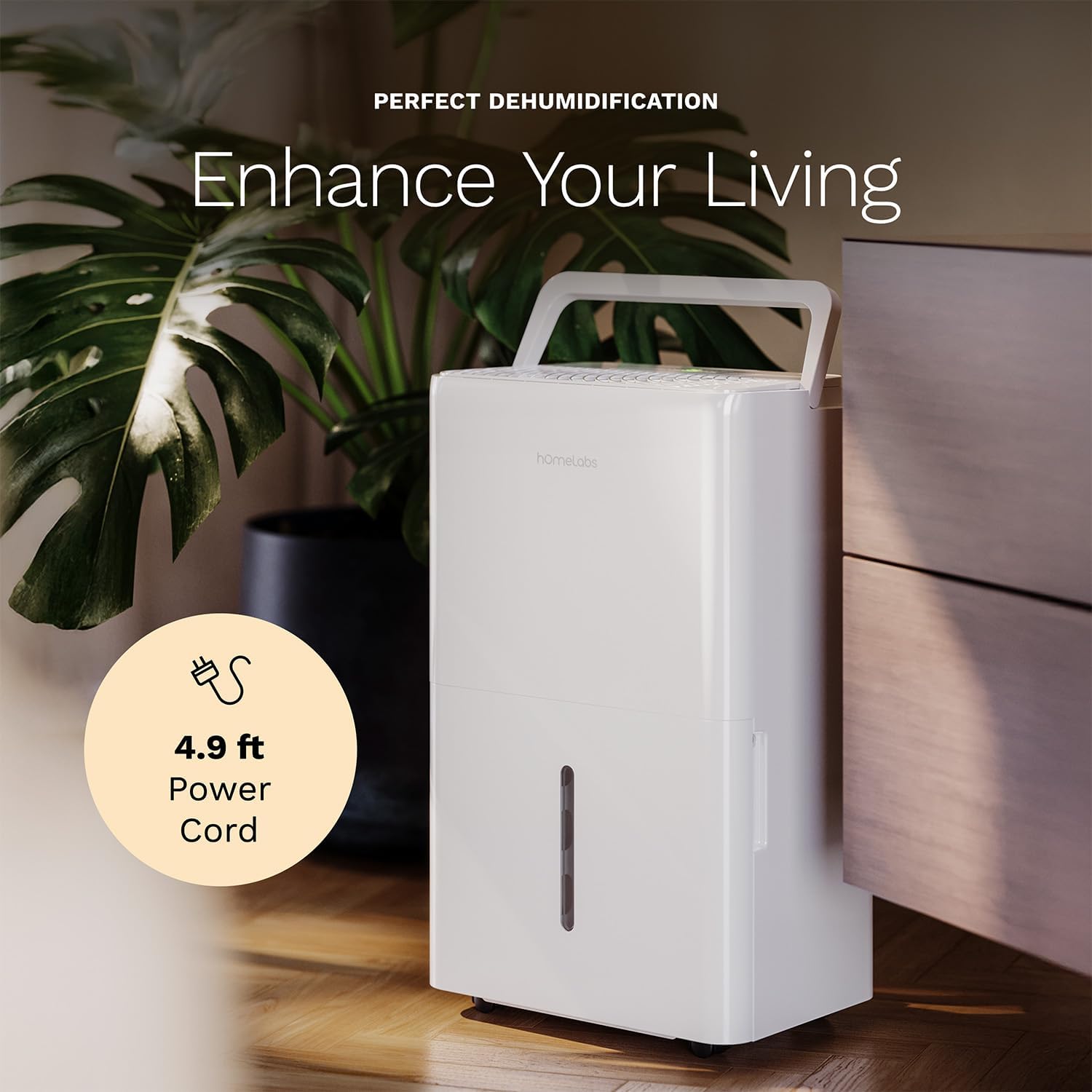
The dehumidifier positioned in a room, highlighting its 4.9 ft power cord for flexible placement.
- Drainage Option (Optional):

An image illustrating the two drainage options: using the built-in tank (manual emptying) or connecting a gravity drain hose for continuous drainage.
- Ručna drenaža: The unit will collect water in the internal tank. When the tank is full, the unit will automatically shut off and indicate "Tank Full". Empty the tank as described in the Maintenance section.
- Kontinuirana drenaža: For continuous operation without emptying the tank, attach the included drain hose to the continuous drain outlet. Ensure the hose is sloped downwards to a suitable drain (e.g., floor drain, large bucket) to allow gravity drainage.
Uputstvo za upotrebu
Funkcije kontrolne table:
- Dugme za napajanje: Pritisnite da uključite ili isključite jedinicu.
- Dugmad za podešavanje vlažnosti (+/-): Adjust the desired humidity level from 35% to 85% relative humidity (RH) in 5% increments.
- Dugme za brzinu ventilatora: Cycle through High, Medium, and Low fan speeds.
- Dugme za tajmer: Podesite tajmer za automatsko uključivanje/isključivanje (1-24 sata).
- Dugme za komforni režim: Activates a preset humidity level for optimal comfort.
- Dugme za Wi-Fi: Activates Wi-Fi pairing mode.
Wi-Fi Smart Control:
Your dehumidifier can be controlled remotely via Wi-Fi using a smartphone app, Google Assistant, or Alexa.

The dehumidifier shown with icons indicating compatibility with Google Home and Alexa, along with a smartphone icon representing app control for remote operation.
- Preuzmi aplikaciju: Download the hOmeLabs app from your smartphone's app store (iOS or Android).
- Uparivanje: Follow the in-app instructions to pair your dehumidifier with your home Wi-Fi network. This typically involves pressing and holding the Wi-Fi button on the control panel until the indicator light flashes.
- daljinski upravljač: Once paired, you can adjust settings, monitor humidity levels, and set schedules from anywhere using your smartphone.
Održavanje
Redovno održavanje osigurava optimalne performanse i produžava vijek trajanja vašeg odvlaživača zraka.
Pražnjenje rezervoara za vodu:
- When the water tank is full, the "Tank Full" indicator will illuminate, and the unit will stop operating.
- Pažljivo izvucite rezervoar za vodu sa prednje strane uređaja.
- Ispraznite prikupljenu vodu u sudoper ili odvod.
- Umetnite prazan rezervoar nazad u uređaj dok ne klikne na svoje mjesto. Uređaj će nastaviti s radom.
Čišćenje vazdušnog filtera:
The "Filter" indicator light will illuminate after 250 hours of operation, reminding you to clean the filter. Clean the filter every two weeks or more frequently depending on usage and air quality.
- Isključite odvlaživač zraka i iskopčajte ga iz električne utičnice.
- Uklonite filter za zrak sa stražnje strane uređaja.
- Operite filter toplom vodom sa sapunom. Temeljno isperite.
- Ostavite filter da se potpuno osuši na zraku prije nego što ga ponovo instalirate. Ne koristite sušilicu za kosu ili direktnu toplinu.
- Once the filter is reinstalled, press and hold the "Filter" button for 3 seconds to reset the filter timer.
Generalno čišćenje:
- Obrišite spoljašnjost jedinice mekom krpom, damp tkanina.
- Ne koristite jake hemikalije, abrazivna sredstva ili rastvarače.
- Redovno čistite rezervoar za vodu kako biste spriječili rast plijesni i buđi.
Rješavanje problema
Pogledajte ovaj odjeljak za uobičajene probleme i njihova rješenja.
| Problem | Mogući uzrok | Rješenje |
|---|---|---|
| Odvlaživač zraka se ne uključuje. | No power; Power cord not plugged in; Tank full. | Check power supply; Plug in power cord securely; Empty water tank. |
| Uređaj radi, ali ne sakuplja vodu. | Previsoka postavka vlažnosti; Preniska temperatura u prostoriji; Začepljen filter za zrak. | Lower desired humidity setting; Ensure room temperature is above 41°F (5°C); Clean air filter. |
| Jedinica je bučna. | Uređaj nije nivelisan; Začepljen filter za vazduh; Začepljen ventilator. | Postavite na ravnu površinu; Očistite filter za vazduh; Provjerite da li ima prepreka u području ventilatora. |
| Problemi s Wi-Fi vezom. | Netačna lozinka za Wi-Fi; Ruter previše udaljen; Problemi s aplikacijom. | Verify Wi-Fi password; Move unit closer to router; Restart app/unit. |
Specifikacije
| Feature | Detalj |
|---|---|
| Brand | homeLabs |
| Naziv modela | hOmelabs - Dehumidifier - 25 Pint - WIFI (HME0088) |
| Kapacitet odvlaživanja | 25 Pints per Day (at 80°F, 60%RH) / MAX 64 Pints (at 95°F, 90%RH) |
| Područje pokrivenosti | Do 3,500 Sq Ft |
| Zapremina rezervoara | 1 galona |
| Dimenzije proizvoda (D x Š x V) | 8.2"D x 12.2"Š x 19.6"H |
| Težina artikla | 27.1 funti |
| Način rada | Automatski |
| Posebne karakteristike | Adjustable Humidity Control, Automatic Defrost, Automatic Moisture Removal, Automatic Shutoff, Bucket Storage, Digital Display, Portable, Quiet Operation, Removable Tank, Timer, Washable Filter, Wi-Fi Enabled |
| Energetska efikasnost | Energy Star Most Efficient 2024 Certified |
Garancija i podrška
Your hOmeLabs 25 Pint Wi-Fi Dehumidifier comes with a standard manufacturer's warranty. For detailed warranty information, please refer to the official warranty document provided with your purchase or visit the hOmeLabs website.
Garantni dokument: Preuzmite garanciju (PDF)
For technical support, troubleshooting assistance, or to inquire about replacement parts, please contact hOmeLabs customer service. Contact information can typically be found on the hOmeLabs webweb-mjestu ili u ambalaži vašeg proizvoda.


