1. Uvod
Thank you for choosing the Shokz OpenDots ONE Ear Cuff Wireless Earphones. These open-ear earphones are designed to provide a comfortable listening experience while keeping you aware of your surroundings. This manual provides detailed instructions for setup, operation, maintenance, and troubleshooting to ensure optimal performance.

Image 1.1: Shokz OpenDots ONE earphones and charging case.
The Shokz OpenDots ONE features:
- Open-ear ear-cuff design for pressure-free comfort and situational awareness.
- Dolby Audio support for immersive, high-quality sound with 16mm equivalent dual-driver system and Bassphere technology.
- Up to 40 hours of total battery life with the charging case, including quick charge functionality.
- Bluetooth 5.4 for stable multipoint connection.
- IP54 water resistance for protection against sweat and light splashes.
- Dedicated app for sound customization, touch control settings, and finding lost earphones.
- AI noise-canceling microphone for clear calls.
- DirectPitch technology to minimize sound leakage and enhance privacy.

Slika 1.2: Gotovoview of key features including lightweight design, Dolby Audio, 40-hour battery, IP54 rating, and wireless charging.
2. Podešavanje
2.1. Punjenje slušalica i futrole
Prije prve upotrebe, potpuno napunite slušalice i kućište za punjenje.
- USB-C punjenje: Connect the provided USB-C cable to the charging case and a power source. The indicator light on the case will show charging status. A full charge takes approximately 60 minutes.
- Bežično punjenje: Postavite kućište za punjenje na kompatibilnu bežičnu podlogu za punjenje. Indikatorska lampica će potvrditi punjenje.
- Brzo punjenje: A 10-minute quick charge provides approximately 2 hours of playback.

Image 2.1: The charging case connected via USB-C, illustrating the 40-hour total playback and quick charge feature.

Image 2.2: The charging case placed on a wireless charging pad, demonstrating wireless charging capability.
2.2. Uparivanje sa vašim uređajem
- Open the charging case. The earphones will automatically enter pairing mode, indicated by a flashing LED light.
- Na vašem uređaju (pametnom telefonu, tabletu, računaru) idite na postavke Bluetootha.
- Select "Shokz OpenDots ONE" from the list of available devices.
- Once connected, the LED indicator on the earphones will stop flashing.
2.3. Nošenje slušalica
The OpenDots ONE features an ear-cuff design that rests gently on your ear without blocking the ear canal. They are designed to be worn without distinguishing between left and right, as the earphones automatically detect orientation.
- Gently place the earphone over your ear, ensuring the speaker rests comfortably near your ear canal.
- The flexible JointArc structure adapts to various ear shapes for a secure and comfortable fit.
- The design is compatible with glasses and masks, preventing interference.
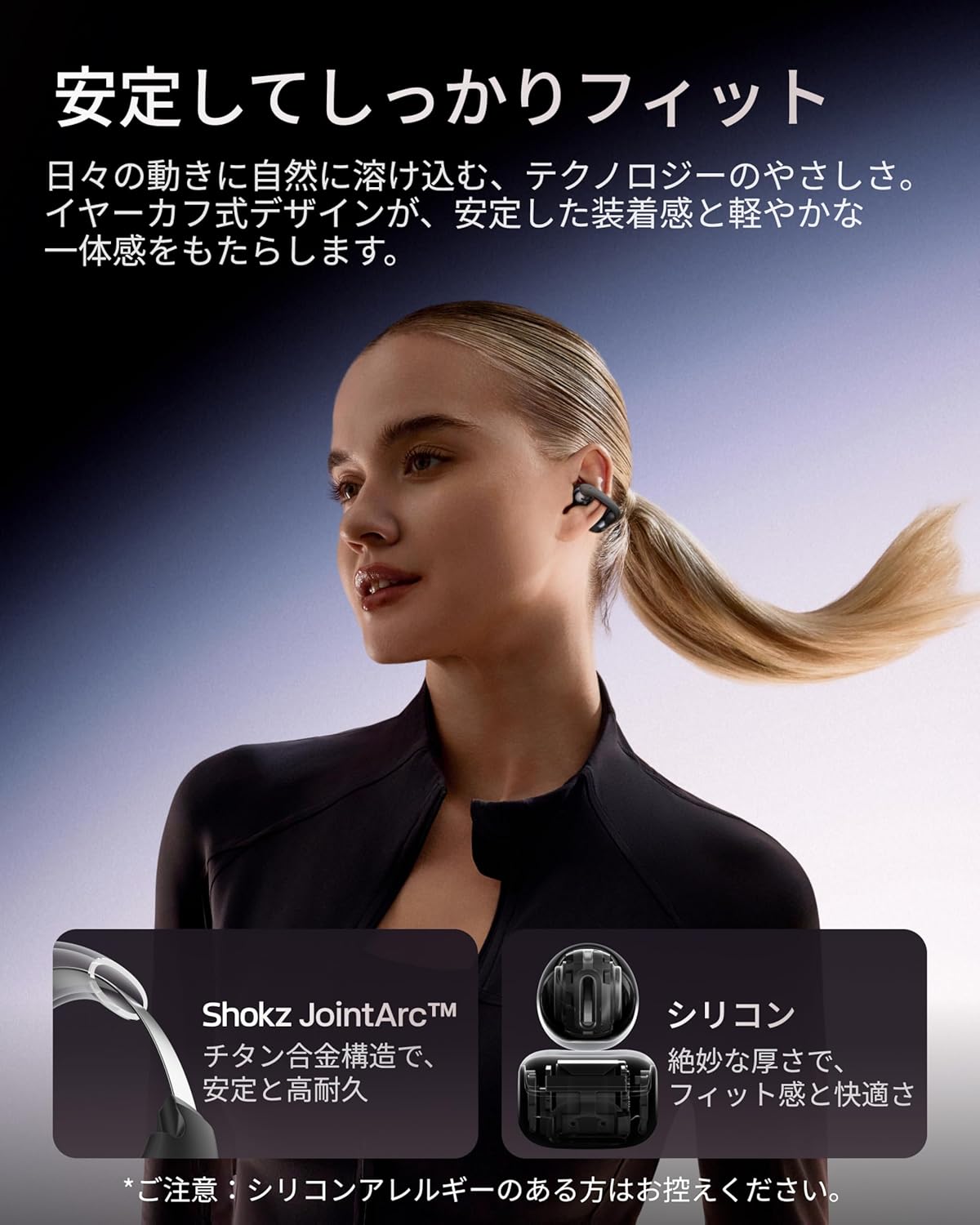
Image 2.3: A woman wearing the Shokz OpenDots ONE earphones, demonstrating the secure and comfortable ear-cuff fit.

Image 2.4: Visual guide for correct earphone placement and common incorrect wearing methods.
3. Korištenje slušalica
3.1. Osnovne kontrole na dodir
The OpenDots ONE features intuitive touch controls on each earphone. You can customize these controls via the Shokz app.
- Pusti/pauza: Double-tap the battery compartment or JointArc area.
- Pojačavanje/stišavanje glasnoće: Touch and hold the top or bottom of the battery compartment.
- Sljedeća pjesma: Triple-tap (customizable).
- Prethodni zapis: Quadruple-tap (customizable).
- Odgovori/Završi poziv: Dvaput dodirnite.
- odbiti poziv: Dodirnite i zadržite.
- Aktivirajte glasovnog asistenta: Triple-tap (customizable).
3.2. Shokz App Features
Download the dedicated Shokz app for enhanced control and customization.
- Prilagodba zvuka: Choose from 4 preset EQ modes (Standard, Vocal, Bass Boost, Private) and 2 custom modes to adjust the sound profile.
- Touch Control Settings: Customize touch gestures to your preference.
- Find My Earphones: Locate misplaced earphones.
- Ažuriranja firmvera: Keep your earphones updated with the latest features and improvements.
- Prompt Volume Adjustment: Control the volume of system prompts.
- Privatni način rada: Enhance sound leakage prevention for increased privacy.

Image 3.1: The Shokz app interface, showing options for EQ settings and other customizations.
3.3. Multipoint Connection
The OpenDots ONE supports multipoint connection, allowing you to connect to two Bluetooth devices simultaneously. This enables seamless switching between devices, for example, from a laptop for music to a phone for a call.
- Ensure both devices are paired with your OpenDots ONE.
- The earphones will automatically switch audio source based on activity (e.g., incoming call).
4. Održavanje
4.1. Čišćenje
- Obrišite slušalice i kutijicu za punjenje mekom, suhom krpom koja ne ostavlja dlačice.
- Ne koristite abrazivna sredstva za čišćenje, rastvarače ili aerosolne sprejeve.
- Izbjegavajte ulazak vlage u bilo kakve otvore.
4.2. Skladištenje
- Kada se ne koriste, slušalice čuvajte u kutijici za punjenje kako biste ih zaštitili i održali napunjenima.
- Izbjegavajte skladištenje na ekstremnim temperaturama ili visokoj vlažnosti.
4.3. Vodootpornost (IP54)
The OpenDots ONE earphones are rated IP54, meaning they are resistant to dust and splashing water from any direction. This makes them suitable for exercise and outdoor activities in light rain. However, they are not designed for submersion in water or exposure to pressurized water jets.
- Nemojte namjerno uranjati slušalice u vodu.
- If the earphones get wet, wipe them dry before placing them back in the charging case.
5. Otkrivanje problema
5.1. Nema zvuka ili isprekidan zvuk
- Uvjerite se da su slušalice napunjene.
- Check that the earphones are properly paired and connected to your device.
- Verify the volume levels on both the earphones and your connected device.
- Move closer to your device to ensure a stable Bluetooth connection.
- Pokušajte prekinuti i ponovo uspostaviti Bluetooth vezu.
5.2. Problemi sa uparivanjem
- Ensure the earphones are in pairing mode (flashing LED).
- Isključite Bluetooth na drugim uređajima u blizini kako biste izbjegli smetnje.
- Zaboravite uređaj iz Bluetooth postavki telefona i pokušajte ponovo upariti.
- Perform a factory reset (refer to the Shokz app or official support for instructions).
5.3. Problemi s punjenjem
- Provjerite je li USB-C kabel sigurno spojen i na kućište i na izvor napajanja.
- Ako koristite bežično punjenje, provjerite je li kućište pravilno postavljeno na podlogu za punjenje.
- Pokušajte s drugim kabelom za punjenje ili adapterom za napajanje.
- Očistite kontakte za punjenje na slušalicama i unutrašnjosti kućišta suhim pamučnim štapićem.
5.4. Sound Leakage
While DirectPitch technology significantly reduces sound leakage, some leakage may occur at very high volumes or in very quiet environments. To minimize this:
- Smanjite jačinu zvuka.
- Activate "Private Mode" in the Shokz app.
6. Specifikacije
| Feature | Detalj |
|---|---|
| Naziv modela | OpenDots ONE |
| Referenca proizvođača | SHOKZ E310 |
| Tehnologija povezivanja | Bežični |
| Bežična komunikacijska tehnologija | Bluetooth 5.4 |
| Frekvencijski odziv | 2400 MHz |
| Osjetljivost | 97.5 dB |
| Postavljanje uha | Otvorenog uha |
| Faktor oblika slušalica | Otvorenog uha |
| Boja | Crna |
| Nivo vodootpornosti | IP54 (Vodootporan) |
| Trajanje baterije (slušalice) | Do 10 sati |
| Ukupno trajanje baterije (s kućištem) | Do 40 sati |
| Vrijeme punjenja | Pribl. 60 minuta |
| Charging Style | USB-C, bežično punjenje |
| Tip kontrole | Call Control, Volume Control, Media Control |
| Kontrolni metod | Aplikacija, dodir |
| Težina proizvoda | 65 grama |
| Materijali | Titanium Alloy, Silicone, PC |
| Preporučena upotreba | Exercise, Entertainment, Sports, Training, Running, Work, Meetings, Daily Use, Commuting |
| Kompatibilni uređaji | Bluetooth uređaji |
| Uključene komponente | OpenDots ONE Earphones ×1, OpenDots ONE Charging Case ×1, USB-C Charging Cable ×1 |
7. Garancija i podrška
7.1. Informacije o garanciji
For specific warranty details, please refer to the warranty card included with your product or visit the official Shokz website. Typically, Shokz products come with a limited warranty covering manufacturing defects.
7.2. Korisnička podrška
If you encounter any issues not covered in this manual or require further assistance, please contact Shokz customer support through their official website or the dedicated Shokz app. You can also visit the Shokz Official Store on Amazon za dodatne resurse.


