1. Uvod
The GOBOULT Crown R Pro 2 Smartwatch is designed to enhance your daily life with advanced features and health monitoring capabilities. It features a 1.43-inch HD AMOLED display, Bluetooth Calling 5.2, and a comprehensive health suite. This manual provides instructions for setup, operation, and maintenance of your smartwatch.

Image: The GOBOULT Crown R Pro 2 Smartwatch, showcasing njegovim elegantnim dizajnom i živopisnim ekranom.
2. Šta se nalazi u kutiji
Molimo Vas da provjerite sadržaj paketa nakon raspakivanja:
- GOBOULT Crown R Pro 2 Smartwatch
- Kabel za punjenje
- Uputstvo za upotrebu
- Garantni list
3. Getting Started
3.1. Punjenje uređaja
Before initial use, fully charge your smartwatch. Connect the magnetic charging cable to the charging points on the back of the watch and plug the USB end into a power adapter (not included) or a computer's USB port.
- Vrijeme punjenja: Otprilike 150 minuta za potpuno punjenje.
- Battery Life: Up to 7 days on a single charge, depending on usage.
3.2. Uključivanje / isključivanje napajanja
- Uključeno: Press and hold the side button for a few seconds until the GOBOULT logo appears.
- Iskljuciti: Pritisnite i držite bočni taster, a zatim na ekranu odaberite opciju 'Isključivanje'.
3.3. Instalacija i uparivanje aplikacije
Da biste otključali puni potencijal svog pametnog sata, preuzmite i instalirajte prateću aplikaciju na svoj pametni telefon.
- Scan the QR code in the manual or search for the 'BoultFit' app (or similar, as specified in the included manual) on your smartphone's app store (Google Play Store or Apple App Store).
- Instalirajte aplikaciju i kreirajte račun ili se prijavite.
- Provjerite je li Bluetooth omogućen na vašem pametnom telefonu.
- Open the app, navigate to 'Device' or 'Add Device', and select 'GOBOULT Crown R Pro 2' from the list of available devices.
- Potvrdite zahtjev za uparivanje i na pametnom telefonu i na pametnom satu.
4. Smartwatch Features and Operation
4.1. Ekran i brojčanici sata
The smartwatch features a 1.43-inch HD AMOLED display with 600 Nits brightness for clear visibility in various lighting conditions.
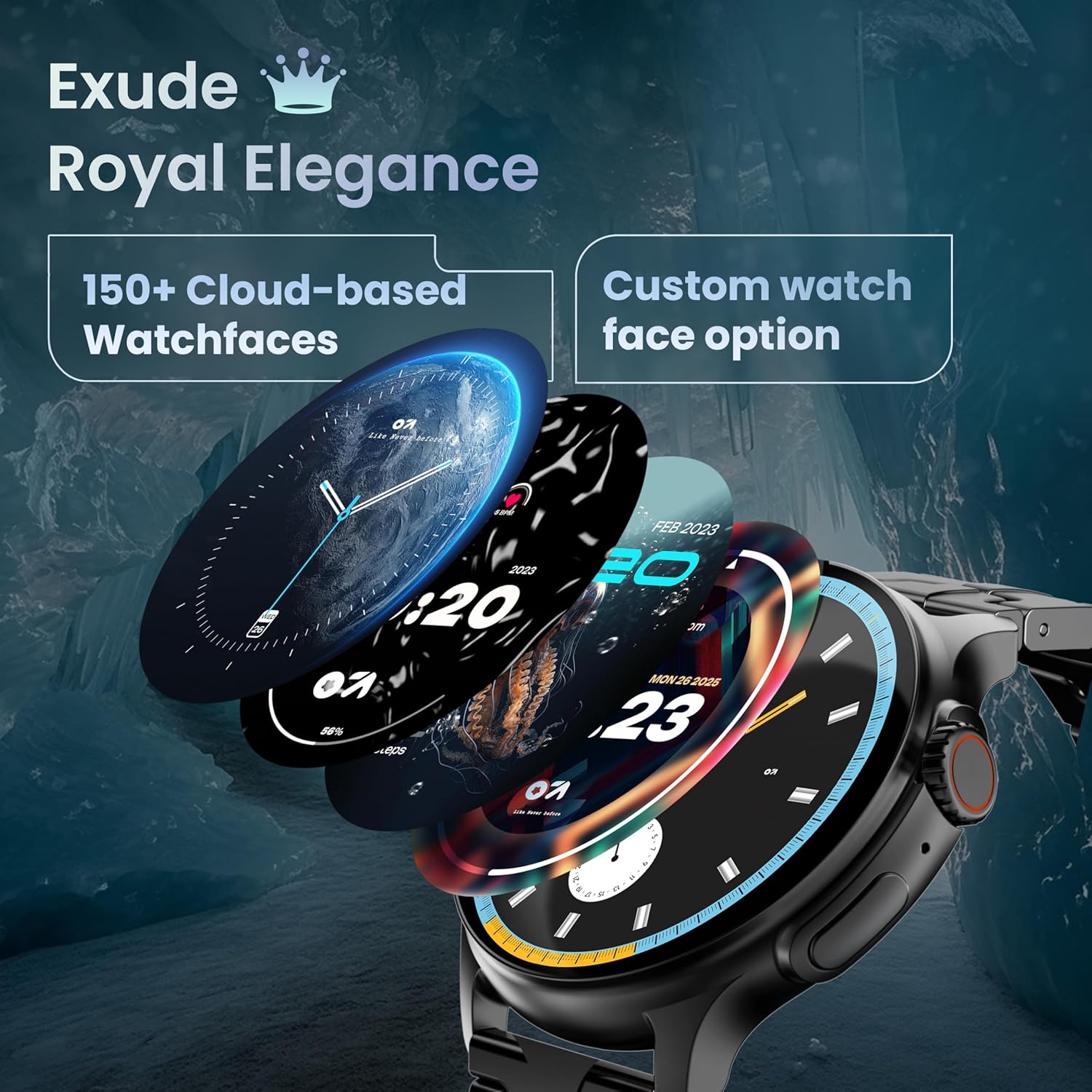
Image: A selection of over 150 watch faces available for customization.
- Promjena lica sata: Long-press the home screen to access watch face options. Swipe left or right to browse and tap to select. More watch faces are available through the companion app.
4.2. Navigacija i kontrole
Navigate the smartwatch interface using touch gestures and the functional 'Working Crown'.

Image: Detail of the working crown, used for navigation and customization.
- Prevucite prema dolje: Pristupite brzim postavkama (npr. svjetlina, DND, ušteda baterije).
- Prevucite prema gore: View obavještenja.
- Prevucite lijevo/desno: Access widgets and main features (e.g., activity, heart rate, weather).
- Working Crown: Rotate to scroll through menus or lists. Press to return to the home screen or confirm selections.
4.3. Bluetooth pozivi
The smartwatch supports Bluetooth Calling v5.2, allowing you to make and receive calls directly from your wrist.

Image: Illustration of the smartwatch's Bluetooth calling capabilities with integrated microphone and speaker.
- Odgovaranje na pozive: Tap the green phone icon on the screen when a call comes in.
- Upućivanje poziva: Access the dial pad or contacts list from the smartwatch menu.
- Odbijanje poziva: Tap the red phone icon.
4.4. Sportski načini rada
Track over 120 sports and fitness activities with detailed analytics.

Image: The smartwatch interface showing active sports tracking and various sports icons.
- Access the 'Sports' menu to select your desired activity.
- The watch will record data such as duration, calories burned, and heart rate during your workout.
4.5. Praćenje zdravlja
Monitor key health metrics in real-time.

Image: The health suite features, including heart rate, SpO2, and sleep monitoring.
- Monitor otkucaja srca: Provides 24x7 heart rate tracking.
- SpO2 monitor zasićenosti krvi kisikom: Mjeri nivo kisika u krvi.
- Praćenje spavanja: Prati obrasce i kvalitet spavanja.
- Praćenje ženskog menstrualnog ciklusa: Pomaže u praćenju i predviđanju menstrualnih ciklusa.
- Praćenje aktivnosti: Bilježi korake, udaljenost i potrošene kalorije tokom dana.
- Trening disanja: Vođene vježbe disanja za opuštanje.
4.6. AI glasovni asistent
Control your smartwatch hands-free using voice commands.

Image: The AI voice assistant feature, activated by pressing a button for 3 seconds.
- Press the dedicated button (or specified gesture) for 3 seconds to activate the AI voice assistant.
- Use voice commands to ask questions, set reminders, or manage tasks.
4.7. Notifications and Utilities
Receive SMS and push notifications directly on your wrist. The smartwatch also includes useful utilities.

Image: The 'Find My Phone' feature, which causes the connected phone to ring or vibrate.
- Obavještenja: Ensure notification permissions are enabled in the companion app for your desired applications.
- Kalkulator: Access the calculator from the app menu for quick calculations.
- Pronađite moj telefon: Use this feature from the smartwatch to make your connected phone ring or vibrate, helping you locate it.
4.8. Otpornost na vodu i prašinu (IP67)
The smartwatch is IP67 rated, providing protection against dust and temporary immersion in water.
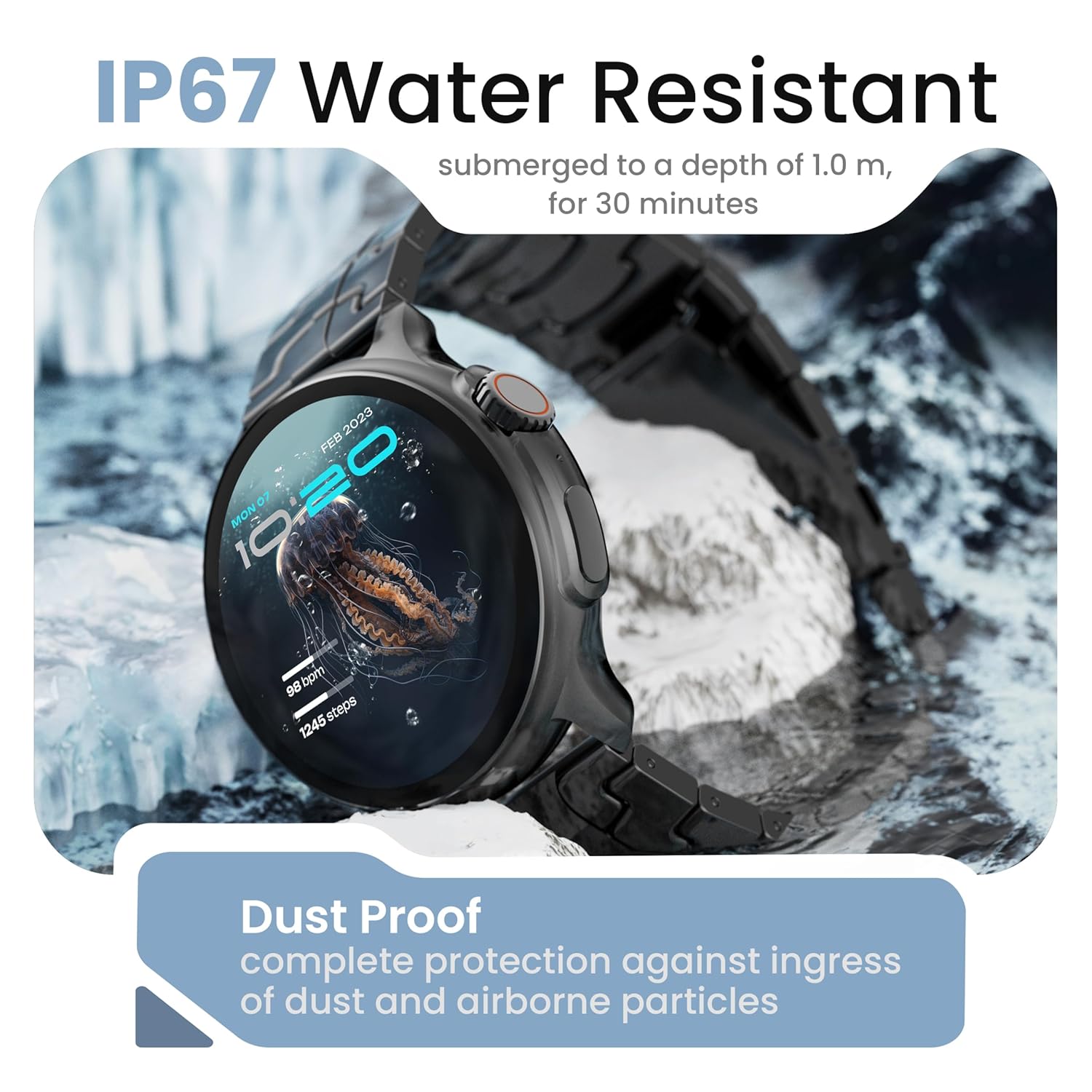
Image: The smartwatch demonstrating its IP67 water resistance, capable of being submerged up to 1 meter for 30 minutes.
- The device is resistant to sweat, splashes, and brief immersion in water up to 1 meter for 30 minutes.
- Avoid using the watch in hot water, saunas, or steam rooms.
- Do not press buttons while the watch is submerged.
5. Njega i održavanje
- čišćenje: Redovno brišite sat i remen mekom, suhom krpom. Po potrebi koristite lagano suhu krpu.amp krpom i dobro osušite.
- Izbjegavajte hemikalije: Ne koristite jake hemikalije, rastvarače za čišćenje ili jake deterdžente, jer oni mogu oštetiti završnu obradu i zaptivke sata.
- Skladištenje: Čuvajte pametni sat na hladnom i suvom mestu kada ga ne koristite.
- Punjenje: Koristite samo priloženi kabl za punjenje.
6. Otkrivanje problema
6.1. Smartwatch Not Turning On
- Provjerite je li sat potpuno napunjen. Spojite ga na punjač na najmanje 30 minuta.
- Press and hold the side button for an extended period (10-15 seconds) to force a restart.
6.2. Unable to Pair with Smartphone
- Provjerite je li Bluetooth omogućen na vašem pametnom telefonu i pametnom satu.
- Make sure the smartwatch is within the Bluetooth range of your phone (typically 10 meters).
- Ponovo pokrenite i pametni telefon i pametni sat.
- Obrišite Bluetooth keš memoriju na telefonu (ako je primjenjivo) i pokušajte ponovo upariti uređaj.
- Provjerite je li prateća aplikacija ažurirana na najnoviju verziju.
6.3. Netačni zdravstveni podaci
- Pazite da sat čvrsto prianja na vašem zapešću, ne previše stegnut ili previše labav.
- Očistite senzore na poleđini sata.
- Izbjegavajte pretjerano kretanje tokom mjerenja.
- Note that smartwatch health data is for reference only and should not be used for medical diagnosis.
6.4. Obavještenja se ne prikazuju
- Check if notification permissions are granted for the companion app and individual applications on your smartphone.
- Ensure the smartwatch is connected to your phone via Bluetooth.
- Disable 'Do Not Disturb' mode on both your phone and smartwatch.
7. Specifikacije
| Brand | GOBOULT |
| Naziv modela | R Pro 2 |
| Veličina ekrana | 1.43 inča |
| Display Type | HD AMOLED |
| Osvetljenost | 600 gnjida |
| Bluetooth verzija | 5.2 |
| Otpornost na vodu | IP67 |
| Trajanje baterije (prosječno) | 7 dana |
| Vrijeme punjenja baterije | 150 minuta |
| Operativni sistem | Android (kompatibilan) |
| Težina artikla | 56.5 g |
| Uključene komponente | Pametni sat, kabel za punjenje, korisnički priručnik, garantni list |
8. Garancija i podrška
8.1. Informacije o garanciji
Your GOBOULT Crown R Pro 2 Smartwatch comes with a standard manufacturer's warranty. Please refer to the included Warranty Card for specific terms, conditions, and duration of the warranty.
8.2. Korisnička podrška
For any product-related queries, technical assistance, or warranty claims, please contact GOBOULT customer support through the following channels:
- Webstranica: Visit the official GOBOULT webstranica za često postavljana pitanja i resurse podrške.
- Email: Pogledajte garancijski list ili službeni webstranica za adrese e-pošte korisničke službe.
- Telefon: Contact numbers may be available on the official GOBOULT website or warranty card.
Please have your product model number (R Pro 2) and purchase details ready when contacting support.


