Product Overview
The IMIKI XPLORER SCOUT D2 is a versatile smartwatch designed for both men and women, featuring a vibrant 1.43-inch AMOLED display. It offers seamless Bluetooth connectivity for calls and smart assistant integration, comprehensive health monitoring capabilities including blood oxygen and heart rate tracking, and support for over 100 sports modes. Its robust design is IP68 waterproof, making it suitable for various activities, and it boasts exceptional battery life with fast charging.
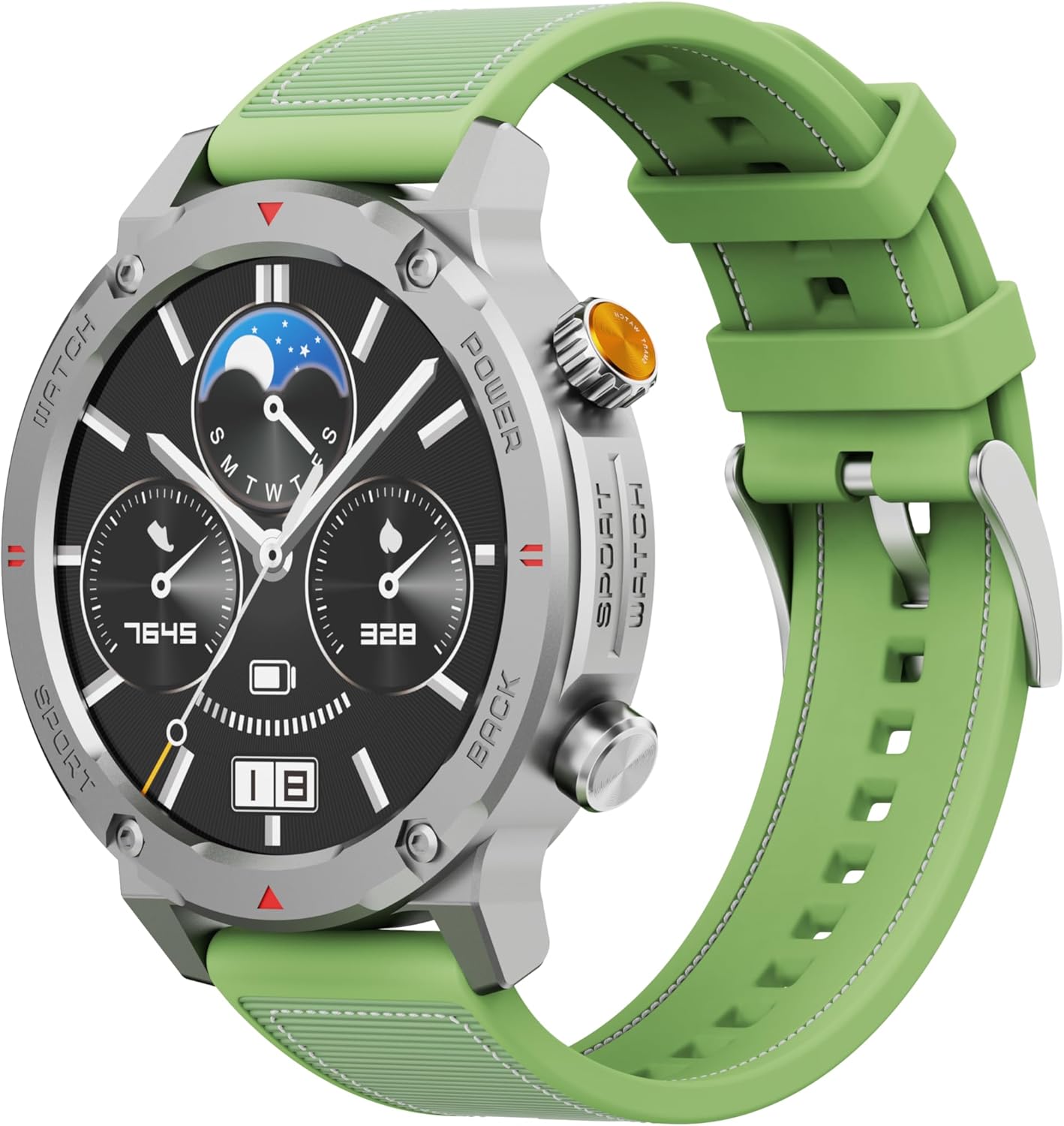
Slika 1: Prednja strana view of the IMIKI XPLORER SCOUT D2 Smartwatch with its green strap.
Vodič za postavljanje
1. Šta se nalazi u kutiji
Upon unboxing your IMIKI XPLORER SCOUT D2 Smartwatch, ensure all components are present:
- Pametni sat IMIKI XPLORER SCOUT D2
- Kabel za punjenje

Figure 2: The IMIKI XPLORER SCOUT D2 Smartwatch module separated from its bezel and strap, illustrating its modular design.
2. Punjenje pametnog sata
Before first use, fully charge your smartwatch. The 400 mAh battery provides up to 30 days of autonomy on a single charge, and it supports fast charging for quick power-ups.
- Spojite kabel za punjenje na priključak za punjenje na stražnjoj strani pametnog sata.
- Drugi kraj kabla priključite na USB adapter za napajanje (nije uključen) ili na USB port računara.
- The watch display will indicate charging status. Allow sufficient time for a full charge.

Slika 3: Pozadi view of the IMIKI XPLORER SCOUT D2 Smartwatch, highlighting the charging contacts and health sensors.
3. Početno podešavanje i uparivanje
Da biste otključali puni potencijal svog pametnog sata, uparite ga sa pametnim telefonom putem Bluetootha.
- Preuzmite aplikaciju: Traži the official IMIKI companion app on the Apple App Store (for iOS) or Google Play Store (for Android) and install it on your smartphone.
- Omogući Bluetooth: Provjerite je li Bluetooth omogućen na vašem pametnom telefonu.
- Power On Watch: Press and hold the power button on the smartwatch to turn it on.
- Otvori aplikaciju: Launch the IMIKI app on your smartphone and follow the on-screen instructions to add a new device.
- Uparivanje: Select "IMIKI XPLORER SCOUT D2" from the list of available devices in the app. Confirm the pairing request on both your phone and the smartwatch if prompted.
Once paired, you can customize settings, view health data, and receive notifications directly on your smartwatch.
Uputstvo za upotrebu
1. Prikaz i navigacija
The IMIKI XPLORER SCOUT D2 features a 1.43-inch AMOLED display with a high resolution of 466x466 pixels, protected by tempered glass. Navigate the watch interface using touch gestures and the physical buttons.
- Prevucite gore/dolje: Skrolajte kroz menije i obavještenja.
- Prevucite lijevo/desno: Pristupite brzim widgetima ili različitim izgledima sata.
- Dodirnite: Odaberite stavku ili otvorite aplikaciju.
- Fizička dugmad: Use the side buttons for power on/off, returning to the home screen, or quick access to sports modes.

Figure 4: Close-up of the smartwatch display, illustrating the clear AMOLED screen and various data points.
2. Praćenje zdravlja
The smartwatch is equipped with an optical sensor to monitor key health metrics:
- Otkucaji srca (HR): Neprekidno prati vaš puls tokom cijelog dana.
- Kiseonik u krvi (SpO2): Mjeri nivo zasićenosti krvi kisikom.
- Kvalitet sna: Monitors your sleep patterns and provides insights into sleep quality.
Access detailed health reports and historical data through the companion app.
3. Načini vježbanja
With over 100 integrated sports modes, the XPLORER SCOUT D2 accurately records your exercise statistics. Select your desired activity from the watch's sports menu to begin tracking.

Figure 5: Visual representation of the smartwatch's diverse functionalities, including health tracking and sports modes.
4. Bluetooth Calling and Voice Assistant
The single-chipset Bluetooth 5.3 ensures stable and high-quality connectivity, allowing you to answer calls directly from your wrist. The integrated voice assistant enables hands-free control of your device with simple voice commands.
5. Obavještenja
Receive real-time notifications for calls, SMS messages, and app alerts directly on your smartwatch. Manage notification settings through the companion app.
6. Vodootpornost (IP68)
The IMIKI XPLORER SCOUT D2 is IP68 rated, meaning it is resistant to dust and water. This allows it to withstand splashes, rain, and brief immersion in shallow water. Napomena: While IP68 rated, it is not recommended for swimming, diving, or high-pressure water activities.

Figure 6: Illustration of the smartwatch's IP68 water resistance and exceptional battery autonomy.
Održavanje
Proper care and maintenance will extend the lifespan of your IMIKI XPLORER SCOUT D2 Smartwatch.
- čišćenje: Regularly wipe the watch and strap with a soft, dry, lint-free cloth. For stubborn dirt, slightly dampIsperite krpu vodom. Izbjegavajte upotrebu jakih hemikalija ili abrazivnih materijala.
- Održavanje senzora: Keep the optical sensors on the back of the watch clean for accurate health monitoring.
- Skladištenje: Pametni sat čuvajte na hladnom i suhom mjestu, dalje od direktne sunčeve svjetlosti i ekstremnih temperatura.
- Trajanje baterije: To maximize battery life, avoid fully discharging the battery frequently. Charge it before it completely runs out.
- Zamjenjive komponente: The watch features a removable central case and interchangeable straps (Oyster, Active, Scout styles). Handle these components with care when changing them.

Figure 7: The IMIKI XPLORER series showcasing interchangeable straps and case styles.
Rješavanje problema
If you encounter issues with your IMIKI XPLORER SCOUT D2 Smartwatch, try the following solutions:
| Problem | Moguće rješenje |
|---|---|
| Sat se ne uključuje. | Provjerite je li sat potpuno napunjen. Spojite ga na punjač i pričekajte nekoliko minuta prije nego što ga ponovo pokušate uključiti. |
| Nije moguće uparivanje sa pametnim telefonom. |
|
| Netačna očitanja zdravlja. |
|
| Obavještenja nisu primljena. |
|
Specifikacije
| Feature | Detalj |
|---|---|
| Brand | IMIKI |
| Naziv modela | IMIKI SMART WATCH XPLORER SCOUT D2 GREEN |
| Broj modela stavke | D2 GREEN |
| Veličina ekrana | 1.43 inča |
| Display Type | AMOLED |
| Tehnologija povezivanja | Bluetooth 5.3 |
| Kapacitet baterije | 400 mAh |
| Prosječno trajanje baterije | Do 30 dana |
| Otpornost na vodu | IP68 |
| Monitoring zdravlja | Heart Rate, Blood Oxygen (SpO2), Sleep Quality |
| Načini vježbanja | Over 100+ integrated modes |
| Posebne karakteristike | Bluetooth Calling, Voice Assistant, Fast Charging, Removable Central Case, Tempered Glass Screen |
| Kompatibilni uređaji | Smartphones (Android and iOS) |
| Težina artikla | 68 grama |
| Dimenzije paketa | 10.5 x 10.5 x 6 cm |
Garancija i podrška
For warranty information and customer support, please refer to the documentation included with your purchase or visit the official IMIKI webSačuvajte dokaz o kupovini za eventualne reklamacije.
For further assistance, you may also contact the seller or Amazon customer service if purchased through Amazon.


