1. Uvod
Welcome to the AOC Mini Projector XL2-220. This smart projector is designed to transform any space into a personal home theater, offering Full HD 1080P resolution with 4K support, 180° rotation, and versatile connectivity options. With its compact design and advanced features like automatic vertical keystone correction and Android 11 OS, the XL2-220 provides an immersive viewing experience for movies, gaming, and presentations. Please read this manual thoroughly to ensure proper use and optimal performance of your new projector.
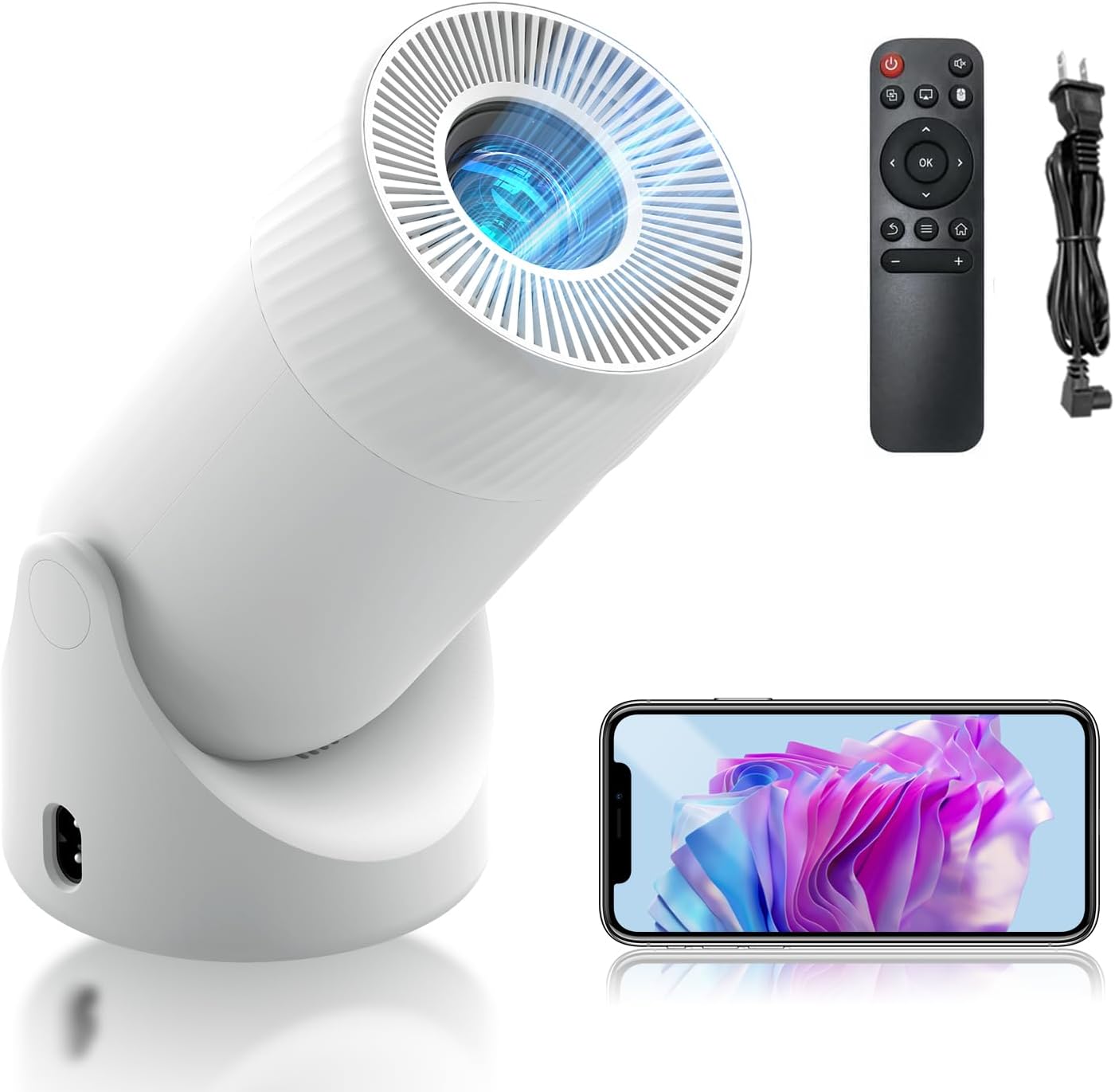
Figure 1.1: The AOC Mini Projector XL2-220, showcasing its compact design, included remote control, and power cable.
2. Šta se nalazi u kutiji
Upon opening your AOC Mini Projector XL2-220 package, please verify that all the following items are included:
- AOC Mini Projector XL2-220 Unit
- Daljinski upravljač
- HDMI kabl
- Kabl za napajanje
- Korisnički priručnik (ovaj dokument)

Figure 2.1: Packaging contents, including the projector, remote control, power charger, and user manual.
3. Značajke proizvoda
The AOC Mini Projector XL2-220 is equipped with a range of features designed to enhance your viewiskustvo:
- Smart Projector with Android 11 & WiFi 6: Runs on Android 11, providing access to various streaming apps. Features WiFi 6 for faster connections and 2-way Bluetooth for easy pairing with wireless audio devices. Includes a built-in HIFI speaker for cinematic sound.
- High-Definition Clarity & 4K Support: Offers native 1080P resolution with support for 4K content, delivering sharp visuals and vibrant colors. LED technology and an 8000:1 contrast ratio ensure bright, clear images with 8000 lumens brightness and HDR support.
- Automatic Keystone Correction and Manual Focus: Features automatic vertical keystone correction for a perfectly aligned display. Manual adjustment is available for fine-tuning image clarity. The 180° rotatable design and adjustable zoom (50%-100%) allow for flexible projection angles and sizes.
- 180° Rotatable Design for Versatile Projection: Flexible rotation allows projection onto ceilings or walls, paired with a 40-200'' HD display. A DSLR-style manual focus ensures an immersive home theater experience. The unique bottom-mounted power port prevents cable interference.
- Versatile Connectivity & Low Noise: Equipped with HDMI, USB, and audio ports for easy connection to TV boxes, PCs, gaming consoles, and mobile phones. Compatible with various office applications. A high-performance cooling system keeps noise levels below 35dB for a quiet viewing iskustvo.

Figure 3.1: Key features including large screen projection, efficient heat dissipation, and a powerful acoustic cavity.
4. Vodič za postavljanje
4.1 Početno smještaj
Choose a stable, flat surface for your projector. The 180° rotatable design allows for flexible positioning, including projecting onto walls or ceilings. Ensure there is adequate ventilation around the projector.
4.2 Priključak za napajanje
- Connect the power cord to the projector's power input port, located at the bottom to prevent cable interference.
- Drugi kraj kabla za napajanje priključite na standardnu električnu utičnicu.
4.3 Prvo uključivanje
- Pritisnite dugme za napajanje na projektoru ili daljinski upravljač da uključite uređaj.
- Projektor će se pokrenuti, prikazujući Android 11 interfejs.
5. Uputstvo za upotrebu
5.1 Navigacija i interfejs
Use the included remote control to navigate the Android 11 interface. The remote allows you to select applications, adjust settings, and control media playback.
5.2 Podešavanje slike
- Automatska vertikalna korekcija Keystone: The projector automatically adjusts vertical distortion for a rectangular image.
- Ručno fokusiranje: Rotate the focus ring on the projector lens to achieve a sharp image.
- Zoom (50%-100%): Use the remote control to adjust the projection size without moving the projector.
- 180° Rotacija: Physically rotate the projector unit on its base to project onto different surfaces (wall, ceiling).

Figure 5.1: Illustration of automatic vertical keystone correction, manual focus, and zoom capabilities.
5.3 Instalacija i korištenje aplikacije
The projector comes with pre-installed apps like YouTube and Prime Video. You can download additional applications from the integrated app store to expand your entertainment options.
6. Povezivanje
The AOC Mini Projector XL2-220 offers multiple ways to connect your devices:
- HDMI priključak: Connect external devices such as TV boxes, PCs, and gaming consoles using an HDMI cable.
- USB port: Plug in USB drives for media playback or connect compatible mobile phones.
- Audio Port (3.5mm Jack): Povežite vanjske zvučnike ili slušalice za poboljšani zvuk.
- Wi-Fi 6: Connect to your home network for online streaming and app access. Supports both 2.4G and 5G bands.
- Bluetooth 5.2: Pair with Bluetooth-enabled audio devices like speakers or headphones for wireless sound.

Slika 6.1: Gotovoview of versatile connectivity options, including wireless screen sharing and physical ports.
7. Održavanje
7.1 Čišćenje projektora
- Eksterijer: Za brisanje vanjske strane projektora koristite meku, suhu krpu. Ne koristite abrazivna sredstva za čišćenje ili rastvarače.
- Objektiv: Pažljivo očistite sočivo projektora krpom za čišćenje sočiva ili mekom krpom koja ne ostavlja dlačice, posebno dizajniranom za optičke površine. Izbjegavajte direktno dodirivanje sočiva prstima.
7.2 Ventilacija
Ensure that the projector's ventilation openings are not blocked to prevent overheating. The high-performance cooling system is designed to keep noise levels low while maintaining optimal operating temperature.
8. Otkrivanje problema
If you encounter issues with your AOC Mini Projector, refer to the following common problems and solutions:
| Problem | Mogući uzrok | Rješenje |
|---|---|---|
| Nema snage | Kabel za napajanje nije pravilno spojen; problem s utičnicom. | Provjerite priključak kabla za napajanje; pokušajte s drugom utičnicom. |
| Nema slike / Prazan ekran | Input source not selected; HDMI/USB cable loose or faulty. | Ensure correct input source is selected; check cable connections. |
| Mutna slika | Focus not adjusted; keystone correction needed. | Adjust manual focus ring; allow automatic keystone correction to function or manually adjust. |
| Nema zvuka | Jačina zvuka je preniska; eksterni audio uređaj nije povezan/uparen. | Increase volume; check Bluetooth pairing or 3.5mm audio cable connection. |
| Problemi s Wi-Fi/Bluetooth vezom | Out of range; interference; incorrect password. | Move closer to router/device; reduce interference; re-enter password. |
9. Specifikacije
Detailed technical specifications for the AOC Mini Projector XL2-220:
| Feature | Detalj |
|---|---|
| Brand | AOC |
| Broj modela | XL2-220 |
| Rezolucija ekrana | Native 1920 x 1080 (Full HD), 4K Support |
| Osvetljenost | 220 ANSI lumena / 8000 lumena |
| Kontrast Ratio | 8000:1 |
| Operativni sistem | Android 11 |
| Tehnologija povezivanja | Wi-Fi 6 (2.4G/5G), Bluetooth 5.2, HDMI, USB, 3.5mm Audio Jack |
| Veličina projekcije | 40-200 inča |
| Ispravka Keystone-a | Automatska vertikalna korekcija trapezoidnog izobličenja |
| Podešavanje fokusa | Manual Focus |
| Funkcija zumiranja | 50%-100% |
| Ugao rotacije | 180° |
| Težina artikla | 1.65 funte |
| Dimenzije proizvoda | 8.82 x 4.33 x 4.33 inča |
| Nivo buke | Ispod 35dB |
10. Garancija i podrška
AOC is committed to providing high-quality products and excellent customer service.
- garancija: Your AOC Mini Projector XL2-220 comes with a 1-Year Manufacturer's Warranty, covering defects in materials and workmanship.
- Povratak: Enjoy a 30-Day Return policy for free returns and exchanges.
- Korisnička podrška: AOC offers 24-hour response for fast, professional replies and lifetime technical support for ongoing assistance.
For further assistance, please contact AOC customer support through the official channels provided at the time of purchase or on the AOC website.

Figure 10.1: AOC's commitment to quality and safety, indicated by various certifications.