1. Uvod
Thank you for choosing the AOC 27B35HM Full HD 27-inch monitor. This display is designed to provide a high-quality visual experience with features such as a 120 Hz refresh rate, 1ms MPRT response time, and Adaptive Sync technology for smooth, responsive images. It also incorporates eye-care technologies like Low Blue Light and Flicker-Free to enhance viewing comfort during extended use. This manual will guide you through the setup, operation, and maintenance of your new monitor.
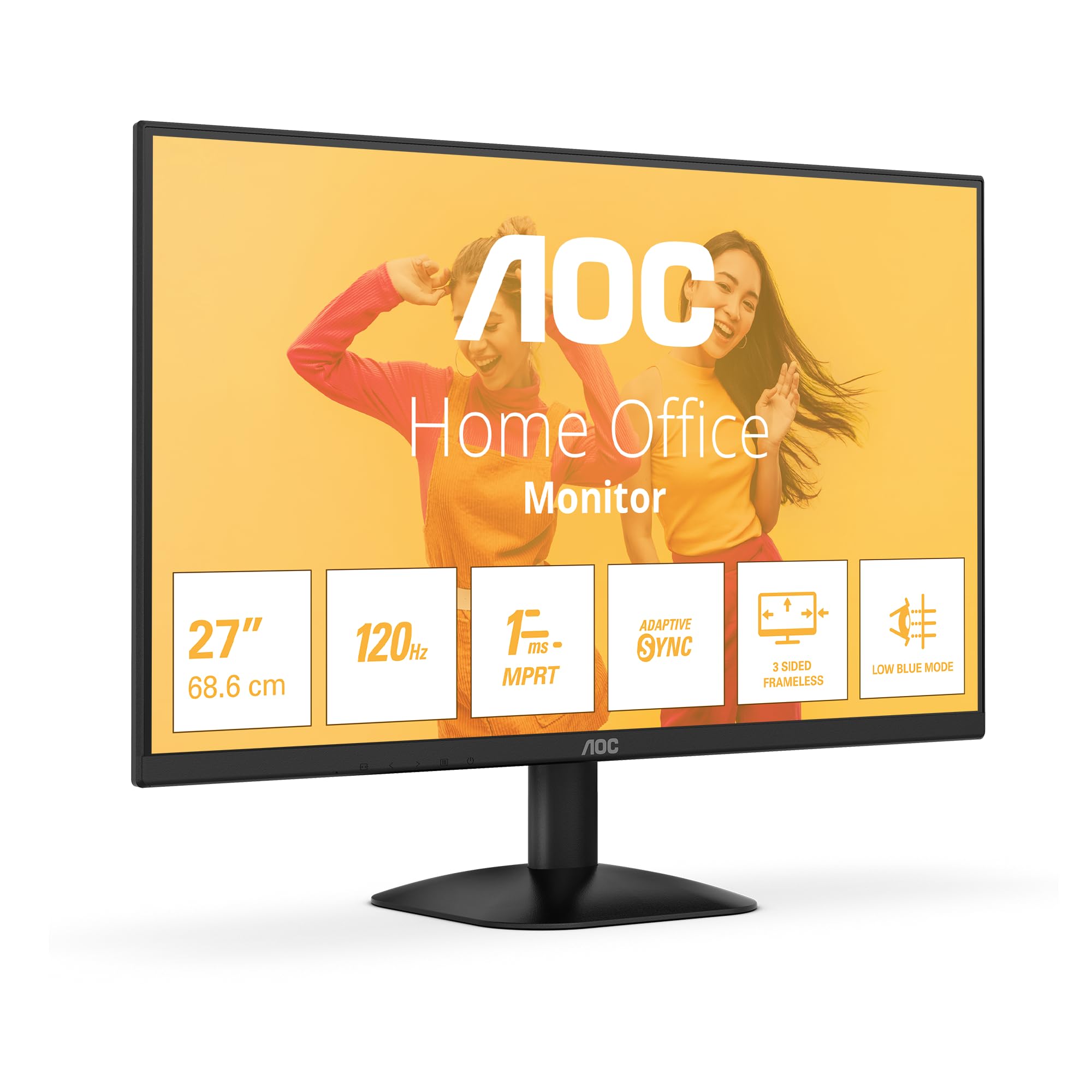
Slika 1: Prednja strana view of the AOC 27B35HM monitor, showcasing its 27-inch screen, 120Hz refresh rate, 1ms MPRT, Adaptive Sync, 3-sided frameless design, and Low Blue Light mode.
2. Sigurnosne informacije
Molimo vas da pažljivo pročitate sva uputstva prije upotrebe ovog proizvoda. Sačuvajte ovaj priručnik za buduću upotrebu.
- Do not place the monitor near water or in humid environments.
- Osigurajte odgovarajuću ventilaciju oko monitora. Ne blokirajte ventilacijske otvore.
- Koristite samo adapter za napajanje koji dolazi s monitorom.
- Izbjegavajte postavljanje teških predmeta na kabel za napajanje.
- Ne pokušavajte sami servisirati monitor. Za sve servisne radove obratite se kvalifikovanom osoblju.
- Isključite monitor iz strujne utičnice tokom oluja sa grmljavinom ili kada ga ne koristite duži period.
3. Sadržaj paketa
Verify that all the following items are present in your product package:
- AOC 27B35HM Monitor
- Stalak za monitor (baza i vrat)
- Power Cable
- HDMI kabl
- D-Sub (VGA) Cable (may vary by region)
- Korisnički priručnik i garancijski list
4. Podešavanje
4.1 Sastavljanje postolja
- Pažljivo postavite monitor licem prema dolje na meku, čistu površinu kako biste spriječili ogrebotine.
- Attach the stand neck to the monitor's rear panel. Secure it with the provided screws.
- Attach the stand base to the stand neck. Tighten the thumb screw at the bottom of the base.
4.2 Povezivanje sa računarom
The AOC 27B35HM monitor supports HDMI and D-Sub (VGA) connections.
- HDMI veza: Spojite jedan kraj HDMI kabla na HDMI port na grafičkoj kartici računara, a drugi kraj na HDMI 1.4 port na monitoru.
- D-Sub (VGA) Connection: Connect one end of the D-Sub cable to the VGA port on your computer's graphics card and the other end to the D-Sub port on the monitor.
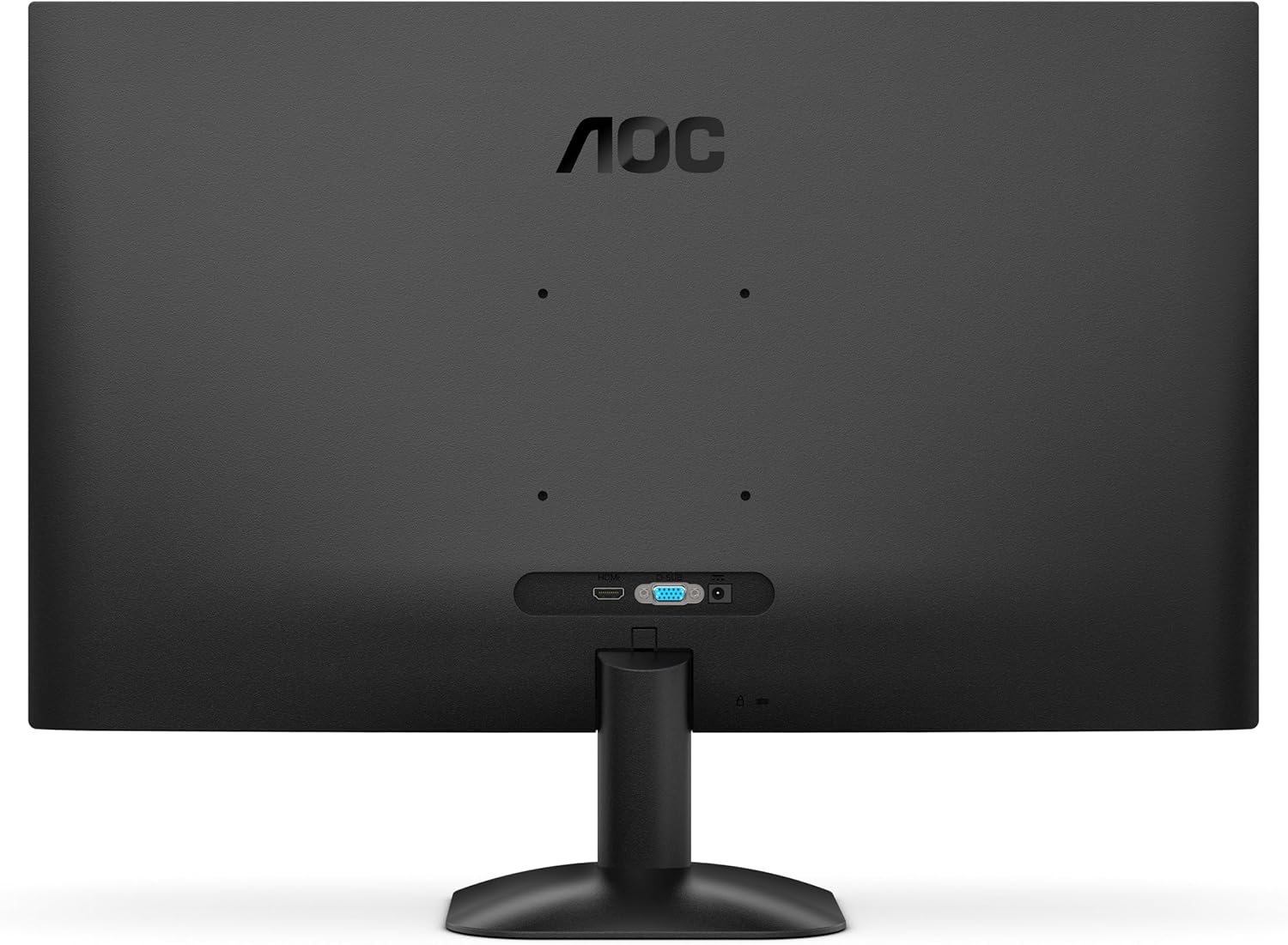
Slika 2: Pozadi view of the monitor, illustrating the location of the HDMI and D-Sub input ports.
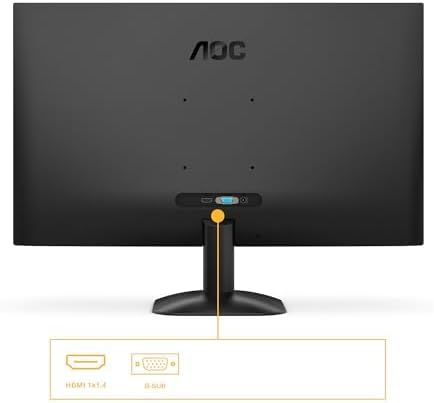
Slika 3: Detaljno view of the monitor's connectivity options, specifically highlighting the HDMI 1.4 and D-Sub ports.
4.3 Priključak za napajanje
- Connect the power cable to the monitor's power input.
- Uključite drugi kraj kabla za napajanje u uzemljenu električnu utičnicu.
5. Uputstvo za upotrebu
5.1 Uključivanje/isključivanje
Pritisnite dugme za napajanje koje se nalazi u donjem desnom uglu monitora da biste ga uključili ili isključili. Indikator napajanja će svijetliti kada je monitor uključen.
5.2 On-Screen Display (OSD) meni
The OSD menu allows you to adjust various monitor settings. Use the buttons or joystick (if applicable) on the monitor's bezel to navigate the menu.
Key OSD Functions:
- Svjetlina/kontrast: Podesite ukupnu svjetlinu i kontrast ekrana.
- Postavke boja: Promijenite temperaturu boja, gamu i pojedinačne RGB nivoe.
- Odaberite ulaz: Manually switch between HDMI and D-Sub input sources.
- Način slike: Select from preset display modes (e.g., Standard, Text, Game, Movie).
- Adaptivna sinhronizacija: Enable or disable Adaptive Sync for tear-free gaming (requires a compatible graphics card).
- Način rada pri slabom plavom svjetlu: Smanjite emisiju plavog svjetla kako biste smanjili naprezanje očiju.
- Tehnologija bez treperenja: This monitor features flicker-free technology to reduce eye fatigue during prolonged use.
- HDR10: The monitor supports HDR10 for enhanced color and contrast, providing a more vivid visual experience.
6. Održavanje
6.1 Čišćenje ekrana
Pažljivo obrišite ekran mekom krpom koja ne ostavlja dlačice. Za tvrdokorne mrlje, dampen the cloth with a small amount of screen cleaner (non-ammonia based) and wipe gently. Do not spray cleaner directly onto the screen.
6.2 Čišćenje eksterijera
Wipe the monitor's exterior with a soft, dry cloth. Avoid using abrasive cleaners or solvents.
7. Otkrivanje problema
Ako imate problema s monitorom, pogledajte sljedeće uobičajene probleme i rješenja:
| Problem | Mogući uzrok | Rješenje |
|---|---|---|
| Nema snage | Kabl za napajanje nije priključen; utičnica je neispravna. | Provjerite je li kabel za napajanje sigurno spojen na monitor i utičnicu; testirajte utičnicu s drugim uređajem. |
| Nema signala | Video cable not connected; Incorrect input selected. | Check video cable connections (HDMI/D-Sub); Use OSD menu to select correct input source. |
| Slika je previše tamna/svijetla | Postavke svjetline/kontrasta su netačne. | Podesite postavke svjetline i kontrasta putem OSD menija. |
| Image is distorted/blurry | Incorrect resolution; Faulty cable. | Postavite rezoluciju ekrana na 1920 x 1080; pokušajte s drugim video kablom. |
| Treperenje ekrana | Refresh rate mismatch; Graphics card issue. | Ensure graphics card drivers are updated; Check monitor refresh rate settings in OS. |
8. Specifikacije
Detailed technical specifications for the AOC 27B35HM monitor:
| Feature | Specifikacija |
|---|---|
| Brand | AOC |
| Broj modela | 27B35HM |
| Veličina ekrana | 27 inča (68.6 cm) |
| Rezolucija | 1920 x 1080 (Full HD) |
| Aspect Ratio | 16:9 |
| Refresh Rate | 120 Hz |
| Vrijeme odgovora | 1 ms (MPRT) |
| Tip panela | LCD LED |
| Opis površine | Mat |
| Kontrast Ratio | 1000:1 do 3000:1 |
| Povezivanje | 1 x HDMI 1.4, 1 x D-Sub (VGA) |
| Posebne karakteristike | Eye Care (Low Blue Light, Adaptive Sync), HDR10 |
| Boja | Crna |
| Proizvođač | AOC International |
| Zemlja porijekla | Kina |
8.1 Informacije o energiji
For detailed energy efficiency information, please refer to the EPREL database:
- EPREL registarski broj: 2046639
- EPREL Link: https://eprel.ec.europa.eu/qr/2046639
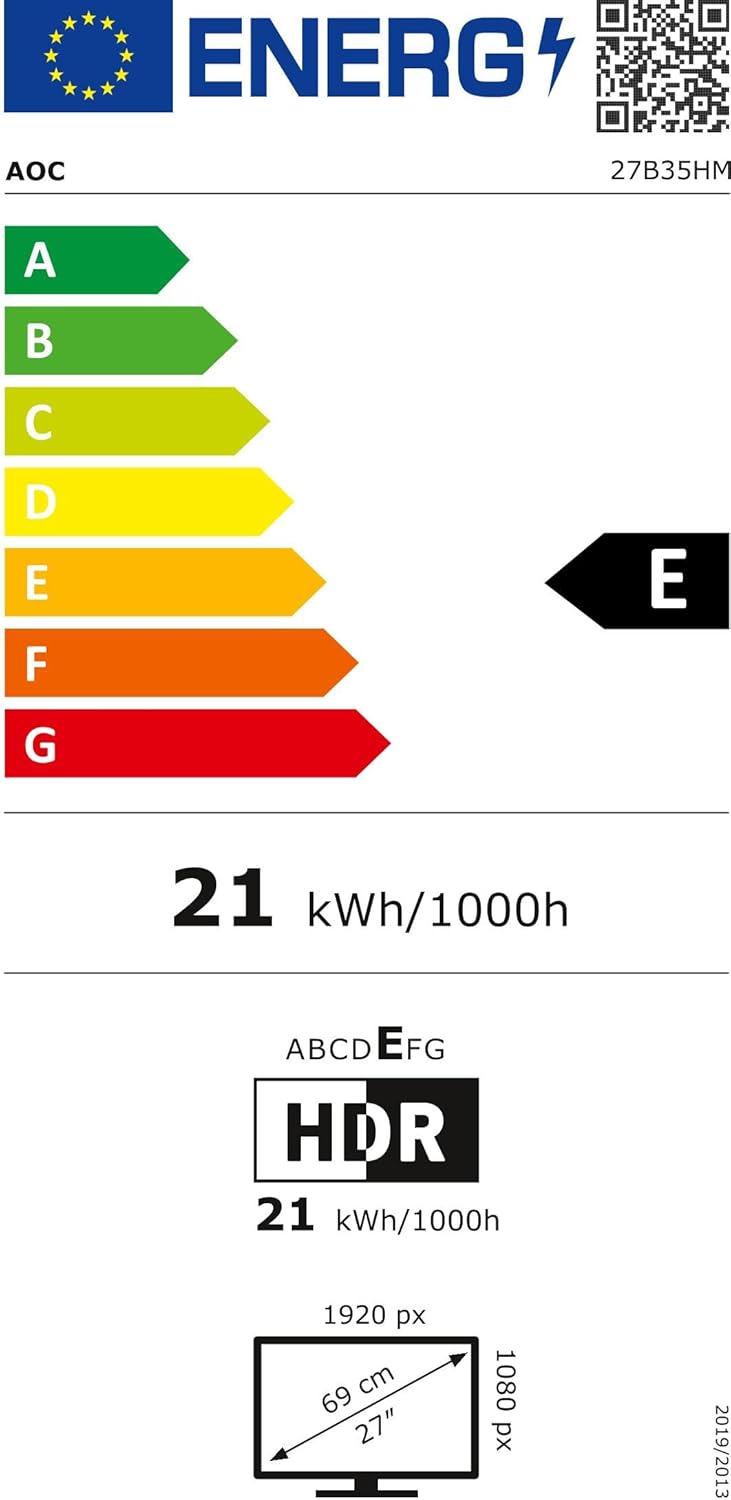
Figure 4: EU Energy Label for the AOC 27B35HM monitor, showing its energy efficiency class E and consumption of 21 kWh/1000h.
9. Garancija i podrška
9.1 Informacije o garanciji
This product comes with a minimum guaranteed product support period of 8 years and a minimum guarantee period of 3 years offered by the supplier.
9.2 Korisnička podrška
For technical assistance, warranty claims, or other inquiries, please contact AOC International (Europe) B.V. using the following information:
- Webstranica: https://eu.aoc.com
- Email: kevin.yang@tpv-tech.com
- Telefon: +31 (0)20 504 6962
- Adresa: Prins Bernhardplein 200 1097 JB Amsterdam, Netherlands


