1. Uvod
This manual provides detailed instructions for the setup, operation, maintenance, and troubleshooting of your MOREFINE M9 Pro Mini PC. Please read this manual thoroughly before using the device to ensure proper functionality and longevity.

Slika: Front view of the MOREFINE M9 Pro Mini PC, showcasing svojim kompaktnim dizajnom i prednjim priključcima.
2. Sadržaj paketa
Provjerite da li su sve stavke prisutne u paketu:
- 1 x MOREFINE M9 Pro Mini PC
- 1 x HDMI kabl
- 1 x adapter za napajanje
- 1 x Korisnički priručnik (ovaj dokument)
3. Upute za postavljanje
3.1 Povezivanje perifernih uređaja
- Poveži ekran: Use the provided HDMI cable to connect the Mini PC to a monitor or TV. The device supports up to three displays simultaneously via two HDMI 2.0 ports and one Type-C port.
- Povežite USB uređaje: Plug in your keyboard, mouse, and other USB peripherals into the available USB 3.2 and USB 2.0 ports.
- Poveži mrežu (opciono): For a wired internet connection, connect an Ethernet cable to the 2.5G LAN port. Alternatively, the device supports WiFi 6 for wireless connectivity.
- Priključite napajanje: Plug the power adapter into the DC Power port on the Mini PC, then connect the adapter to a power outlet.

Slika: Stražnja i bočna strana view of the MOREFINE M9 Pro Mini PC, illustrating the various ports including HDMI, USB, Type-C, LAN, and power input.
3.2 Početno uključivanje
After connecting all necessary peripherals and power, press the power button located on the front of the Mini PC. The system will boot up. Follow any on-screen instructions for initial operating system setup.
4. Uputstvo za upotrebu
4.1 Upravljanje napajanjem
- Uključeno: Pritisnite dugme za napajanje.
- Isključi: Koristite funkciju isključivanja operativnog sistema.
- Ponovno pokretanje: Koristite funkciju ponovnog pokretanja operativnog sistema.
- Režim spavanja: Koristite funkciju spavanja operativnog sistema.
- Automatsko uključivanje: This feature can be enabled in the BIOS settings. Consult your operating system documentation for accessing BIOS.
- Wake on LAN (WoL): This feature can be enabled in the BIOS settings to power on the device remotely via the network.
4.2 Konfiguracija ekrana
The Mini PC supports triple display output at 4K resolution (3840x2160 pixels) via its two HDMI 2.0 ports and one Type-C port. To configure multiple displays, access your operating system's display settings. You can extend, duplicate, or use only one display.
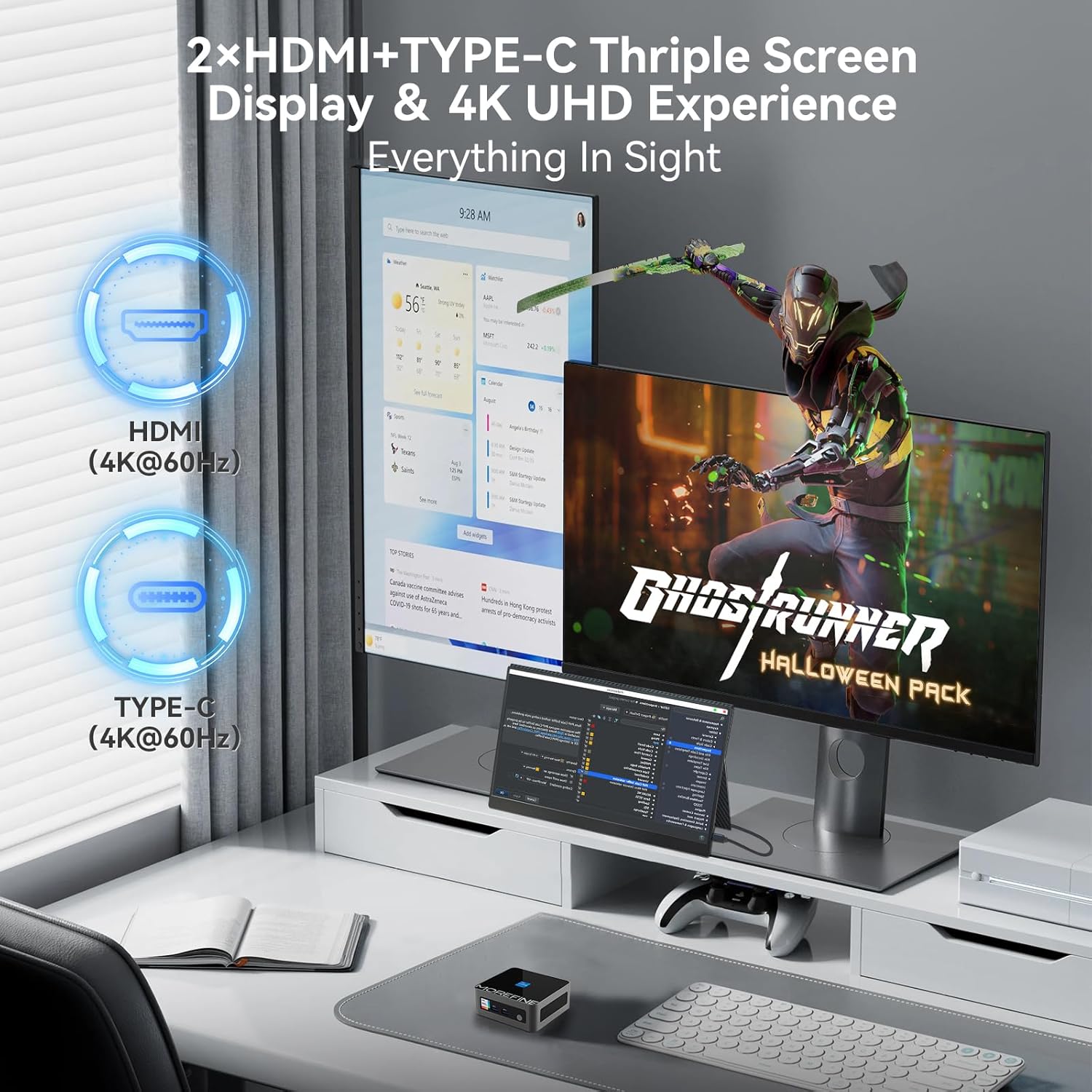
Image: A MOREFINE M9 Pro Mini PC connected to a triple monitor setup, demonstrating its multi-display capability.
4.3 Mrežna povezivost
- Žična veza: Connect an Ethernet cable to the 2.5G LAN port for a stable wired network connection.
- Bežična veza (WiFi 6): The device features an integrated WiFi 6 module. Access your operating system's network settings to connect to available wireless networks.
- Bluetooth 5.2: For connecting wireless peripherals such as keyboards, mice, or headphones, use the integrated Bluetooth 5.2. Pair devices through your operating system's Bluetooth settings.

Image: The MOREFINE M9 Pro Mini PC with visual indicators for WiFi 6 and Bluetooth 5.2 connectivity, emphasizing its wireless capabilities.
5. Održavanje
5.1 Čišćenje
- Prije čišćenja provjerite je li uređaj isključen i isključen iz utičnice.
- Koristite meku, suhu krpu za brisanje vanjske strane Mini PC-a.
- Za nakupljanje prašine u ventilacionim otvorima koristite komprimovani vazduh. Ne ubacujte predmete u ventilacione otvore.
- Izbjegavajte korištenje tekućih sredstava za čišćenje ili abrazivnih materijala.
5.2 Storage and Upgrades
The Mini PC is equipped with dual-channel DDR4 SO-DIMM memory, supporting up to 64GB. It also includes one M.2 2242 slot and one M.2 2280 slot for storage expansion, supporting up to 4TB. The pre-installed storage is an M.2 NVME Gen3 X4 SSD. For memory or storage upgrades, consult a qualified technician or refer to detailed upgrade guides available from MOREFINE.

Slika: Interni view of the MOREFINE M9 Pro Mini PC, illustrating the DDR4 SO-DIMM memory slots and M.2 SSD slots for potential upgrades.
6. Otkrivanje problema
| Problem | Mogući uzrok | Rješenje |
|---|---|---|
| Nema struje | Power adapter not connected; power outlet issue | Ensure power adapter is securely connected to both the Mini PC and a working power outlet. Test the outlet with another device. |
| Nema izlaza na ekranu | Display cable loose; incorrect input selected on monitor | Check HDMI/Type-C cable connections. Ensure the monitor is set to the correct input source. Try a different display cable or port. |
| Nema internet veze (žične) | Ethernet cable loose; router/modem issue | Verify Ethernet cable is securely connected. Restart your router/modem. Check network settings in the operating system. |
| Nema internet veze (bežične) | WiFi disabled; incorrect password; signal interference | Ensure WiFi is enabled in OS settings. Re-enter WiFi password. Move closer to the router or reduce interference. |
| System slow or unresponsive | Too many applications running; insufficient RAM/storage; overheating | Close unnecessary applications. Check system resources (Task Manager/Activity Monitor). Ensure proper ventilation. Consider RAM/SSD upgrade if issues persist. |
7. Specifikacije
| Feature | Detalj |
|---|---|
| Model | M9Pro-1340p |
| Procesor | 13th Gen Intel Core i5-1340P (12 Cores, 16 Threads, up to 4.6GHz, 12MB Cache) |
| Grafika | Intel Iris Xe grafika (integrirana) |
| RAM | 16GB DDR4 SO-DIMM (Dual-channel, expandable up to 64GB) |
| Skladištenje | 1TB PCIe3.0 NVME SSD (1x M.2 2280 slot, 1x M.2 2242 slot, max 4TB total) |
| Display Output | 2 x HDMI 2.0, 1 x Type-C (Supports 4K UHD Triple Display) |
| USB portovi | 3 x USB 3.2, 1 x USB 2.0 |
| Mreža | 2.5G LAN, WiFi 6 (2.5G/5G/6G Tri-band) |
| Bluetooth | Bluetooth 5.2 |
| Audio | 1 x MIC (Audio Jack) |
| Operativni sistem | OS (unaprijed instaliran, specifična verzija može varirati) |
| Dimenzije | Približno 4.48 x 4.17 x 1.77 inča (11.2 x 10.5 x 4.3 cm) |
| Težina | Otprilike 2.2 funti (1 kg) |
| Posebne karakteristike | Auto Power On, PXE Boot, Wake on LAN |
8. Garancija i podrška
8.1 Informacije o garanciji
The MOREFINE M9 Pro Mini PC comes with a standard manufacturer's warranty. Please refer to the warranty card included in your package or visit the official MOREFINE webZa detaljne uslove garancije posjetite stranicu. Sačuvajte dokaz o kupovini za slučaj reklamacije.
8.2 Tehnička podrška
For technical assistance, troubleshooting beyond this manual, or service inquiries, please contact MOREFINE customer support. Contact information can typically be found on the official MOREFINE webweb-mjestu ili na ambalaži proizvoda.
Online resursi: Visit the MOREFINE Store on Amazon


