1. Proizvod je gotovview
This manual provides detailed instructions for the installation, operation, and maintenance of your TMEZON A2 Video Doorbell Camera. This device is designed to integrate seamlessly with the TMEZON MZ-IP-V728TW-kit monitor and 1080P video intercom system, enhancing your home security and communication capabilities.
1.1 Ključne karakteristike
- 1080p Video Capture Resolution for clear imaging.
- Two-Way Audio Communication for interactive conversations.
- Suitable for Outdoor Usage.
- Wi-Fi Connectivity for smartphone integration and remote access.
- Compatibility with TMEZON MZ-IP-V728TW-kit monitors and 1080P video intercom systems.
- Supports connection of up to 6 monitors, 2 doorbells, and 2 CCTV cameras within the system.
- Enables dual-way communication between the doorbell camera and indoor monitors, and between multiple indoor monitors.
- Allows call forwarding between all connected monitors.
- Provides the ability to open and unlock doors from any indoor monitor.
1.2 Sadržaj paketa
- 1 x TMEZON A2 Doorbell Camera
- Pribor za montažu (vijci, tiplovi)
- Uputstvo za upotrebu
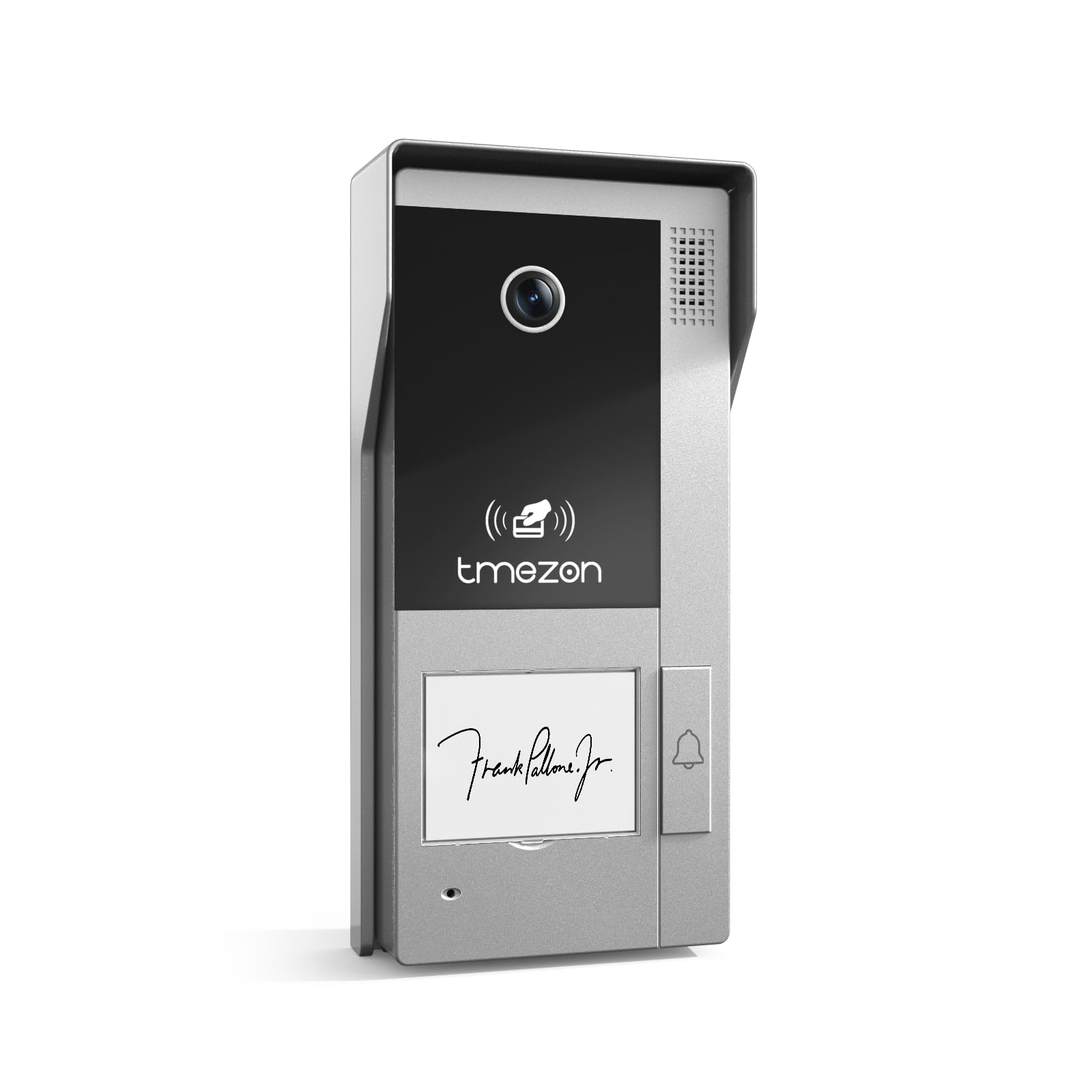
Image: TMEZON A2 Video Doorbell Camera, showing the camera lens, speaker grille, TMEZON logo, and doorbell button.
2. Važne informacije o sigurnosti
Molimo vas da pažljivo pročitate sva sigurnosna uputstva prije instalacije i rada. Nepoštivanje ovih uputstava može dovesti do strujnog udara, požara ili oštećenja proizvoda.
- Isključite napajanje prije instalacije ili servisiranja.
- Ensure all wiring is performed by a qualified electrician if you are unsure.
- Do not expose the device to extreme temperatures, humidity, or direct water immersion.
- Koristite samo navedene izvore napajanja i pribor.
- Čuvati van domašaja djece.
3. Vodič za postavljanje i instalaciju
3.1 Prije nego počnete
Ensure you have the necessary tools: screwdriver, drill, wire strippers, and the TMEZON MZ-IP-V728TW-kit monitor. Verify the installation location is suitable for outdoor use and provides a clear view željenog područja.
3.2 Montiranje kamere na vratima
- Choose a suitable mounting height, typically 48-60 inches (120-150 cm) from the ground, ensuring the camera has an optimal viewing kut.
- Use the provided mounting template (if applicable) to mark drill holes on the wall.
- Izbušite rupe i po potrebi umetnite zidne tiple.
- Pričvrstite montažni držač na zid pomoću vijaka.
- Pričvrstite kameru zvona na vrata na nosač za montažu.
3.3 Upute za ožičenje
The TMEZON A2 Doorbell Camera uses a corded electric power source and wired connectivity for the intercom system.
- Priključak za napajanje: Connect the power wires from your existing doorbell wiring or a dedicated power supply (refer to your system's power requirements) to the designated terminals on the doorbell camera. Ensure correct polarity.
- Intercom System Connection: Connect the data/signal wires from the doorbell camera to the corresponding input terminals on your TMEZON MZ-IP-V728TW-kit monitor. Consult the wiring diagram provided with your complete intercom system kit for specific connections.
- Door Lock Integration (Optional): If connecting to an electronic door lock, wire the lock control wires from the doorbell camera to the lock mechanism. Test functionality before final assembly.
3.4 System Integration and Initial Configuration
After physical installation and wiring, power on your TMEZON MZ-IP-V728TW-kit monitor and the doorbell camera.
- Monitor Pairing: Follow the instructions in your MZ-IP-V728TW-kit monitor manual to pair the A2 doorbell camera with the indoor monitor.
- Wi-Fi podešavanje: Access the monitor's settings to configure Wi-Fi connectivity for the system. This enables smartphone control and remote access.
- Aplikacija za pametne telefone: Download the TMEZON smartphone application (compatible with Android devices) and follow the in-app instructions to add your doorbell camera and monitor system.
- Proširenje sistema: The system supports connecting up to 6 indoor monitors, 2 doorbell cameras, and 2 CCTV cameras. Refer to your main system manual for adding additional devices.
4. Uputstvo za upotrebu
4.1 Basic Doorbell Function
When a visitor presses the doorbell button, the indoor monitor(s) will ring, and a live video feed from the A2 camera will display. To answer, press the "Answer" button on the monitor.
4.2 Dvosmjerna audio komunikacija
Once a call is answered, you can speak to the visitor at the door, and they can respond through the doorbell camera's built-in microphone and speaker.
4.3 Remote Access via Smartphone
With the TMEZON app connected, you will receive notifications on your smartphone when the doorbell is pressed. You can view the live feed, communicate with visitors, and unlock the door remotely.
4.4 Intercom System Features
- Monitor-to-Camera Communication: Initiate a call from an indoor monitor to view the doorbell camera feed and communicate with someone at the door.
- Monitor-to-Monitor Communication: If multiple indoor monitors are installed, you can make internal calls between them.
- Preusmjeravanje poziva: Calls from the doorbell can be forwarded to other indoor monitors or even to your smartphone if configured.
- Door Unlock Function: From any connected indoor monitor or the smartphone app, you can remotely unlock an integrated electronic door lock.
5. Održavanje
5.1 Čišćenje
Redovno brišite objektiv kamere i okolno područje mekom,amp krpom uklonite prašinu i prljavštinu. Ne koristite jake hemikalije ili abrazivna sredstva za čišćenje.
5.2 Ažuriranja firmvera
Check the TMEZON website or your smartphone app periodically for firmware updates. Keeping your device updated ensures optimal performance and security.
5.3 Provjera sistema
Periodically test the doorbell, video, and audio functions to ensure proper operation.
6. Otkrivanje problema
6.1 No Video Feed on Monitor
- Check power connections to both the doorbell camera and the indoor monitor.
- Provjerite jesu li svi spojevi ožičenja sigurni i ispravni prema dijagramu ožičenja.
- Ensure the doorbell camera is properly paired with the monitor.
6.2 Nema zvuka / Loš kvalitet zvuka
- Check microphone and speaker settings on the indoor monitor.
- Ensure there are no obstructions blocking the microphone or speaker on the doorbell camera.
- Verify network connection stability if audio issues occur during remote access.
6.3 Doorbell Not Ringing
- Confirm the doorbell button is functioning correctly.
- Check wiring from the doorbell button to the system.
- Ensure the monitor's ringtone volume is not muted.
6.4 Cannot Connect via Wi-Fi / Smartphone App
- Ensure your home Wi-Fi network is active and the signal strength at the doorbell location is adequate.
- Re-enter Wi-Fi credentials on the monitor.
- Restart your router, monitor, and doorbell camera.
- Ensure the smartphone app is updated to the latest version.
6.5 Door Unlock Function Not Working
- Verify the electronic door lock is correctly wired to the doorbell camera and receiving power.
- Check the lock control settings on the indoor monitor.
- Ensure the lock mechanism itself is functional.
7. Specifikacije proizvoda
| Feature | Detalj |
|---|---|
| Brand | TMEZON |
| Naziv modela | A2 |
| Unutrašnja/vanjska upotreba | Na otvorenom |
| Kompatibilni uređaji | Smartphone |
| Izvor napajanja | Corded Electric |
| Connectivity Protocol | Wi-Fi |
| Tip kontrolera | Android |
| Vrsta montaže | Doorbell Mount |
| Rezolucija video snimanja | 1080p |
| Broj stavki | 1 (Doorbell camera) |
| Uključene komponente | Kamera za zvono na vratima |
| Bežična komunikacijska tehnologija | Wi-Fi |
| Dimenzije artikla D x Š x V | 4 x 2 x 3 inča |
| Format video snimanja | MOV |
| Unit Count | 1.0 Count |
| Dimenzije proizvoda | 4 x 2 x 3 inča |
| ASIN | B0DS499SND |
| Datum prve dostupnosti | 3. januara 2025 |
| Proizvođač | TMEZON |
| Preporučena upotreba za proizvod | Outdoor Security |
| Tehnologija povezivanja | Žičani |
| Posebna karakteristika | 2-Way Audio |
8. Garancija i podrška
For warranty information and technical support, please refer to the official TMEZON website or contact TMEZON customer service directly. Keep your purchase receipt for warranty claims.
Online Support: Visit the TMEZON official webstranica za najčešća pitanja, vodiče za rješavanje problema i kontakt informacije.


