1. Uvod
Thank you for choosing the EDYELL C6 Motorcycle Bluetooth Headset. This device is designed to enhance your riding experience by providing seamless communication, high-fidelity music, and hands-free calling. Featuring Bluetooth V5.3, an OLED display, a 1000mAh battery, and IP67 waterproofing, the C6 offers reliable performance in various conditions. Please read this manual carefully to ensure proper installation and operation.
2. Sadržaj paketa
Provjerite da li se u vašem paketu nalaze sve dolje navedene stavke:
- 1x EDYELL C6 Motorcycle Bluetooth Headset
- 1x Hard Microphone Speakers Set
- 1x Clamping Base
- 2x Microphone Velcro Tape
- 2x Speaker Velcro
- 2x Booster Sticker
- 1x Stand Velcro Tape
- 1x Thick Double Sided Tape
- 1x uputstvo za upotrebu
- 1x kabl za punjenje
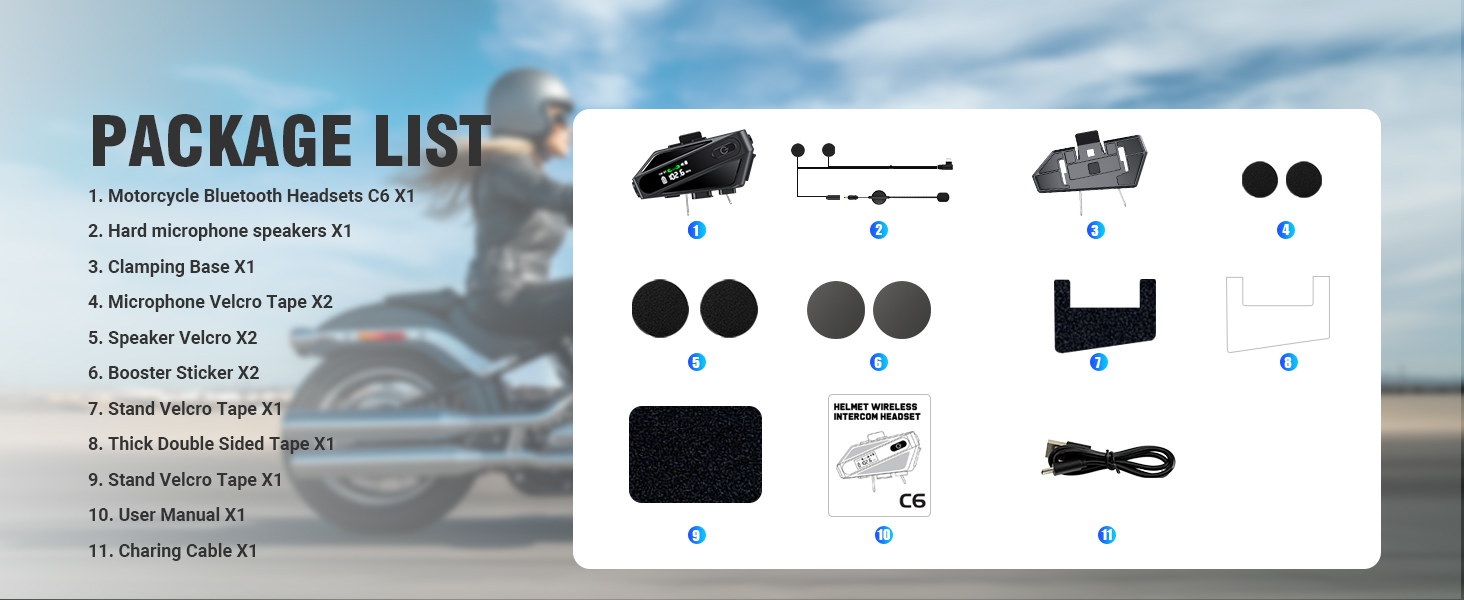
Image: Contents of the EDYELL C6 package, including the headset unit, speakers, microphone, mounting accessories, and charging cable.
3. Proizvod je gotovview
The EDYELL C6 features an intuitive design with clearly labeled controls and an OLED screen for easy status monitoring.
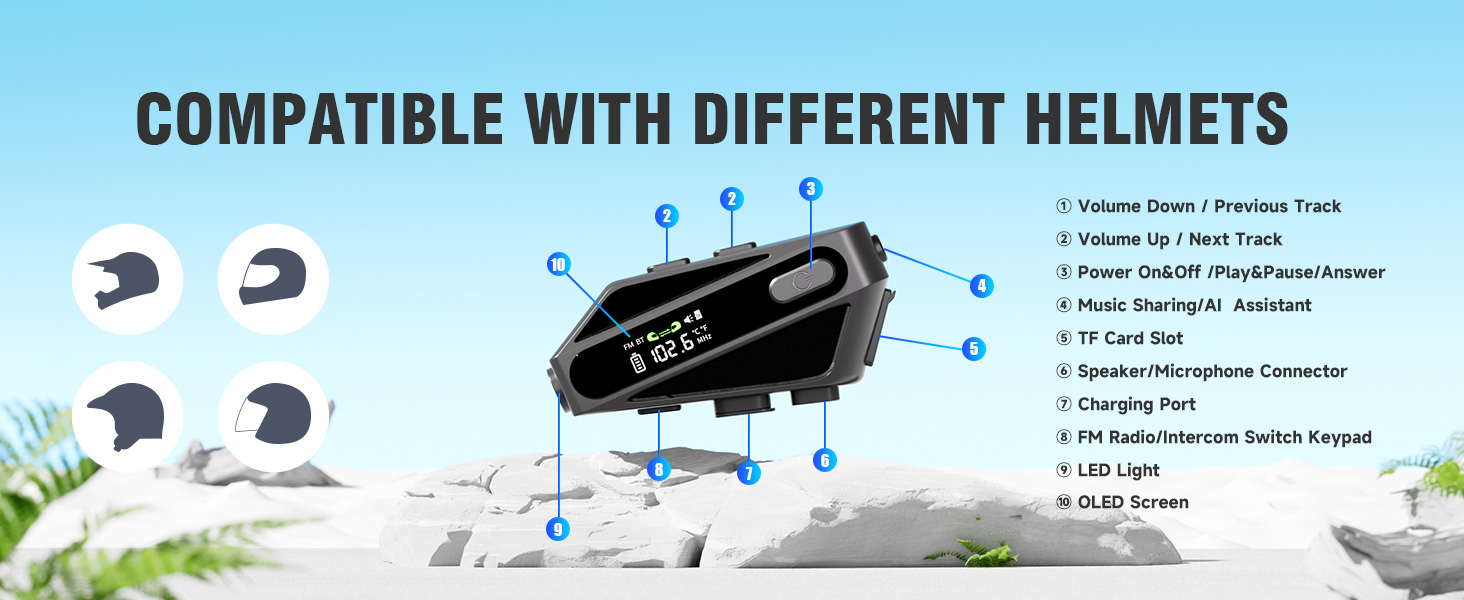
Image: Labeled diagram of the EDYELL C6 headset, highlighting its buttons, ports, and screen.
Kontrole i indikatori:
- Dugme za smanjivanje jačine zvuka / prethodnu pjesmu: Smanjuje jačinu zvuka ili preskače na prethodnu pjesmu.
- Dugme za pojačavanje zvuka / sljedeću pjesmu: Povećava jačinu zvuka ili prelazi na sljedeću pjesmu.
- Power On/Off / Play/Pause / Answer Button: Controls power, music playback, and call management.
- Music Sharing / AI Assistant Button: Activates music sharing or the voice assistant.
- Utor za TF karticu: Insert a MicroSD card for offline music playback (up to 128GB).
- Speaker/Microphone Connector: Port for connecting the speaker and microphone assembly.
- Port za punjenje: USB Type-C port for charging the device.
- FM Radio / Intercom Switch Keypad: Toggles between FM radio and intercom modes.
- LED svjetlo: Obezbeđuje osvetljenje.
- OLED ekran: Displays battery level, FM frequency, Bluetooth status, and other information.
4. Podešavanje
4.1. Punjenje uređaja
Before first use, fully charge the headset. Connect the provided USB Type-C charging cable to the charging port (7) on the device and to a USB power source. The OLED screen will indicate the charging status. A full charge takes approximately 1.5 hours.

Image: The EDYELL C6 headset connected to a Type-C charger, illustrating its 1000mAh battery capacity and fast charging capability.
4.2. Instalacija na kacigu
The EDYELL C6 can be installed on various helmet types using the clamping base or adhesive tape. Ensure the speakers are positioned directly over your ears inside the helmet for optimal audio quality, and the microphone is placed near your mouth.

Image: The EDYELL C6 headset securely attached to a helmet, demonstrating its waterproof design.
Slika: pramples of different helmet types compatible with the EDYELL C6 headset.
5. Uputstvo za upotrebu
5.1. Uključivanje/isključivanje
- Uključeno: Press and hold the Power On/Off button (3) for approximately 3 seconds until the OLED screen illuminates.
- Iskljuciti: Press and hold the Power On/Off button (3) for approximately 3 seconds until the OLED screen turns off.
5.2. Bluetooth uparivanje
To connect your EDYELL C6 to a mobile phone or other Bluetooth device:
- Provjerite jesu li slušalice isključene.
- Press and hold the Power On/Off button (3) for approximately 5-7 seconds until the OLED screen shows 'Pairing' or a similar indicator, and the Bluetooth icon flashes.
- Na svom mobilnom telefonu omogućite Bluetooth i potražite dostupne uređaje.
- Select 'EDYELL C6' from the list of devices.
- Once connected, the OLED screen will show a stable Bluetooth icon.

Image: The EDYELL C6 supports Bluetooth 5.3 for quick pairing and communication up to 600 meters.
5.3. Reprodukcija muzike
- Pusti/pauza: Short press the Power On/Off button (3).
- Sljedeća pjesma: Short press the Volume Up button (2).
- Prethodni zapis: Short press the Volume Down button (1).
- Podešavanje jačine zvuka: Long press the Volume Up button (2) to increase volume, long press the Volume Down button (1) to decrease volume.
5.4. Telefonski pozivi
- Odgovori na poziv: Short press the Power On/Off button (3) when a call comes in.
- Završi poziv: Short press the Power On/Off button (3) during a call.
- odbiti poziv: Long press the Power On/Off button (3) when a call comes in.
- Ponovno biranje zadnjeg broja: Double-press the Power On/Off button (3) in standby mode.
5.5. Intercom Funkcija
The C6 supports intercom communication with another C6 unit up to 600 meters. Refer to the specific pairing instructions for intercom mode in the full user manual for detailed steps.
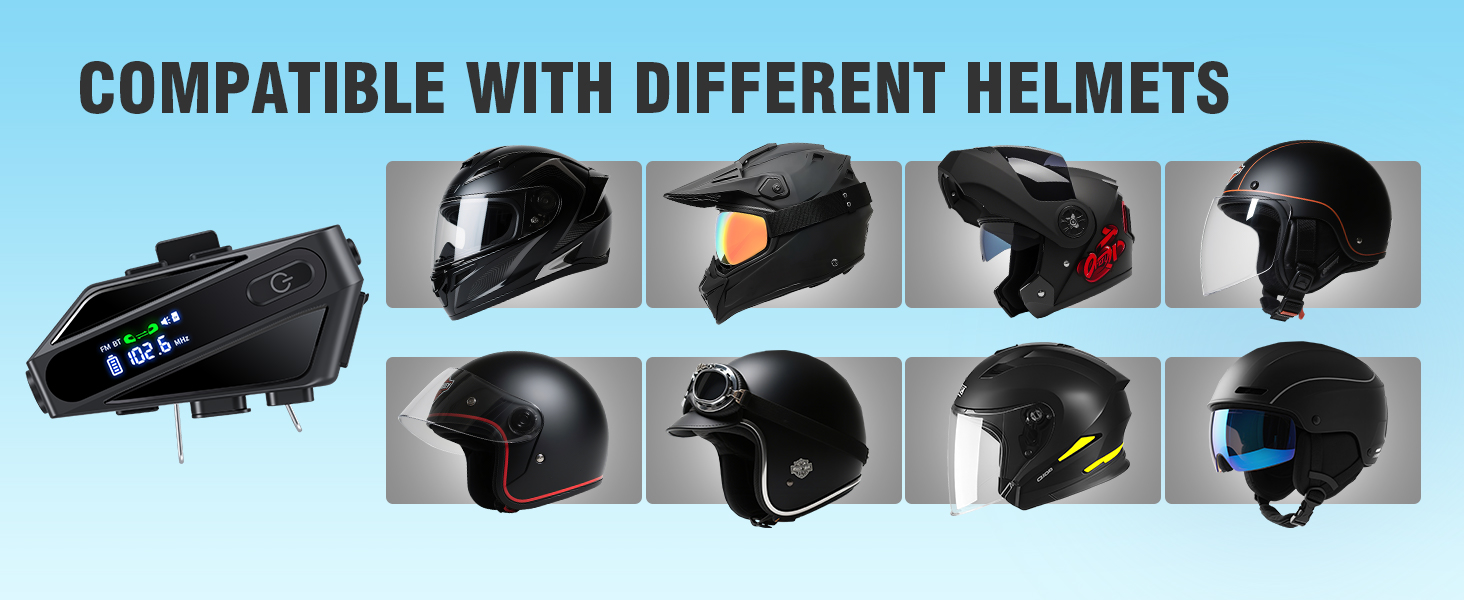
Image: The EDYELL C6 offers an extra-long communication distance of 600 meters for rider-to-rider intercom.
5.6. FM radio
To activate FM radio, short press the FM Radio/Intercom Switch Keypad (8). Use the Volume Up/Down buttons (1, 2) to change stations. Short press the FM Radio/Intercom Switch Keypad (8) again to exit FM mode.
5.7. Glasovni asistent
Activate your phone's voice assistant (e.g., Siri, Google Assistant) by short pressing the Music Sharing/AI Assistant button (4). You can then issue commands like "Hey Siri, call Mike."

Image: The EDYELL C6 supports intelligent voice assistant functions for hands-free control.
5.8. Music Sharing
To share music with a companion's EDYELL C6 headset, long-press the Music Sharing/AI Assistant button (4). Both headsets must be in intercom mode or paired for this feature to work.
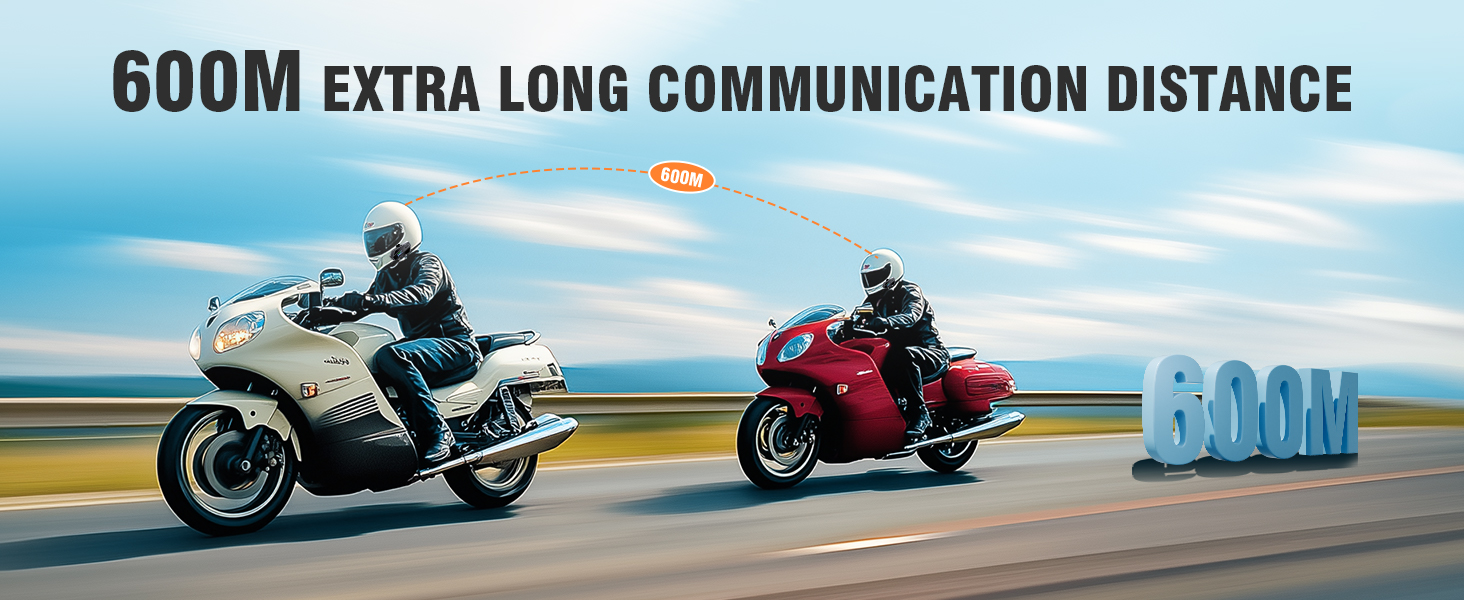
Image: Music sharing feature of the EDYELL C6, allowing two riders to listen to the same audio.
5.9. TF Card Offline Playback
Insert a MicroSD card (up to 128GB) into the TF Card Slot (5) to play music directly from the card without needing a Bluetooth connection to a phone.
6. Održavanje
To ensure the longevity and optimal performance of your EDYELL C6 headset:
- čišćenje: Obrišite uređaj mekom krpom, damp tkanina. Izbjegavajte korištenje jakih kemikalija ili abrazivnih sredstava za čišćenje.
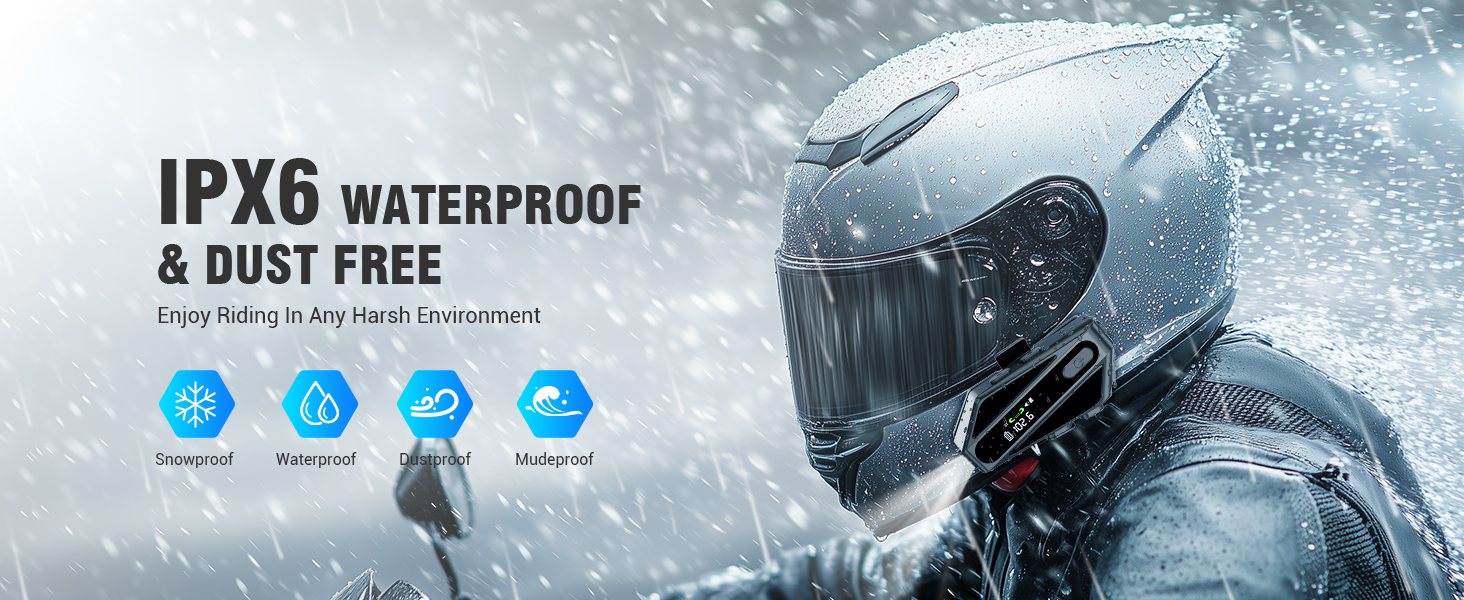
- Otpornost na vodu: The device is IP67 waterproof. While it can withstand rain and splashes, avoid submerging it in water for extended periods. Ensure the charging port cover is securely closed.
- Skladištenje: Slušalice čuvajte na hladnom i suhom mjestu, dalje od direktne sunčeve svjetlosti i ekstremnih temperatura.
- Održavanje baterije: Za dugotrajno skladištenje, punite bateriju do oko 50% svakih nekoliko mjeseci kako biste spriječili duboko pražnjenje.
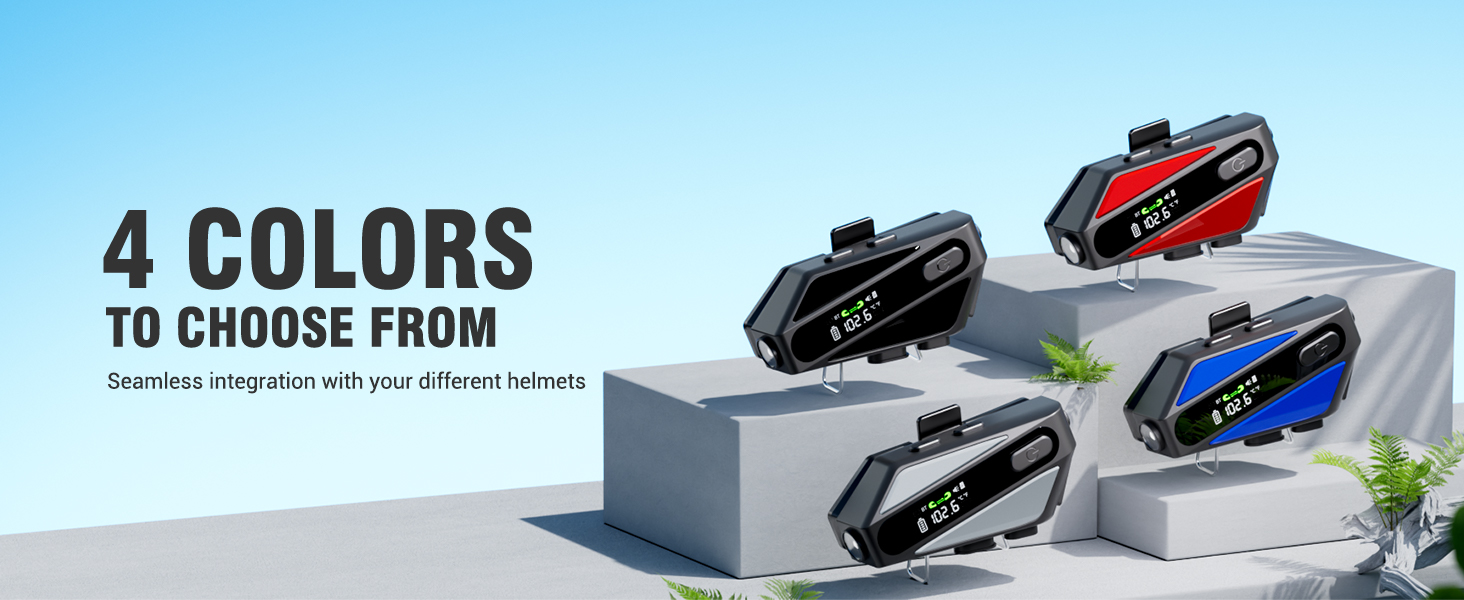
Image: The EDYELL C6 features IP67 waterproof and dustproof design for use in harsh environments.
7. Otkrivanje problema
If you encounter issues with your EDYELL C6, refer to the following common solutions:
- Uređaj se ne uključuje: Provjerite je li baterija napunjena. Spojite punjač i pokušajte ponovo.
- Nije moguće upariti s telefonom: Ensure the headset is in pairing mode (flashing Bluetooth icon). Turn off and on your phone's Bluetooth, then try pairing again.
- Nema zvuka iz zvučnika: Check if the speakers are properly connected to the headset. Ensure volume is not set to minimum.
- Interfon se ne povezuje: Ensure both units are within range (up to 600m) and are in intercom pairing mode.
- Loš kvalitet zvuka: Check speaker placement inside the helmet. Ensure microphone is positioned correctly to reduce wind noise.
- Uređaj ne reaguje: Try resetting the device by holding the power button for an extended period (e.g., 10-15 seconds) or by allowing the battery to fully discharge and then recharging.
8. Specifikacije
| Feature | Specifikacija |
|---|---|
| Naziv modela | C6 |
| Tehnologija povezivanja | Bežično (Bluetooth V5.3) |
| Bluetooth verzija | 5.3 |
| Kapacitet baterije | 1000mAh litijum -polimer |
| Vrijeme punjenja | Pribl. 1.5 sati |
| Vrijeme reprodukcije muzike | Do 30 sati |
| Vrijeme poziva | Do 40 sati |
| Vrijeme pripravnosti | Preko 300 sati |
| Intercom Range | Do 600 metara |
| Nivo vodootpornosti | IP67 vodootporan |
| Kontrola buke | Passive Noise Cancellation (ENC) |
| Veličina audio drajvera | 50mm dinamički drajver |
| Podrška za TF karticu | Do 128 GB |
| Kontrolni metod | Glas, Dugme |
| Težina artikla | 180 grama |
| Dimenzije proizvoda | 10 x 5 x 2 cm |
9. Garancija i podrška
The EDYELL C6 Motorcycle Bluetooth Headset comes with a 12 Months EDYELL India Warranty. For any quality problems, technical assistance, or warranty claims, please contact our customer support team:
Email: support@fenman.in
Telefon: +91 8882786235
Please have your purchase details and model number (C6) ready when contacting support.


