Uvod
Welcome to the JLab Go Lux ANC Wireless Headphones instruction manual. These premium on-ear Bluetooth headphones are designed to provide an immersive audio experience with advanced features for comfort and connectivity.
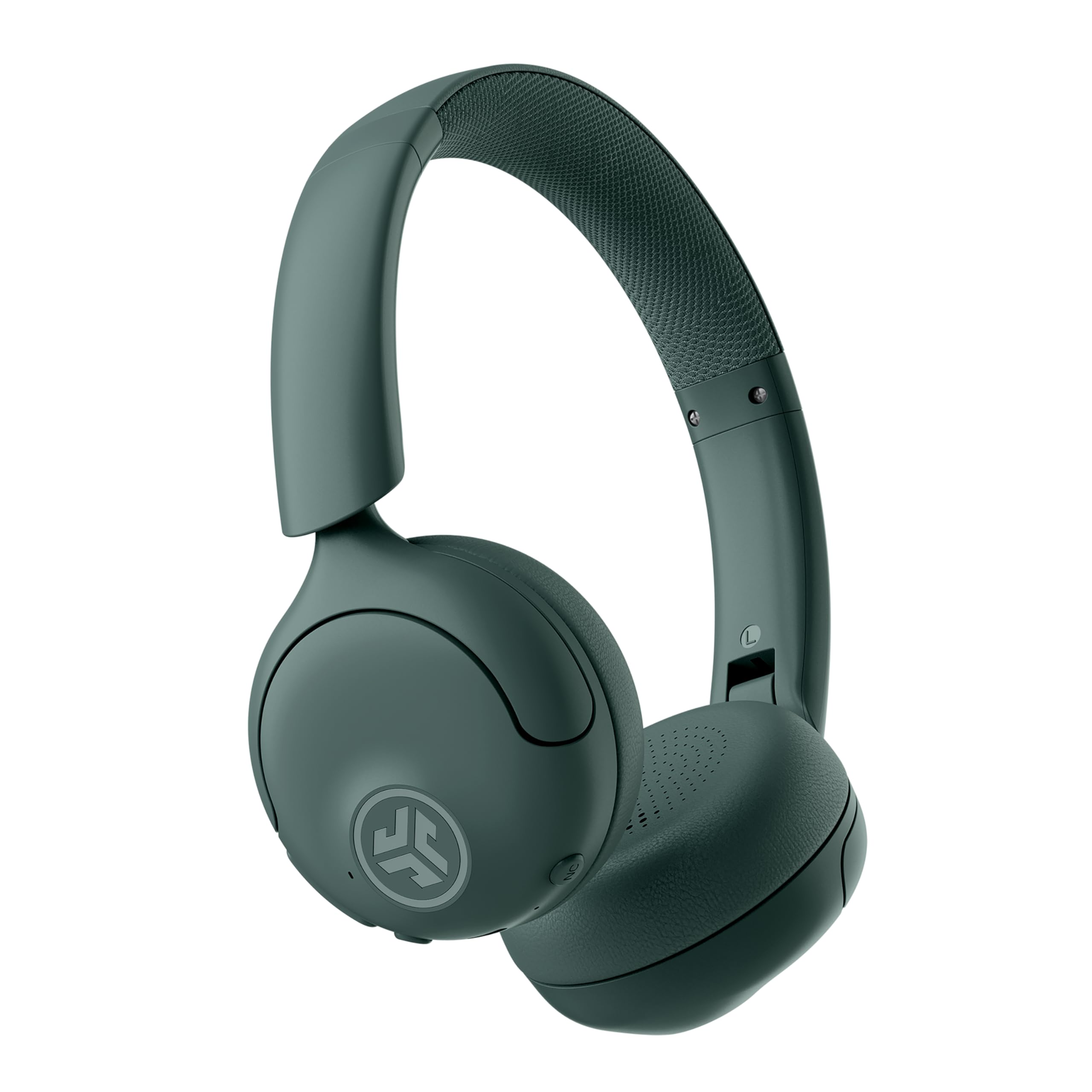
Image: JLab Go Lux ANC Wireless Headphones, showcasing cjelokupni dizajn.
Ključne karakteristike
- Hybrid Active Noise Cancelling (ANC) & Be Aware Mode: Eliminate distractions up to 30 dB or stay connected to your surroundings.
- Cloud Foam Comfort: Ergonomically shaped Form-Fit Earcups and adjustable hinges for ultimate comfort.
- Customizable Sound via JLab App: Personalize ANC/Be Aware settings, touch controls, and sound preferences.
- Kristalno čisti pozivi: Noise-canceling microphones ensure clear communication.
- Jednostavne veze: Bluetooth Multipoint for simultaneous connection to two devices, Wireless Share Mode, Google Fast Pair, and Microsoft Swift Pair.
- Google Find My Device: Locate your headphones easily.
Vodič za postavljanje
1. Početno punjenje
Before first use, fully charge your JLab Go Lux ANC headphones using the provided USB-C charging cable. The charging port is located on one of the earcups.

Image: JLab Go Lux ANC headphones folded, showing the USB-C charging cable.
2. Bluetooth uparivanje
Da biste uparili slušalice s uređajem:
- Uvjerite se da su slušalice isključene.
- Pritisnite i držite dugme za napajanje dok LED indikator ne zatreperi plavo i crveno, što označava režim uparivanja.
- On your device (smartphone, tablet, computer), go to Bluetooth settings and select "JLab Go Lux ANC" from the list of available devices.
- Kada se poveže, LED indikator će postati plavo.
3. Multipoint Connection
The headphones support Bluetooth Multipoint, allowing connection to two devices simultaneously:
- Pair with the first device as described above.
- Isključite Bluetooth na prvom uređaju. Slušalice će ponovo ući u način rada za uparivanje.
- Uparite sa drugim uređajem.
- Ponovo omogućite Bluetooth na prvom uređaju. Slušalice će se automatski povezati s oba uređaja.
4. JLab App Installation
Download the JLab App from the App Store or Google Play Store to customize settings and access additional features.

Image: JLab App interface on a smartphone, demonstrating sound customization options.
Uputstvo za upotrebu
1. Uključivanje/isključivanje
- Uključeno: Pritisnite i držite dugme za napajanje 3 sekunde.
- Iskljuciti: Pritisnite i držite dugme za napajanje 5 sekunde.
2. Hybrid ANC & Be Aware Mode
Toggle between Hybrid Active Noise Cancelling and Be Aware Mode using the dedicated NC button on the earcup.
- Hibridni ANC: Smanjuje vanjsku buku za impresivno iskustvo slušanja.
- Be Aware Mode: Omogućava prolaz ambijentalnim zvukovima, održavajući vas svjesnim vaše okoline.

Image: A person wearing JLab headphones, illustrating the Hybrid ANC and Be Aware Mode features.
3. Osnovne kontrole
The headphones feature intuitive touch controls on the earcups:
- Pojačavanje/stišavanje glasnoće: Koristite namjenske tipke za jačinu zvuka.
- Pusti/pauza: Jednom dodirnite višenamjensko dugme.
- Sljedeća pjesma: Double tap the multi-function button.
- Prethodni zapis: Triple tap the multi-function button.
- Odgovori/Završi poziv: Single tap the multi-function button during a call.
- odbiti poziv: Pritisnite i držite višenamjenski taster tokom dolaznog poziva.
4. Wireless Share Mode
Share audio wirelessly between two JLab Lux headphones. Refer to the JLab App or JLab website for detailed instructions on activating and using Wireless Share Mode.
5. Google Find My Device
Utilize Google Find My Device to locate your headphones if misplaced. Ensure your headphones are connected to a compatible Android device.
Održavanje
1. Punjenje
Charge the headphones using the provided USB-C cable. A full charge provides up to 70+ hours of playtime (40+ hours with ANC on).
2. Čišćenje
Wipe the headphones with a soft, dry cloth. Avoid using harsh chemicals or abrasive materials. Ensure the charging port is dry before charging.
3. Skladištenje
Kada se ne koriste, slušalice čuvajte na hladnom i suhom mjestu. Sklopivi dizajn omogućava kompaktno skladištenje.

Image: JLab Go Lux ANC headphones folded for compact storage, alongside the charging cable.
Rješavanje problema
- Nema napajanja: Provjerite jesu li slušalice potpuno napunjene.
- Ne može se upariti: Make sure Bluetooth is enabled on your device and the headphones are in pairing mode. Try forgetting the device on your phone and re-pairing.
- Problemi sa zvukom: Check volume levels on both headphones and connected device. Ensure headphones are within Bluetooth range.
- ANC ne radi: Verify ANC mode is activated.
For further assistance, refer to the JLab App or contact JLab customer support.
Specifikacije
| Naziv modela | Go Lux ANC |
| Tehnologija povezivanja | Bežično (Bluetooth 5.0) |
| Postavljanje uha | On Ear |
| Kontrola buke | Hybrid Active Noise Cancelling, Be Aware Mode |
| Vrsta audio drajvera | Hybrid Driver (40mm) |
| Trajanje baterije | Up to 70+ Hours (40+ Hours with ANC) |
| Kontrolni metod | Dodir, Kontrola jačine zvuka |
| Kompatibilni uređaji | Android devices, Windows PCs |
| Materijal | Plastic, Metal, Faux Leather |
| Težina artikla | 0.704 unci (0.02 kilograma) |
| Dimenzije proizvoda | 2.95 x 6.1 x 7.48 inča |
Garancija i podrška
Your JLab Go Lux ANC Wireless Headphones come with a JLab 2 Year Warranty.
For warranty claims, technical support, or additional product information, please visit the official JLab Store or contact JLab customer service.


