1. Proizvod je gotovview
The ANNKE 3K PT PoE Camera System (CPT500) provides comprehensive surveillance with an 8-channel Network Video Recorder (NVR) and 8 high-resolution IP security cameras. This system features advanced functionalities such as 3K video resolution, pan and tilt capabilities with auto-tracking, two-way audio, and AI-powered human detection for enhanced security monitoring.
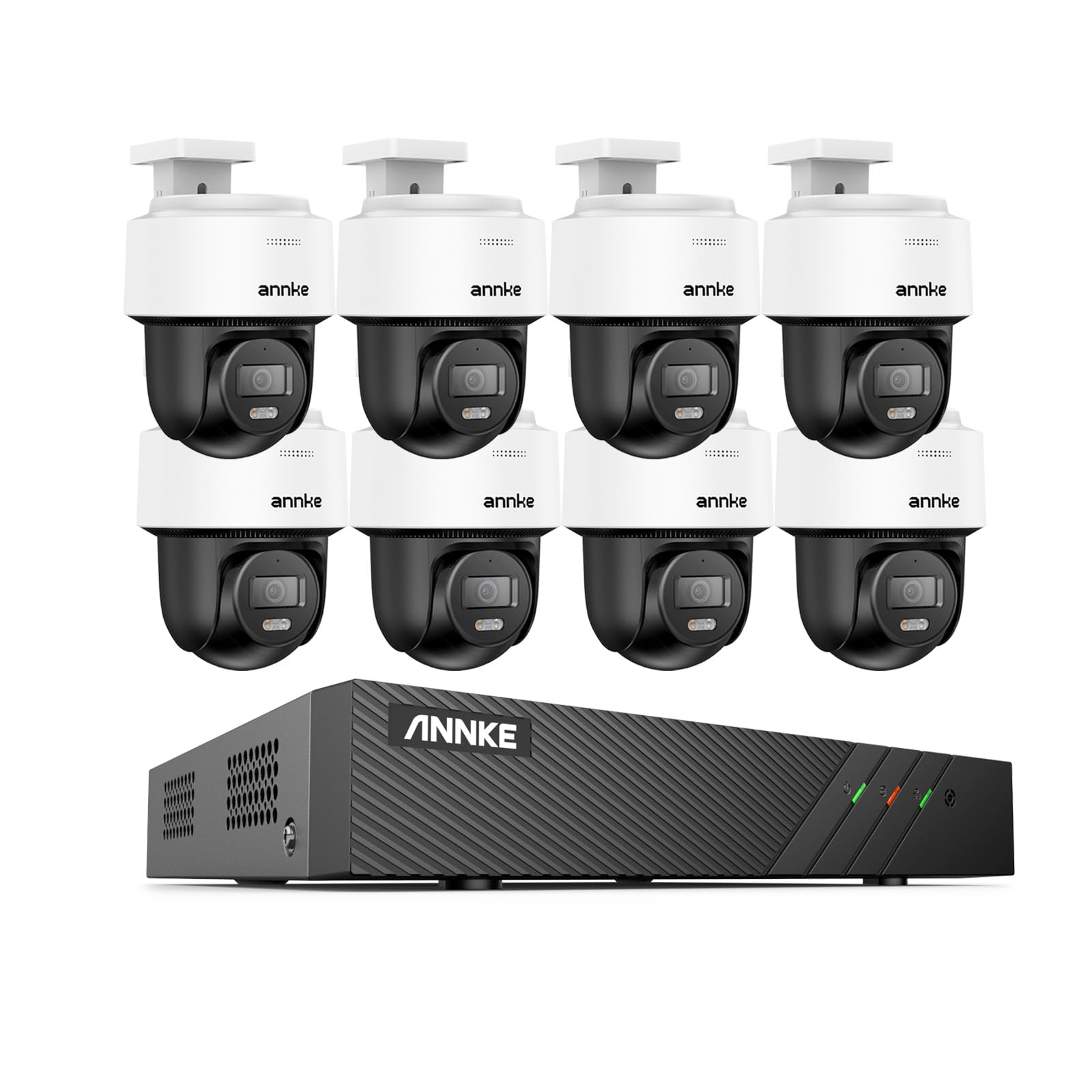
Slika 1.1: Gotovoview of the ANNKE 3K PT PoE Camera System.
1.1 Sadržaj paketa
Verify all components are present in your package:
- 1x 6MP 8-Channel NVR (Hard Drive Disk Not Included)
- 8x 3K PT PoE IP Security Cameras
- 8x Cat5 Ethernet Cables (4x 100ft, 4x 60ft)
- 1x HDMI kabl
- 1x Power Adapter (for NVR)
- 1x USB miš
- 1x uputstvo za upotrebu
- 8x Surveillance Signs
- 8x vrećice s vijcima za montažu
1.2 Ključne karakteristike
- 3K Ultra HD video: Delivers 3072x1728 resolution at 20fps for clear details.
- 345° Pan & 80° Tilt with Auto-Tracking: Provides wide coverage and automatically tracks human movement.
- Real-time Two-Way Audio: Ugrađeni mikrofon i zvučnik za direktnu komunikaciju.
- AI detekcija ljudi: Reduces false alarms by accurately identifying human shapes.
- Smart Dual Light: Offers color night vision or infrared night vision based on detection.
- H.265+ video kompresija: Efficiently saves storage space and bandwidth.
- 512GB MicroSD Card Slot: Supports local storage for continuous recording (SD card not included).
- IP66 Otporan na vremenske uslove: Durable design for outdoor installation, resistant to extreme temperatures.
2. Sigurnosne informacije
Please read and follow these safety guidelines to ensure proper operation and prevent damage to the product or injury to yourself.
- Use only the power adapter provided with the NVR.
- Ensure proper ventilation for the NVR to prevent overheating.
- Do not expose cameras or NVR to water or moisture beyond their IP rating.
- Izbjegavajte postavljanje NVR-a na direktnu sunčevu svjetlost ili u blizinu izvora topline.
- Pažljivo rukujte svim komponentama kako biste spriječili fizička oštećenja.
- Consult a qualified professional for installation if you are unsure.
3. Podešavanje sistema
3.1 Povezivanje NVR-a
- Connect the NVR to a monitor using the HDMI cable.
- Spojite USB miš na USB priključak NVR-a.
- Za pristup mreži, povežite NVR s ruterom pomoću Ethernet kabela.
- Connect the power adapter to the NVR and plug it into a power outlet.
3.2 Instalacija kamere
The cameras can be powered and connected to the NVR via PoE (Power over Ethernet) or used standalone with a separate power adapter (not included) and connected to a PoE switch.

Image 3.1: Camera connection methods, including standalone and PoE switch options.
- For NVR Connection: Connect each camera to an available PoE port on the NVR using the provided Cat5 Ethernet cables. The NVR will provide both power and data.
- For Standalone Use (with PoE Switch): Connect the camera to a PoE switch using a Cat5 Ethernet cable. The PoE switch will provide power and data. Ensure the camera is configured to connect to your network.
- Mount the cameras in desired locations using the provided mounting screws. Ensure the mounting surface is stable and secure.
- Adjust the camera's angle for optimal viewing coverage.
3.3 Početno uključivanje i konfiguracija
Upon first power-on, the NVR will guide you through a setup wizard. Follow the on-screen instructions to:
- Set up a strong password for the NVR.
- Configure network settings (DHCP is recommended for most users).
- Initialize the hard drive (if installed) for recording.
- Scan and add connected cameras to the NVR system.
4. Rad sa sistemom
4.1 Uživo View
After initial setup, you can view live feeds from all connected cameras on your monitor. Use the USB mouse to navigate the NVR interface.
4.2 Pomicanje, naginjanje i automatsko praćenje
The PT cameras offer a 345° horizontal pan and 80° vertical tilt range. You can manually control camera movement or enable the auto-tracking feature.
- ručna kontrola: U živo view, select a PT camera and use the on-screen controls or joystick (if available) to adjust its direction.
- Automatsko praćenje: Enable auto-tracking in the camera settings. The camera will automatically detect and follow human movement within its field of view.

Image 4.1: The camera's pan and tilt range, demonstrating auto-tracking capabilities.
4.3 Dvosmjerni audio
Each camera is equipped with a built-in microphone and speaker, allowing for real-time two-way communication.
- Aktivacija: U živo view or via the mobile app, select the camera and activate the microphone and speaker functions.
- Upotreba: Speak into your device's microphone to transmit audio through the camera's speaker. Listen for responses through your device's speaker.

Image 4.2: Illustrates the two-way audio function for interacting with visitors.
4.4 Detekcija ljudi pomoću umjetne inteligencije
The AI Human Detection feature minimizes false alarms by distinguishing human shapes from other moving objects.
- Konfiguracija: Access camera settings to enable AI Human Detection and configure sensitivity levels.
- Upozorenja: When a human is detected, the system can trigger an alarm sound, send push notifications to your mobile device, or send email alerts.

Image 4.3: AI Human Detection in action, highlighting a detected human figure.
4.5 Snimanje i reprodukcija
The NVR supports 24/7 continuous recording. Cameras also support local storage via a MicroSD card (up to 512GB, not included) for standalone operation.
- Načini snimanja: Configure recording schedules (continuous, motion-triggered, or scheduled) via the NVR interface.
- Reprodukcija: Pristup snimljen footage through the NVR's playback menu. You can search by date, time, or event.

Image 4.4: The camera's MicroSD card slot for local storage and continuous recording.
4.6 Daljinski pristup
Access your security system remotely from anywhere using the ANNKE Vision mobile app or client software on a computer.
- Mobilna aplikacija: Download the ANNKE Vision app from the App Store or Google Play. Register an account and add your NVR/cameras by scanning the QR code or manually entering device details.
- Klijentski softver: Install the ANNKE client software on your PC or Mac for comprehensive remote management.

Image 4.5: Remote access to the system via various devices using the ANNKE Vision app.
5. Održavanje
5.1 Čišćenje kamere
Regularly clean the camera lenses to ensure clear image quality. Use a soft, damp krpom. Izbjegavajte abrazivna sredstva za čišćenje ili jake hemikalije.
5.2 Ažuriranja firmvera
Povremeno provjeravajte službene podatke ANNKE-a. website or the NVR's system settings for available firmware updates. Keeping your system updated ensures optimal performance and security.
5.3 Upravljanje skladištem
If an HDD is installed in the NVR, ensure it is functioning correctly. For cameras with MicroSD cards, periodically check the card's health and ensure sufficient storage space. Old footage may be overwritten automatically based on your settings.
6. Otkrivanje problema
| Problem | Mogući uzrok | Rješenje |
|---|---|---|
| Nema video prikaza na monitoru | Loose HDMI cable; NVR not powered; Incorrect input source on monitor. | Check HDMI connection; Ensure NVR power adapter is plugged in; Select correct input source on monitor. |
| Kamera ne prikazuje video | Loose Ethernet cable; No power to camera; Camera not added to NVR; Network issue. | Check Ethernet cable connection; Verify PoE port is active or standalone power adapter is connected; Add camera to NVR via setup wizard; Check network connectivity. |
| Nema dvosmjernog zvuka | Microphone/speaker disabled; Volume too low; Network latency. | Enable audio functions in camera settings or app; Adjust volume levels; Ensure stable network connection. |
| False alarms from AI detection | High sensitivity setting; Environmental factors (e.g., shadows, moving branches). | Adjust AI Human Detection sensitivity; Define detection zones to exclude irrelevant areas. |
| Udaljeni pristup ne radi | NVR not connected to internet; Incorrect network settings; App/software issues. | Verify NVR has internet access; Check network configuration (e.g., port forwarding if needed); Reinstall or update ANNKE Vision app/software. |
7. Tehničke specifikacije
| Feature | Specifikacija |
|---|---|
| Brand | ANNKE |
| Broj modela | CPT500 (51EX-N48PBB) |
| Tehnologija povezivanja | Žičano (PoE) |
| Rezolucija video snimanja | 3K (3072x1728) |
| Broj kanala | 8 |
| Izvor napajanja | PoE (napajanje preko Etherneta) |
| Posebna karakteristika | Easy to Install, AI Human Detection, Two-Way Audio, Auto-Tracking, Smart Dual Light |
| Dimenzije NVR-a (D x Š x V) | 9.65 x 10.43 x 1.89 inča |
| Weatherproof Rating | IP66 (Kamere) |
| Podrška za SD karticu | Up to 512GB (MicroSD card not included) |

Image 7.1: The IP66 weatherproof rating ensures durability in various outdoor conditions.
8. Garancija i podrška
ANNKE proizvodi obično dolaze s ograničenom garancijom. Za specifične uvjete i odredbe garancije, molimo pogledajte jamstveni list koji se nalazi u vašem paketu ili posjetite službenu web stranicu ANNKE-a. website.
8.1 Korisnička podrška
If you encounter any issues or have questions regarding your ANNKE 3K PT PoE Camera System, please contact ANNKE customer support through their official webweb-mjesto ili kontakt informacije navedene u vašem korisničkom priručniku.
ANNKE Official Webstranica: www.annke.com


