Uvod
This manual provides detailed instructions for the setup, operation, and maintenance of your Weofly Nova Active Noise Cancelling Headphones. Please read this manual thoroughly before using the product to ensure optimal performance and longevity.
Šta je u kutiji
Upon unboxing your Weofly Nova headphones, please verify that all the following components are included:
- Weofly Nova Over-Ear Headphones
- USB-A na USB-C kabl za punjenje
- 3.5mm AUX Cable (USB-C to 3.5mm TRS)
- Uputstvo za upotrebu

Image: The Weofly Nova Active Noise Cancelling Headphones in Sliver, showcasinnjihov dizajn.
Product Overview
The Weofly Nova headphones are designed for comfort and high-quality audio, featuring Active Noise Cancellation and Bluetooth 5.4 connectivity.

Image: A woman wearing the Weofly Nova headphones, illustrating their lightweight and stylish design. The headphones weigh only 130g.

Image: Two pairs of Weofly Nova headphones, one in brown and one in white, highlighting their distinct aesthetic and color options.
Ključne karakteristike:
- Aktivno poništavanje buke (ANC): Advanced technology to reduce ambient noise.
- Bluetooth V5.4: For faster and more stable wireless connections.
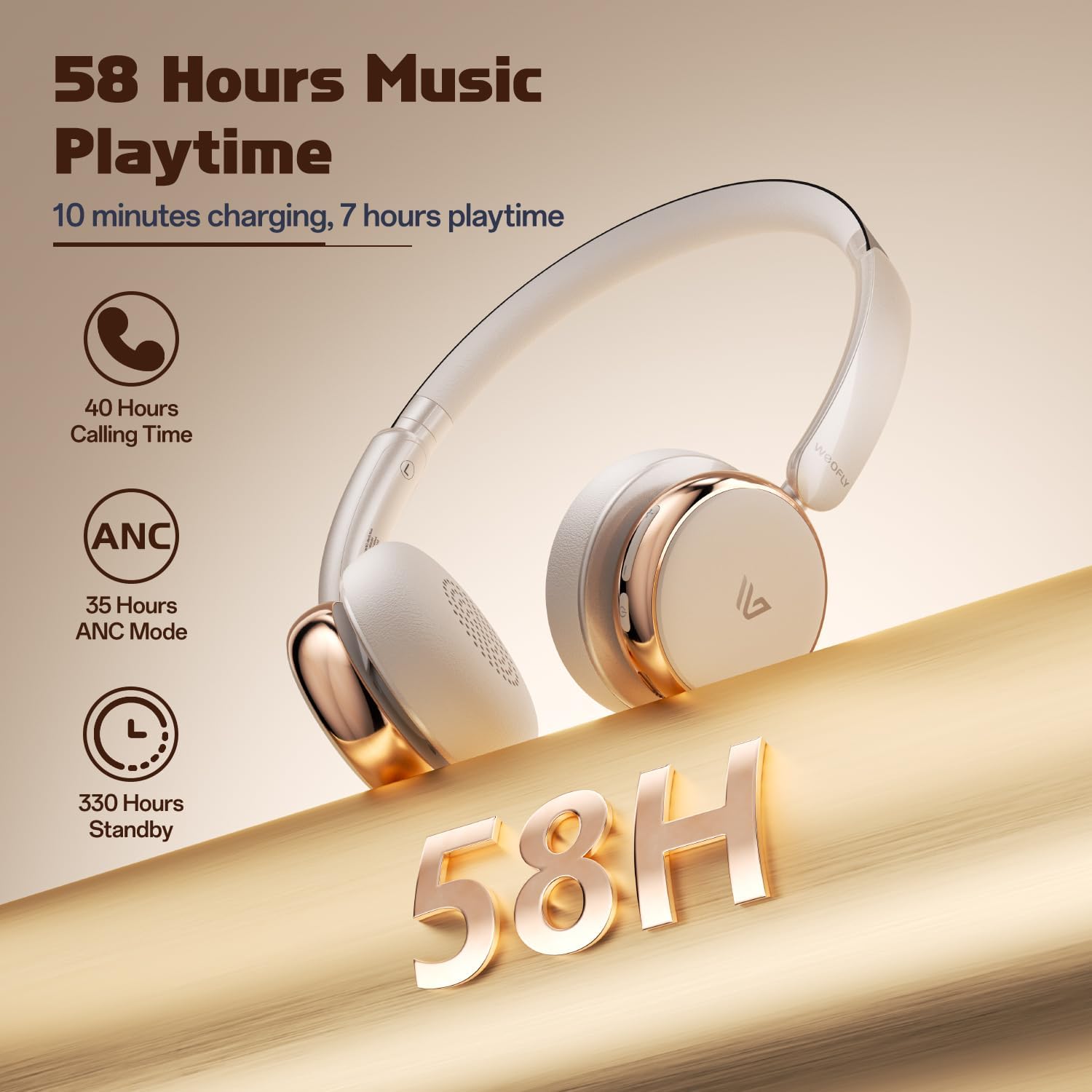
- Dug vijek trajanja baterije: Up to 58 hours of music playtime on a single charge.
- Udoban dizajn: Ultra-soft memory protein earcups and adjustable headband.
- Zvuk visoke vjernosti: 40mm dynamic drivers for clear audio with rich bass.
- Povezivanje više uređaja: Connect to two smart devices simultaneously.
Video: Prekorview of the Weofly Nova Active Noise Cancelling Headphones, demonstrating their features and design.
Uputstva za postavljanje
1. Punjenje slušalica
Before first use, fully charge your Weofly Nova headphones. A full charge takes approximately 2 hours.
- Connect the USB-C end of the charging cable to the headphone's charging port.
- Spojite USB-A kraj na kompatibilni USB adapter za napajanje (nije uključen) ili USB priključak računara.
- Indikatorska lampica će pokazivati status punjenja i isključiti se ili promijeniti boju kada je uređaj potpuno napunjen.

Image: The Weofly Nova headphones being charged via a USB-C cable, illustrating the fast charging capability.
2. Uključivanje / isključivanje napajanja
- Za uključivanje: Pritisnite i držite dugme za napajanje dok indikatorska lampica ne zatreperi.
- Za isključivanje: Pritisnite i držite dugme za napajanje dok se indikatorska lampica ne ugasi.
3. Bluetooth uparivanje
The headphones support quick pairing. The first time you power them on, they will automatically enter pairing mode.
- Uvjerite se da su slušalice isključene.
- Press and hold the Power button for approximately 5 seconds until the indicator light flashes blue and red alternately, indicating pairing mode.
- Na svom uređaju (pametnom telefonu, tabletu, laptopu) omogućite Bluetooth i potražite dostupne uređaje.
- Select "Weofly Nova" from the list of devices.
- Once connected, the indicator light will turn solid blue or flash blue slowly.
The headphones can connect to two devices simultaneously. To connect a second device, repeat the pairing process. The headphones will automatically switch between devices for calls or media playback.

Image: An illustration showing the Weofly Nova headphones connecting to a laptop and a smartphone via advanced Bluetooth 5.4, highlighting faster transmission and stable connection.
Uputstvo za upotrebu
1. Aktivno poništavanje buke (ANC)
The Weofly Nova headphones feature Active Noise Cancellation to minimize ambient sounds.
- To Activate/Deactivate ANC: Press the dedicated ANC button on the earcup. An audible prompt will confirm the status.

Image: A woman wearing Weofly Nova headphones while focused on her laptop, demonstrating the effectiveness of ANC in reducing distractions.
2. Reprodukcija muzike
Control your music directly from the headphones:
- Pusti/pauza: Pritisnite višenamjenski taster jednom.
- Sljedeća pjesma: Pritisnite i držite dugme za pojačavanje jačine zvuka.
- Prethodni zapis: Pritisnite i držite tipku za smanjivanje jačine zvuka.
- Povećavanje glasnoće: Kratko pritisnite dugme za pojačavanje jačine zvuka.
- Smanjivanje jačine zvuka: Kratko pritisnite dugme za smanjenje jačine zvuka.
3. Upravljanje pozivima
Upravljajte telefonskim pozivima s lakoćom:
- Odgovori/Završi poziv: Pritisnite višenamjenski taster jednom.
- odbiti poziv: Pritisnite i držite višenamensko dugme 2 sekunde.
- Ponovno biranje zadnjeg broja: Dvaput pritisnite višenamensko dugme.
4. Glasovni asistent
Activate your device's voice assistant:
- Aktivirajte glasovnog asistenta: Triput pritisnite višenamensko dugme.

Image: A multi-panel image illustrating the comfort of the headphones during travel, and the functionality of voice assistance and built-in microphone for hands-free calls.
5. Način igre
For reduced latency during gaming, activate Game Mode:
- Activate/Deactivate Game Mode: Press and hold the Multi-function button for 2 seconds (while not on a call or playing music).
6. Žična veza
Use the provided 3.5mm AUX cable for a wired connection:
- Connect the USB-C end of the AUX cable to the headphone's USB-C port.
- Connect the 3.5mm end to your audio source's headphone jack.
- Slušalice će se automatski prebaciti u žičani način rada.
Održavanje
To ensure the longevity and optimal performance of your Weofly Nova headphones, follow these maintenance guidelines:
- čišćenje: Za čišćenje slušalica koristite meku, suhu krpu. Ne koristite abrazivna sredstva za čišćenje ili rastvarače.
- Skladištenje: Slušalice čuvajte na hladnom i suhom mjestu, dalje od direktne sunčeve svjetlosti i ekstremnih temperatura.
- Izbjegavajte vlagu: Ne izlažite slušalice vodi ili prekomjernoj vlazi.
- Pažljivo rukujte: Izbjegavajte ispuštanje ili izlaganje slušalica jakim udarcima.
Rješavanje problema
If you encounter issues with your Weofly Nova headphones, refer to the following common solutions:
| Problem | Rješenje |
|---|---|
| Slušalice se ne uključuju | Ensure the headphones are fully charged. Connect to a power source and allow to charge for at least 30 minutes before attempting to power on again. |
| Nije moguće upariti uređaj | Provjerite jesu li slušalice u načinu rada za uparivanje (treperi plavo/crveno). Isključite i uključite Bluetooth na uređaju. Približite slušalice uređaju. Obrišite prethodne Bluetooth veze na uređaju. |
| Nema zvuka ili je mala jačina zvuka | Check headphone and device volume levels. Ensure headphones are properly connected via Bluetooth or AUX cable. Test with a different audio source. |
| ANC ne funkcioniše efikasno | Ensure ANC is activated. Adjust headphone fit to ensure a good seal around your ears. ANC is most effective against low-frequency, constant noise. |
| Intermitentna veza | Ensure no obstacles are between the headphones and your device. Move away from other wireless devices that may cause interference. Ensure headphones are fully charged. |
Specifikacije
Technical details for the Weofly Nova Active Noise Cancelling Headphones:
- Naziv modela: Nova
- Tehnologija povezivanja: bežični (Bluetooth)
- Tehnologija bežične komunikacije: Bluetooth 5.4
- Vrsta audio drajvera: 40mm dinamički drajver
- Kontrola buke: Aktivno poništavanje buke
- Trajanje baterije: Up to 58 hours (music playtime), 40 hours (talk time), 35 hours (ANC mode)
- Vrijeme punjenja: Približno 2 sata
- Kapacitet baterije: 500mAh
- Težina artikla: 0.26 kilograma (9.1 unci)
- Položaj ušiju: Preko uha
- Kompatibilni uređaji: Cellphones, Tablets, Laptops, Smart Speakers
Slika: Detaljna view of the Weofly Nova earcup, emphasizing the 40mm dynamic driver responsible for high-fidelity sound quality.

Image: The Weofly Nova headphones prominently displaying '58H', signifying their extended battery life of 58 hours for music playback.
Garancija i podrška
Weofly products come with a standard manufacturer's warranty. For specific warranty details, please refer to the warranty card included in your product packaging or visit the official Weofly website. For technical support, troubleshooting assistance, or any inquiries regarding your Weofly Nova headphones, please contact Weofly customer service through the contact information provided on our webweb-mjestu ili u dokumentaciji vašeg proizvoda.


