1. Uvod
This manual provides essential information for the safe and efficient operation of your Tera EV Charger W01. Please read this manual thoroughly before installation and use, and retain it for future reference. The Tera EV Charger W01 is a Level 2 electric vehicle supply equipment (EVSE) designed for home use, compatible with both J1772 and Tesla electric vehicles (with the included adapter).
2. Sigurnosne informacije
Your Tera EV Charger W01 is designed with multiple safety features and is ETL certified, ensuring compliance with North American safety standards. Always adhere to the following safety guidelines:
- Ensure professional installation by a qualified electrician to meet all local electrical codes and regulations.
- Do not attempt to open, disassemble, or modify the charger unit.
- Avoid exposing the charger to extreme physical impact or damage.
- Držite djecu i kućne ljubimce dalje od područja punjenja tokom rada.
- In case of any malfunction or damage, disconnect power immediately and contact customer support.
- The charger features Overvoltage Zaštita, Undervoltage Protection, Overload Protection, Overtemperature Protection, Ground Protection, Earth Leakage Protection, and Short Circuit Protection.


3. Sadržaj paketa
Provjerite da li su sve stavke prisutne u paketu:
- Tera EV Charger Unit
- Uputstvo za upotrebu
- Montažna ploča
- Set vijaka
- Tools (Hex Key)
- J1772 to Tesla Adapter with Lock
- Cable Holder for Tesla

4. Postavljanje i instalacija
The Tera EV Charger W01 is designed for wall-mounted installation. Professional installation by a certified electrician is highly recommended to ensure safety and compliance with local electrical codes.
4.1 Montiranje punjača
- Unscrew the back plate from the charger unit using the provided tool.
- Secure the mounting plate to the wall at the desired location using the screws and anchors. Ensure the location is suitable for a NEMA 14-50 outlet and within reach of your vehicle's charging port.
- Place the charger unit onto the mounted plate.
- Assemble the anti-theft screw to secure the charger to the mounting plate.
- Connect the NEMA 14-50 plug to a dedicated 240V NEMA 14-50 outlet.

5. Uputstvo za upotrebu
The Tera EV Charger W01 offers both manual touch screen control and smart app control for managing your charging sessions.
5.1 Manual Touch Screen Control
The charger features a touch screen display for direct control over charging parameters.
- Trenutna prilagodba: You can manually adjust the charging current to 24A, 32A, 40A, or 48A directly on the unit's touch screen.
- Planirano punjenje: Set a delayed charging schedule from 1 to 12 hours using the touch screen.
- Važna napomena: To initiate a manual scheduled charge, configure the charging current and schedule on the unit prije connecting the charging cable to your vehicle. Plugging it in first will activate plug-and-play mode.


5.2 Smart App Control
Manage your charging sessions remotely using the Smart Life app.
- Preuzmite aplikaciju: Traži "Smart Life" in your device's app store, download, and register an account.
- Dodaj uređaj: In the app, click "Add Device" to initiate device discovery. Wait for the Tera EV Charger to be detected and added. Ensure your phone is on 2.4G WiFi, and both Bluetooth and location services are enabled.
- Načini punjenja: Once connected, you can select between "RealTime charging" (plug & play) or "Delayed charging" (scheduled charging). For delayed charging, you can set a delay from 1 to 12 hours.
- Podesite struju: Within the app settings, you can adjust the charging current to your desired level.
- daljinski upravljač: The app allows you to start/stop charging, adjust current, set schedules, and monitor charging status remotely.


5.3 Connecting to Your Electric Vehicle
The Tera EV Charger W01 is compatible with both J1772 and Tesla vehicles.
- For J1772 compatible EVs, simply plug the J1772 connector into your vehicle's charging port.
- For Tesla vehicles, attach the provided J1772 to Tesla adapter to the charger's J1772 connector, then plug the adapter into your Tesla's charging port.


6. Karakteristike
The Tera EV Charger W01 is equipped with advanced features for a superior charging experience.
- 9X Fast Charging & Adjustable Current: Experience rapid charging speeds with an adjustable output of up to 48A, delivering up to 46 miles of range per hour. This ensures less waiting time and more driving time.
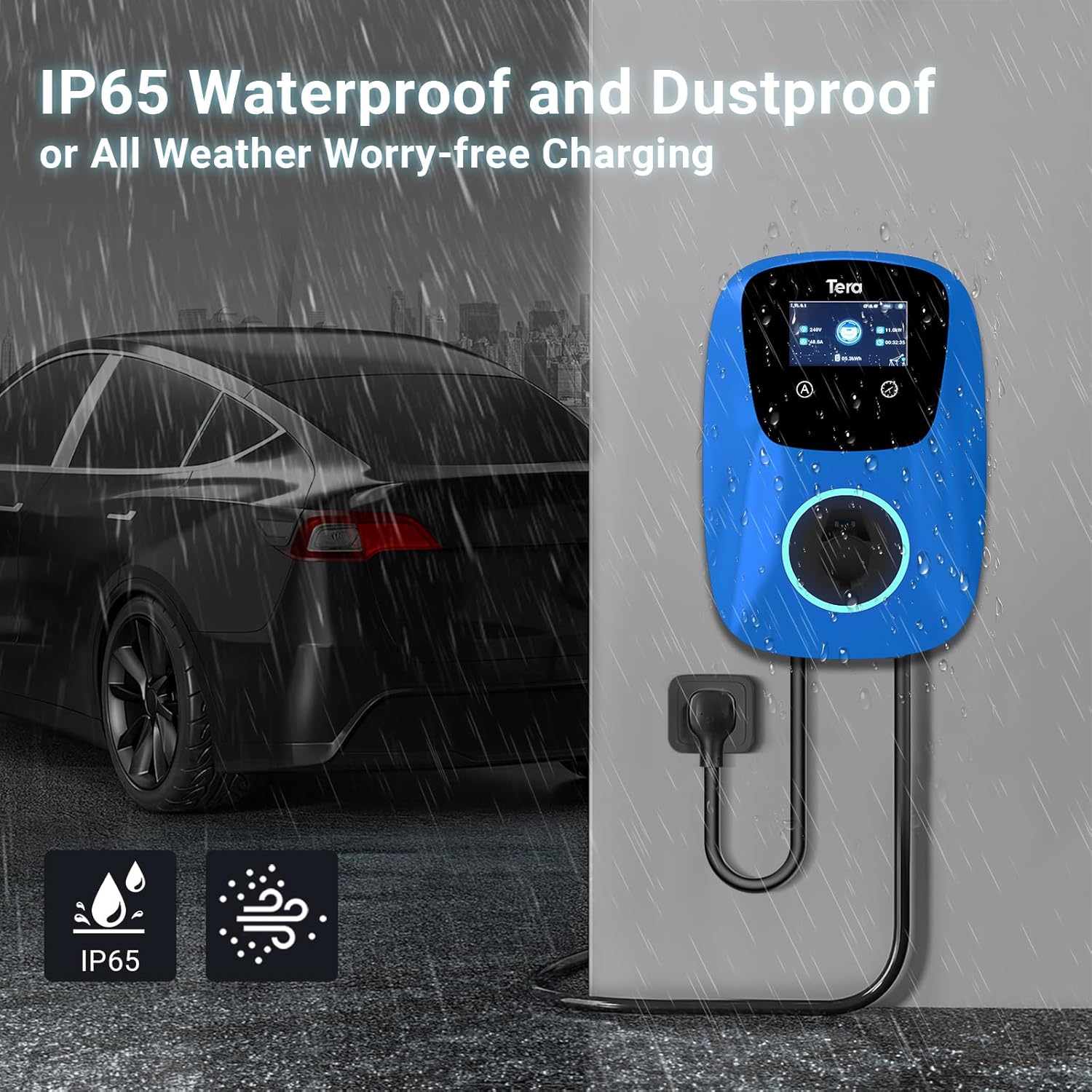
- IP65 Rated Durable Performance: The charger boasts an IP65 rating, providing robust protection against dust and water. It is designed to operate reliably in various weather conditions, from -22°F to 122°F, making it suitable for year-round outdoor use.
- Univerzalna kompatibilnost: Engineered for perfect compatibility with a wide range of electric vehicles, including Tesla models (S, 3, X, Y) and all J1772 EVs.
- 25 ft Ultra-Long Cable: The generous 25-foot cable allows for flexible placement and convenient charging of your EV in various locations.



7. Specifikacije
| Specifikacija | Vrijednost |
|---|---|
| Brand | Tera |
| Broj modela | EV-W01-BU-AM_US |
| Težina artikla | 20 funte |
| Dimenzije proizvoda | 22 x 15 x 11 inča |
| AmpDob | 48 Amps (Adjustable) |
| Wattage | 11520 vati |
| Output Voltage | 240 volti (AC) |
| Posebne karakteristike | For Tesla and J1772 EVs, Manual & App Schedule |
| Ocjena zaštite od ulaska (IP). | IP65 |
| Certifikati | ETL, FCC, TUV SUD, CE |
8. Otkrivanje problema
If you encounter issues with your Tera EV Charger, refer to the following common indicators and solutions:
8.1 Indikatori statusa
The LED indicator on the charger provides visual feedback on its status:
- Blue (Always on): Stanje pripravnosti.
- Green (Always on): Charger inserted.
- Green (Flashes every 1S): Punjenje je u toku.
- Red (Always on): CP Abnormal.
- Red (Flashes every 1S): Over/Undervoltage Zaštita.
- Red (Flashes every 2S): Ground Fault.
- Red (Flashes 3S, Off 3S): Zaštita od prekomjerne struje.
- Purple (Flashes every 1S): Zaštita od curenja.
- Purple (Flashes every 2S): Over-temperature Protection.
- Purple (Flashes every 4S): Adhesion Protection.

8.2 Opći savjeti za rješavanje problema
- Punjač se ne uključuje: Ensure the NEMA 14-50 plug is fully inserted into the outlet and the circuit breaker is on.
- Charging not starting: Verify the charging cable is securely connected to both the charger and the vehicle. Check the app or touch screen for any error messages or if a schedule is preventing immediate charging.
- Sporo punjenje: Confirm the current setting on the charger or app is set to the desired amperage. Note that hybrid vehicles may automatically reduce charging current.
- Problemi s povezivanjem aplikacije: Ensure your phone's Bluetooth and location services are enabled, and it is connected to a 2.4G WiFi network. Restart the app and the charger if necessary.
9. Održavanje
To ensure the longevity and optimal performance of your Tera EV Charger W01, follow these maintenance guidelines:
- Regularly inspect the charging cable and connector for any signs of wear, damage, or fraying. Do not use if damaged.
- Keep the charger unit clean by wiping it with a soft, damp tkanina. Izbjegavajte korištenje jakih kemikalija ili abrazivnih sredstava za čišćenje.
- Ensure the charging port on your vehicle is clean and free of debris before connecting the charger.
- Store the charging cable properly using the provided cable holder when not in use to prevent tangling or damage.
10. Garancija i podrška
The Tera EV Charger W01 comes with a 2 godine garancije. For technical support, warranty claims, or any questions regarding your product, please contact Tera customer service through the official channels provided at the time of purchase or on the Tera brand website.


