Uvod
Thank you for choosing the RORSOU B8 Bluetooth Headphones. These over-ear headphones are designed to provide a superior audio experience with deep bass and Hi-Fi stereo sound, powered by a 40mm audio driver and advanced Bluetooth 5.4 technology. Enjoy extended listening with up to 50 hours of playtime and versatile connectivity options. This manual will guide you through the setup, operation, and maintenance of your new headphones.

Figure 1: RORSOU B8 Bluetooth Headphones (Beige White)
The RORSOU B8 headphones feature a sleek beige white finish with gold accents, designed for comfort and portability.
Šta je u kutiji
- Uputstvo za upotrebu
- Jastučići za uši (unaprijed instalirani)
- Protective Case (Drawstring Bag)
- USB-C kabl za punjenje
- 3.5 mm AUX audio kabel

Figure 2: Included accessories with the RORSOU B8 Headphones.
The box contains the headphones, a user manual, a USB-C charging cable, a 3.5mm AUX cable, and a soft drawstring protective case.
Product Overview & Controls
Familiarize yourself with the buttons and ports on your RORSOU B8 headphones for optimal use.

Slika 3: Detaljno view kontrola i priključaka za slušalice.
The right earcup features the main controls including the EQ button, USB-C charging port, 3.5mm audio jack, and power/playback buttons.
- Dugme za uključivanje/reprodukciju/pauzu: Long press to power on/off. Short press to play/pause music or answer/end calls.
- Dugme za pojačavanje zvuka (+): Kratki pritisak za povećanje jačine zvuka. Dugi pritisak za prelazak na sljedeću pjesmu.
- Dugme za smanjenje jačine zvuka (-): Kratki pritisak za smanjenje jačine zvuka. Dugi pritisak za prelazak na prethodnu pjesmu.
- EQ taster: Press to cycle through 6 preset EQ modes (Standard, Classical, Metal, Jazz, Rock, Bass).
- USB-C priključak za punjenje: Za punjenje slušalica.
- 3.5 mm audio priključak: Za žičanu vezu pomoću AUX kabla.
- mikrofon: Za hands-free pozive.
Setup
Punjenje slušalica
- Spojite USB-C kabel za punjenje na priključak za punjenje slušalica.
- Drugi kraj USB kabla priključite na kompatibilni USB izvor napajanja (npr. USB priključak računara, adapter za struju).
- LED indikator će prikazivati status punjenja. Potpuno punjenje traje otprilike 2 sata.
- Nakon što se potpuno napune, slušalice pružaju do 50 sati reprodukcije.
Bluetooth uparivanje
- Uvjerite se da su slušalice isključene.
- Long press the Power/Play/Pause button until the LED indicator flashes blue and red alternately. This indicates pairing mode.
- Na svom uređaju (pametnom telefonu, tabletu, računaru) omogućite Bluetooth i potražite dostupne uređaje.
- Select "RORSOU B8" from the list of found devices.
- Once successfully paired, the LED indicator will turn solid blue or flash blue slowly.
- The headphones can be paired with two devices simultaneously and seamlessly switch between them.
Žičana veza (AUX)
If your headphones run out of battery or you prefer a wired connection, you can use the included 3.5mm AUX cable.
- Connect one end of the 3.5mm AUX cable to the headphone's 3.5mm audio jack.
- Drugi kraj priključite na audio izlaz vašeg uređaja.
- Slušalice će se automatski prebaciti u žičani način rada.
Uputstvo za upotrebu
Uključivanje/isključivanje
- Uključeno: Long press the Power/Play/Pause button until the LED indicator lights up.
- Iskljuciti: Long press the Power/Play/Pause button until the LED indicator turns off. The headphones will automatically shut down after 5 minutes if no device is connected.
Kontrola jačine zvuka
- Povećajte jačinu zvuka: Kratko pritisnite dugme za pojačavanje zvuka (+).
- Smanji jačinu zvuka: Kratko pritisnite dugme za smanjenje jačine zvuka (-).
Kontrola reprodukcije
- Pusti/pauza: Kratko pritisnite dugme za uključivanje/reprodukciju/pauzu.
- Sljedeća pjesma: Dugo pritisnite dugme za pojačavanje zvuka (+).
- Prethodni zapis: Dugo pritisnite dugme za smanjenje jačine zvuka (-).
Upravljanje pozivima
- Odgovorite na dolazni poziv: Kratko pritisnite dugme za uključivanje/reprodukciju/pauzu.
- Završi poziv: Short press the Power/Play/Pause button during a call.
- odbiti poziv: Long press the Power/Play/Pause button when a call is incoming.
- Call Back Last Number: Double click the Power/Play/Pause button.
EQ načini
The RORSOU B8 headphones offer 6 preset EQ modes to optimize your listening experience for different music genres.
- Standardni način rada: Profesionalni uravnoteženi zvukfile.
- Classical Mode: Enhanced for classical music.
- Metalni način rada: Optimized for heavy metal and rock.
- Jazz Mode: Tailored for jazz music.
- Rock mod: Boosted for rock music.
- Bas način rada: Enhanced bass for powerful low-end sound.
To switch between modes, press the EQ button on the right earcup.
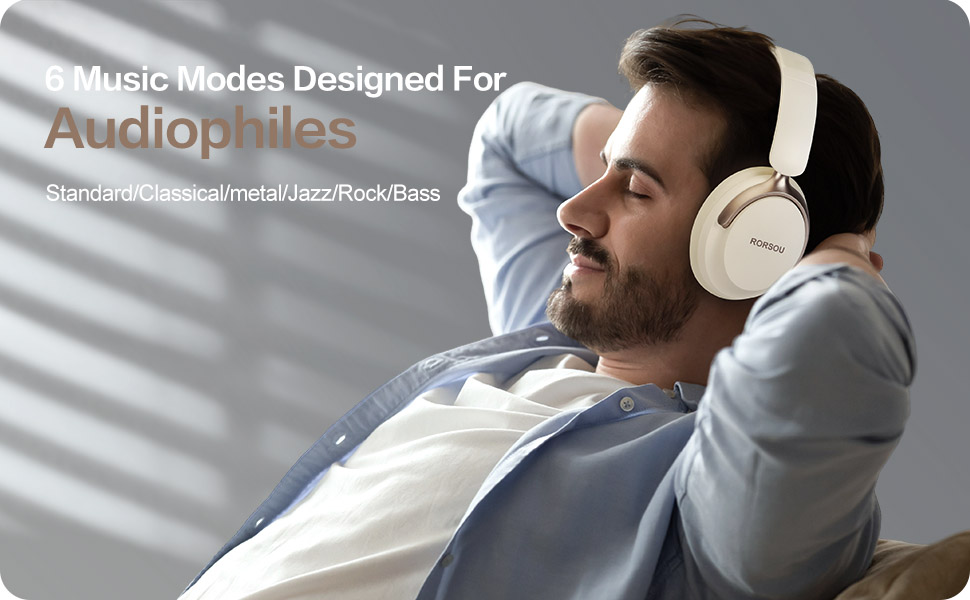
Figure 4: Experience optimized sound with 6 EQ modes.
The EQ modes allow users to customize the audio output to match their preferred music style.
Udobnost i dizajn
The RORSOU B8 headphones are engineered for all-day comfort and portability. They feature ultra-soft protein leather earcups that provide a comfortable fit without discomfort, even during extended use. The earmuffs automatically adjust to suit different head shapes, ensuring a snug fit. The foldable and lightweight design allows for easy storage in the included carrying bag, making them ideal for travel, sports, or everyday use.

Figure 5: Key comfort and design elements of the headphones.
Features include soft earcups, an adjustable headband, and a foldable design for enhanced portability.

Figure 6: Headphones being used in outdoor, transport, and study environments.
The versatile design makes these headphones suitable for various activities and environments.
Održavanje i njega
- Čuvajte slušalice čistima tako što ćete ih brisati mekom, suvom krpom.
- Izbjegavajte izlaganje slušalica ekstremnim temperaturama, vlazi ili tekućinama.
- Store the headphones in the provided protective case when not in use to prevent scratches and damage.
- Ne pokušavajte sami rastavljati ili popravljati slušalice, jer to može poništiti garanciju.
Rješavanje problema
| Issue | Mogući uzrok | Rješenje |
|---|---|---|
| Slušalice se ne uključuju | Niska baterija | U potpunosti napunite slušalice. |
| Nije moguće upariti uređaj | Headphones not in pairing mode / Bluetooth off on device | Ensure headphones are flashing blue/red. Turn on Bluetooth on your device. |
| Nema zvuka | Volume too low / Not connected / Incorrect audio source | Increase volume. Re-pair Bluetooth or check AUX cable connection. Select correct audio output on device. |
| Loš kvalitet zvuka | Interference / Low battery / EQ setting | Move closer to your device. Charge headphones. Try a different EQ mode. |
Specifikacije
| Feature | Detalj |
|---|---|
| Naziv modela | B8 |
| Brand | RORSOU |
| Tehnologija povezivanja | Wireless, Wired, Bluetooth 5.4 |
| Priključak za slušalice | 3.5 mm Jack |
| Postavljanje uha | Preko uha |
| Veličina audio drajvera | 40 milimetara |
| Trajanje baterije | 50 sata |
| Vrijeme punjenja | 2 sata |
| Tip kontrole | Volume Control, Button |
| Kontrola buke | Zvučna izolacija |
| Materijal | Plastika |
| Težina artikla | 7.7 unce |
| Dimenzije proizvoda | 5.91 x 3.15 x 7.87 inča |
Garancija i podrška
RORSOU is dedicated to providing high-quality products with excellent after-sale service. Your RORSOU B8 headphones come with a 180-days Hassle Free limited Protection.
If you have any questions, concerns, or require technical assistance, please contact RORSOU customer service. We aim to provide quick response customer service and will get back to you within 24 hours.
For support, please refer to the contact information provided on the product packaging or the official RORSOU website.


