1. Uvod
Thank you for choosing the YI Smart Security Camera 360° PTZ Dome Camera. This camera provides comprehensive surveillance with its 360° pan and tilt capabilities, delivering crystal-clear 1080p Full HD video. Designed for indoor use, it features advanced motion detection, smart auto-tracking, enhanced night vision, and two-way audio communication. This manual will guide you through the setup, operation, and maintenance of your new security camera.
Ključne karakteristike:
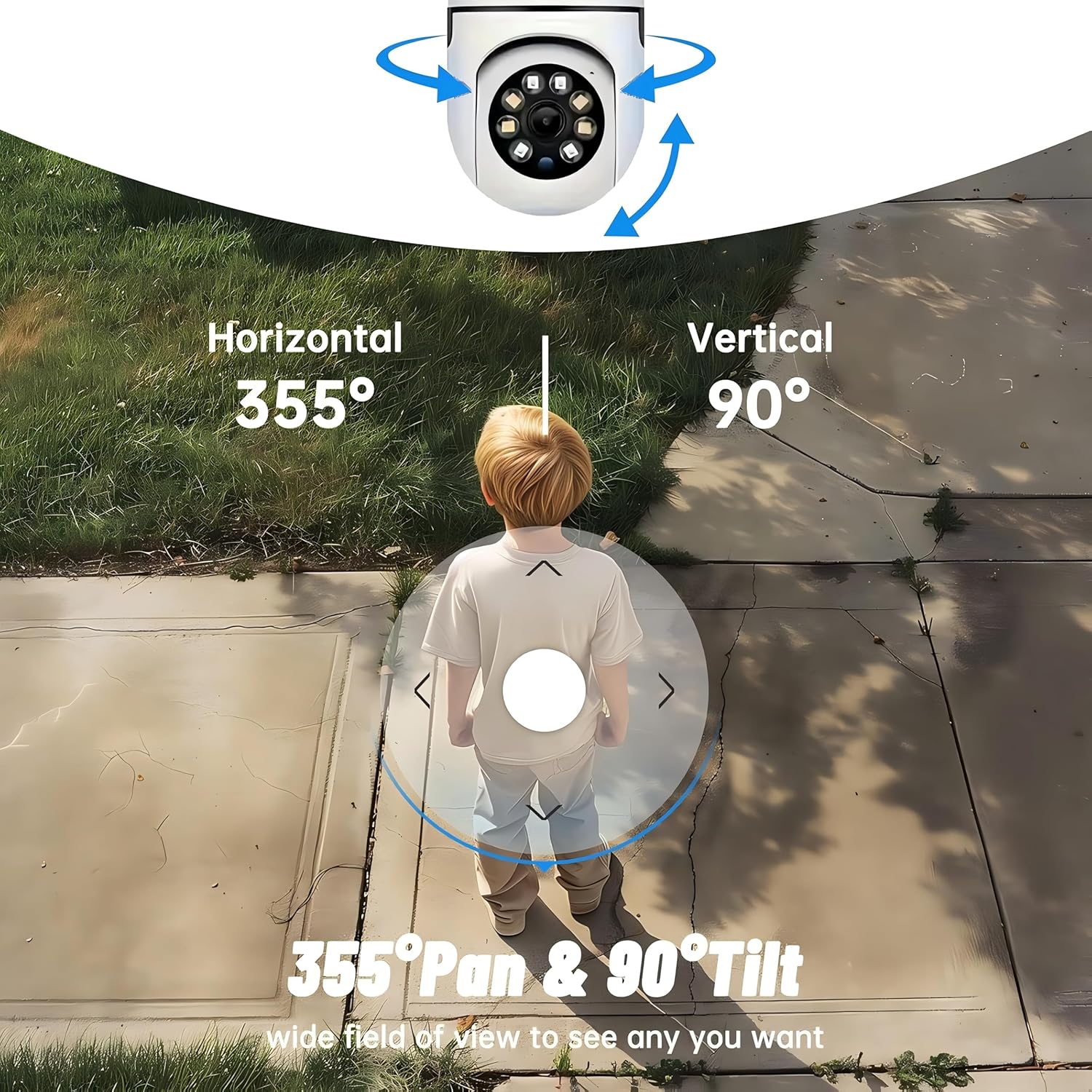
- Pokrivenost od 360°: 355° horizontal and 90° vertical rotation for zero blind spots.
- 1080p Full HD: High-definition video for clear monitoring.
- Detekcija pokreta i automatsko praćenje: Alerts and tracks moving objects automatically.
- Poboljšani noćni vid: Multiple modes including full-color night vision.
- Dvosmjerni zvuk: Ugrađeni mikrofon i zvučnik za komunikaciju u realnom vremenu.
- Fleksibilno skladištenje: Supports Cloud storage and local storage via microSD card (up to 128GB).
2. Sadržaj paketa
Molimo Vas da provjerite paket za sljedeće stavke:
- YI Smart Security Camera x1
- USB kabel x1
- Korisnički priručnik x1 (Ovaj dokument)
3. Proizvod je gotovview
Familiarize yourself with the components of your YI Smart Security Camera.

Slika 3.1: Prednja strana view of the YI Smart Security Camera, showing the lens, LED lights, and two antennas.

Figure 3.2: Dimensions of the YI Smart Security Camera, indicating a height of 180mm (7.08in), width of 102mm (4.0in), and depth of 85mm (3.34in).
4. Postavljanje i instalacija
4.1 Početno napajanje
- Connect the provided USB cable to the camera's power port and plug the other end into a compatible USB power adapter (not included).
- The camera will power on and initiate its self-test sequence. Wait for the indicator light to flash, indicating it's ready for setup.
4.2 Preuzimanje aplikacije i kreiranje računa
- Preuzmite YI IOT App iz App Store-a (iOS) ili Google Play Store-a (Android).
- Otvorite aplikaciju i slijedite upute na ekranu da biste kreirali novi račun ili se prijavite ako ga već imate.
4.3 Adding Your Camera to the App
- In the YI IOT App, tap the "+" icon to add a new device.
- Izaberite model vašeg fotoaparata sa liste.
- Follow the app's instructions to connect the camera to your 2.4GHz Wi-Fi network. This typically involves scanning a QR code generated by the app with the camera's lens.
- Nakon povezivanja, možete imenovati svoju kameru i započeti prijenos uživo viewing.
4.4 Montiranje kamere
The camera is designed for indoor use and can be placed on a flat surface or wall-mounted. For wall mounting, use the included mounting accessories (if applicable) and ensure the camera is securely fastened.
Slika 4.1: Pramples of multi-scene applications, including wall and ceiling mounting, and placement in living rooms, bedrooms, and studies.
5. Upravljanje kamerom
5.1 Kontrola panoramiranja i naginjanja
The YI Smart Security Camera offers extensive pan and tilt capabilities, allowing you to monitor a wide area.
- Horizontalna rotacija: 355°
- Vertikalna rotacija: 90°
In the YI IOT App, use the directional controls on the live view screen to remotely adjust the camera's viewing kut.

Figure 5.1: Illustration of the camera's 355° horizontal pan and 90° vertical tilt capabilities, providing a wide field of view.
5.2 Motion Detection & Smart Auto Tracking
The camera can detect movement and automatically track objects, sending alerts to your smartphone.
- Detekcija pokreta: When motion is detected, the camera will send an instant push notification with a 6-second video clip to your phone via the YI IOT App.
- Smart Auto Tracking: If enabled, the camera will automatically follow moving objects for up to 10 seconds after detection, ensuring continuous monitoring of the activity.
Adjust sensitivity settings and notification preferences within the app.

Figure 5.2: Real-time alarm notification on the YI IOT app, showing an intruder detected by the camera.
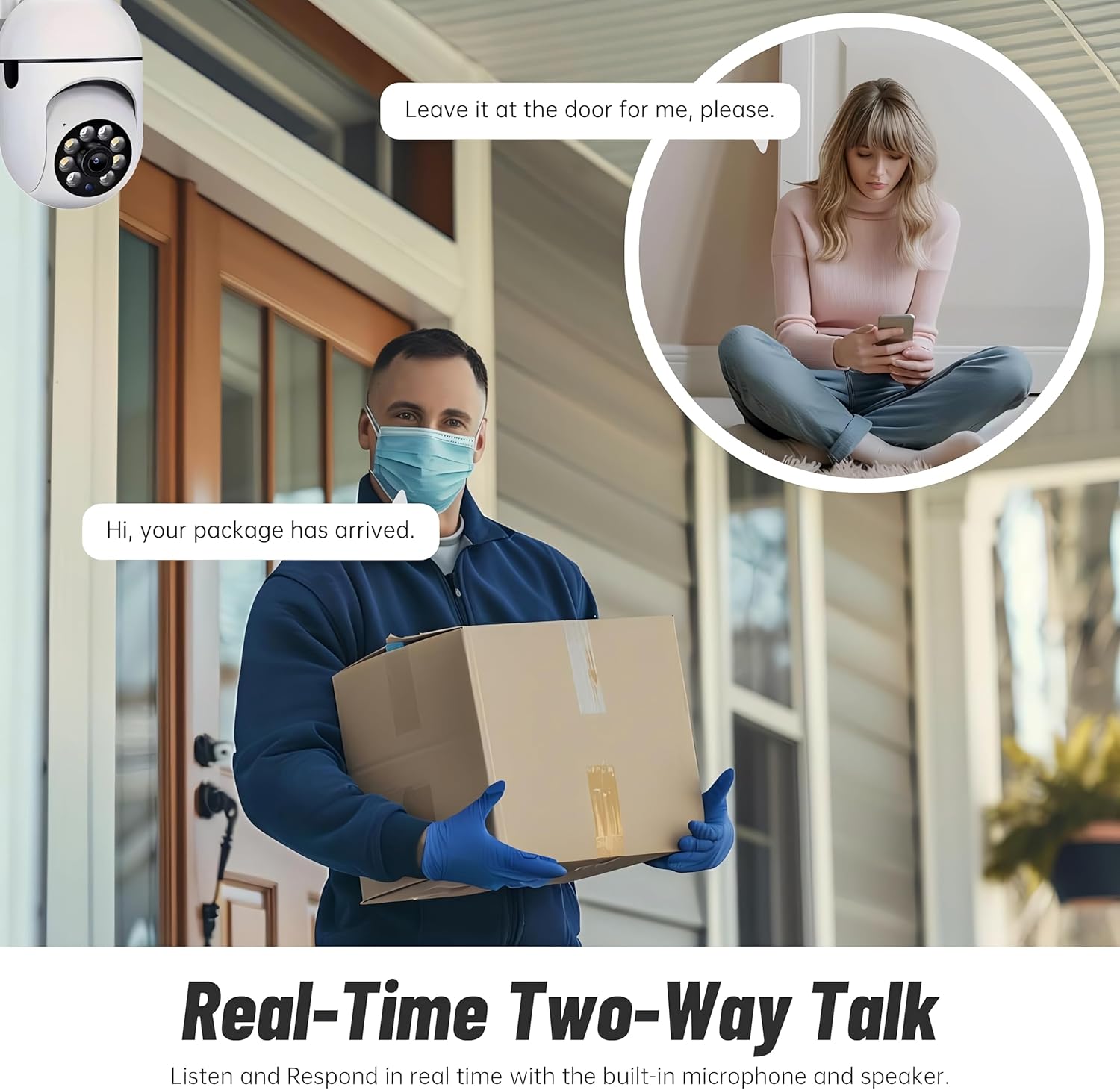
Figure 5.3: The camera's motion tracking feature focusing on a moving pet.

Figure 5.4: Visual representation of a motion detection alert, showing the camera capturing movement and sending notifications.
5.3 Poboljšani noćni vid
The camera is equipped with ultra-long-distance infrared LEDs and floodlight LEDs, offering multiple night vision modes for clear visibility in low-light conditions.
- Normalni noćni vid: Standard black and white infrared view.
- Inteligentni noćni vid: Automatically switches between infrared and full-color based on detected activity.
- Noćni vid u punom koloru: Provides a color image even in low light, utilizing the built-in floodlight.
You can switch between these modes directly from the YI IOT App.

Figure 5.5: Comparison illustrating the difference between standard infrared night vision (monochrome) and 1080p full-color night vision.
5.4 Dvosmjerni audio
Communicate through the camera using its built-in microphone and high-power speaker.
- Interkom način rada: Press and hold the microphone icon in the app to speak, and release to listen. Ideal for giving commands to pets or deterring unwanted visitors.
- Hands-free način rada: Allows for a continuous two-way conversation, similar to a phone call.
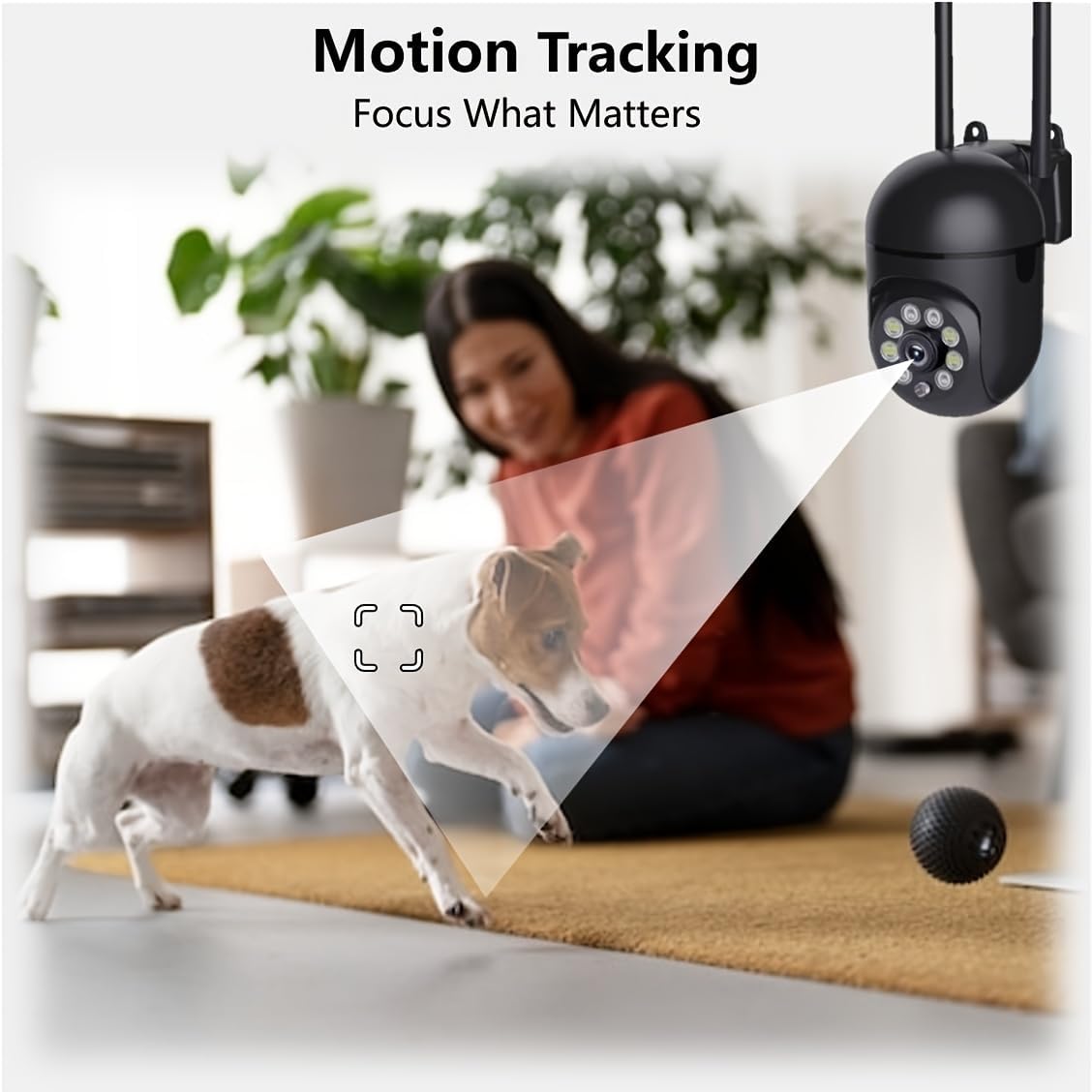
Figure 5.6: Demonstration of real-time two-way talk, allowing communication between the camera's location and the app user.
5.5 Cloud & Local Storage
Your camera offers flexible storage options for your video footage.
- YI Cloud Storage: Securely store 6-second video clips triggered by motion or sound detection. This ensures your footage is safe from loss, theft, or damage to local storage. Available for both iOS and Android.
- Lokalna pohrana: The camera supports microSD cards up to 128GB (not included) for continuous recording or event-triggered recordings.
6. Održavanje
Da biste osigurali optimalne performanse i dugotrajnost vašeg fotoaparata, slijedite ove smjernice za održavanje:
- čišćenje: Pažljivo obrišite objektiv i kućište kamere mekom, suhom krpom. Izbjegavajte upotrebu jakih hemikalija ili abrazivnih materijala.
- Ažuriranja firmvera: Regularly check for and install firmware updates via the YI IOT App. Updates often include performance improvements, new features, and security enhancements.
- Ciklus napajanja: If the camera becomes unresponsive, unplug it from the power source for 10 seconds, then plug it back in to restart it.
7. Otkrivanje problema
Ako naiđete na probleme s kamerom, pogledajte sljedeće uobičajene probleme i rješenja:
| Problem | Mogući uzrok | Rješenje |
|---|---|---|
| Kamera van mreže | Nema struje; Wi-Fi isključen; Problem s ruterom | Provjerite priključak za napajanje; Ponovo pokrenite kameru i ruter; Ponovo povežite kameru na Wi-Fi putem aplikacije. |
| Loša kvaliteta slike | Dirty lens; Insufficient lighting; Network bandwidth | Clean the lens; Ensure adequate lighting or enable night vision; Check Wi-Fi signal strength. |
| Detekcija pokreta ne radi | Feature disabled; Incorrect sensitivity; Obstruction | Enable motion detection in app; Adjust sensitivity; Ensure clear view. |
| Problemi s dvosmjernim zvukom | Microphone/speaker muted; App permissions; Network delay | Check app settings; Grant microphone permissions; Ensure stable network connection. |
| MicroSD kartica nije prepoznata | Kartica nije pravilno umetnuta; Nekompatibilna kartica; Oštećena kartica | Reinsert card; Use a compatible card (Class 10 or higher); Format card in app or replace. |
If the problem persists, please contact YI customer support.
8. Specifikacije
Detailed technical specifications for the YI Smart Security Camera.
| Feature | Specifikacija |
|---|---|
| Naziv modela | CB201-1X-W |
| Unutrašnja/vanjska upotreba | Indoor |
| Rezolucija video snimanja | 1080p full HD |
| Tehnologija povezivanja | Bežično (Wi-Fi 2.4 GHz) |
| Opseg pomeranja/nagiba | Horizontalno 355°, vertikalno 90° |
| Noćni vid | 10 metara |
| Dvosmjerni audio | Da |
| Opcije skladištenja | Cloud Storage, MicroSD Card (up to 128GB) |
| Izvor napajanja | Corded Electric |
| Kompatibilni uređaji | Pametni telefon (iOS/Android) |
| Dimenzije proizvoda (D x Š x V) | 4 x 3.35 x 7.09 inča |
| Uključene komponente | Security Camera x1, USB Cable x1 |
9. Garancija i podrška
Za informacije o garanciji i tehničkoj podršci, molimo vas da se obratite službenom YI website or contact their customer service directly. Details can typically be found on the product packaging or within the YI IOT App's 'About' or 'Support' section.
Online podrška: Visit the official YI webstranica za često postavljana pitanja, vodiče za rješavanje problema i opcije kontakta.
Podrška za aplikacije: Access support resources directly within the YI IOT App.