1. Uvod
This manual provides essential information for the proper installation, operation, and maintenance of your LaView 2K Solar Camera Outdoor Wireless Security System. Please read this manual thoroughly before using the product to ensure optimal performance and safety. This system includes four (4) 2K QHD wireless cameras with integrated solar panels for continuous power.
2. Proizvod je gotovview
The LaView 2K Solar Camera is a high-performance outdoor security solution designed for ease of use and comprehensive surveillance. Key features include:
- 2K QHD & Color Night Vision: Captures ultra-clear color images day and night.
- 100% Wireless & Solar-Powered: Eliminates wiring and manual recharging.
- 360° panoramsko okretanje i 120° nagib: Provides full coverage with no blind spots.
- Pametna PIR detekcija: Reduces false alarms by accurately detecting people, vehicles, and pets.
- Dvosmjerni zvuk: Enables communication with visitors or deterring intruders.
- IP65 Otporan na vremenske uslove: Designed to withstand harsh outdoor conditions.
- Dijeljenje s više korisnika: Supports up to 20 simultaneous viewers
- Kompatibilnost pametnog doma: Radi sa Amazon Alexa i Google Assistant-om.

Figure 1: LaView 2K Solar Camera Outdoor Wireless Security System (4 Pack)
3. Šta se nalazi u kutiji
Vaša LaView 2K Solar Camera system includes the following components:
- 4 x LaView 2K Solar Camera Bodies
- 4 x Solar Panels (integrated or separate, depending on model variant)
- Pribor za montažu (vijci, tiple, nosači za montažu)
- USB-C kabl za punjenje
- Kratki vodič / Korisnički priručnik

Figure 2: Typical box contents for LaView 2K Solar Camera.
4. Podešavanje
4.1 Početno podešavanje kamere
- Napunite kameru: Fully charge the camera battery using the provided USB-C cable before installation.
- Preuzmite aplikaciju: Download and install the "WansView Cloud" app from your smartphone's app store (available for Android and iOS).
- Uključeno: Open the waterproof cover on the bottom of the camera. Press and hold the power button for approximately 5 seconds until you hear a chime and the camera begins its self-test rotation.
- Uparivanje: Otvorite WansView Cloud app, create an account, and log in. Tap the "+" or "Add Device" button. The app should automatically detect nearby devices via Bluetooth. Follow the in-app instructions to complete the pairing process. Ensure your smartphone is connected to a 2.4GHz Wi-Fi network.
4.2 Fizička instalacija
- Odaberite lokaciju: Select an outdoor location with good Wi-Fi signal strength and sufficient sunlight exposure for the solar panel. The camera is IP65 weatherproof.
- Montirajte kameru: Use the provided mounting template to mark drill holes on your wall. Drill holes, insert anchors, and secure the camera's mounting bracket with screws. Attach the camera body to the bracket.
- Montirajte solarnu ploču: If the solar panel is separate, mount it in a location that receives maximum direct sunlight throughout the day. Connect the solar panel cable to the camera's 5V charging port.
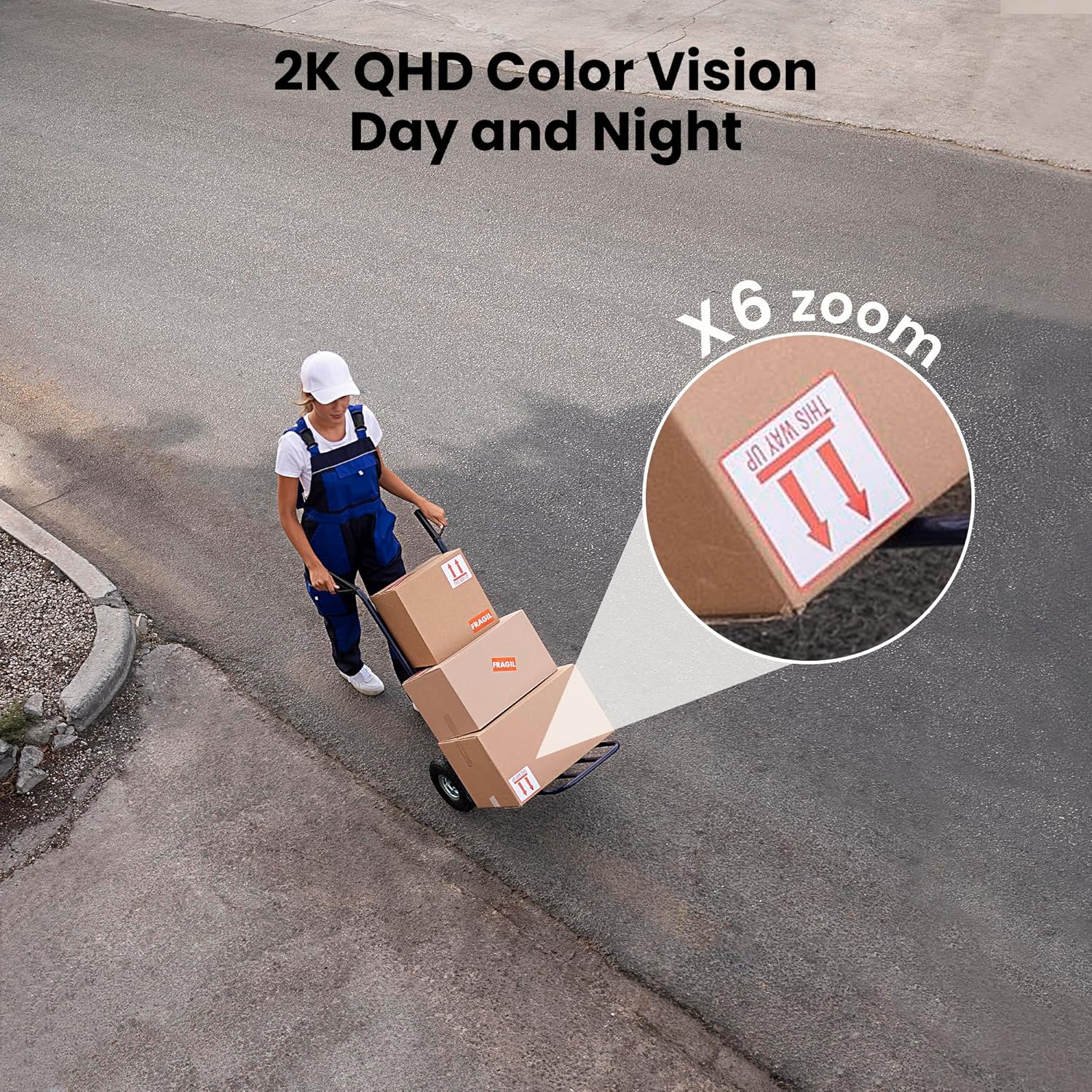
Figure 3: Flexible installation options for the LaView 2K Solar Camera.
5. Uputstvo za upotrebu
5.1 Uživo View i upravljanje kamerom
- Otvorite WansView Cloud app to access the live feed from your camera.
- Use the on-screen controls to pan the camera 360° horizontally and tilt it 120° vertically for full coverage.
- Utilize the 6X digital zoom feature to view details in the 2K QHD resolution.

Figure 4: Control 360° pan and 120° tilt directly from your phone.
5.2 Kvalitet videa i noćni vid
- The camera provides 2K QHD video resolution for clear images.
- Noćni vid u boji: With an F/1.6 aperture, the camera captures clear color images even in low-light conditions.
- Infracrveni noćni vid: For complete darkness, the camera automatically switches to infrared mode for black and white video.
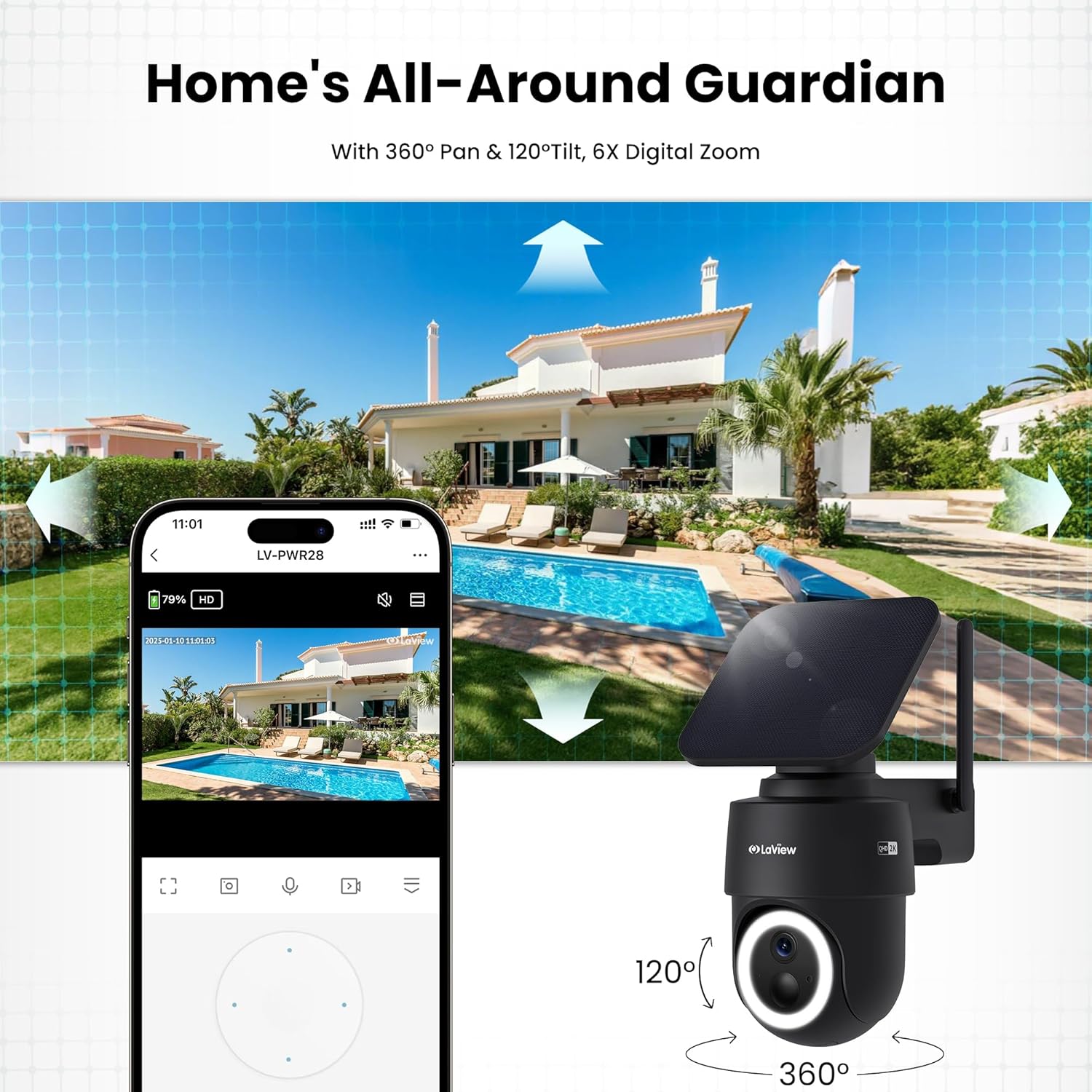
Figure 5: Experience 2K QHD color vision day and night with 6X zoom.
5.3 Detekcija pokreta i upozorenja
- PIR detekcija: The advanced PIR sensor and intelligent algorithms accurately detect human, vehicle, and pet motion, reducing false alarms.
- Prilagodljive zone: Set specific detection sensitivity and zones within the app.
- Trenutna upozorenja: Primajte push obavještenja na svoj pametni telefon kada se detektuje kretanje.
- Sirena i reflektor: Configure the camera to trigger a siren and spotlight upon motion detection for deterrence.

Figure 6: Auto-record on motion detection, capturing movement paths for clear activity tracking.
5.4 Dvosmjerni audio
- Use the microphone and speaker in the app to communicate with anyone near the camera.

Figure 7: Stay connected with two-way talk functionality.
5.5 Opcije skladištenja
- Micro SD kartica: Umetnite Micro SD karticu (do 256 GB, nije uključena) u predviđeni utor za lokalno pohranjivanje snimaka.
- Cloud Storage: Optional cloud storage is available with a 30-day free trial. A subscription is required for continued cloud service.

Figure 8: Dual storage options: Micro SD card and Cloud Storage.
5.6 Integracija pametnog doma
- The camera is compatible with Amazon Alexa and Google Assistant. Follow the instructions in your smart home app to connect the camera.

Figure 9: Works with smart home devices like Amazon Alexa and Google Assistant.
6. Održavanje
6.1 Punjenje baterije
- The integrated solar panel continuously charges the camera's rechargeable battery. Ensure the solar panel is clean and free from obstructions for optimal charging.
- If necessary, the camera can also be charged directly via the USB-C port using the provided cable.
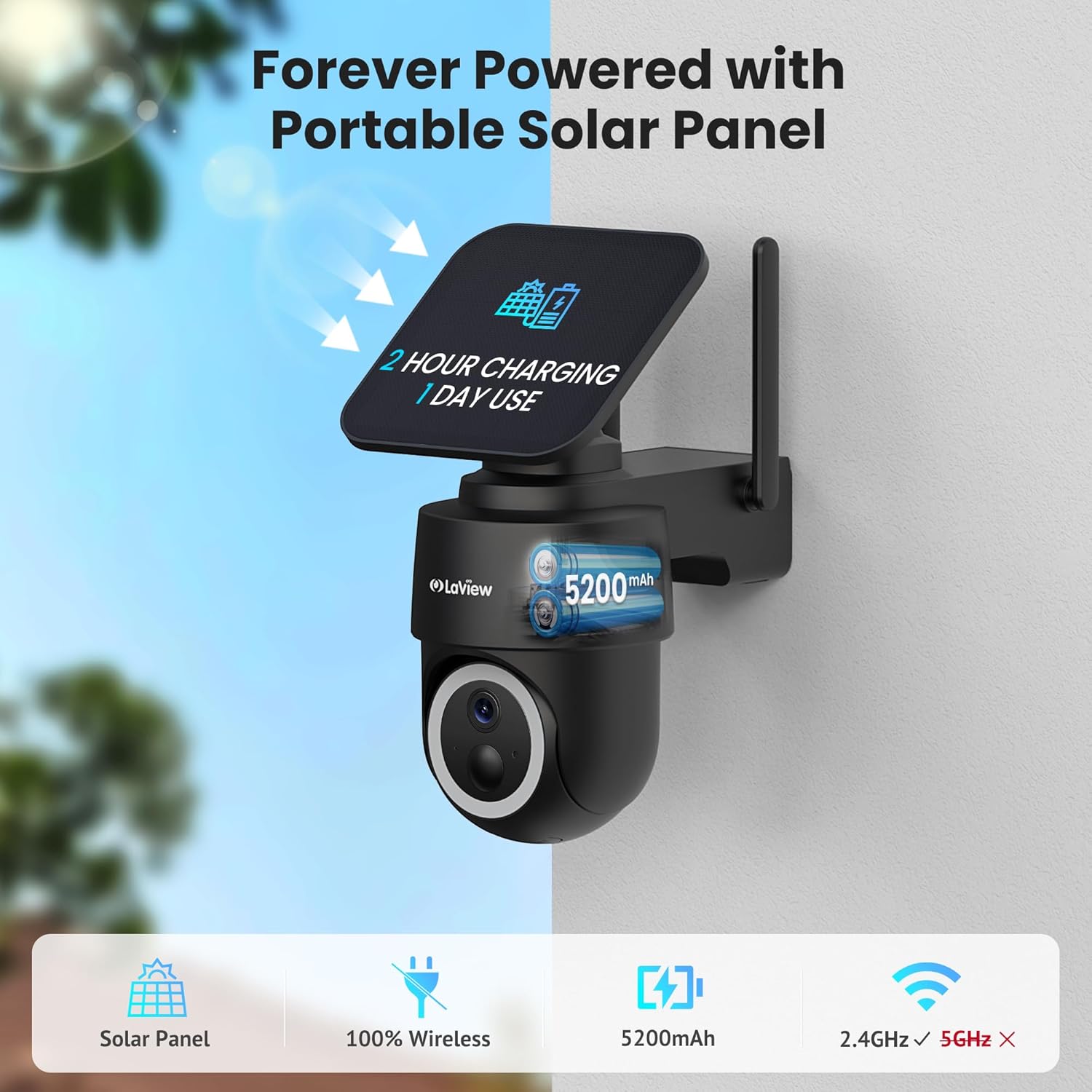
Figure 10: Forever powered with portable solar panel.
6.2 Otpornost na vremenske uvjete
- The camera has an IP65 weatherproof rating, protecting it from dust and water jets. It operates in temperatures from 14°F to 122°F (-10°C to 50°C).

Slika 11: IP65 vodootporni dizajn za sve uslove.
6.3 Čišćenje
- Redovno čistite objektiv kamere i solarni panel mekom,amp cloth to ensure clear image quality and efficient charging.
7. Otkrivanje problema
- Kamera se ne povezuje na Wi-Fi: Ensure your Wi-Fi network is 2.4GHz. Reboot your router and smartphone. Reset the camera by holding the reset button for 5 seconds until you hear a chime, then attempt pairing again.
- Česti lažni alarmi: Adjust the PIR detection sensitivity and customize detection zones within the app to minimize unwanted alerts from non-relevant motion sources.
- Loš kvalitet slike: Ensure the camera lens is clean and free from obstructions. Check Wi-Fi signal strength.
- Baterija se ne puni: Verify the solar panel is receiving direct sunlight and is free from dirt or obstructions. Ensure the solar panel cable is securely connected to the camera.
8. Specifikacije
| Naziv modela | LV-PWR28Q-B-4PK |
| Unutrašnja/vanjska upotreba | Na otvorenom |
| Izvor napajanja | Solar Powered |
| Connectivity Protocol | Wi-Fi (samo 2.4 GHz) |
| Rezolucija video snimanja | 2K QHD (3K mentioned in specs, but 2K QHD in features) |
| Tip kontrolera | Amazon Alexa |
| Vrsta montaže | Zidni nosač |
| Weatherproof Rating | IP65 |
| Radna temperatura | 14°F do 122°F (-10°C do 50°C) |
| Dimenzije artikla (D x Š x V) | 10 x 13 x 9 inča |
| Težina artikla | 7.88 funte |
| UPC | 192728016859 |
9. Jamstvo i podrška
- 1-godišnja garancija za zamjenu: Vaša LaView 2K Solar Camera system is covered by a 1-year replacement warranty.
- Doživotna tehnička podrška: LaView offers lifetime technical support via phone for prompt and reliable solutions.
- 1-on-1 Customer Service: Dedicated customer service is available for personalized assistance.

Figure 12: LaView provides comprehensive after-sales support.


