Uvod
The Baseus NOMOS 5-in-1 140W Desktop Charging Station is a versatile power solution designed to efficiently charge multiple devices simultaneously. Featuring a Qi2 certified wireless charger, a retractable USB-C cable, two additional USB-C ports, and one USB-A port, this station provides comprehensive charging capabilities for a wide range of electronic devices, including smartphones, tablets, and laptops. Its integrated LCD display allows for real-time monitoring of charging status and power distribution.

Slika 1: Gotovoview of the Baseus NOMOS 5-in-1 140W Desktop Charging Station.
Vodič za postavljanje
Follow these steps to set up your Baseus NOMOS Charging Station:
- Raspakujte uređaj: Carefully remove the charging station and any accessories from its packaging.
- Povežite se na napajanje: Plug the provided power cable into the charging station's power input port, then connect the other end to a standard 220V AC power outlet.
- plasman: Place the charging station on a stable, flat surface, such as a desk or table, ensuring adequate ventilation around the device.
- Početno uključivanje: The LCD display should illuminate, indicating the device is powered on and ready for use.
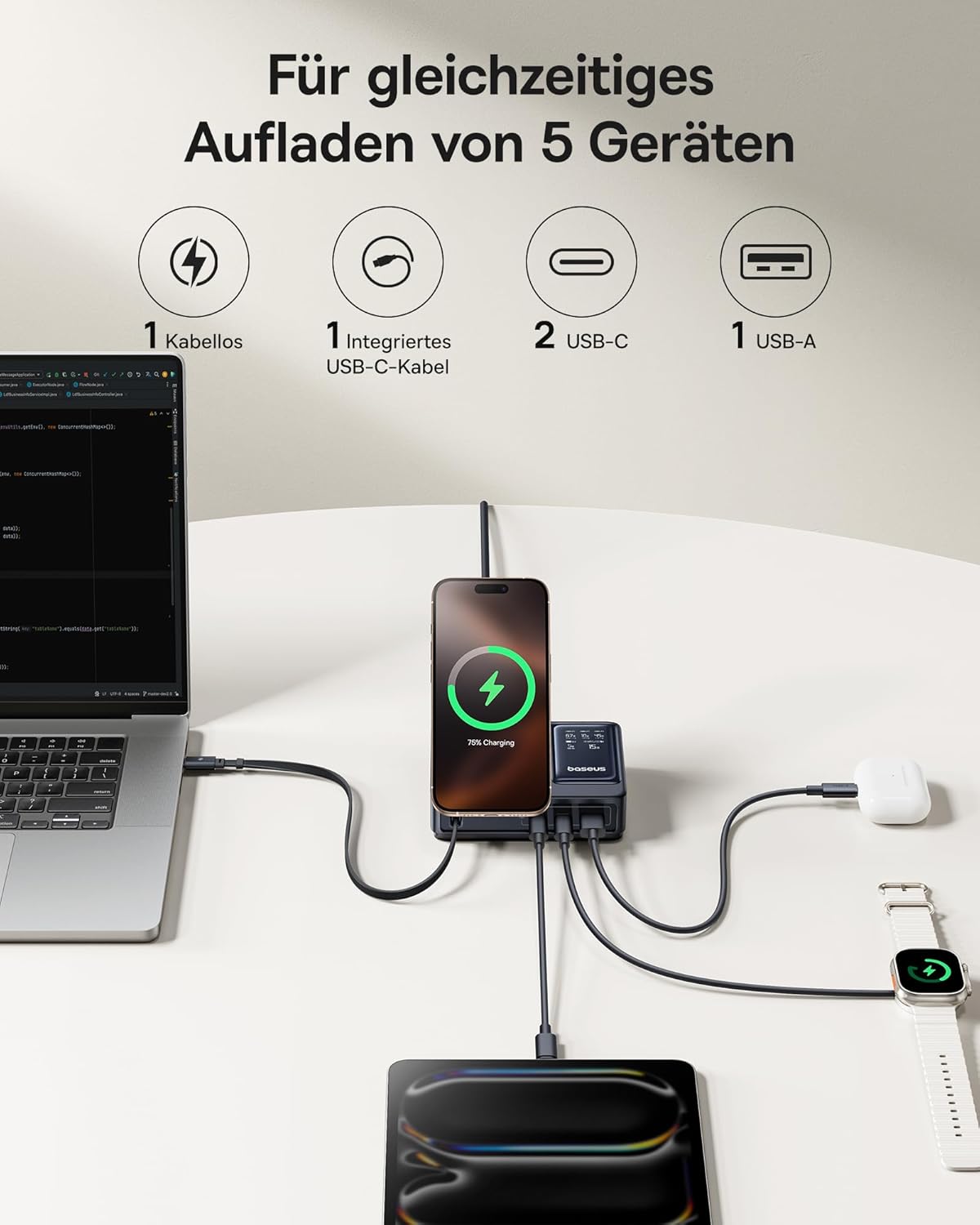
Figure 2: The charging station supports simultaneous charging of up to five devices.
Uputstvo za upotrebu
The Baseus NOMOS Charging Station offers multiple charging methods:
1. Qi2 Wireless Charging
The integrated wireless charging pad supports Qi2 certified devices, including iPhone 13-16 series (iOS 17.2.0 or higher) at 15W, and other Qi2 compatible Android phones at 5W.
- Upotreba: Place your compatible smartphone directly onto the wireless charging pad. Ensure the device is centered for optimal charging.
- Podesivo postolje: The wireless charging pad features an adjustable and foldable stand, allowing you to position your phone for comfortable viewing tokom punjenja.
- Indikator: The LCD display will show the charging status and power output for the wireless connection.

Figure 3: The Qi2 wireless charging pad provides fast charging for compatible devices.

Figure 4: The adjustable stand allows for flexible phone positioning during wireless charging.
2. Retractable 100W USB-C Cable
The charging station includes a built-in 100W retractable USB-C cable for convenient wired charging.
- Upotreba: Gently pull the USB-C cable from its housing to extend it. Connect the cable to your USB-C compatible device.
- Povlačenje: When finished, gently pull the cable again to activate the retraction mechanism, allowing it to neatly store back into the station.
- Trajnost: This cable has been tested for over 10,000 retractions, ensuring long-term reliability.

Figure 5: The integrated 100W retractable USB-C cable for convenient charging.
3. USB-C Ports (PD3.1 140W Max)
Two additional USB-C ports are available, supporting Power Delivery 3.1 for high-speed charging up to 140W, ideal for laptops like MacBook Pro.
- Upotreba: Connect your device using a compatible USB-C to USB-C cable to either of the two USB-C ports.
- Velika izlazna snaga: These ports are capable of delivering significant power, suitable for demanding devices.
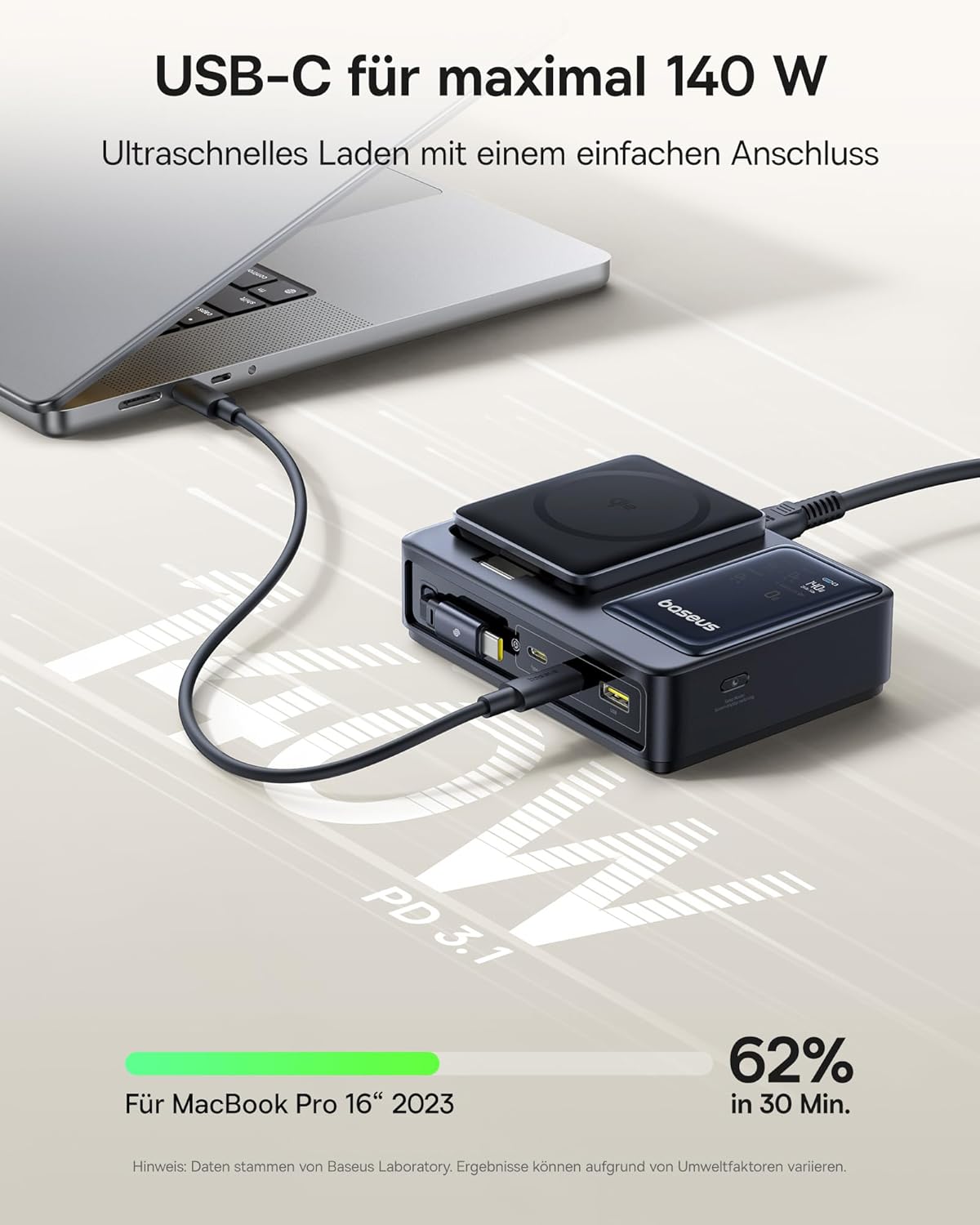
Figure 6: High-speed 140W USB-C charging for laptops and other power-hungry devices.
4. USB-A port
One standard USB-A port is included for charging devices that utilize this connection type.
- Upotreba: Connect your device using a compatible USB-A cable to the USB-A port.
5. LCD ekran
The integrated LCD display provides real-time charging information.
- Information Displayed: The screen shows the power output for each connected port and the total power being drawn when multiple devices are charging.
- Nadgledanje: This allows you to monitor the charging status and ensure optimal power delivery to your devices.

Figure 7: The LCD display provides detailed charging status and power allocation information.
Specifikacije
| Feature | Detalj |
|---|---|
| Brand | Baseus |
| Broj modela | CCNMS140 |
| Boja | Crna |
| Ukupna izlazna snaga | 140 W (maks.) |
| Ulazni voltage | 220 V AC |
| Broj portova | 5 (1x Qi2 Wireless, 1x Retractable USB-C, 2x USB-C, 1x USB-A) |
| Retractable Cable Output | 100W USB-C |
| Izlaz USB-C porta | Do 140W (PD3.1) |
| Qi2 Wireless Output | 15W (iPhone 13-16 series), 5W (other Qi2 Android) |
| Kompatibilni uređaji | iPhone 13-16 series, Qi2 compatible Android phones, MacBook Pro, other USB-C/USB-A devices |
| Posebne karakteristike | Digital LCD Display, Adjustable Phone Stand, Low Temperature Charging |
| UPC | 850068772803 |
Održavanje
To ensure the longevity and optimal performance of your Baseus NOMOS Charging Station, follow these maintenance guidelines:
- čišćenje: Disconnect the power cable before cleaning. Use a soft, dry, lint-free cloth to wipe the surface of the device. Do not use liquid cleaners, aerosols, or abrasive materials.
- Skladištenje: Kada se ne koristi duži period, stanicu za punjenje čuvajte na hladnom i suhom mjestu, dalje od direktne sunčeve svjetlosti i ekstremnih temperatura.
- Održavanje kablova: Ensure the retractable USB-C cable is fully retracted when not in use to prevent damage. Avoid pulling the cable excessively or at sharp angles.
- ventilacija: Do not block the ventilation openings on the device. Ensure there is sufficient airflow to prevent overheating.
Rješavanje problema
If you encounter issues with your charging station, refer to the following common problems and solutions:
| Problem | Mogući uzrok / rješenje |
|---|---|
| Uređaj se ne puni |
|
| Spora brzina punjenja |
|
| LCD display is off or not showing information |
|
| Retractable cable not retracting |
|
Garancija i podrška
Information regarding the specific warranty period and support contact details for the Baseus NOMOS 5-in-1 140W Desktop Charging Station was not available in the provided product data. For warranty claims, technical support, or service inquiries, please refer to the product packaging, the official Baseus website, or contact the retailer from whom the product was purchased.
It is recommended to retain your proof of purchase for any warranty-related matters.


