Uvod
This manual provides detailed instructions for the safe and effective use of your Picun B8 Bluetooth Headphones. Please read this manual thoroughly before using the product and retain it for future reference.

Image: Picun B8 Bluetooth Headphones, showcasing their sleek black over-ear design with metallic earcups and a visible blue indicator light.
Šta je u kutiji
- 1 x Picun B8 Headphone
- 1 x 3.5 mm audio kabel
- 1 x USB kabl za punjenje
- 1 x Uputstvo za upotrebu
Karakteristike proizvoda
- Ultra-dug vijek trajanja baterije: Equipped with a 1000mAh battery, providing up to 120 hours of playtime on a single charge. Supports wired mode via 3.5mm audio cable for continuous use.

Image: Headphones next to a smartphone, highlighting the 120-hour battery life for extended music, movie, and meeting playback.
- Hi-Fi Sound & 3 EQ Modes: Features 40mm dynamic drivers for high-resolution stereo sound. Includes Pop, Rock, and Bass Boost EQ modes for customized audio experience.

Image: A woman enjoying music with the headphones, demonstrating the availability of Pop, Bass-Boost, and Rock equalizer modes.
- All-Day Comfort & Foldable Design: Constructed with skin-friendly PU leather and high-elastic memory cotton for breathable comfort. Adjustable headband and ergonomic design ensure a pressure-free fit. Foldable for easy storage.

Slika: Detaljna view of the headphones' comfort features, including 60-degree adjustable earcups, an adjustable headband, and a foldable design for portability.
- Bluetooth 5.4 & Smart Control: Equipped with a Bluetooth 5.4 chip for fast and stable connections up to 33 feet. Features touch controls and a built-in microphone for hands-free calls and voice assistant activation. Supports dual-device connectivity.

Image: A visual representation of the advanced Bluetooth 5.4 chip, highlighting its benefits of lower latency and extended battery life.
- Ugrađeni mikrofon: Enables clear hands-free communication.
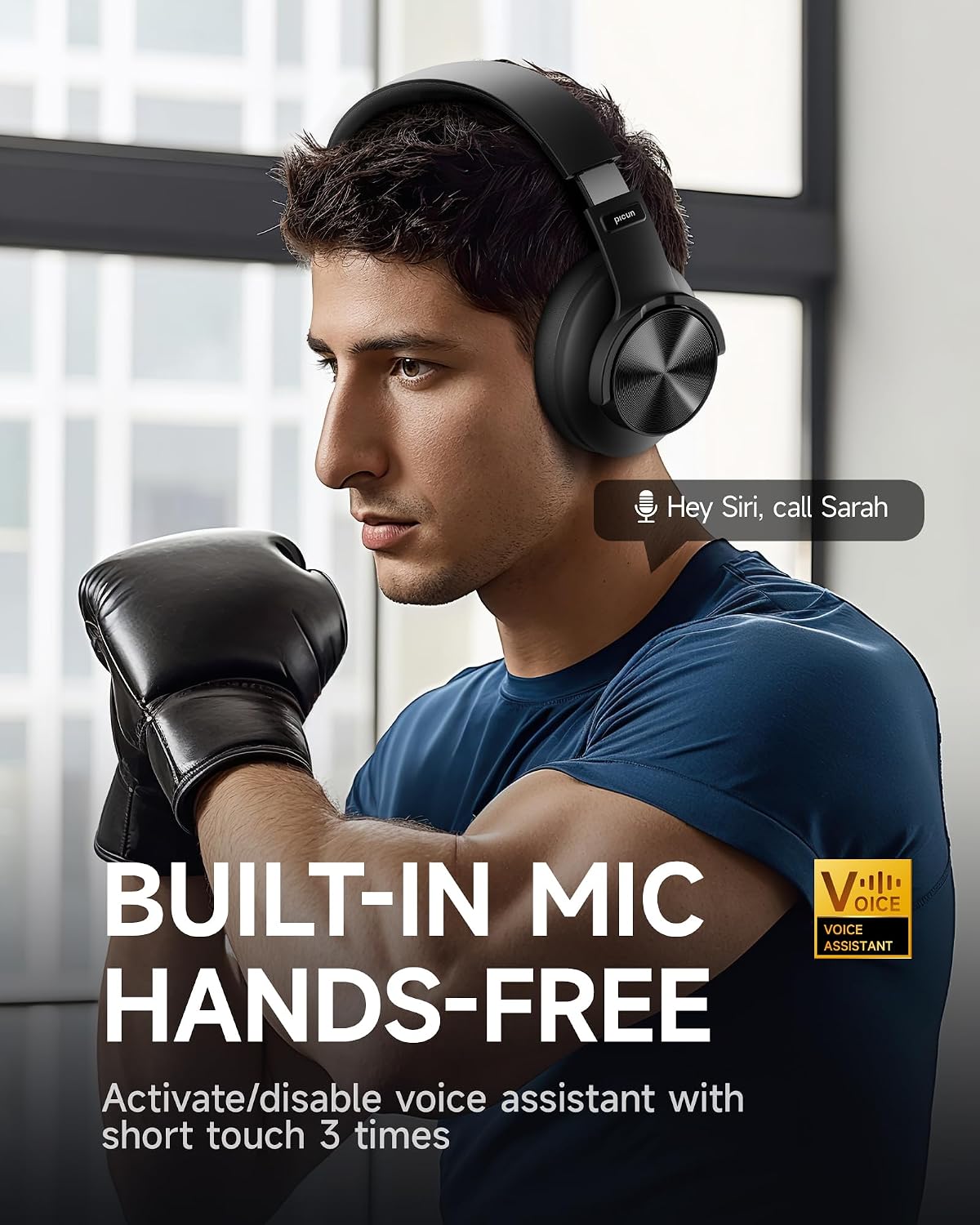
Image: A man using the headphones, demonstrating the built-in microphone and hands-free voice assistant capabilities.
- Način rada niske latencije: Offers 50ms ultra-low latency for a smoother gaming and video experience.

Image: Headphones depicted with a gaming theme, emphasizing the 50ms ultra-low latency for an enhanced gaming and video experience.
Setup
1. Punjenje slušalica
Before first use, fully charge your Picun B8 headphones. Connect the provided USB charging cable to the USB-C charging port on the headphones and the other end to a compatible USB power source (e.g., computer USB port, wall adapter). The indicator light will show charging status and turn off when fully charged.
2. Uključivanje / isključivanje napajanja
- Uključeno: Press and hold the Power/EQ button for approximately 3 seconds until the indicator light illuminates.
- Iskljuciti: Press and hold the Power/EQ button for approximately 3 seconds until the indicator light turns off.
3. Bluetooth uparivanje
- Uvjerite se da su slušalice isključene.
- Press and hold the Power/EQ button for approximately 5 seconds until the indicator light flashes blue and red, indicating pairing mode.
- Na svom uređaju (pametnom telefonu, tabletu, laptopu) omogućite Bluetooth i potražite dostupne uređaje.
- Select "Picun B8" from the list of found devices.
- Once connected, the indicator light on the headphones will turn solid blue.
4. Žična veza
To use the headphones in wired mode, connect one end of the provided 3.5mm audio cable to the 3.5mm audio port on the headphones and the other end to the audio output jack of your device. The headphones will automatically switch to wired mode, and Bluetooth will be disabled.
Uputstvo za upotrebu

Image: A detailed diagram illustrating the location and function of all controls on the Picun B8 headphones, including touch controls, ports, and buttons.
Kontrole reprodukcije muzike
- Pusti/pauza: Tap the Touch Area once.
- Sljedeća pjesma: Swipe forward on the Touch Area or press the 'Next Song' button.
- Prethodna pjesma: Swipe backward on the Touch Area or press the 'Previous Song' button.
- Povećavanje glasnoće: Pritisnite dugme za jačinu zvuka +.
- Smanjivanje jačine zvuka: Pritisnite dugme za jačinu zvuka (-).
Upravljanje pozivima
- Odgovori/Završi poziv: Tap the Touch Area once.
- odbiti poziv: Press and hold the Touch Area for 3 seconds.
Prebacivanje EQ moda
Double-tap the Power/EQ button to cycle through the 3 available EQ modes: Pop, Rock, and Bass Boost. Select the mode that best suits your audio preference.
Aktivacija glasovnog pomoćnika
Triple-tap the Touch Area to activate your device's voice assistant (e.g., Siri, Google Assistant).
Dual-Device Connectivity
The Picun B8 headphones can connect to two Bluetooth devices simultaneously. After pairing with the first device, put the headphones back into pairing mode and connect to the second device. The headphones will intelligently switch between devices for calls and audio playback.

Image: Headphones shown connected to both a smartphone and a tablet, illustrating simultaneous Bluetooth connectivity.
Održavanje
- čišćenje: Za čišćenje slušalica koristite meku, suhu krpu. Ne koristite abrazivna sredstva za čišćenje ili rastvarače.
- Skladištenje: Kada se ne koriste, slušalice čuvajte na hladnom i suhom mjestu, dalje od direktne sunčeve svjetlosti i ekstremnih temperatura. Koristite sklopivi dizajn za kompaktno skladištenje.
- Održavanje baterije: Da biste produžili vijek trajanja baterije, izbjegavajte često potpuno pražnjenje slušalica. Redovno ih punite, čak i ako ih ne koristite stalno.
- Izbjegavajte vlagu: Slušalice nisu vodootporne. Izbjegavajte izlaganje vodi, kiši ili prekomjernoj vlazi.
Rješavanje problema
| Problem | Mogući uzrok | Rješenje |
|---|---|---|
| Slušalice se ne uključuju. | Niska baterija. | U potpunosti napunite slušalice. |
| Nije moguće uparivanje s uređajem. | Slušalice nisu u načinu rada za uparivanje; Bluetooth je isključen na uređaju; uređaj je previše udaljen. | Ensure headphones are in pairing mode (flashing blue/red). Turn on Bluetooth on your device. Move device closer to headphones (within 33 feet). |
| Nema zvuka ili je jačina zvuka niska. | Jačina zvuka je preniska; pogrešan izvor zvuka; slušalice nisu povezane. | Increase volume on headphones and connected device. Ensure headphones are properly paired or 3.5mm cable is fully inserted. Check audio output settings on your device. |
| Loš kvalitet poziva. | Slab signal; začepljenost mikrofona. | Približite se povezanom uređaju. Pazite da mikrofon nije prekriven. |
Specifikacije
| Feature | Detalj |
|---|---|
| Naziv modela | PC-B8 PRO |
| Tehnologija povezivanja | Žičano, bežično (Bluetooth) |
| Bluetooth verzija | 5.4 |
| Bluetooth domet | 33 stopa (otprilike 10 metara) |
| Trajanje baterije | 120 sata |
| Kapacitet baterije | 1000mAh |
| Veličina audio drajvera | 40mm dinamički drajveri |
| Frekvencijski odziv | 20 Hz - 20000 Hz (20 kHz) |
| Osjetljivost | 42 dB |
| Impedansa | 32 Ohm |
| Priključak za slušalice | 3.5 mm Jack |
| Kontrola buke | Zvučna izolacija |
| Tip kontrole | Volume Control, Touch Control |
| Materijal | Acrylonitrile Butadiene Styrene (ABS), Stainless Steel, PU Leather, Memory Cotton |
| Težina artikla | 0.34 kilograma (12 unci) |
| Nivo vodootpornosti | Nije vodootporan |
Garancija i podrška
Picun offers the following support for your B8 Bluetooth Headphones:
- Politika povrata od 30 dana: For returns within 30 days of purchase.
- 1-godišnja garancija: Pokriva proizvodne nedostatke godinu dana od datuma kupovine.
- Lifetime Worry-Free User Support: For any product-related questions or assistance, please contact Picun customer service. They aim to reply within 12 hours.
For support, please refer to the contact information provided in the packaging or visit the official Picun website.


