Uvod
The ShiftCam SnapStand Max is a versatile and portable accessory designed to enhance your mobile photography and videography experience. It functions as both an extendable selfie stick and a stable tripod, featuring a magnetic mount for MagSafe-enabled devices, a secure clip mount for other smartphones, a 200-degree tilt head, and a detachable Bluetooth remote for convenient control. This manual provides detailed instructions for setting up, operating, maintaining, and troubleshooting your SnapStand Max.
Šta je u kutiji
Upon unboxing your ShiftCam SnapStand Max, please verify that all components are present:
- SnapStand Max (Selfie Stick & Tripod)
- Detachable Bluetooth Remote
- Silicone SnapClamp Clip (for non-MagSafe devices or added security)

Image: Components included with the ShiftCam SnapStand Max, showing the main unit, the detachable Bluetooth remote, and the SnapClamp.
Ključne karakteristike
Compact & Extendable Design
The SnapStand Max is designed for portability, folding down to 11 inches for easy storage in a bag. It extends up to 70 inches (approximately 6 feet), providing significant reach for various shooting angles, from close-up selfies to wide group shots or elevated perspectives.

Image: The SnapStand Max folded, illustrating its compact size for portability.

Image: The SnapStand Max fully extended, showing its impressive height for capturing wide scenes or group photos.
Versatile Dual-Functionality
This device seamlessly transitions between a stable tripod for hands-free recording, live streaming, video calls, and time-lapse photography, and an extendable selfie stick for capturing personal or group photos with ease.
Effortless Magnetic & Secure Clip Mount
The SnapStand Max features a strong magnetic mount compatible with MagSafe-enabled iPhones and cases, allowing for quick and secure attachment. For other smartphones or enhanced stability, the included silicone SnapClamp clip provides a firm grip.

Image: Demonstrates the magnetic attachment of a MagSafe-compatible phone to the SnapStand Max.

Slika: Krupni plan view of the detachable Bluetooth remote control integrated into the SnapStand Max handle.
Removable Bluetooth Remote
Capture photos and videos from a distance with the convenient detachable Bluetooth remote. This feature is ideal for group shots, hands-free recording, or when using the SnapStand Max as a tripod.
Versatile Tilt Head
The integrated tilt head offers a 200-degree range of motion, allowing you to precisely adjust your phone's angle for optimal framing, whether for selfies, high-angle shots, or specific video perspectives.

Image: Illustration demonstrating the flexible 200-degree tilt head, allowing for various phone angles.
Vodič za postavljanje
1. Unfolding the SnapStand Max
- Hold the main body of the SnapStand Max firmly.
- Gently pull the top section upwards to extend the pole. Continue extending until it reaches your desired length.
- To deploy the tripod legs, grasp the base and spread the legs outwards until they lock into a stable position. Ensure the legs are fully extended for maximum stability.

Image: The SnapStand Max set up as a tripod, demonstrating the extended legs and pole.
2. Attaching Your Smartphone
- For MagSafe-compatible devices: Simply align your MagSafe-enabled iPhone or case with the magnetic mount at the top of the SnapStand Max. The magnets will securely snap your phone into place.
- For other smartphones or added security: Attach the silicone SnapClamp clip to the magnetic mount. Then, gently pull apart the jaws of the SnapClamp and insert your smartphone, ensuring it is held firmly.

Image: A smartphone securely attached to the SnapStand Max, illustrating the magnetic connection.
3. Pairing the Bluetooth Remote
- Remove the Bluetooth remote from its slot in the SnapStand Max handle.
- Pritisnite i držite dugme na daljinskom upravljaču dok indikatorska lampica ne počne treptati, što ukazuje na to da je u režimu uparivanja.
- On your smartphone, navigate to Postavke > Bluetooth.
- Look for "ShiftCam Remote" or a similar device name in the list of available devices and tap to connect.
- Once paired, the indicator light on the remote will stop flashing and remain solid (or turn off, depending on the model). The remote is now ready for use.
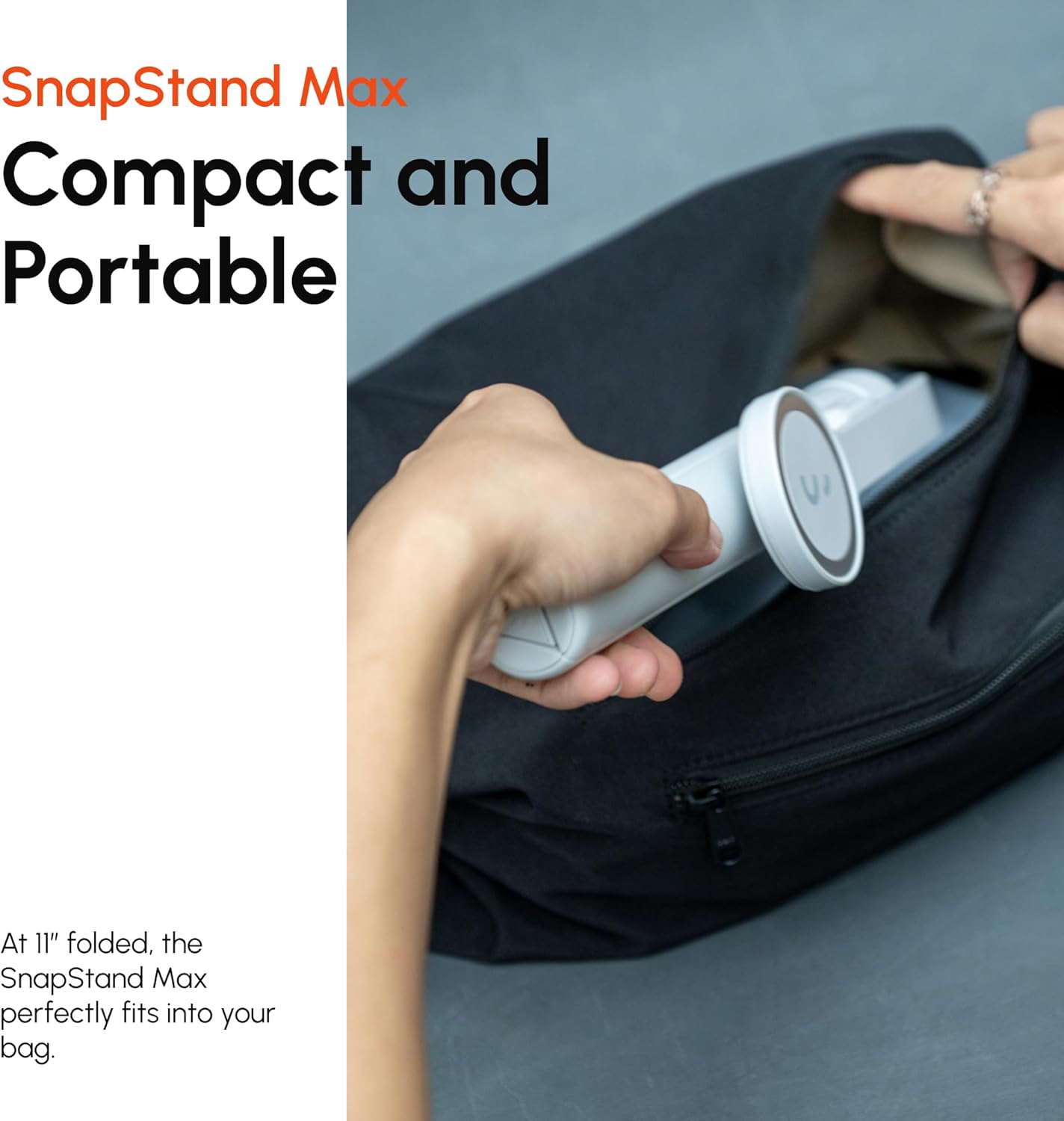
Image: The detachable Bluetooth remote being held, ready for pairing and use.
Uputstvo za upotrebu
Korištenje kao selfie štap
- Ensure your phone is securely attached.
- Extend the pole to your desired length.
- Adjust the tilt head to frame your shot.
- Use the Bluetooth remote to trigger your phone's camera shutter.

Image: The SnapStand Max being used as a selfie stick to capture a group photo.
Korištenje kao tronožac
- Extend the tripod legs fully until they lock into place, creating a stable base.
- Place the SnapStand Max on a flat, stable surface.
- Adjust the pole height and tilt head angle as needed for your shot.
- Use the Bluetooth remote to start/stop recording or take photos without touching your phone, preventing camera shake.

Image: The SnapStand Max deployed as a stable tripod for hands-free photography or videography.
Adjusting the Tilt Head
- The tilt head allows for 200 degrees of vertical adjustment.
- Gently pivot the phone mount section to achieve your desired angle. It will hold its position once set.
Održavanje
- čišćenje: Wipe the SnapStand Max with a soft, dry cloth. For stubborn dirt, a slightly damp cloth can be used, but ensure the device is completely dry before storage. Do not use harsh chemicals or abrasive cleaners.
- Skladištenje: When not in use, fold the SnapStand Max to its compact size and store it in a dry, cool place away from direct sunlight and extreme temperatures.
- baterija: The Bluetooth remote uses a small button cell battery. If the remote stops responding, replace the battery. Refer to the remote's casing za upute o vrsti baterije i zamjeni.
Rješavanje problema
| Problem | Mogući uzrok | Rješenje |
|---|---|---|
| Bluetooth daljinski upravljač se ne uparuje. | Remote battery low or dead; remote not in pairing mode; Bluetooth off on phone. | Ensure remote battery is charged/replaced. Press and hold remote button to enter pairing mode. Enable Bluetooth on your phone and search for "ShiftCam Remote". |
| Phone not securely held by magnetic mount. | Phone not MagSafe compatible; misaligned; heavy case interfering. | Ensure your phone or case is MagSafe compatible. Realign the phone. For non-MagSafe phones or added security, use the included SnapClamp isječak. |
| Tripod feels unstable. | Legs not fully extended; uneven surface; excessive weight. | Ensure all tripod legs are fully extended and locked. Place on a flat, stable surface. Do not exceed the recommended weight capacity (designed for smartphones). |
| Pole does not extend or retract smoothly. | Dirt or debris in joints; mechanism stuck. | Gently clean the pole sections with a soft cloth. Avoid forcing the mechanism. If persistent, contact customer support. |
Specifikacije
| Feature | Detalj |
|---|---|
| Naziv modela | S-AB03-MN |
| Brand | ShiftCam |
| Materijal | Metal |
| Boja | Ponoć |
| Kompatibilni uređaji | Smartphones (MagSafe compatible or with SnapClamp) |
| Preklopljene dimenzije | Približno 11 inča (28 cm) |
| Extended Height | Do 70 inča (178 cm) |
| Težina artikla | 1.21 funte (0.55 kg) |
| Tilt Head Range | 200 stepeni |
| Daljinsko povezivanje | Bluetooth |
Garancija i podrška
ShiftCam products are designed for durability and performance. For information regarding warranty coverage, product registration, or technical support, please visit the official ShiftCam webweb-mjesto ili direktno kontaktirajte njihovu korisničku službu.
Također možete posjetiti ShiftCam Store on Amazon za dodatne informacije o proizvodu i resurse podrške.


