1. Uvod
This manual provides detailed instructions for the setup, operation, and maintenance of your TUINYO WH-819 Wireless Over-Ear Bluetooth Headphones. Please read this manual thoroughly before using the product to ensure proper function and longevity.
2. Proizvod je gotovview
The TUINYO WH-819 headphones offer high-fidelity stereo sound, comfortable over-ear design, and versatile connectivity options. They are designed for extended listening periods, featuring a long-lasting battery and a foldable structure for portability.
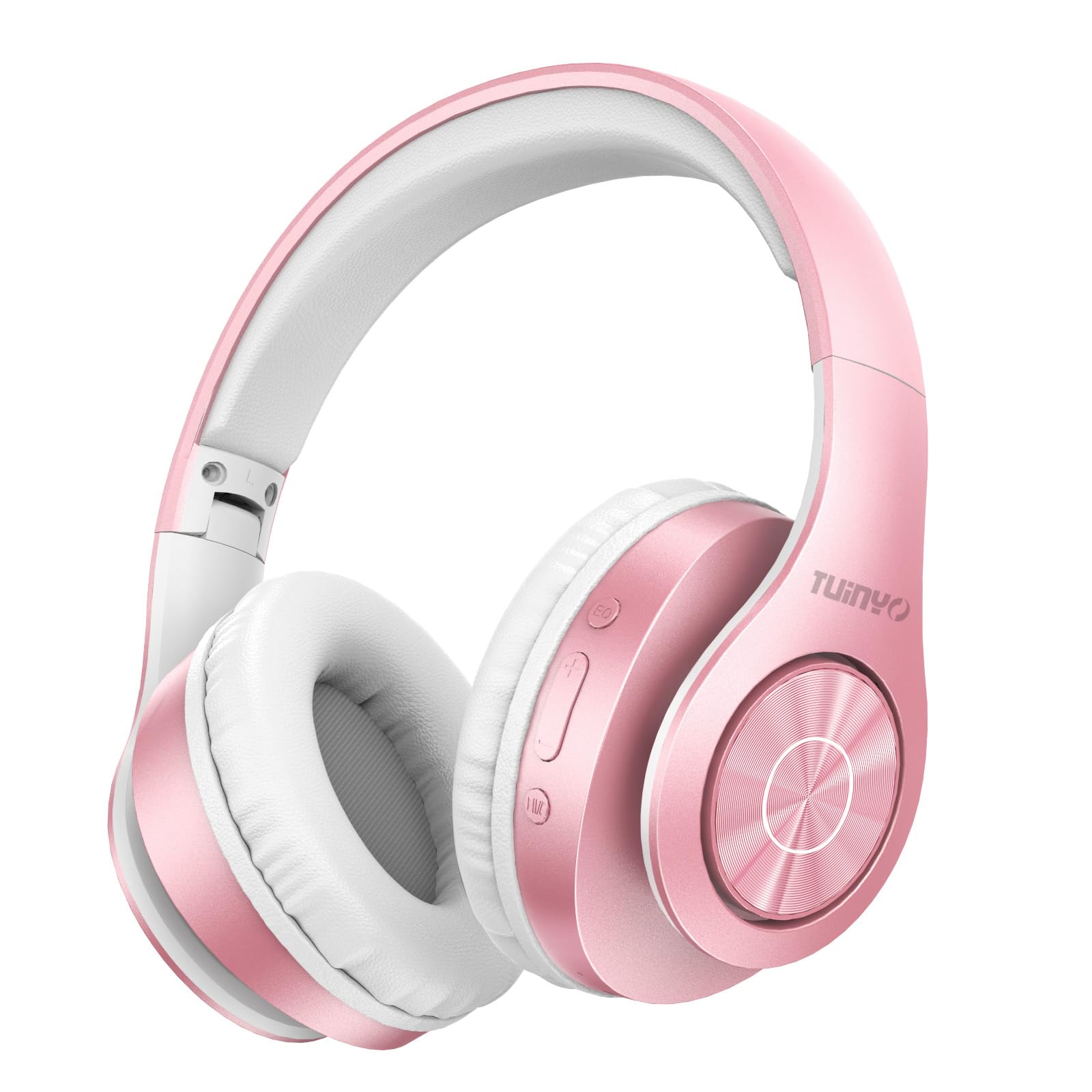
Figure 2.1: TUINYO WH-819 Rose Gold Wireless Over-Ear Bluetooth Headphones.
Video 2.1: Overview of the TUINYO wireless Bluetooth headphones, highlighting their design and features.
3. Sadržaj paketa
Provjerite da li su sve stavke prisutne u paketu:
- TUINYO WH-819 Wireless Over-Ear Bluetooth Headphones
- USB kabl za punjenje
- 3.5 mm audio kabl
- Protective Premium Case
- Uputstvo za upotrebu

Figure 3.1: Included accessories with the TUINYO WH-819 headphones.
4. Kontrole i portovi
Familiarize yourself with the headphone controls and ports:
- Dugme za napajanje: Long press to power on/off. Short press to play/pause music or answer/end calls.
- Dugme za pojačavanje zvuka/sljedeću pjesmu: Kratki pritisak za pojačavanje zvuka. Dugi pritisak za sljedeću pjesmu.
- Dugme za smanjenje jačine zvuka/prethodnu pjesmu: Kratki pritisak za smanjenje jačine zvuka. Dugi pritisak za prethodnu pjesmu.
- EQ taster: Press to cycle through different equalizer modes (Normal, Rock, Pop, Classic, Jazz, Country).
- 3.5 mm audio priključak: Za žičanu vezu.
- USB priključak za punjenje: Za punjenje slušalica.
- Utor za microSD karticu: For direct music playback from a MicroSD card.

Slika 4.1: Detaljno view kontrola i funkcija slušalica.
Video 4.1: A demonstration of the TUINYO headphones' folding mechanism and button controls.
5. Podešavanje
5.1 Punjenje slušalica
- Connect the USB charging cable to the headphone's charging port.
- Drugi kraj USB kabla priključite na kompatibilni USB izvor napajanja (npr. računar, adapter za struju).
- LED indikator će prikazivati status punjenja (npr. crvena za punjenje, plava za potpuno napunjeno).
- Potpuno punjenje obično traje 2-2.5 sata.
5.2 Bluetooth uparivanje
- Provjerite jesu li slušalice potpuno napunjene.
- Long press the Power button until the LED indicator flashes blue and red, indicating pairing mode.
- Na svom uređaju (pametnom telefonu, tabletu, laptopu) omogućite Bluetooth i potražite dostupne uređaje.
- Select "WH-819" from the list of devices.
- Nakon povezivanja, LED indikator će polako treperiti plavo, a glasovna poruka će potvrditi uspješno uparivanje.
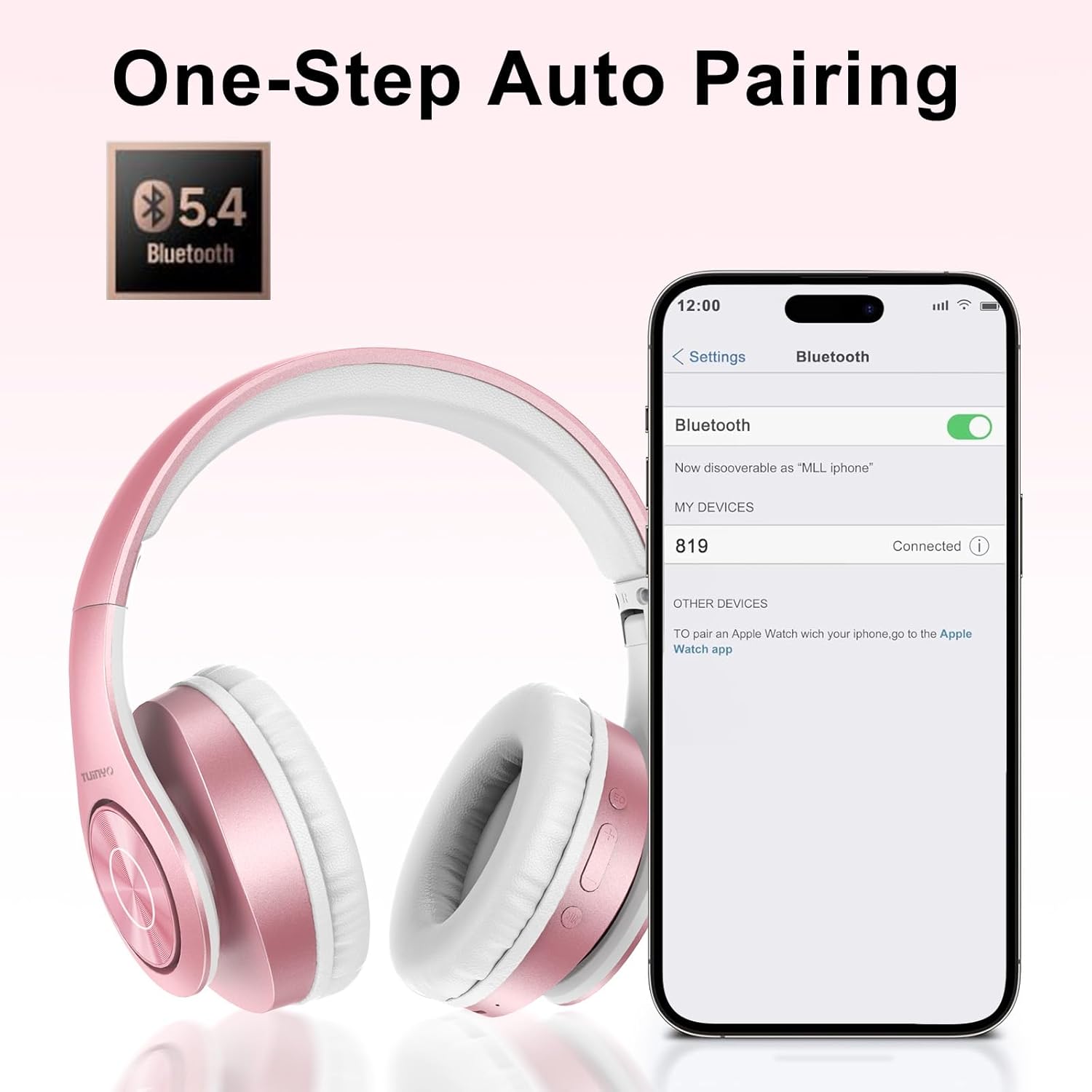
Slika 5.1: Proces uparivanja putem Bluetootha na pametnom telefonu.
6. Uputstvo za upotrebu
6.1 Uključivanje/isključivanje napajanja
- Uključeno: Long press the Power button until the LED indicator lights up blue.
- Iskljuciti: Long press the Power button until the LED indicator turns off.
6.2 Reprodukcija muzike
- Pusti/pauza: Kratko pritisnite dugme za napajanje.
- Sljedeća pjesma: Dugo pritisnite dugme za pojačavanje jačine zvuka.
- Prethodni zapis: Dugo pritisnite dugme za smanjivanje jačine zvuka.
- Podešavanje jačine zvuka: Short press the Volume Up or Volume Down buttons.
6.3 Upravljanje pozivima
- Odgovori/Završi poziv: Kratko pritisnite dugme za napajanje.
- odbiti poziv: Dugo pritisnite dugme za napajanje.
6.4 EQ način rada
- Press the EQ button to switch between different sound equalizer modes (Normal, Rock, Pop, Classic, Jazz, Country) to optimize your listening experience.
6.5 Žični način rada
- Insert the 3.5mm audio cable into the headphone's audio jack and the other end into your audio device.
- The headphones will automatically switch to wired mode, and Bluetooth functionality will be disabled.
6.6 Reprodukcija MicroSD kartice
- Insert a MicroSD card with MP3 audio files into the MicroSD card slot.
- The headphones will automatically detect the card and begin playing music.
- Use the music playback controls (Play/Pause, Next/Previous Track, Volume) to manage your audio.
7. Održavanje
- Redovno čistite slušalice mekom, suhom krpom.
- Izbjegavajte korištenje abrazivnih sredstava za čišćenje ili otapala.
- Slušalice čuvajte u zaštitnoj futroli kada ih ne koristite kako biste spriječili oštećenja.
- Čuvati dalje od ekstremnih temperatura i vlage.
8. Otkrivanje problema
| Problem | Rješenje |
|---|---|
| Slušalice se ne uključuju. | Provjerite jesu li slušalice napunjene. Spojite ih na izvor napajanja i pokušajte ponovo. |
| Nije moguće uparivanje putem Bluetootha. | Ensure headphones are in pairing mode (LED flashing blue/red). Turn off and on Bluetooth on your device. Move closer to the device. |
| Nema zvuka u Bluetooth načinu rada. | Check volume levels on both headphones and connected device. Ensure headphones are successfully paired. |
| Nema zvuka u žičanom režimu. | Ensure the 3.5mm audio cable is fully inserted into both the headphones and the audio device. Check the audio source. |
| MicroSD card not playing. | Ensure the MicroSD card is inserted correctly and contains compatible MP3 audio files. |
9. Specifikacije
| Feature | Detalj |
|---|---|
| Naziv modela | WH-819 |
| Tehnologija povezivanja | Bežično (Bluetooth), Žično (3.5 mm priključak) |
| Bežična komunikacijska tehnologija | Bluetooth 4.0 |
| Vrsta audio drajvera | Dynamic Driver (40mm neodymium) |
| Trajanje baterije | Up to 40 hours of music time (800mAh battery) |
| Vrijeme punjenja | 2-2.5 sata |
| Oblik slušalice | Preko uha |
| Materijal | Plastic, Memory-Protein Earmuffs |
| Težina | 13.4 unce |
| Dimenzije | 8.5 x 6.22 x 4.25 inča (pakovanje) |
| Kompatibilni uređaji | Tablets, Laptops, Desktops, Smartphones, Bluetooth-enabled devices |
| Nivo vodootpornosti | Nije vodootporan |
10. Garancija i podrška
Your TUINYO WH-819 headphones are covered by a 30-day warranty from the date of purchase. For any product inquiries, technical support, or warranty claims, please refer to the contact information provided with your purchase or visit the official TUINYO website.


