1. Uvod
This manual provides detailed instructions for the safe and efficient operation of your Vixic E1000 Industrial Label Maker. Please read this manual thoroughly before using the device and retain it for future reference.
The Vixic E1000 is a handheld label maker designed for various labeling tasks, including cable management, office organization, and industrial applications. It features a QWERTY keyboard, multiple font and symbol options, and supports durable laminated tapes.
2. Sadržaj paketa
Provjerite da li su sve stavke prisutne u paketu:
- 1 x Vixic E1000 Label Maker
- 1 x Black on white starter laminated tape 0.47" (12mm) x 13.1' (4m)
- 1 x USB Type-C kabl
- 1 x Replacement cutting holder
- 1 x Uputstvo za upotrebu (ovaj dokument)
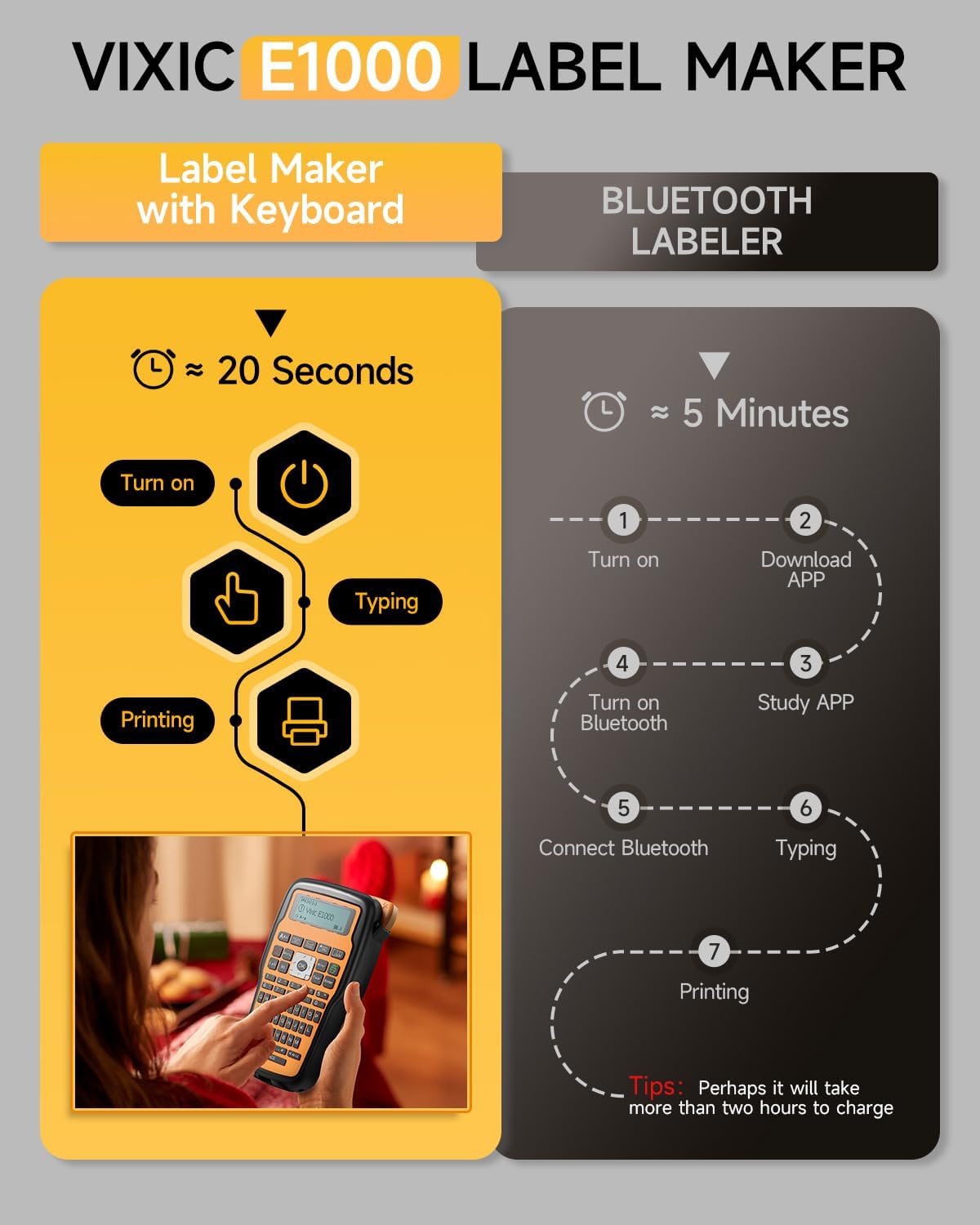
Image: Contents of the Vixic E1000 Label Maker package, including the label maker, a tape cassette, USB-C cable, replacement cutter, and manual.
3. Device Overview
Familiarize yourself with the main components of the Vixic E1000 label maker.

Slika: Front view of the Vixic E1000 Label Maker, showing the QWERTY keyboard, display, and control buttons. Also visible are a tape cassette and examples of labels on cables.
4. Podešavanje
4.1 Napajanje uređaja
The Vixic E1000 can be powered by either a USB-C cable or AAA batteries.
- USB-C napajanje: Connect the provided USB Type-C cable to the label maker and a 5V/2A power adapter (not included) or a computer USB port. The device is not rechargeable; the USB-C cable provides direct power.
- Snaga baterije: Insert 6 AAA batteries (not included) into the battery compartment located on the back of the device. Ensure correct polarity.

Image: A user connecting the Vixic E1000 Label Maker to a power source via a USB-C cable. This illustrates the USB-C power option.
4.2 Installing the Label Tape
- Open the tape compartment cover on the back of the label maker.
- Insert the label tape cassette with the tape facing the print head. Ensure it clicks into place.
- Zatvorite poklopac pretinca za traku.

Image: A close-up of the Vixic E1000 Label Maker showing a label tape cassette inserted into its compartment.
5. Uputstvo za upotrebu
5.1 Osnovno kreiranje etiketa
- Uključi: Pritisnite Snaga dugme.
- Upišite tekst: Use the QWERTY keyboard to enter your desired text. The display will show the text as you type.
- Prilagodite postavke (opcionalno): Use the menu buttons to change font size (Large, Medium, Small), add symbols, or frames.
- Štampa: Pritisnite Print dugme za generisanje etikete.
- rez: Ručno izrežite etiketu pomoću integriranog rezača.
5.2 Cable Labeling Modes
The E1000 offers three specialized modes for cable labeling:
- Wrap Mode: Creates labels that wrap around cables.
- Flag Mode: Generates labels that fold into a flag shape for easy identification.
- Faceplate Mode: Produces labels suitable for flat surfaces like faceplates.
To select a mode, navigate through the menu options using the Meni dugme i OK dugme.

Image: An illustration demonstrating the three cable labeling modes: Wrap Type, Flag Type, and Faceplate. A person wearing a hard hat with a label on it holds the label maker.
5.3 Chain Print and Narrow Margin Settings
To minimize tape waste and print multiple labels efficiently:
- Narrow Margin: Pristupite Meni, select "Margin", then "Narrow" to reduce blank space at the beginning and end of labels. This can save approximately 0.8 inches per label.
- Chain Print: To print up to 20 different labels consecutively with minimal gaps, use the multiple editing function.
- Copy Labels: Pritisnite Shift + Print to copy and print up to 9 identical labels.

Image: A visual guide explaining how to use the Narrow Margin setting and Chain Print feature to save label tape. It shows menu navigation and examples of printed labels.
5.4 Opcije prilagođavanja
The E1000 offers extensive customization:
- Symbols & Frames: Choose from over 500 symbols and 100 frames to enhance your labels.
- Fontovi: Select from 16 different fonts.
- bar kodovi: The device supports printing barcodes.
- Multi-line Text: Print up to 4 lines of text on a single label.

Image: A display of various font styles and over 500 symbols available for use with the Vixic E1000 Label Maker, demonstrating customization capabilities.
6. Održavanje
6.1 Čišćenje glave za štampanje
Regularly clean the print head to ensure clear and consistent print quality. Use a soft, dry cloth or a cotton swab lightly dampened with isopropyl alcohol. Do not touch the print head with bare hands.
6.2 Replacing the Label Tape
When the tape cassette is empty or you wish to change tape types:
- Provjerite je li uređaj za etiketiranje isključen.
- Otvorite poklopac pretinca za traku.
- Remove the used tape cassette.
- Insert a new Vixic BZ series label tape cassette, ensuring it clicks into place.
- Zatvorite poklopac pretinca za traku.

Image: An illustration highlighting the durability features of Vixic BZ Laminated Tapes, including oil-proof, fading-proof, corrosion-proof, abrasion-proof, water-resistant, and temperature-resistant properties.
7. Otkrivanje problema
| Problem | Mogući uzrok | Rješenje |
|---|---|---|
| Uređaj se ne uključuje. | Nema napajanja ili su baterije slabe. | Ensure USB-C cable is connected to a 5V/2A power source, or replace AAA batteries. |
| Loš kvalitet štampe ili prazne etikete. | Glava za štampanje je prljava ili je traka nepravilno postavljena. | Clean the print head. Reinstall the tape cassette, ensuring it is seated correctly. |
| Tape jams or does not feed. | Tape is jammed or cutter needs replacement. | Open the tape compartment and clear any jammed tape. Replace the cutting holder if necessary. |
| Excessive blank margin on labels. | Narrow Margin setting is not activated. | Idi na Meni > "Margin" > "Narrow" to reduce blank space. |
8. Specifikacije
- Model: E1000
- Brand: Vixic
- Dimenzije proizvoda: 8.4"D x 4.6"Š x 2.4"H
- Težina artikla: 15.5 unce
- Maksimalna veličina medija: 0.47 inča (12 mm)
- Tehnologija štampe: Thermal
- Vrsta tinte za štampač: Thermal
- Tehnologija povezivanja: USB Type-C
- Izvor napajanja: USB Type-C cable (for power, not rechargeable) or 6 AAA batteries (not included)
- tastatura: QWERTY
- Posebne karakteristike: Chain Print, Laminated Tape compatibility, Portable, QWERTY Keyboard
9. Garancija i podrška
For warranty information and customer support, please refer to the official Vixic webweb-mjesto ili kontaktirajte prodavača. Sačuvajte račun kao dokaz o kupovini.


