Uvod
The Beatfoxx CDB-1016U Boombox is a versatile audio system designed for both home and portable use. It combines classic audio formats with modern connectivity options, offering a comprehensive listening experience. This manual provides detailed instructions for setting up, operating, and maintaining your device.

Slika 1: Prednja strana view of the Beatfoxx CDB-1016U BK Boombox, showing the speakers, control panel, and carrying handle.
Setup
Napajanje uređaja
The Beatfoxx CDB-1016U Boombox can be powered using the included AC power cable or by batteries for portable use.
- AC napajanje: Insert the AC power cable into the AC IN jack on the back of the unit and plug the other end into a standard wall outlet (AC 230V ~ 50Hz).
- Snaga baterije: For portable operation, open the battery compartment on the bottom of the unit. Insert six (6) Type C (UM-2) batteries, ensuring correct polarity (+/-). Close the battery compartment securely.

Figure 2: The boombox operating on AC power, with an illustration of the required Type C batteries for portable use.
Uputstvo za upotrebu
Kontrole prekoview
Familiarize yourself with the main controls located on the top and front of the boombox.

Slika 3: Detaljno view of the boombox's control panel, cassette compartment, carrying handle, and CD compartment.
- Dugme POWER: Uključuje/isključuje uređaj.
- Dugme MODE: Switches between CD, USB, Bluetooth, Radio (FM/AM), and AUX modes.
- Dugme za jačinu zvuka: Podešava nivo audio izlaza.
- Dugme za ŠTIMANJE: Used for manual tuning in Radio mode.
- Dugme PLAY/PAUSE: Pokreće ili pauzira reprodukciju.
- Dugme STOP/IZBACIVANJE: Stops playback and opens the CD compartment or ejects cassette.
- Dugmad PRESKOČI/PRETRAŽI (<< / >>): Preskače pjesme ili premotava naprijed/nazad.
- REPEAT/PROG Button: Repeats current track/all tracks or programs CD/USB playback order.
- Dugme FOLDER: Navigates through folders on USB.
- Gumb REC: Initiates recording to cassette.
Selecting Playback Sources
The boombox supports multiple audio sources. Use the MODE dugme za ciklično kretanje kroz njih.

Figure 4: Visual representation of the seven available playback sources on the boombox.
CD reprodukcija
- Pritisnite MODE dugme za odabir CD moda.
- Pritisnite STOP/EJECT dugme za otvaranje pretinca za CD.
- Place a CD (CD, CD-R, CD-RW, MP3 CD) onto the spindle with the label side facing up.
- Close the CD compartment. The display will show "READING" and then the total number of tracks.
- Pritisnite PLAY/PAUSE dugme za početak reprodukcije.
- Koristite SKIP / TRAŽI dugmad za navigaciju između pjesama.
- Pritisnite REPEAT za ponavljanje trenutne pjesme ili svih pjesama.
Reprodukcija i snimanje kaseta
The boombox features a built-in cassette player and recorder.

Figure 5: The cassette compartment of the boombox shown open, ready for tape insertion.
Reprodukcija:
- Otvorite pretinac za kasetu.
- Umetnite kasetu.
- Zatvorite pretinac.
- Pritisnite IGRAJ dugme na kontrolama kasete da biste započeli reprodukciju.
- Koristi FWD or REW za brzo premotavanje naprijed ili nazad.
- Pritisnite STOP/EJECT da biste zaustavili reprodukciju i izbacili kasetu.
Snimanje:
You can record from CD, USB, Radio, or AUX input to a cassette tape.
- Insert a blank or recordable cassette tape into the compartment.
- Select the desired source (CD, USB, Radio, or AUX) using the MODE dugme.
- Pokrenite reprodukciju na izvoru (npr. pustite CD, odaberite radio stanicu).
- Pritisnite REC button on the cassette controls. The unit will automatically start recording the audio from the selected source onto the cassette.
- Pritisnite STOP on the cassette controls to end recording.
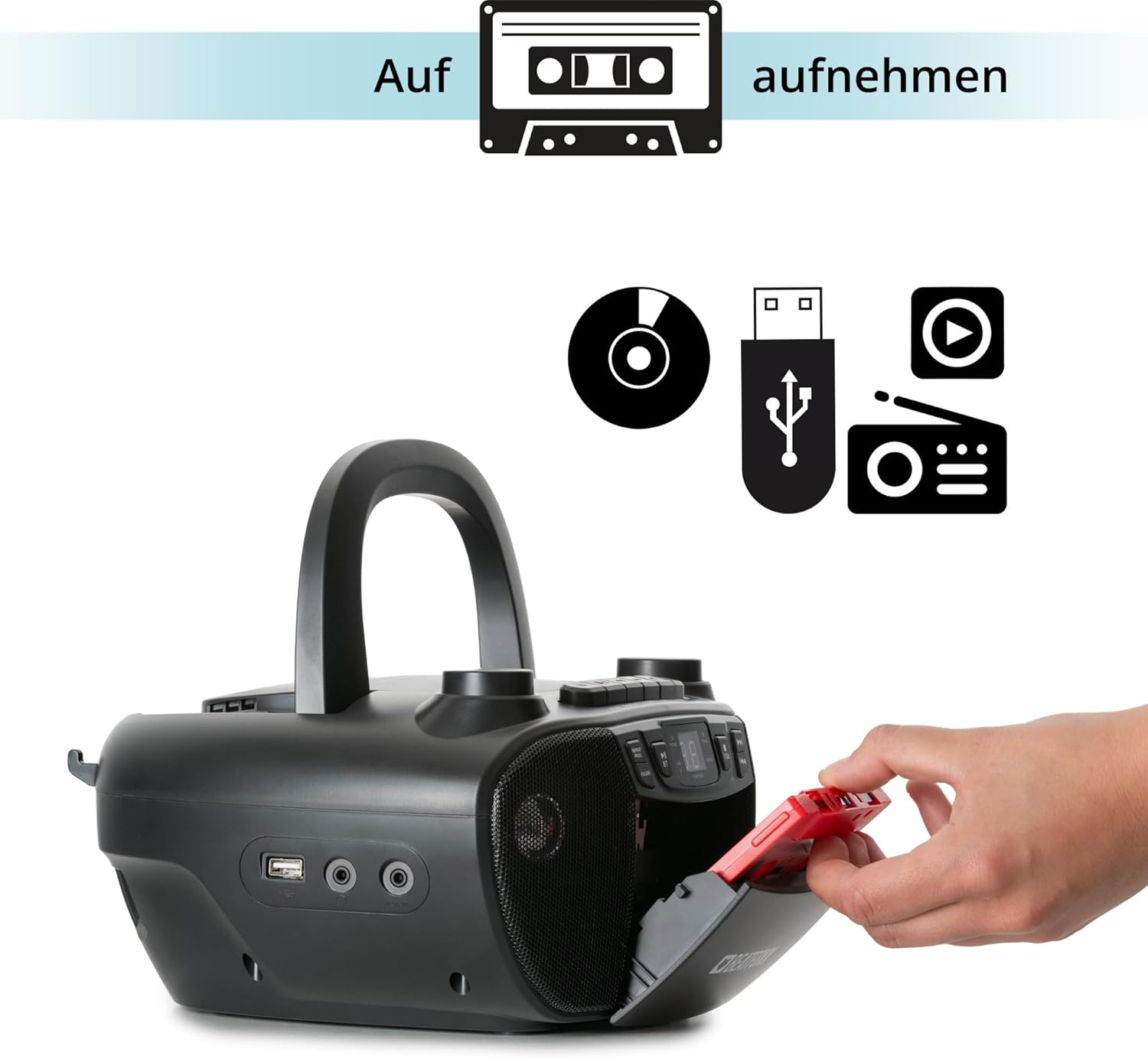
Figure 6: Illustration of the boombox's recording capability, showing a cassette tape being inserted for recording from CD, USB, or radio.
Radio (FM/AM)
- Izvucite teleskopsku antenu za bolji FM prijem.
- Pritisnite MODE button to select Radio mode (FM or AM).
- Koristite TUNING dugme za ručno podešavanje željene radio stanice.
Bluetooth povezivanje
- Pritisnite MODE dugme za odabir Bluetooth načina rada. Na ekranu će se prikazati "BT" i treptati, što ukazuje na to da je u načinu uparivanja.
- Na uređaju s omogućenim Bluetoothom (pametni telefon, tablet) omogućite Bluetooth i potražite dostupne uređaje.
- Select "Beatfoxx CDB-1016U" from the list of devices.
- Once paired, the "BT" indicator on the boombox will stop flashing and remain solid.
- You can now stream audio wirelessly from your device to the boombox.
USB reprodukcija
- Umetnite USB fleš disk koji sadrži MP3 audio zapis files u USB port.
- Pritisnite MODE button to select USB mode. The unit will automatically start playing the first track.
- Koristite SKIP / TRAŽI dugmad za navigaciju između pjesama.
- Koristite FOLDER button to navigate through folders on the USB drive.

Slika 7: Detaljno view of the boombox's connectivity options, including the USB port, headphone output, and AUX input.
AUX ulaz
Connect external audio devices (e.g., MP3 players, smartphones without Bluetooth) to the boombox using a 3.5mm audio cable (not included).
- Spojite jedan kraj 3.5 mm audio kabela na AUX IN priključak na boomboxu.
- Drugi kraj priključite na priključak za slušalice ili audio izlaz vašeg vanjskog uređaja.
- Pritisnite MODE dugme za odabir AUX načina rada.
- Reprodukujte zvuk sa vašeg eksternog uređaja. Zvuk će se reprodukovati putem zvučnika boomboxa.
Izlaz za slušalice
For private listening, connect standard 3.5mm headphones to the HEADPHONE jack. Audio will automatically mute from the speakers when headphones are connected.
Održavanje
Čišćenje
- Uvijek isključite jedinicu iz izvora napajanja prije čišćenja.
- Za čišćenje vanjskih površina koristite meku, suhu krpu.
- Ne koristite abrazivna sredstva za čišćenje, voskove ili rastvarače jer mogu oštetiti završnu obradu.
- Za CD sočiva koristite specijalizovano sredstvo za čišćenje CD sočiva.
- For the cassette head, use a cassette head cleaning kit.
Battery Care
- Izvadite baterije ako uređaj nećete koristiti duži period kako biste spriječili curenje.
- Nemojte miješati stare i nove baterije ili različite vrste baterija.
- Istrošene baterije odlažite odgovorno u skladu sa lokalnim propisima.
Rješavanje problema
| Problem | Mogući uzrok | Rješenje |
|---|---|---|
| Nema struje | Kabl za napajanje nije priključen; Baterije su prazne ili nepravilno umetnute. | Ensure AC cable is securely plugged in. Check battery polarity and replace if necessary. |
| Nema zvuka | Preniska jačina zvuka; Odabran pogrešan način rada; Slušalice su povezane. | Increase volume. Press MODE button to select correct source. Disconnect headphones. |
| CD preskače ili se ne reproducira | CD je prljav ili ogreban; CD nije pravilno umetnut. | Clean CD with a soft cloth. Re-insert CD correctly. Try another CD. |
| Bluetooth se ne uparuje | Boombox not in pairing mode; Device too far; Bluetooth disabled on device. | Ensure boombox is in BT mode and "BT" is flashing. Move device closer. Enable Bluetooth on your device. |
| Loš radio prijem | Antena nije izvučena; Slab signal. | Fully extend the telescopic antenna. Adjust antenna position. Try tuning to a stronger station. |
Specifikacije
| Feature | Detalj |
|---|---|
| Brand | Beatfoxx |
| Broj modela | CDB-1016U (Manufacturer Ref: 00104749) |
| Boja | Crna |
| Tehnologija povezivanja | Pomoćni, USB, Bluetooth |
| Kompatibilni uređaji | Portable audio devices, MP3 players, Smartphones, Tablets |
| Vrsta zvučnika | Stereo |
| Izvor napajanja | AC Power Cable, 6 x Type C Batteries |
| Audio izlazna snaga | 2 x 1.2 W |
| Podržani formati | CD, MP3, CD-R, CD-RW, Cassette, FM/AM Radio, Bluetooth, USB |
| Težina artikla | 1.6 kilograma |
| Dimenzije (Š x V x D) | 24 x 13 x 22.5 cm (otprilike) |
Garancija i podrška
This Beatfoxx product comes with a standard manufacturer's warranty. Please refer to the warranty card included in your product packaging for specific terms and conditions.
For technical support, troubleshooting assistance, or warranty claims, please contact Beatfoxx customer service through their official webweb-mjesto ili prodavač gdje je proizvod kupljen. Sačuvajte dokaz o kupovini radi potvrde garancije.


