1. Uvod
This manual provides detailed instructions for the installation, operation, and maintenance of your LaView Smart Lock LV-DHU06-B-NL4. Please read this manual thoroughly before installation and use to ensure proper functionality and to maximize the benefits of your smart lock. Keep this manual for future reference.
2. Proizvod je gotovview
The LaView Smart Lock LV-DHU06-B-NL4 is a Wi-Fi and Bluetooth-enabled keyless entry deadbolt designed to enhance your home security. It integrates with your existing single-cylinder deadbolt, offering convenient access control via a mobile application, touch, or voice commands. The lock supports automatic locking and unlocking features, as well as remote access management.

Image: The LaView Smart Lock exterior unit shown alongside its smartphone application interface, displaying lock status and control options.
3. Sadržaj paketa
Prije početka instalacije provjerite da li su sve komponente prisutne:
- LaView Smart Lock Exterior Unit
- LaView Smart Lock Interior Unit
- Montažna ploča
- Pribor za montažu (vijci, vijci)
- AA Batteries (typically 4, may be sold separately)
- Uputstvo za upotrebu

Image: A diagram illustrating the components of the LaView Smart Lock, including the exterior and interior units, battery compartment, and how it integrates with an existing deadbolt. It also shows a physical key for backup access.
4. Podešavanje
4.1 Provjera prije instalacije
Ensure your door is compatible with the LaView Smart Lock. This lock is designed for use with standard single-cylinder deadbolts.

Image: A visual guide indicating door types compatible with the LaView Smart Lock, specifically highlighting compatibility with single-cylinder deadbolts.
4.2 Instalacija
Installation typically takes approximately 10 minutes. Follow these steps:
- Uklonite postojeći branik: Unscrew and remove your current deadbolt from the door.
- Install New Deadbolt Mechanism: If your existing deadbolt mechanism is not compatible or if a new one is provided, install it into the door edge.
- Mount Exterior Unit: Place the exterior unit on the outside of the door, aligning it with the deadbolt mechanism.
- Mount Interior Unit: Attach the interior mounting plate to the door, then connect the cable from the exterior unit to the interior unit. Secure the interior unit to the mounting plate.
- Instalirajte baterije: Open the battery cover on the interior unit and insert 4 AA batteries, ensuring correct polarity.

Image: The interior unit of the LaView Smart Lock with its battery compartment open, showing the placement for AA batteries.
4.3 Podešavanje aplikacije
To utilize the smart features, download and configure the LaView aplikacija:
- Preuzmi aplikaciju: Traži 'LaView' in your smartphone's app store and download the official application.
- Kreirajte račun: Slijedite upute u aplikaciji da biste kreirali novi korisnički račun ili se prijavite ako ga već imate.
- Dodaj uređaj: In the app, select the option to add a new device and follow the pairing process for your smart lock.
- Povežite se na Wi-Fi: Configure the lock to connect to your home Wi-Fi network through the app for remote access and advanced features.
5. Uputstvo za upotrebu
5.1 Ručni rad
The LaView Smart Lock retains the ability to be operated manually:
- Fizički ključ: Use the provided physical key as a backup to lock or unlock the deadbolt.
- Unutrašnja kvaka: Rotate the knob on the interior unit to manually lock or unlock the door from the inside.
5.2 Kontrola aplikacija
The LaView app provides comprehensive control and monitoring features:
- Zaključavanje/Otključavanje: Tap the lock/unlock icon in the app to control your door remotely.
- Nadgledanje: View unlock records and real-time status of your door (locked/unlocked, battery level).
- Upozorenja: Receive notifications for door activity, such as unauthorized access attempts or low battery.
- Dijeljenje pristupa: Grant or revoke access permissions for up to 20 individuals (family, friends, service providers) directly through the app.

Image: A visual representation of the multi-user sharing feature, showing how access can be granted to various individuals like family, friends, and service providers via the app.
5.3 Automatic Locking/Unlocking
Configure automatic functions for enhanced convenience:
- Automatsko zaključavanje: Set the lock to automatically secure the door after a specified duration (e.g., 30 seconds) once it has been closed. The auto-lock timer can typically be adjusted between 10 to 180 seconds via the app.

Image: A graphic demonstrating the auto-lock feature, where the LaView Smart Lock automatically locks the door after 30 seconds of being closed.
- automatsko otključavanje: The lock can be configured to automatically unlock as you approach the door within a specified range (e.g., 200 meters).
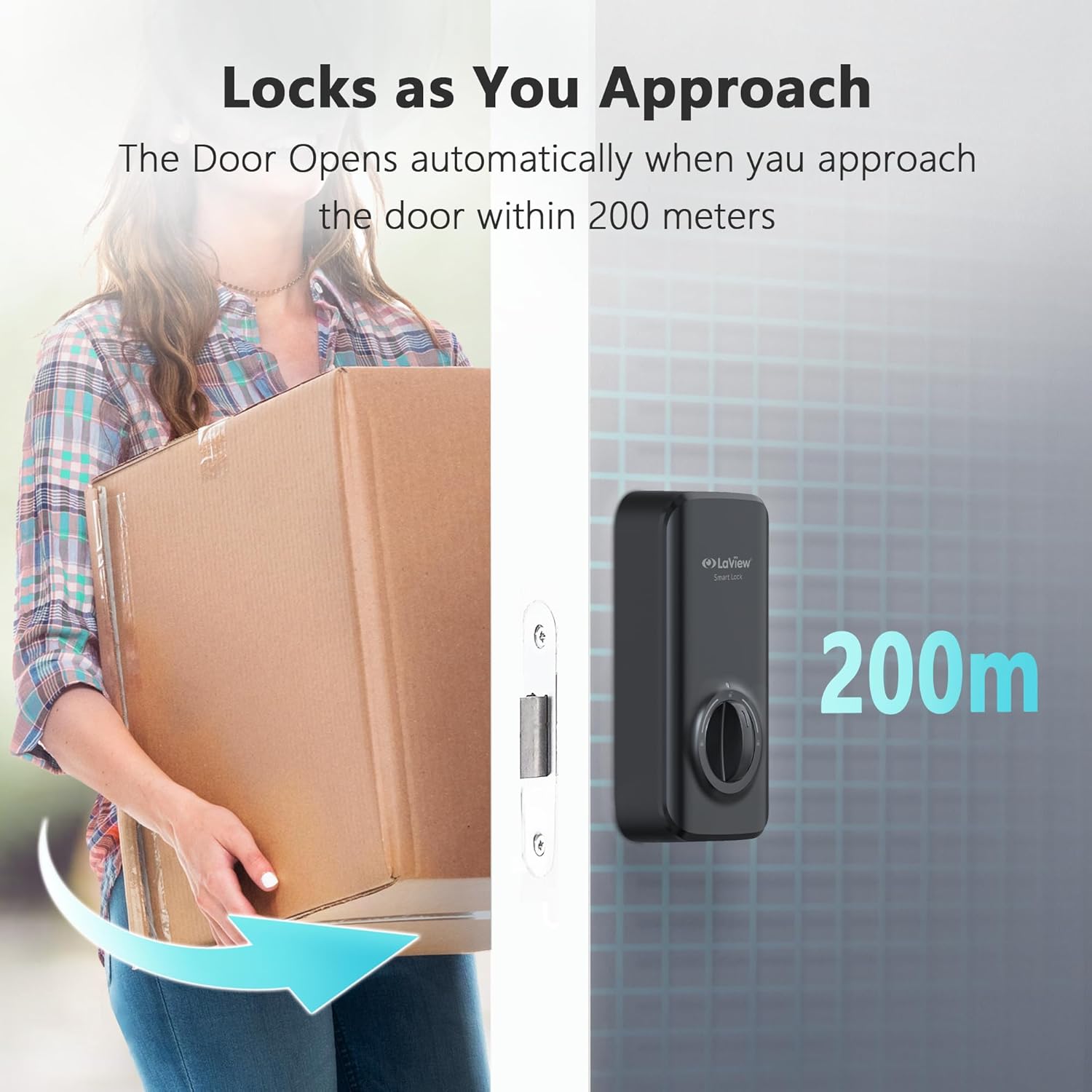
Image: A visual representation of the auto-unlock function, showing the LaView Smart Lock unlocking as a user approaches within 200 meters.
5.4 Upravljanje glasom
Integrate your LaView Smart Lock with voice assistants for hands-free control:
- Kompatibilnost: The lock is compatible with Amazon Alexa and Google Assistant.
- Postavljanje: Follow the instructions in the LaView app to link your smart lock with your preferred voice assistant.
- naredbe: Use voice commands such as "Alexa, lock the front door" or "Hey Google, unlock the front door" (PIN may be required for unlocking via voice for security).

Image: A depiction of the LaView Smart Lock working with voice assistants, showing a user issuing a command to Alexa and receiving confirmation.
6. Održavanje
Regular maintenance ensures optimal performance of your smart lock:
- Zamjena baterije: Replace all 4 AA batteries when the low battery alert is received via the app or indicated on the lock. Use high-quality alkaline batteries.
- čišćenje: Wipe the lock's exterior surfaces with a soft, dry cloth. Avoid abrasive cleaners or solvents.
- Ažuriranja firmvera: Periodically check the LaView app for available firmware updates. Install updates to ensure your lock has the latest features and security enhancements.
7. Otkrivanje problema
If you encounter issues with your LaView Smart Lock, refer to the following common problems and solutions:
- Brava ne reaguje:
- Provjerite nivo baterije i zamijenite ako je potrebno.
- Provjerite je li brava pravilno instalirana i jesu li svi kablovi spojeni.
- Restart the lock by removing and reinserting batteries.
- App cannot connect to the lock:
- Verify your smartphone's Bluetooth is enabled and you are within range.
- Ensure the lock is connected to your Wi-Fi network (if using remote features).
- Restart your Wi-Fi router and the smart lock.
- Lock calibration issues:
- Ensure the deadbolt mechanism moves freely without obstruction.
- Perform a factory reset and re-calibrate the lock through the LaView app.
- Verify the lock is installed correctly and not binding against the door frame.
- Glasovno upravljanje ne radi:
- Confirm the lock is linked correctly to Amazon Alexa or Google Assistant in the LaView app.
- Provjerite internetsku vezu i status uređaja za glasovni asistent.
- Ensure you are using the correct voice commands.
8. Specifikacije
| Feature | Specifikacija |
|---|---|
| Brand | LaView |
| Naziv modela | LV-DHU06-B-NL4 |
| Tip brave | Deadbolt |
| Kontrolni metod | Aplikacija, dodir, glas |
| Povezivanje | Wi-Fi, Bluetooth |
| Posebna karakteristika | Anti-korozija |
| Dimenzije proizvoda (D x Š x V) | 5.91 x 6.3 x 1.97 inča |
| Težina artikla | 1.32 funte |
| UPC | 192728016729 |
9. Informacije o garanciji
LaView products are covered by a limited warranty. For specific details regarding the warranty period and terms for your LV-DHU06-B-NL4 Smart Lock, please refer to the warranty card included with your product packaging or visit the official LaView webSačuvajte dokaz o kupovini za slučaj reklamacije.
10. Podrška
For technical assistance or customer service inquiries, please contact LaView podrška:
- Telefonska podrška: Available 9 am to 5 pm (local time, check LaView website for specific hours).
- Usluga e-pošte: Dostupno 24/7.
- Online resursi: Posjetite LaView Trgovina na Amazonu or the official LaView webstranica za često postavljana pitanja, članke podrške i kontakt informacije.


