1. Uvod
Hvala na kupoviniasing the Jazmm Model 213 Portable Multi-Band Radio. This device is designed to provide versatile audio entertainment and essential weather information. It features AM, FM, Shortwave (SW), and NOAA Weather Band (WB) reception, Bluetooth 5.4 connectivity, TF card playback, a powerful 5W speaker, and a built-in rechargeable battery with flashlight functionality. This manual provides detailed instructions for the proper use and maintenance of your radio.
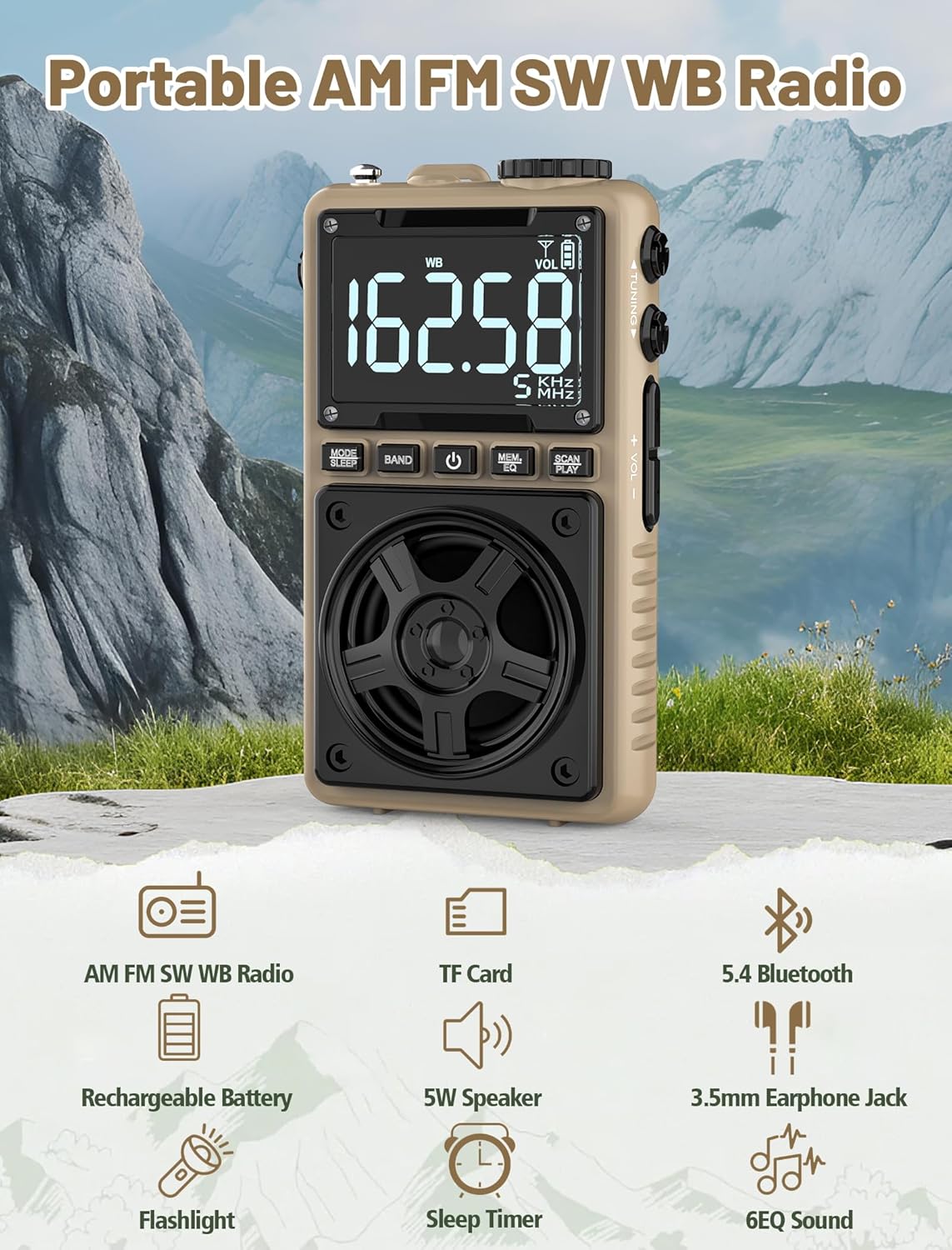
Image 1.1: The Jazmm Model 213 Portable Multi-Band Radio highlighting its key features including AM/FM/SW/WB radio, TF card support, Bluetooth 5.4, 5W speaker, rechargeable battery, flashlight, sleep timer, and 6 EQ sound effects.
2. Sigurnosne informacije
Molimo pročitajte i razumite sva sigurnosna uputstva prije upotrebe ovog proizvoda. Sačuvajte ova uputstva za buduću upotrebu.
- Ne izlažite uređaj ekstremnim temperaturama, direktnoj sunčevoj svjetlosti ili visokoj vlažnosti.
- Izbjegavajte ispuštanje ili izlaganje uređaja jakim udarima.
- Ne rastavljajte, ne popravljajte niti modificirajte uređaj sami. Za sve servisne radove obratite se kvalifikovanom osoblju.
- Držite uređaj dalje od vode i drugih tečnosti.
- Za punjenje koristite samo priloženi kabel za punjenje ili certificirani Type-C kabel.
- Dispose of the battery according to local regulations. Do not incinerate.
- Dugotrajno slušanje na visokim nivoima jačine zvuka može uzrokovati oštećenje sluha. Podesite jačinu zvuka na umjeren nivo.
3. Sadržaj paketa
Provjerite da li su sve stavke prisutne u paketu:
- Jazmm Model 213 AM FM SW WB Radio
- Uputstvo za upotrebu (ovaj dokument)
- USB Type-C kabl za napajanje
4. Proizvod je gotovview
Upoznajte se sa komponentama i kontrolama radija.

Slika 4.1: Prednja i bočna strana view of the Jazmm Model 213 radio. The front features a large digital display, speaker, and control buttons (MODE/SLEEP, BAND, Power, MEM/EQ, SCAN/PLAY). The side shows the LOCK/LIGHT switch, TF card slot, DC 5V Type-C charging port, and a 1250mAh battery indicator.
Kontrole i portovi:
- Digitalni prikaz: Shows frequency, band, volume, battery level, and other indicators.
- govornik: 5W output for clear audio.
- MODE/SLEEP Button: Switches between modes (Radio, Bluetooth, TF Card) and activates sleep timer.
- Dugme BAND: Selects radio bands (FM, AM, SW, WB).
- Dugme za napajanje: Uključuje/isključuje radio.
- MEM/EQ Button: Accesses memory functions and cycles through EQ sound effects.
- SCAN/PLAY Button: Initiates auto-scan for radio stations or plays/pauses in Bluetooth/TF card mode.
- Dugme za podešavanje: Adjusts frequency.
- Dugmad za jačinu zvuka +/-: Podešava jačinu zvuka.
- LOCK/LIGHT Switch: Locks buttons or activates the flashlight.
- Utor za TF karticu: For Micro SD card playback (up to 128GB).
- DC 5V Type-C priključak za punjenje: Za punjenje interne baterije.
- 3.5 mm priključak za slušalice: Za privatno slušanje.
- Teleskopska antena: Za poboljšani radio prijem.
- Back Clip & Wrist Strap: For portability and secure carrying.
5. Podešavanje
5.1 Početno punjenje
Before first use, fully charge the radio's internal 1250mAh lithium polymer battery. Connect the provided USB Type-C power cord to the DC 5V charging port on the side of the radio and plug the other end into a compatible USB power adapter (not included) or a computer USB port. The charging indicator on the display will show charging status. A full charge typically takes approximately 1.5 hours and provides 10-12 hours of usage.

Image 5.1: The Jazmm Model 213 radio connected to a power adapter via its Type-C charging port, illustrating the charging process for its 1250mAh rechargeable battery.
5.2 Podešavanje antene
For optimal radio reception, extend the telescopic antenna fully when listening to FM, SW, or WB bands. For AM reception, the internal antenna is generally sufficient, but adjusting the radio's orientation may improve signal strength.
6. Uputstvo za upotrebu
6.1 Uključivanje/isključivanje napajanja
Pritisnite i držite Dugme za napajanje ( ) for approximately 2 seconds to turn the radio on or off.
6.2 Odabir načina rada
Pritisnite MODE/SLEEP Button to cycle through available modes: Radio (FM/AM/SW/WB), Bluetooth, and TF Card (if a card is inserted).
6.3 Radio Band Selection and Tuning
U režimu radija, pritisnite dugme BAND dugme to switch between FM, AM, Shortwave (SW), and NOAA Weather Band (WB).
- FM: 87-108 MHz
- ujutro: 520-1710 KHz
- SW: 4.75-21.85 MHz
- WB: 162.400-162.550 MHz

Image 6.1: The radio displaying different frequencies across FM, AM, SW, and WB bands, illustrating its multi-band reception capability with an extended antenna.
Ručno podešavanje:
Rotirajte Gumb za podešavanje on the side of the radio to manually adjust the frequency.
Automatsko skeniranje:
Pritisnite SCAN/PLAY Button to automatically scan for and save available stations. The radio can store up to 100 preset stations.
6.4 unaprijed postavljenih stanica
After an automatic scan, use the Gumb za podešavanje ili MEM/EQ Button to navigate through saved preset stations. Refer to the display for preset numbers (e.g., P01, P02).

Image 6.2: The radio positioned on a nightstand, illustrating the sleep timer function and the display of preset station numbers (P01, P05, P19, etc.).
6.5 Kontrola jačine zvuka
Koristite Dugmad za jačinu zvuka +/- on the side of the radio to increase or decrease the audio output.
6.6 Bluetooth režim
Prebacite se u Bluetooth način rada pomoću MODE/SLEEP Button. The radio will enter pairing mode, indicated by a blinking Bluetooth icon on the display. On your smartphone, tablet, or laptop, search for Bluetooth devices and select "Jazmm 213" to connect. The radio acts as a Bluetooth speaker. Note: This radio does not support connection to Bluetooth earphones.
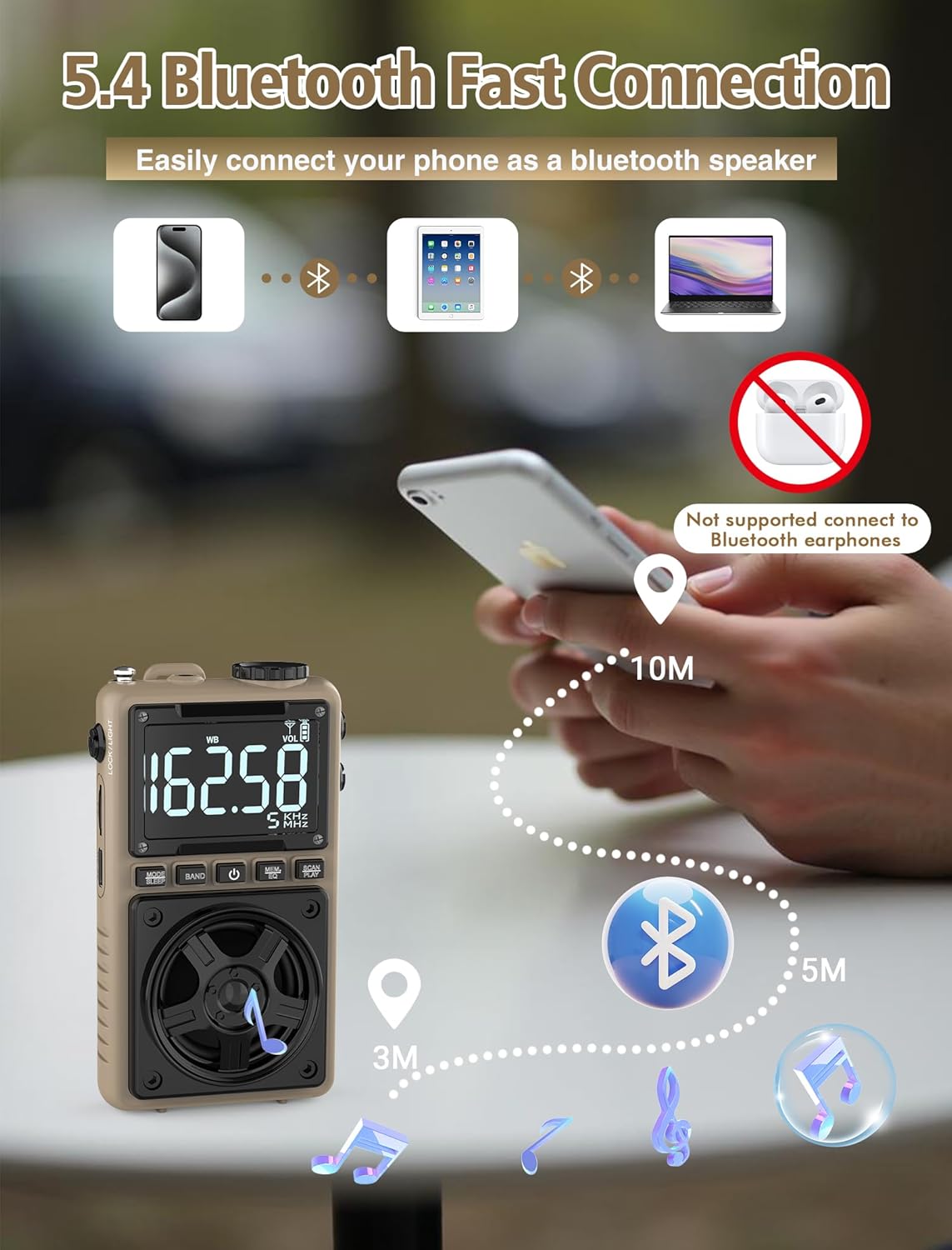
Image 6.3: A visual representation of the Jazmm Model 213 radio establishing a Bluetooth connection with various devices like smartphones, tablets, and laptops, functioning as a Bluetooth speaker.
6.7 TF Card Playback (MP3 Player)
Insert a Micro SD card (up to 128GB) with MP3 audio files into the Utor za TF karticu. Switch to TF Card mode using the MODE/SLEEP Button. The radio will automatically begin playing music from the card. Use the SCAN/PLAY Button to play/pause and the Gumb za podešavanje za preskakanje pjesama.

Image 6.4: A user enjoying music through headphones connected to the Jazmm Model 213 radio, with an inset showing the TF card slot for Micro SD card insertion.
6.8 Korištenje slušalica
Plug standard 3.5mm headphones into the 3.5 mm priključak za slušalice for private listening. The radio's speaker will automatically mute when headphones are connected.
6.9 NOAA upozorenje o vremenu
In WB (Weather Band) mode, the radio is capable of receiving real-time weather alerts and updates from the National Oceanic and Atmospheric Administration. This feature helps you prepare for potential weather hazards. Ensure the antenna is extended for best reception.

Image 6.5: The radio displaying a NOAA weather alert, with a flashlight beam illuminating the foreground and a stormy sky in the background, emphasizing its emergency preparedness features.
6.10 Funkcija svjetiljke
Povucite LOCK/LIGHT Switch to activate the built-in LED flashlight. This can be useful in low-light conditions or emergencies.
6.11 Tajmer za spavanje
Pritisnite i držite MODE/SLEEP Button to activate the sleep timer. Repeated presses will cycle through available durations (e.g., 10, 60, 90, 120 minutes). The radio will automatically turn off after the selected time.
6.12 Ključ za zaključavanje
Povucite LOCK/LIGHT Switch to the 'LOCK' position to prevent accidental button presses. This is useful when carrying the radio in a pocket or bag.
6.13 EQ Sound Effects
Pritisnite MEM/EQ Button (short press) to cycle through 6 preset EQ sound effects: Normal, Rock, Pop, Jazz, Class, and Village. Select the effect that best suits your audio preference.

Image 6.6: The radio's 5W speaker is highlighted, surrounded by icons representing the six available EQ stereo sound effects: Normal, Rock, Pop, Jazz, Class, and Village.
7. Specifikacije
| Feature | Detalj |
|---|---|
| Broj modela | 213 |
| Dimenzije proizvoda | 2.3 x 4 x 1.3 inča (5.84 x 10.16 x 3.3 cm) |
| Težina artikla | 4.6 unce (130 grama) |
| Podržani radio bendovi | FM (87-108MHz), AM (520-1710KHz), SW (4.75-21.85MHz), WB (162.400-162.550MHz) |
| Tehnologija povezivanja | Bluetooth 5.4 |
| Izlaz zvučnika | 5W |
| Baterija | 1250mAh Lithium Polymer (Rechargeable, included) |
| Port za punjenje | USB tip-C (DC 5V) |
| Vrijeme punjenja | Pribl. 1.5 sati |
| Vrijeme upotrebe | Otprilike 10-12 sati (ovisno o korištenju) |
| Podrška za memorijsku karticu | Micro SD (TF Card) up to 128GB |
| Posebne karakteristike | NOAA Weather Alert, Built-In Flashlight, SOS Alarm, Sleep Timer, 100 Preset Stations, Digital Backlight Screen, Back Clip, Wrist Strap |
8. Otkrivanje problema
| Problem | Mogući uzrok / rješenje |
|---|---|
| Radio se ne uključuje. |
|
| Loš radio prijem. |
|
| Bluetooth se ne povezuje. |
|
| TF kartica ne reprodukuje. |
|
| Nema zvuka iz zvučnika/slušalica. |
|
9. Održavanje
- čišćenje: Za čišćenje vanjske strane radija koristite meku, suhu krpu. Ne koristite abrazivna sredstva za čišćenje ili rastvarače.
- Skladištenje: Kada se radio ne koristi duži period, čuvajte ga na hladnom i suhom mjestu.
- Održavanje baterije: To prolong battery life, avoid fully discharging the battery frequently. Recharge the radio periodically even if not in use.
- antena: Handle the telescopic antenna gently to prevent bending or breaking. Retract it when not in use.
10. Garancija i podrška
Jazmm products are designed for reliability and performance. For warranty information, please refer to the documentation provided at the time of purchase or contact your retailer. If you encounter any issues or require technical assistance, please contact Jazmm customer support through the retailer's platform or the official Jazmm website.
Molimo vas da pripremite broj modela vašeg proizvoda (213) i detalje o kupovini kada kontaktirate podršku.


