1. Uvod
This manual provides essential instructions for the safe operation and maintenance of your SuperRC L500 Pro 4K GPS Drone. Please read this manual thoroughly before operating the drone to ensure proper usage and to prevent damage or injury. Keep this manual for future reference.
2. Sigurnosne smjernice
Operating a drone requires responsibility. Adhere to all local regulations and guidelines for drone usage. Failure to do so may result in legal penalties or property damage.
- Provjera prije leta: Always inspect the drone, remote controller, and batteries for any damage before each flight. Ensure propellers are securely attached.
- Okruženje leta: Fly in open areas, away from people, animals, buildings, and power lines. Avoid flying in strong winds, rain, or fog. Maintain a clear line of sight with the drone.
- Sigurnost baterije: Koristite samo odobrene baterije i punjače. Nemojte prepunjavati niti bušiti baterije. Prekinite upotrebu ako baterije pokazuju znakove oticanja ili oštećenja.
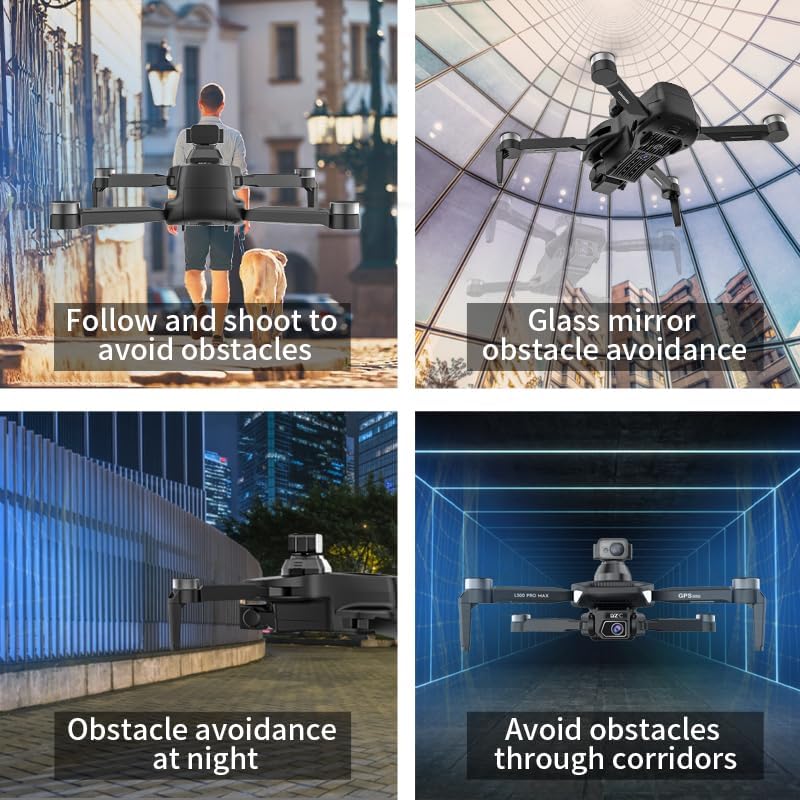
- Izbjegavanje prepreka: While the drone features 360° laser obstacle avoidance, it is not foolproof. Always exercise caution and maintain awareness of your surroundings.
- Preporuka za dob: Ovaj proizvod je namijenjen odraslima.
3. Sadržaj paketa
Provjerite da li se sve stavke nalaze u vašem paketu:
- SuperRC L500 Pro Drone
- Daljinski upravljač
- Torbica za nošenje
- Propeleri (rezervni set uključen)
- Vijci
- Odvijač
- USB kabel tipa C
- Litijum-jonske baterije (2 uključene)
- Korisnički priručnik (ovaj dokument)

4. Drone Components
Familiarize yourself with the key parts of your SuperRC L500 Pro drone:
- Sklopive ruke: Za kompaktno skladištenje i transport.
- Motori bez četkica: Provide stable and quiet flight.
- Propeleri: Generate lift for flight.
- 4K HD dvostruke kamere: Front-facing and downward-facing cameras for aerial photography and video. Electrically adjustable shooting angles.
- 360° Laser Obstacle Avoidance Sensor: Detects obstacles in all directions.
- GPS modul: Enables precise outdoor positioning and intelligent flight modes.
- Optički senzor protoka: Provides stable hovering for indoor flight.
- Modularna baterija: Lako se instalira i zamjenjuje.


5. Daljinski upravljač
The remote controller allows you to operate the drone and access its features. It features a smartphone holder for live video feed and app control.
Refer to the included quick start guide for a detailed diagram of the remote controller buttons and their functions.

6. Ugradnja i punjenje baterije
6.1 Baterija za dron
- Umetnite modularnu bateriju u odjeljak za bateriju drona dok ne klikne na svoje mjesto.
- Da biste uklonili bateriju, pritisnite dugme za otpuštanje (ako postoji) i izvucite je.
- Charge the battery using the provided USB Type-C cable and a compatible USB power adapter (not included). The charging indicator will show the charging status.
6.2 Remote Controller Battery
The remote controller typically uses internal rechargeable batteries or standard AA batteries. Refer to the remote controller's specific instructions for battery type and charging/installation procedures.
7. Početno podešavanje
- Punjenje baterija: Provjerite da li su baterije i drona i daljinskog upravljača potpuno napunjene.
- Unfold Drone: Carefully unfold the drone arms until they lock into position.
- Instalirajte propelere: If not pre-installed, attach propellers according to the markings (A/B) on the propellers and motor arms. Ensure they are secure.
- Uključeno: Place the drone on a flat, level surface. Power on the drone, then power on the remote controller.
- Uparivanje: The drone and remote controller should automatically pair. If not, follow the pairing instructions in the quick start guide.
- Veza aplikacije: Download the SuperRC drone app to your smartphone. Connect your phone to the drone's Wi-Fi network (usually named "SuperRC-XXXX"). Open the app to view the live feed and access advanced features.
- GPS kalibracija: For outdoor flights, ensure the drone acquires sufficient GPS satellites before takeoff. Perform compass calibration as instructed by the app or quick start guide.
8. Uputstvo za upotrebu
8.1 Osnovni let
- Polijetanje/Slijetanje jednim ključem: Press the dedicated button on the remote or in the app for automatic takeoff and landing.
- ručna kontrola: Use the joysticks on the remote controller to control altitude, direction, and rotation.
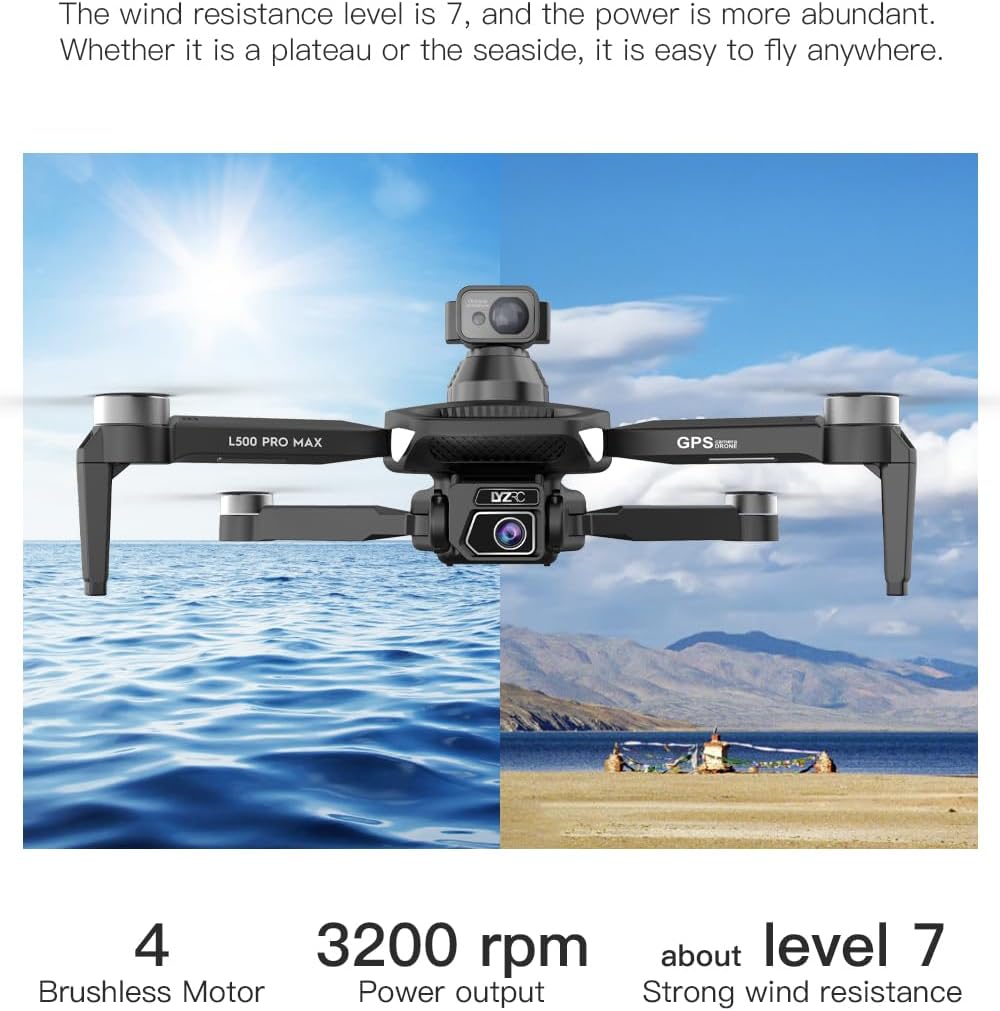
- GPS Mode (Outdoor): Provides stable flight and precise positioning, resisting wind.
- Optical Flow Mode (Indoor): Uses a downward-facing camera for stable hovering in environments without GPS signal.
8.2 Izbjegavanje prepreka
The 360° laser obstacle avoidance system helps prevent collisions by detecting objects in front, rear, left, and right directions. The drone will automatically adjust its flight path to avoid detected obstacles.
8.3 Rad kamere
- 4K HD dvostruke kamere: Switch between the front and bottom cameras via the remote controller or app.
- Electrically Adjustable Angles: Adjust the camera's tilt angle remotely for optimal shots.
- Foto/video snimanje: Use the dedicated buttons on the remote or in the app to take photos or start/stop video recording.
8.4 Inteligentni režimi letenja
- Navigacija po tačkama puta: Plan a custom flight path by tapping points on the map in the app. The drone will follow the designated route.
- GPS Follow/Smart Follow: The drone can automatically follow a moving subject (e.g., a person or vehicle) using GPS and visual tracking.
- Let u orbiti: The drone will circle a designated point or subject, capturing 360° footage.
- Image Track: Similar to follow mode, but focuses on tracking a specific image or object.
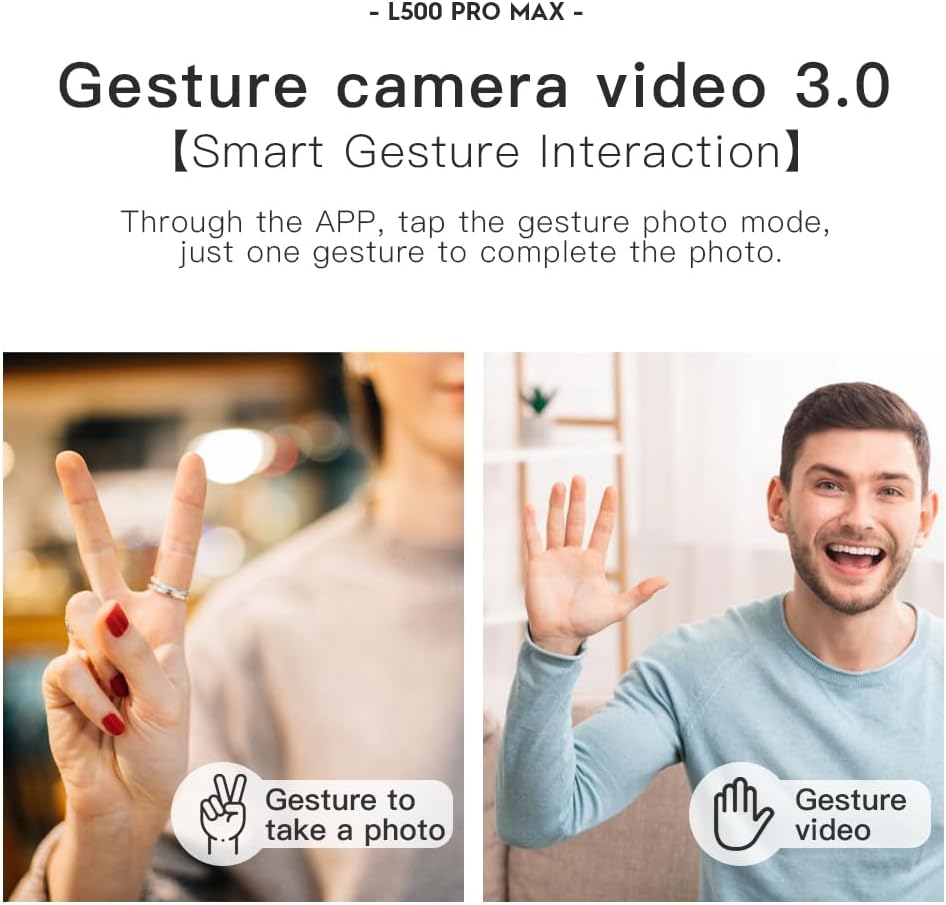
- Kontrola pokretima: Koristite određene geste rukama za pokretanje snimanja fotografija ili videa.
- 4 Intelligent Return Modes:
- Lost Signal Return: Drone returns to takeoff point if signal is lost.
- Povratak niske baterije: Drone returns automatically when battery is low.
- Povratak preko udaljenosti: Drone returns if it flies beyond the set range.
- One-Tap Return: Manually initiate return to home with a single button press.
9. Održavanje
- čišćenje: Use a soft, dry cloth to clean the drone and remote controller. Avoid water or harsh chemicals.
- Pregled propelera: Regularly check propellers for cracks, bends, or damage. Replace damaged propellers immediately using the provided screwdriver and spare parts.
- Skladištenje: Store the drone and accessories in the carrying case in a cool, dry place, away from direct sunlight. Remove batteries if storing for extended periods.
- Održavanje baterije: Do not store batteries fully charged or completely depleted. Charge them to about 50-60% for long-term storage.
10. Otkrivanje problema
| Problem | Mogući uzrok | Rješenje |
|---|---|---|
| Dron se ne uključuje. | Baterija nije napunjena ili je nepravilno instalirana. | Provjerite je li baterija potpuno napunjena i pravilno umetnuta. |
| Dron ne reaguje na daljinski upravljač. | Not paired, low remote battery, or interference. | Re-pair drone and remote. Charge remote battery. Move to an area with less interference. |
| Unstable flight/Drifting. | Improper calibration, strong wind, or damaged propellers. | Perform compass calibration. Fly in calm conditions. Check and replace damaged propellers. |
| Nema prijenosa videa uživo. | Phone not connected to drone Wi-Fi, or app issue. | Connect phone to drone's Wi-Fi. Restart app and drone. |
| Izbjegavanje prepreka ne funkcioniše. | Sensor blocked or system malfunction. | Ensure sensors are clean and unobstructed. Contact support if issue persists. |
11. Specifikacije
| Feature | Detalj |
|---|---|
| Brand | SuperRC |
| Naziv modela | L500Pro |
| Rezolucija video snimanja | 1080p (Output), 4K HD (Camera) |
| Tehnologija povezivanja | Wi-Fi (5G Intelligent System) |
| Tip kontrole | Daljinski upravljač, kontrola aplikacija |
| Posebne karakteristike | 360° Laser Obstacle Avoidance, Dual Camera, Brushless Motor, GPS Auto Return, Optical Flow Positioning |
| Težina artikla | 211.6 grama (7.5 unci) |
| Kapacitet baterije | 2200 Milliamp Sati (litijum-jonska) |
| Vrijeme leta | Do 25 minuta (otprilike) |
| Dimenzije proizvoda | 12.5 cm D x 11.4 cm Š x 3.9 cm V |
| Materijal | Plastika |
12. Garancija i podrška
For warranty information, technical support, or service inquiries, please refer to the contact information provided with your purchase or visit the official SuperRC webSačuvajte dokaz o kupovini za slučaj reklamacije.
Također možete posjetiti SuperRC Store on Amazon za dodatne informacije o proizvodu i resurse podrške.


