KOFIRE UG-06

KOFIRE UG-06 Bežične slušalice za igrice Uputstvo za upotrebu

Model: UG-06 | Marka: KOFIRE

Uvod

Thank you for choosing the KOFIRE UG-06 Wireless Gaming Headset. This manual provides detailed instructions for setup, operation, and maintenance to ensure you get the best experience from your new headset. The UG-06 is designed to deliver superior audio performance and comfort for gaming, work, and entertainment across multiple platforms.

Šta je u kutiji

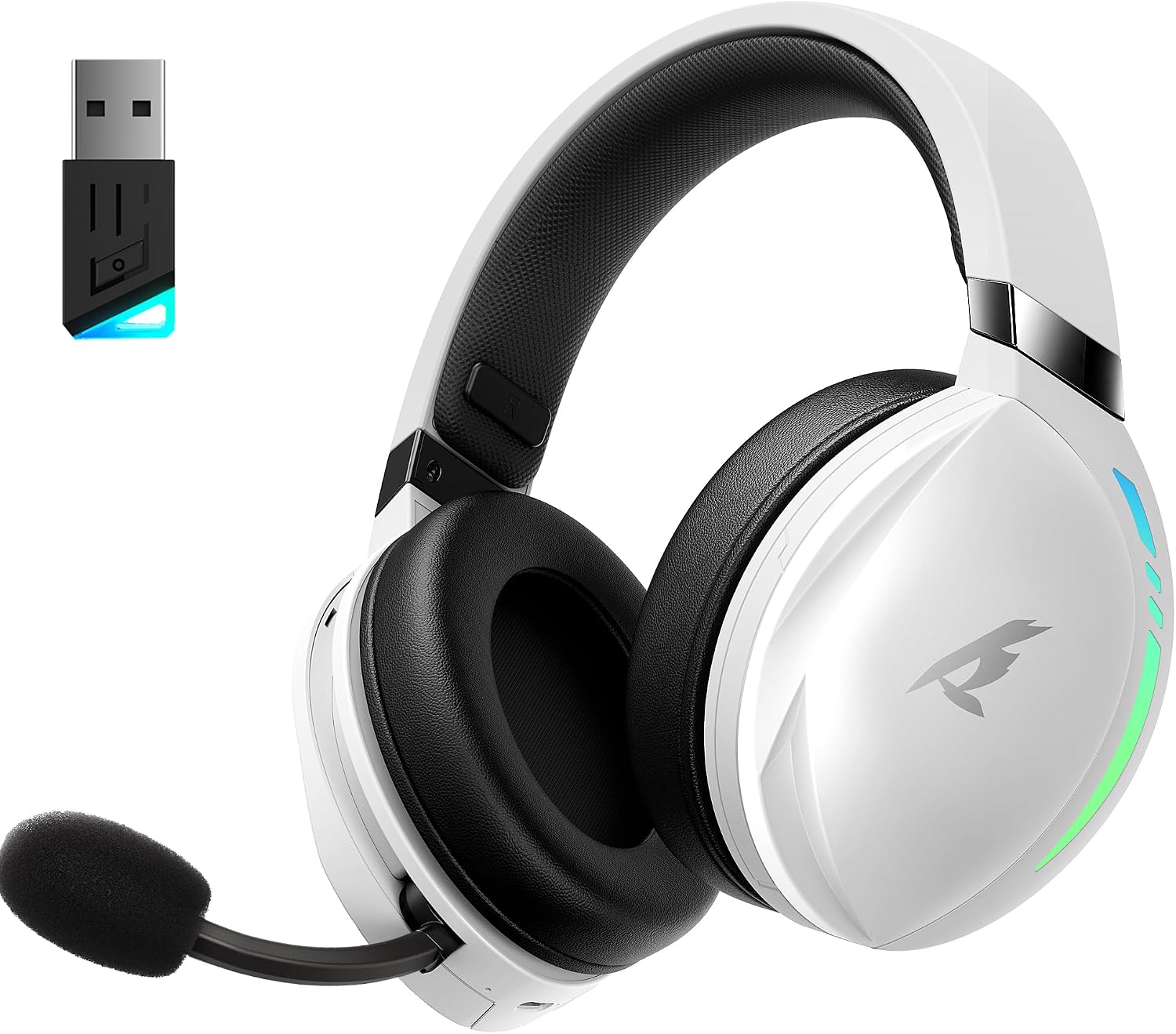
KOFIRE UG-06 Wireless Gaming Headset with USB dongle

The KOFIRE UG-06 Wireless Gaming Headset in white and black, shown with its USB dongle.

Product Overview i ključne karakteristike

Person wearing KOFIRE UG-06 headset experiencing 3D spatial audio

A user wearing the headset, illustrating the immersive 3D spatial audio experience.

Close-up of the hidden noise-canceling microphone on KOFIRE UG-06 headset

Krupni plan view of the retractable, hidden noise-canceling microphone.

KOFIRE UG-06 headset showing multi-platform compatibility with various devices

The headset demonstrating its compatibility with multiple gaming platforms and devices.

Uputstva za postavljanje

1. Početno punjenje

Before first use, fully charge your headset using the provided USB Type-C charging cable. Connect the Type-C end to the headset's charging port and the USB-A end to a compatible power source (e.g., computer USB port, USB wall adapter). The charging indicator light will show charging status.

2. Connecting via 2.4GHz USB Dongle (Recommended for Gaming)

  1. Insert the 2.4GHz USB dongle into an available USB port on your device (PS4, PS5, PC, Mac, Switch).
  2. Power on the headset by pressing and holding the Power button until you hear a confirmation tone or see the indicator light.
  3. The headset should automatically pair with the dongle. A solid indicator light on both the headset and dongle typically signifies a successful connection.
  4. Ensure the headset is selected as the audio output and input device in your system's sound settings.

3. Povezivanje putem Bluetooth 5.4

  1. With the headset powered on, triple-click the Power button to switch to Bluetooth mode. The indicator light will flash, indicating pairing mode.
  2. On your device (phone, tablet, PC), go to Bluetooth settings and search for "KOFIRE UG-06" (or similar).
  3. Select the headset to pair. Once connected, the indicator light will become solid.

4. Connecting via 3.5mm Wired Connection

  1. Connect one end of the 3.5mm audio cable to the headset's 3.5mm port.
  2. Drugi kraj priključite na 3.5 mm audio priključak na vašem uređaju.
  3. The headset will operate in passive mode, drawing no power from its internal battery.

Uputstvo za upotrebu

Kontrole slušalica

Close-up of KOFIRE UG-06 headset controls on earcup

Detaljno view of the control buttons and volume wheel on the headset's earcup.

KOFIRE UG-06 headset with dynamic breathing RGB lights

The headset showcasing its dynamic breathing RGB lighting feature.

Održavanje

Rješavanje problema

IssueRješenje
No sound/microphone not working (2.4GHz)
  • Provjerite je li USB adapter sigurno priključen.
  • Check if the headset is powered on and in 2.4GHz mode (triple-click power button).
  • Verify that the headset is selected as the default audio device in your computer/console settings.
  • Provjerite da mikrofon na slušalicama nije isključen.
Problemi sa Bluetooth uparivanjem
  • Ensure the headset is in Bluetooth pairing mode (indicator light flashing).
  • Onemogućite i ponovo omogućite Bluetooth na svom uređaju.
  • Zaboravite uređaj sa svoje Bluetooth liste i pokušajte ponovo upariti uređaj.
Kratko trajanje baterije
  • Prije upotrebe provjerite jesu li slušalice potpuno napunjene.
  • Turn off RGB lighting when not needed, as it consumes more power.
  • Reduce volume levels.
Sound quality issues (wired mode)
  • Provjerite je li 3.5 mm audio kabel u potpunosti umetnut i u slušalice i u uređaj.
  • Try a different 3.5mm audio cable to rule out cable issues.

Specifikacije

FeatureDetalj
Naziv modelaUG-06
Tehnologija povezivanja2.4Ghz Wireless, Bluetooth 5.4, 3.5mm Wired
Veličina audio drajvera50 milimetara
Trajanje baterijeUp to 65 Hours (music/video, lights off), 40 Hours (2.4Ghz gaming)
Vrijeme punjenja3 sata
Audio kašnjenje15 milisekundi
Kontrola bukeSound Isolation, ENC Noise Canceling Mic
Kompatibilni uređajiPS4, PS5, PC, Switch, Mac, Phone, Tablet
MaterijalLeather, Plastic, Polycarbonate (PC), Soft Memory Sponge Cushions
Težina artikla1.19 funte
Dimenzije proizvoda7.5 x 1 x 7.9 inča

Garancija i podrška

KOFIRE provides a reliable 24-hour online service to ensure customer satisfaction. For any issues, questions, or support needs, please contact KOFIRE customer service through the retailer's platform or the official KOFIRE website.

Please refer to your purchase documentation for specific warranty details and duration.

Povezani dokumenti - UG-06

Preview UG-09 Bežične slušalice za igranje - korisnički priručnik
Korisnički priručnik za bežične gejmerske slušalice KOFIRE UG-09, s detaljnim objašnjenjima LED indikatora, radom tipki, načinima povezivanja (2.4G i Bluetooth), postavkama zvuka za PC i PlayStation te tehničkim specifikacijama.
Preview Uputstvo za upotrebu bežičnih slušalica UG-05
Korisnički priručnik za bežične slušalice UG-05, s detaljnim opisom podešavanja, rada, karakteristika i specifikacija. Uključuje informacije o uparivanju, punjenju, audio načinima rada i rješavanju problema.
Preview Vodič za rješavanje problema s bežičnim slušalicama za igranje Kofire XG One
Uputstvo za korištenje i rješavanje problema za bežične gejmerske slušalice Kofire XG One, koje pokriva uobičajene probleme, rješenja i uputstva za korištenje za različite tipove povezivanja.
Preview KOFIRE UT-01 bežične slušalice za igranje - uputstvo za upotrebu i informacije o garanciji
Sveobuhvatno korisničko uputstvo i detalji garancije za bežične gejmerske slušalice KOFIRE UT-01, koji obuhvataju podešavanje, rad, funkcije, specifikacije i rješavanje problema za PC, PlayStation i Nintendo Switch. Uključuje opise LED indikatora, funkcije dugmadi, vodiče za povezivanje i održavanje proizvoda.
Preview Kofire XG ONE bežične gejmerske slušalice - uputstvo za upotrebu
Sveobuhvatno korisničko uputstvo za bežične slušalice Kofire XG ONE, koje detaljno opisuje karakteristike, podešavanje i rad za optimalno iskustvo igranja.
Preview Vodič za rješavanje problema Kofire XG One v2.0
Vodič za rješavanje problema sa slušalicama Kofire XG One, koji pokriva uobičajene probleme poput Bluetooth povezivosti, problema s mikrofonom, kvalitete zvuka i problema s napajanjem. Uključuje referencu statusa LED dioda.