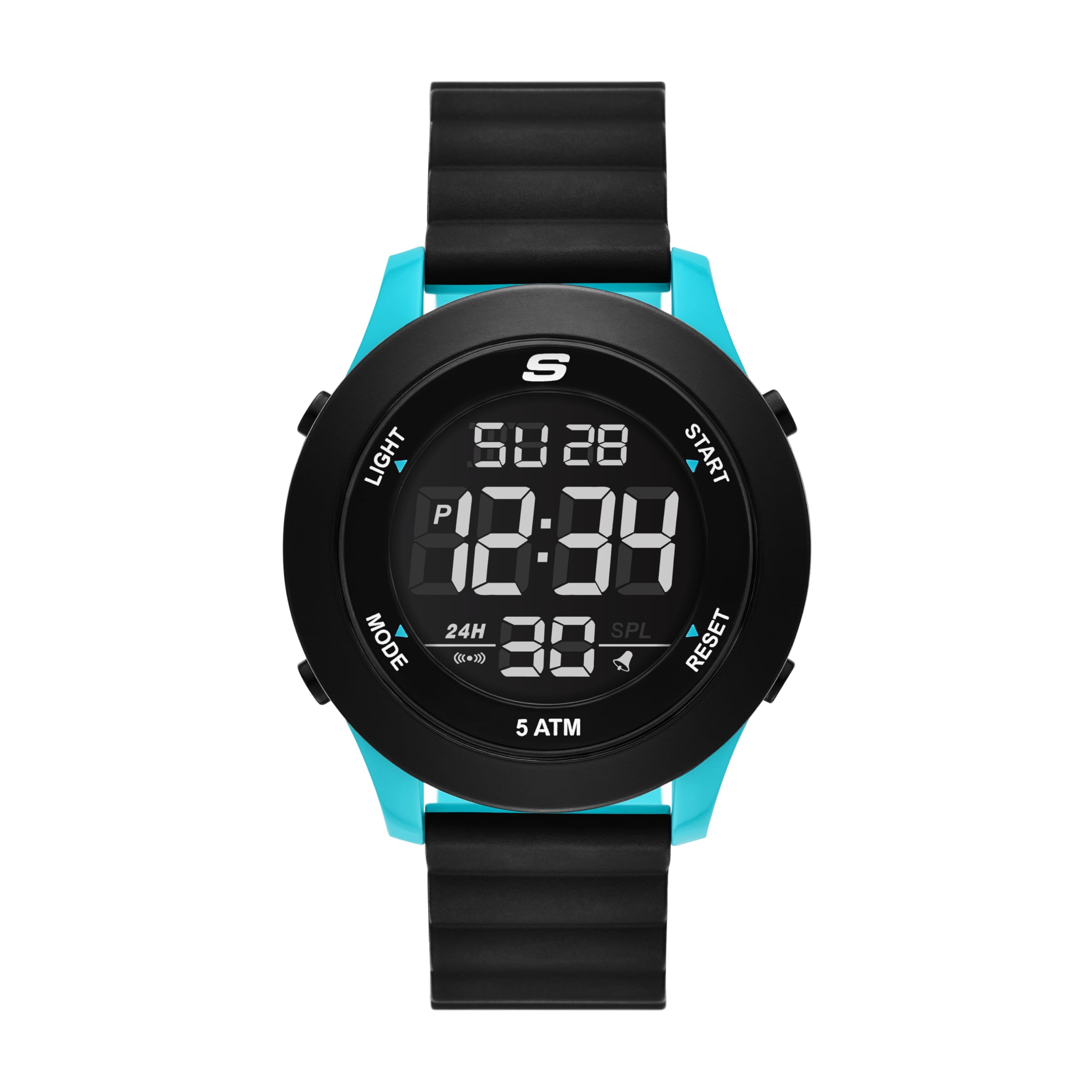
Skechers Men's Rosencrans Digital Magnetic Slip-Ins Watch
Model: SR5222 - Instruction Manual
1. Uvod
This manual provides detailed instructions for the proper use, setup, and maintenance of your Skechers Men's Rosencrans Digital Magnetic Slip-Ins Watch (Model SR5222). Please read this manual thoroughly before using your watch to ensure optimal performance and longevity.
Slika 1.1: Prednja strana view of the Skechers Rosencrans Digital Magnetic Slip-Ins Watch, showcasing its black and blue design with a digital display.
2. Proizvod je gotovview
2.1 Ključne karakteristike
Digitalni prikaz: Clear negative digital display for easy readability.
Magnetic Strap: Easy-on, easy-off dual-tone black and turquoise magnetic strap for secure and comfortable wear.
Chronograph Stopwatch: Za precizno mjerenje vremena događaja.
12/24-satni format vremena: Select your preferred time display.
Daily Alarm with Chime: Set alarms for daily reminders.
EL pozadinsko osvjetljenje: Elektroluminiscentno pozadinsko osvjetljenje za vidljivost u uslovima slabog osvjetljenja.
Otpornost na vodu: Vodootporan do 50 metara (5 ATM), pogodan za plivanje u plitkoj vodi.
2.2 Komponente sata
Image 2.1: Diagram illustrating the various components and functions of the Skechers Rosencrans Digital Watch, including buttons for Light, Mode, Start, Reset, and display indicators for Calendar, Chronograph Stopwatch, EL Backlight, 12/24 Hour Selectable Formats, Alarm & Hourly Chime, 5 ATM Water Resistant, and Easy Fit Magnetic Band.
Dugme za svjetlo: Aktivira EL pozadinsko osvjetljenje.
Dugme za način rada: Ciklično se mijenja između različitih načina rada (Vrijeme, Alarm, Štoperica).
Start dugme: Koristi se za pokretanje/zaustavljanje funkcija u načinu rada štoperice i podešavanje postavki.
Dugme za resetiranje: Koristi se za resetovanje funkcija u režimu štoperice i podešavanje postavki.
Magnetic Band: For securing the watch to your wrist.
3. Podešavanje
3.1 Nošenje sata
The Skechers Rosencrans watch features an easy-on, easy-off magnetic strap. To wear the watch:
Stavite sat na zglob.
Wrap the magnetic strap around your wrist.
Adjust the strap until it feels comfortable and secure. The magnetic closure will hold it in place.
Image 3.1: A person demonstrating the ease of putting on the watch by wrapping the magnetic strap around the wrist.
Video 3.1: This video demonstrates the simple and quick process of wearing the Skechers Slip-ins watch, highlighting its magnetic strap for easy attachment and removal.
3.2 Početno podešavanje vremena
Upon first use or after a battery change, you may need to set the time. Refer to the "Operating Instructions" section for detailed steps on setting the time, date, and other functions.
4. Uputstvo za upotrebu
Your Skechers Rosencrans watch has several modes and functions. Use the MODE dugme za ciklično kretanje kroz njih.
4.1 Podešavanje vremena i datuma
Iz režima mjerenja vremena pritisnite dugme MODE button repeatedly until the setting mode is activated (usually indicated by a flashing digit).
Koristite START or RESET buttons to adjust the flashing value (e.g., hours, minutes, year, month, day).
Pritisnite MODE button again to move to the next setting item.
Nakon što su sve postavke podešene, pritisnite dugme MODE dugme za izlazak iz režima podešavanja.
To switch between 12-hour and 24-hour format, typically this is done within the time setting mode or by pressing a specific button in timekeeping mode (refer to Image 2.1 for button labels).
4.2 Korištenje štoperice (hronografa)
Pritisnite MODE button to navigate to the Stopwatch mode. The display will show "00:00:00" or similar.
Pritisnite START dugme za početak mjerenja vremena.
Pritisnite START ponovo pritisnite dugme da biste pauzirali mjerenje vremena.
Pritisnite RESET dugme da biste resetovali štopericu na nulu.
4.3 Postavljanje alarma
Pritisnite MODE dugme za navigaciju do režima alarma.
Koristite START or RESET dugmad za podešavanje željenog vremena alarma.
Pritisnite MODE button to confirm the alarm time and exit setting.
To turn the alarm on/off, typically a specific button (e.g., START or RESET) is used in Alarm mode. An alarm icon will appear on the display when active.
4.4 Korištenje EL pozadinskog osvjetljenja
Pritisnite LIGHT button (located on the top left of the watch case) to illuminate the display for a few seconds, allowing for readability in dark environments.
5. Održavanje
5.1 Čišćenje sata
Obrišite kućište sata i remen mekom krpomamp tkanina.
Do not use harsh chemicals, abrasive cleaners, or solvents, as these can damage the watch's finish or components.
For water-resistant watches, ensure the crown (if any) is pushed in completely before cleaning with water.
5.2 Otpornost na vodu
This watch is water resistant up to 50 meters (5 ATM). This means it is suitable for short periods of recreational swimming in shallow water. It is ne suitable for diving, snorkeling, or high-impact water sports. Avoid operating buttons while the watch is wet or submerged to prevent water ingress.
5.3 Zamjena baterije
The watch uses 1 Lithium Ion battery (included). When the display becomes dim or functions become erratic, it may be time to replace the battery. Battery replacement should ideally be performed by a qualified watch technician to ensure proper sealing and water resistance.
6. Otkrivanje problema
Problem
Mogući uzrok
Rješenje
Ekran sata je prazan ili taman.
Prazan ili prazna baterija.
Zamijenite bateriju.
Vrijeme je netačno.
Time not set correctly or reset due to battery change.
Refer to "4.1 Setting Time and Date" to reset the time.
Dugmad ne reagiraju.
Watch may be in a locked mode or battery is low.
Try pressing all buttons to see if any respond. If not, replace battery. Avoid pressing buttons underwater.
Voda unutar sata.
Dugmad koja se koriste pod vodom ili je sat izložen prekomjernom pritisku vode.
Odmah odnesite sat kvalificiranom tehničaru na pregled i popravak kako biste spriječili daljnja oštećenja.
7. Specifikacije
Broj modela: SR5222
Veličina kućišta: 46mm
Širina pojasa: 22mm
Materijal kućišta: Polikarbonatna plastika
Kristalni materijal: Mineral crystal
Kretanje: Digital
Prikaz: Negative Digital
Vrsta remena: Magnetic, dual-tone (black and turquoise)
Otpornost na vodu: 5 bankomata (50 metara)
baterija: 1 litijum-jonska baterija (uključena)
Funkcije: Time (12/24-hour), Date, Day, Chronograph Stopwatch, Daily Alarm, EL Backlight.
Dimenzije paketa: 3.9 x 3.03 x 2.91 inča
Težina artikla: 6 unce
Image 7.1: A size guide for men's watch cases, showing different diameters (50mm, 48mm, 46mm, 44mm, 42mm, 40mm, 38mm) and case thicknesses (16mm, 13mm, 10mm, 8mm) for reference.
8. Garancija i podrška
8.1 Informacije o garanciji
Skechers watches typically come with a limited warranty covering manufacturing defects. Please refer to the warranty card included with your purchase for specific terms, conditions, and duration of coverage. Keep your proof of purchase for warranty claims.
8.2 Korisnička podrška
For further assistance, technical support, or warranty service, please contact Skechers customer service. Contact information can usually be found on the Skechers official weblokaciji ili na ambalažnim materijalima.
You can visit the official Skechers store on Amazon for more product information: Skechers Store
Guide d'utilisation et d'entretien des montres Skechers Ce document fournit des instructions détaillées pour l'utilisation, le réglage et l'entretien de divers modèles de montres Skechers, y compris les montres analogiques et numériques, avec des informations sur les fonctions telles que le chronomètre, l'alarme et la date. Il inclut également les détails de la garantie internationale limitée.
Guía de Usuario y Garantía de Relojes Skechers Instrucciones detalladas para el ajuste, uso y mantenimiento de diversos modelos de relojes Skechers, junto con información sobre la garantía internacional.
Skechers Watch Instructions and Warranty Information Comprehensive guide detailing the operation, settings, and warranty information for various Skechers watch models, including analog, digital, and analog-digital types.