1. Uvod
Hvala na kupoviniasing the Retekess V112 AM FM Pocket Radio. This compact digital radio is designed for portable listening, offering both AM and FM bands with a clear LCD display and rechargeable battery. Please read this manual carefully to ensure proper use and optimal performance of your device.
2. Značajke proizvoda
- Miniature size and lightweight design for easy portability.
- AM/FM 2-band stereo radio reception.
- Digital LCD display for frequency and status indication.
- Automatic and manual station search and storage.
- Up to 58 preset stations (29 AM / 29 FM).
- 31-level volume control.
- Ugrađena litijumska baterija koja se može puniti.
- Sleep timer function (90, 60, 30, 15 minutes).
- Key lock function to prevent accidental operation.
- Stereo earphone output for personal listening.
3. Sadržaj paketa
Molimo Vas da provjerite paket za sljedeće stavke:
- 1 × Retekess V112 AM FM Pocket Radio
- 1 × Owner's Manual
- 1 × Hand Strap/Lanyard
- 1 × USB kabel za punjenje
- 1 × Slušalice

Image: The package includes the Retekess V112 radio, owner's manual, hand strap, USB charging cable, and earphones.
4. Dijagram proizvoda i kontrole
Familiarize yourself with the radio's buttons and display for easy operation.
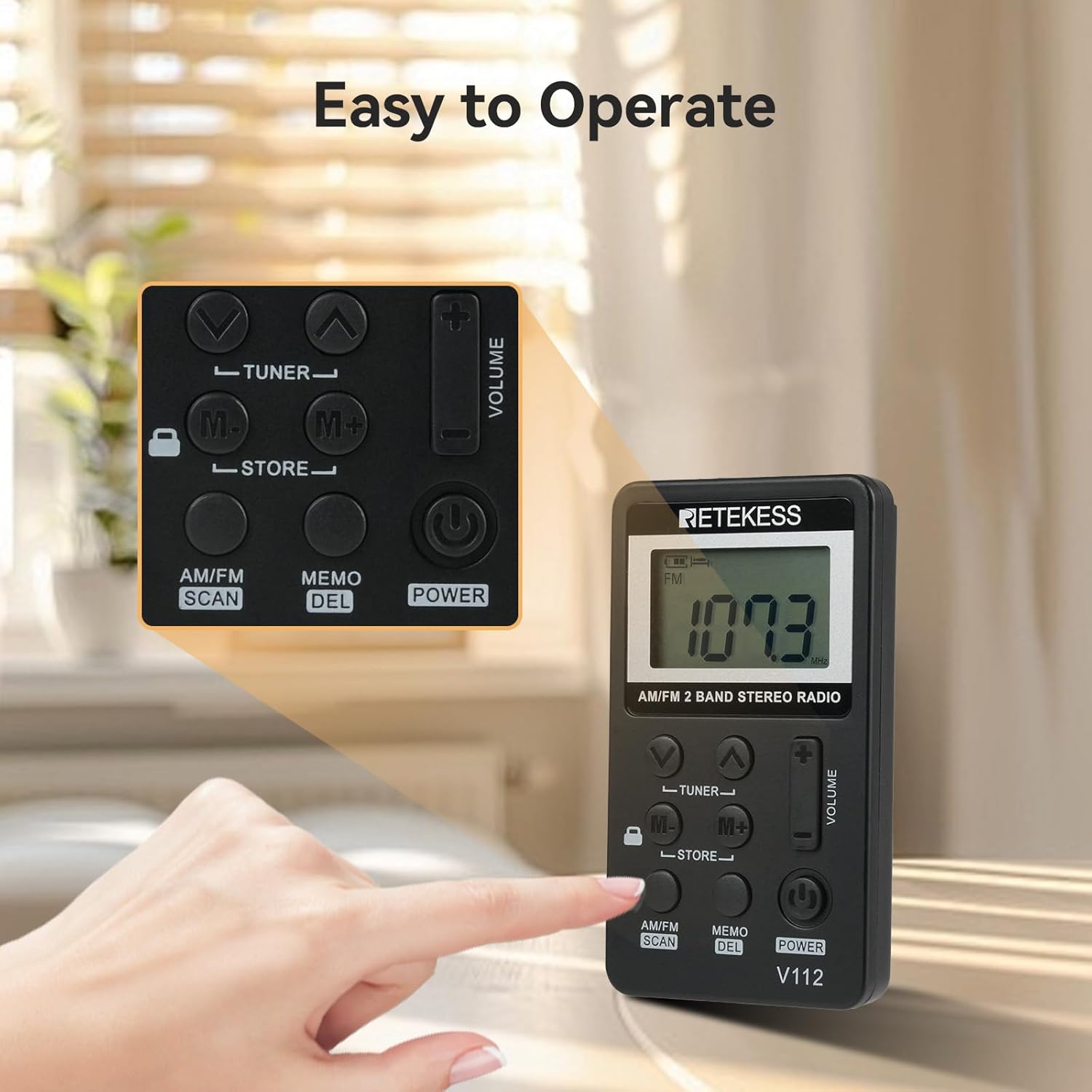
Slika: Krupni plan view of the Retekess V112 radio, highlighting the control buttons and LCD screen.
4.1. Kontrole na prednjoj ploči
- Dugme POWER: Press to turn the radio on or off.
- AM/FM SCAN Button: Press to switch between AM and FM bands. Long press to initiate automatic station scanning and storage.
- MEMO/DEL Button: Press to store a station. Long press to delete a stored station.
- TUNER ▲/▼ Buttons: Press to manually tune the frequency up or down.
- M+/M- Buttons: Press to navigate through preset stations.
- VOLUME +/− Buttons: Podesite jačinu zvuka slušanja.
- LOCK prekidač: Slide to lock or unlock the buttons.
4.2. LCD ekran

Slika: Detaljna view of the radio's LCD display, showing frequency and other indicators.
The LCD display shows the current frequency, battery level, AM/FM band indicator, stereo indicator (for FM), and sleep timer status.
5. Podešavanje
5.1. Punjenje baterije
The radio is equipped with a built-in rechargeable lithium battery. Before first use, fully charge the radio.
- Connect the supplied USB charging cable to the radio's charging port.
- Drugi kraj USB kabla priključite na USB adapter za napajanje (nije uključen) ili na USB port računara.
- The battery indicator on the LCD will show charging status. It typically takes about 1.5 hours for a full charge.
- Kada se potpuno napuni, odspojite kabl za punjenje.
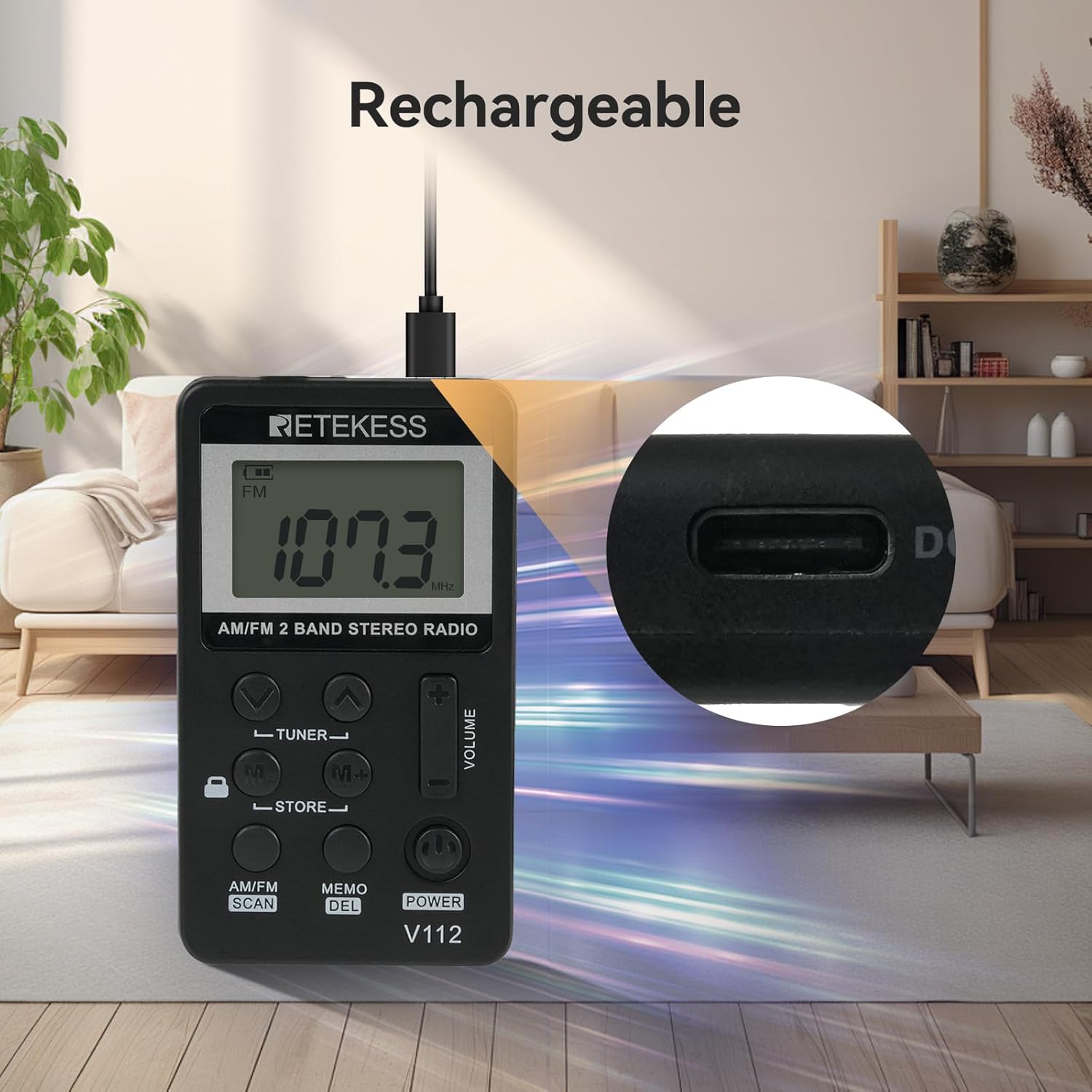
Image: The Retekess V112 radio being charged via its USB port, with a close-up of the charging port.
5.2. Povezivanje slušalica
The earphones serve as the FM antenna. For optimal reception, ensure the earphones are fully plugged into the 3.5mm jack.
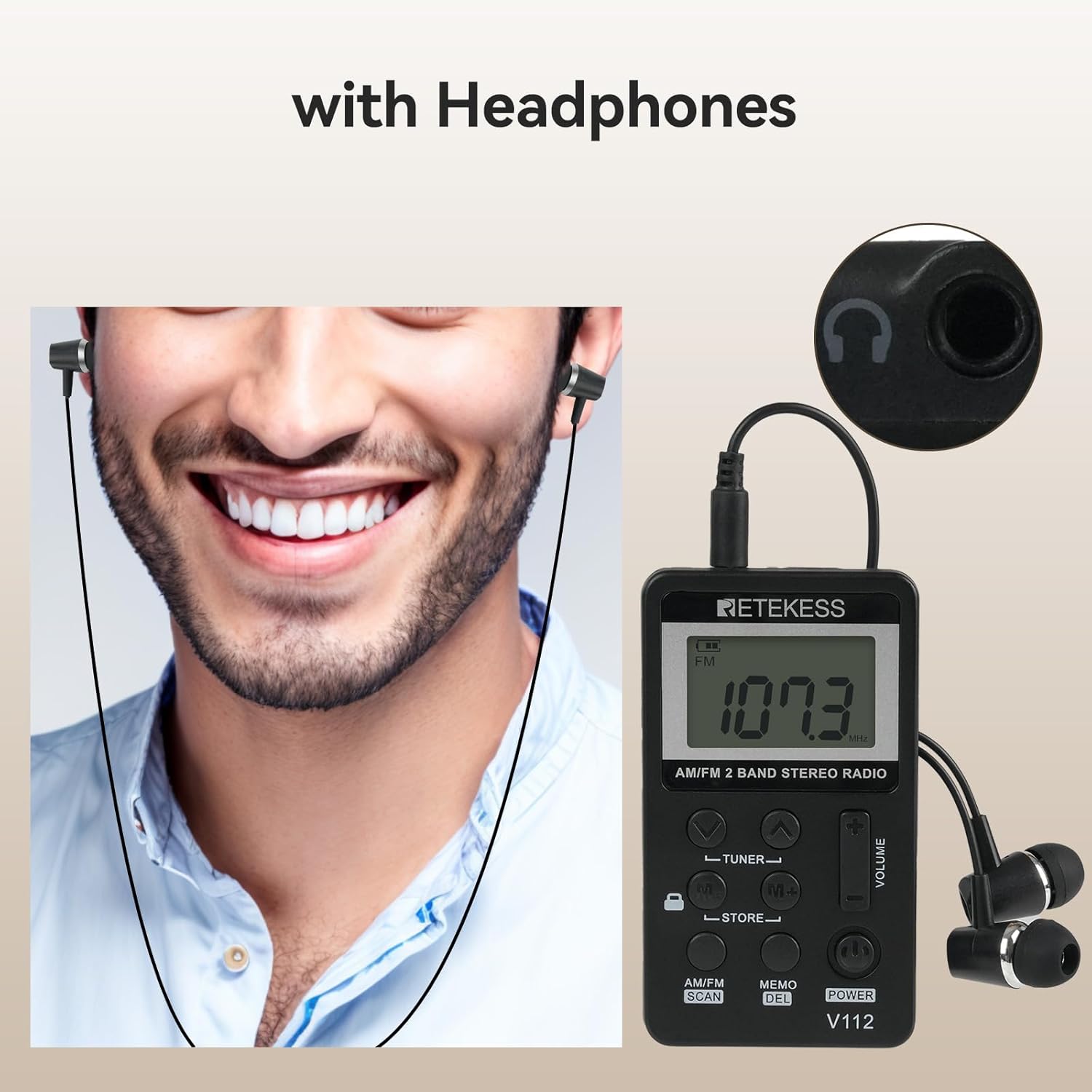
Image: A person wearing earphones connected to the Retekess V112 radio, illustrating the use of earphones for listening and as an antenna.
6. Osnovni rad
6.1. Uključivanje/isključivanje
Pritisnite POWER button to turn the radio on. Press it again to turn the radio off.
6.2. Podešavanje jačine zvuka
Pritisnite VOLUME + button to increase the volume. Press the VOLUME − button to decrease the volume. The volume level is displayed on the LCD.
6.3. Odabir opsega (AM/FM)
Pritisnite AM/FM SCAN button to switch between AM and FM radio bands. The selected band will be indicated on the LCD.

Image: The Retekess V112 radio displaying an FM frequency, with visual arcs representing various broadcast categories like news, music, and sports.
6.4. Stanice za podešavanje
Automatsko skeniranje i pohranjivanje:
- Dugo pritisnite AM/FM SCAN button. The radio will automatically scan for available stations and store them into presets.
- The scanning process will stop once all available stations are found and stored.

Image: The Retekess V112 radio with an overlay highlighting the 'AM/FM SCAN' and 'STORE' buttons, indicating the automatic search and storage function.
Ručno podešavanje:
Pritisnite TUNER ▲ or TUNER ▼ dugmad za ručno podešavanje frekvencije korak po korak.
6.5. Preset Stations (Store/Recall)
Pohranjivanje stanice:
- Tune to the desired station using manual tuning or automatic scan.
- Pritisnite MEMO/DEL button once. The preset number will flash on the display.
- Koristite M+/M- buttons to select the desired preset memory location.
- Pritisnite MEMO/DEL ponovo pritisnite dugme da biste potvrdili i sačuvali stanicu.
Pozivanje pohranjene stanice:
Pritisnite M+ or M- buttons to cycle through the stored preset stations.
6.6. Funkcija zaključavanja tipki
Povucite LOCK switch (located on the side or front, depending on model revision) to the lock position to disable all buttons. This prevents accidental changes to settings or power-off when carrying the radio. Slide it back to unlock.

Image: The Retekess V112 radio with a highlighted lock icon, indicating the key lock function to prevent unintended button presses.
6.7. Tajmer za spavanje
The radio features an automatic power-off function. If it does not work, it will turn off automatically after 90 minutes. This is a protection function. If you can turn on the radio again and keep listening, it means the battery is not the issue.
7. Održavanje
- Čistite radio mekom, suhom krpom. Ne koristite abrazivna sredstva za čišćenje ili rastvarače.
- Izbjegavajte izlaganje radija ekstremnim temperaturama, direktnoj sunčevoj svjetlosti, prašini ili vlazi.
- Do not attempt to disassemble or modify the radio, as this will void the warranty and may cause damage.
- If the radio will not be used for an extended period, charge it periodically to maintain battery health.
8. Otkrivanje problema
| Problem | Mogući uzrok | Rješenje |
|---|---|---|
| No power/Radio won't turn on | Baterija je prazna. | Charge the radio using the supplied USB cable. |
| Loš prijem/Statički šum | Earphones not fully plugged in or acting as antenna. Weak signal in current location. | Ensure earphones are fully inserted. Adjust earphone cable position. Try moving to a different location. |
| Dugmad ne reaguju | Funkcija zaključavanja tastera je aktivirana. | Slide the LOCK switch to the unlock position. |
| Cannot store presets | Incorrect procedure. | Follow the 'Storing a Station' steps carefully (Section 6.5). Press MEMO once, select slot, then press MEMO again. |
| Volume too loud at lowest setting | This is the minimum volume level for the device. | Consider using different earphones with lower sensitivity if needed for very quiet environments. |
9. Specifikacije
| Feature | Specifikacija |
|---|---|
| Dimenzije proizvoda | 1.89 x 0.5 x 3.37 inča (48 x 13 x 85 mm) |
| Težina artikla | 4.2 unci (120 g) |
| Broj modela | V112 |
| Baterije | 1 Rechargeable 9V battery (included) |
| Tehnologija povezivanja | Auxiliary (3.5mm earphone jack) |
| Tehnologija tjunera | AM FM |
| Izvor napajanja | Battery Powered |
| Podržani radio bendovi | AM/FM |
10. Sigurnosne informacije
- Ne izlažite radio vodi ili prekomjernoj vlazi.
- Izbjegavajte ispuštanje ili izlaganje radija jakim udarcima.
- Do not use the radio in environments with high temperatures or near flammable materials.
- Da biste spriječili oštećenje sluha, izbjegavajte slušanje na visokim nivoima glasnoće tokom dužeg perioda.
- Dispose of the battery according to local regulations. Do not dispose of batteries in fire.
11. Garancija i podrška
Retekess products are designed for reliability and performance. For warranty information or technical support, please refer to the contact details provided with your purchase or visit the official Retekess webMolimo sačuvajte dokaz o kupovini za potrebe reklamacije.


