Darmoshark M3microPRO Mini Wireless Gaming Mouse User Manual
Model: M3microPRO

Image: Darmoshark M3microPRO Mini Wireless Gaming Mouse, top view.
1. Proizvod je gotovview
The Darmoshark M3microPRO is a lightweight, tri-mode wireless gaming mouse designed for precision and versatility. It features a high-performance PAW3950 optical sensor, multiple connectivity options, and programmable buttons to enhance your gaming and productivity experience.
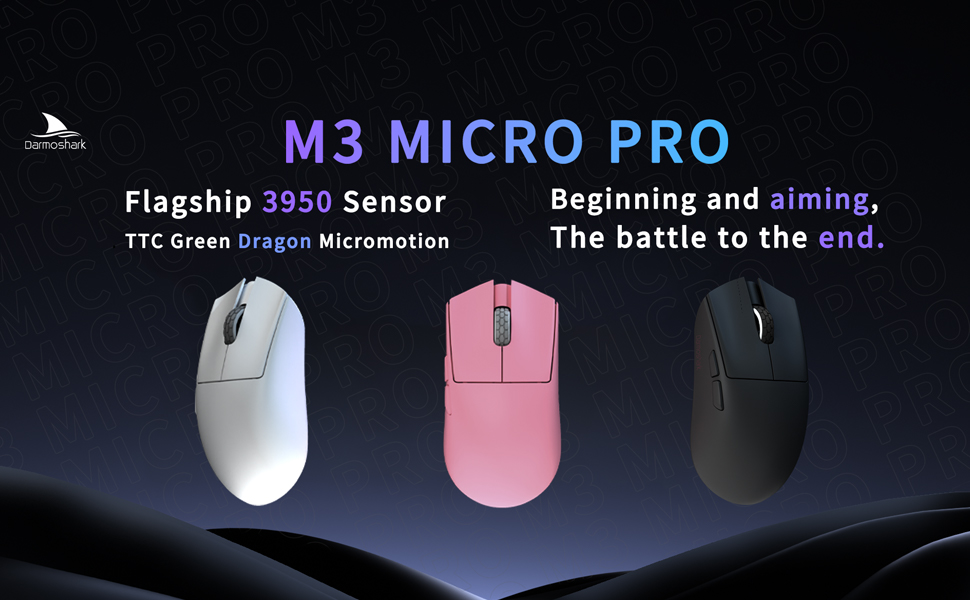
Image: The M3microPRO mouse displayed in white, pink, and black color options.
2. Sadržaj paketa i podešavanje
Before using your Darmoshark M3microPRO mouse, please ensure all components are present and follow the setup instructions.
2.1 Raspakivanje
The package typically includes the M3microPRO mouse, a USB-C charging/data cable, a 2.4G wireless receiver, and documentation.
Video: An unboxing demonstration of the Darmoshark M3microPRO Mini Wireless Gaming Mouse, showing the contents of the package.
2.2 Načini povezivanja
The M3microPRO supports three connection modes:
- 2.4G bežični način rada: For low-latency gaming. Insert the 2.4G USB receiver into your computer's USB port. The mouse will automatically connect.
- Bluetooth način rada: For general use and multi-device connectivity. Activate Bluetooth on your device and pair with the mouse. The mouse can connect to up to 3 devices simultaneously.
- Ožičeni način: Connect the mouse directly to your computer using the provided USB-C cable. This mode also charges the mouse.
2.3 Instalacija drajvera
To unlock full customization options, including DPI settings, button functions, and macro settings, download and install the dedicated driver software from the official Darmoshark website.

Image: Screenshot of the dedicated driver software interface for customizing mouse settings.
3. Uputstvo za upotrebu
3.1 Funkcije dugmadi
The M3microPRO features 8 programmable buttons. Refer to the diagram below for default button assignments. These can be customized via the driver software.

Image: Diagram illustrating the button layout and dimensions of the M3microPRO mouse, including left click, right click, track roller key, tri-mode switching key, DPI adjustment key, forward button, and backspace button.
3.2 DPI podešavanje
The mouse features a PAW3950 optical sensor with up to 30000 DPI resolution. Use the dedicated DPI adjustment button (as shown in the diagram above) to cycle through preset DPI levels. Fine-tune DPI settings using the driver software.

Image: Close-up of the PAW3950 sensor highlighting 30000 DPI sensitivity and 750 IPS tracking speed.
3.3 Stopa anketiranja
The M3microPRO supports up to 8000Hz polling rate for ultra-responsive tracking. It comes standard with a 1K receiver, and can be expanded to 8KHz with an NXP high-speed master 4K receiver (sold separately or included in specific bundles). This provides a response time of only 0.125ms.

Image: The M3microPRO mouse shown with its 8KHz compatible receiver, illustrating high return rate capability.
4. Održavanje
To ensure the longevity and optimal performance of your Darmoshark M3microPRO mouse, follow these maintenance guidelines:
- čišćenje: Koristite meku, suhu krpu za brisanje površine miša. Izbjegavajte jake hemikalije ili abrazivne materijale.
- Skladištenje: Čuvajte miša na hladnom i suhom mjestu, dalje od direktne sunčeve svjetlosti i ekstremnih temperatura.
- PTFE stopala: The mouse features PTFE curling footbeds for smooth glide. If wear occurs, replacement feet may be available.
- Održavanje kablova: The soft umbrella cord is designed for durability. Avoid sharp bends or excessive pulling.

Image: Visual representation of the mouse's delicate skin-soothing coating and PTFE curling footbeds.
5. Otkrivanje problema
If you encounter issues with your M3microPRO mouse, refer to the following common solutions:
- Miš ne reaguje: Ensure the mouse is charged. Check the connection mode (2.4G, Bluetooth, or wired) and ensure the receiver is properly inserted or Bluetooth is paired.
- Kašnjenje ili prekidi veze u bežičnom režimu: Ensure the receiver is close to the mouse and there are no major obstructions. Try switching to a different USB port or reducing interference from other wireless devices.
- DPI se ne mijenja: Verify the DPI adjustment button is functioning. If using custom settings, check the driver software.
- Dugmad ne rade: Check button assignments in the driver software. Ensure the mouse is not in a mode that disables certain buttons.
- Problemi sa softverom: Reinstall the driver software from the official Darmoshark website.
6. Specifikacije
Key technical specifications for the Darmoshark M3microPRO Mini Wireless Gaming Mouse:
| Feature | Specifikacija |
|---|---|
| Model | M3microPRO |
| Povezivanje | Tri-Mode (2.4G Wireless, Bluetooth, USB-C Wired) |
| Senzor | Optički senzor PAW3950 |
| DPI rezolucija | Do 30000 DPI |
| Brzina praćenja | 650 IPS (750 IPS mentioned in image) |
| Ubrzanje | 50G |
| Polling Rate | Up to 8000Hz (with optional 4K receiver) |
| Težina | 43g (approx. 42+2 grams) |
| Dugmad | 8 Programabilna dugmad |
| Baterija | 300 mAh Lithium Polymer (up to 84 hours with light off, 55 hours with light on) |
| Dimenzije | Length: 105.5 mm, Width: 54.6 mm, Height: 33.5 mm (from diagram) |

Slika: Eksplodirano view diagram of the M3microPRO mouse, detailing internal components such as the roller, outer shell, sensors, encoder, NANO receiver, polymer lithium battery, and PTFE feet.

Image: Illustration of the mouse's built-in 300 mAh lithium polymer battery and its estimated battery life.
7. Garancija i podrška
Darmoshark products are manufactured to high-quality standards. For warranty information, please refer to the documentation included with your purchase or visit the official Darmoshark website. For technical support, product inquiries, or warranty claims, please contact Darmoshark customer service through their official channels.


