1. Uvod
This manual provides detailed instructions for the installation, operation, and maintenance of the Axis M3126-LVE Network Surveillance System. Please read this manual thoroughly before using the product to ensure proper functionality and safety. The Axis M3126-LVE is an outdoor-rated, vandal-proof, and weather-resistant network camera designed for reliable surveillance.
2. Sigurnosne informacije
Pridržavajte se sljedećih sigurnosnih mjera opreza kako biste spriječili oštećenje proizvoda i osigurali sigurnost korisnika:
- Instalacija: Installation must be performed by qualified personnel in accordance with all local codes and regulations.
- Izvor napajanja: Use only the specified Power over Ethernet (PoE) source. Do not use unauthorized power adapters.
- Okruženje: Although the camera is weather-resistant, avoid direct exposure to extreme conditions beyond its operating specifications.
- čišćenje: Isključite napajanje prije čišćenja. Koristite meku, suhu krpu. Ne koristite tekuća ili aerosolna sredstva za čišćenje.
- servisiranje: Ne pokušavajte sami servisirati ovaj proizvod. Sve servise prepustite kvalificiranom servisnom osoblju.
3. Sadržaj paketa
Provjerite da li su sve stavke prisutne u paketu:
- Axis M3126-LVE Network Surveillance Camera
- Vodič za instalaciju
- Pribor za montažu
- Predložak za bušenje
- Resistorx T20 tool
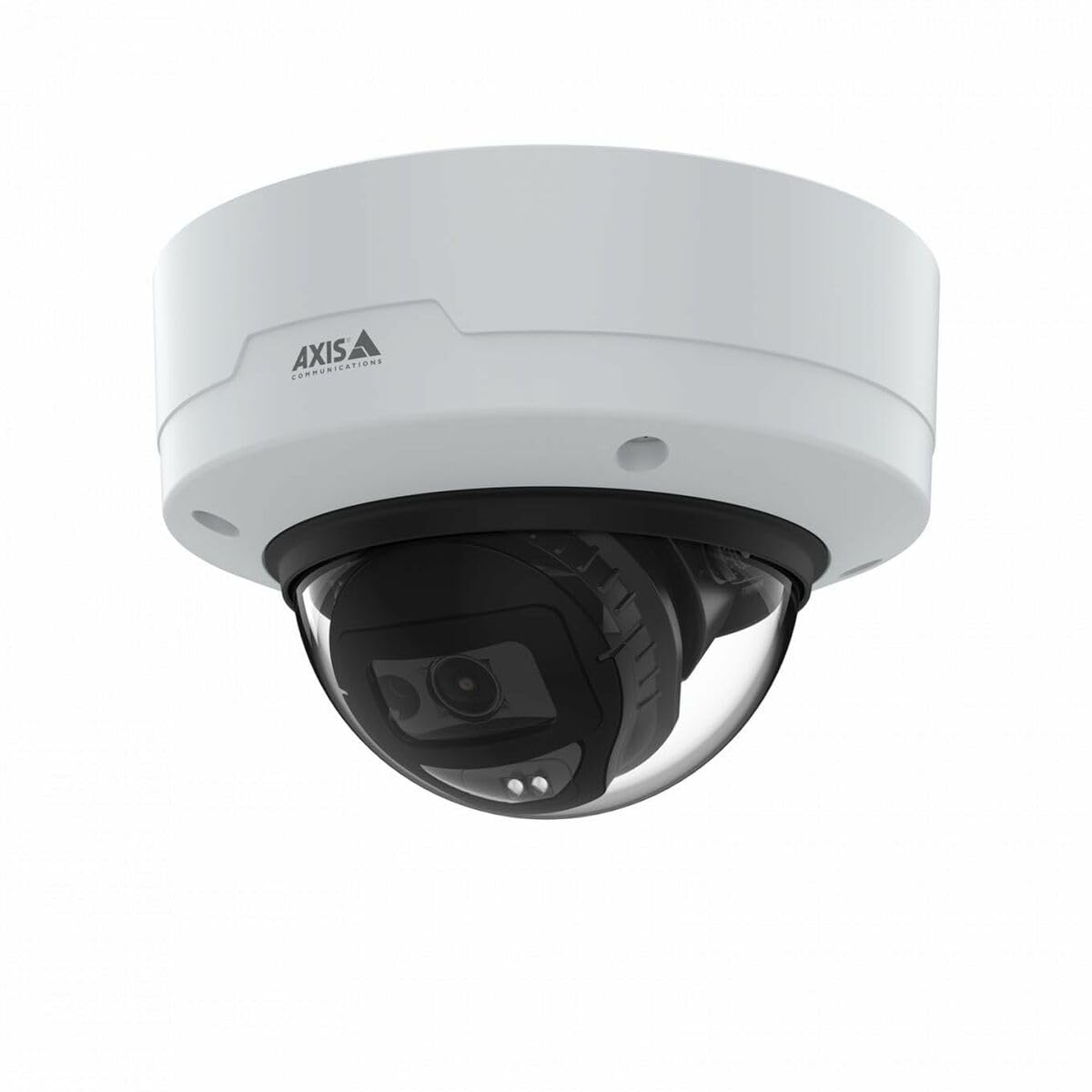
Image: The Axis M3126-LVE Network Surveillance System, a white dome camera, shown with its included mounting accessories.
4. Postavljanje i instalacija
4.1 Montiranje kamere
The Axis M3126-LVE is designed for ceiling mount installation in outdoor environments. Ensure the mounting surface is strong enough to support the camera's weight (approximately 1.1 kg / 2.42 lbs).
- Odaberite lokaciju: Choose a suitable outdoor location for optimal surveillance coverage, considering power and network cable access.
- Pripremite površinu: Use the provided drill template to mark and drill holes for mounting screws and cable routing.
- Sigurni nosač: Attach the camera's mounting base securely to the ceiling using appropriate screws and anchors.
- Povezivanje kablova: Route the Ethernet cable through the designated opening. Connect the Ethernet cable to the camera's M12 connection port. This camera supports Power over Ethernet (PoE) for both power and data transmission.
- Pričvrstite tijelo kamere: Secure the camera body to the mounting base. Ensure all seals are properly seated to maintain weather resistance.
4.2 Mrežna veza i početna konfiguracija
The camera connects to your network via a wired PoE Ethernet connection.
- Uključeno: Once connected to a PoE-enabled network switch or injector, the camera will power on automatically.
- Otkrijte kameru: Use the Axis IP Utility or Axis Device Manager software (available on the Axis Communications webstranica) da biste otkrili kameru na vašoj mreži.
- Dodijeli IP adresu: Assign a static IP address or configure DHCP settings as required by your network infrastructure.
- Pristup Web Interfejs: Otvori a web preglednik i unesite IP adresu kamere da biste joj pristupili web interfejs.
- Početna prijava: Follow the on-screen prompts to set a strong password for the administrator account.
- Osnovne postavke: Configure essential settings such as date, time, and video resolution (up to 4 MP, 2688 x 1512).
5. Upravljanje kamerom
The Axis M3126-LVE offers advanced surveillance capabilities. Access the camera's web interface for full control and configuration.
5.1 Uživo View i Snimanje
- Uživo View: Od web interfejs, idite na "Live View" section to see real-time video feed.
- Kvalitet videa: Adjust video stream settings (resolution, frame rate, compression using MJPEG, H.264, H.265, Zipstream) to optimize for network bandwidth and storage.
- Snimanje: Configure recording schedules, motion detection triggers, and storage locations (e.g., network-attached storage, SD card if supported).
5.2 Napredne funkcije
- IR noćni vid: The camera automatically switches to infrared (IR) night vision in low-light conditions, providing clear black and white video.
- Široki dinamički raspon (WDR): WDR technology ensures clear images even in scenes with both very bright and very dark areas.
- audio: The camera supports audio input for surveillance with sound. Configure audio settings in the web interfejs.
- Upravljanje događajima: Set up event triggers (e.g., motion detection, tampering alarm) and corresponding actions (e.g., send email, start recording, upload video).
6. Održavanje
Redovno održavanje osigurava optimalne performanse i dugotrajnost vašeg sistema za video nadzor.
- Čišćenje sočiva: Periodically clean the camera lens with a soft, lint-free cloth. For stubborn dirt, use a mild lens cleaning solution. Do not use abrasive materials.
- Ažuriranja firmvera: Redovno provjeravajte Axis Communications webstranica za ažuriranja firmvera. Održavanje ažuriranog firmvera osigurava pristup najnovijim funkcijama, sigurnosnim zakrpama i poboljšanjima performansi.
- Inspekcija kablova: Periodically inspect all cables for signs of wear or damage, especially in outdoor installations.
- Sigurnost montaže: Verify that the camera remains securely mounted and that all screws are tight.
7. Otkrivanje problema
This section addresses common issues you might encounter with the Axis M3126-LVE.
| Problem | Mogući uzrok | Rješenje |
|---|---|---|
| Nema video sažetka | Nema napajanja; Mrežni kabel je isključen; Netačna IP adresa. | Check PoE connection; Verify network cable is securely connected; Confirm IP address and network settings. |
| Loša kvaliteta slike | Dirty lens; Incorrect video settings; Insufficient lighting. | Clean the camera lens; Adjust resolution, compression, and WDR settings; Ensure IR night vision is active in low light. |
| Nije moguće pristupiti web interfejs | Netačna IP adresa; Problem sa mrežnom vezom; Zaštitni zid blokira pristup. | Verify IP address; Check network cable and switch; Temporarily disable firewall for testing; Use Axis IP Utility to find camera. |
| Camera offline intermittently | Unstable network connection; Faulty PoE injector/switch; Loose cable connection. | Check network infrastructure; Test PoE equipment; Secure all cable connections. |
8. Specifikacije
Key technical specifications for the Axis M3126-LVE Network Surveillance System:
- Naziv modela: AXIS M3126-LVE
- Broj dijela: 02918-001
- Unutarnja/vanjska upotreba: Na otvorenom
- Protokol povezivanja: Ethernet
- Vrsta montaže: Ceiling Mount
- Boja: Bijelo
- Težina artikla: 1.1 kilograma (2.42 funti)
- Format video snimanja: MPEG-4, H.264, H.265, MJPEG
- Proizvođač: Axis Communications
- Posebne karakteristike: 4 MP HD, IR night vision, WDR (Wide Dynamic Range), Zipstream, rugged weather/vandal resistance
- Tehnologija povezivanja: Wired PoE Ethernet, extensive network protocol support
- rezolucija: Up to 2688 x 1512 (4 MP)
- Uključene komponente: Camera, Mounting Accessories
- Potrebne baterije: br
- Preporučena upotreba: Outdoor/indoor security, wide-area monitoring, day/night surveillance, smart detection
9. Garancija i podrška
For detailed warranty information, please refer to the official Axis Communications website or the warranty card included with your product. Axis Communications provides technical support and resources for their products.
Online podrška: Visit the official Axis Communications support portal for FAQs, documentation, and software downloads.
Kontaktirajte podršku: For direct assistance, contact Axis Communications customer support through their webweb-mjesto ili kontakt informacije navedene u dokumentaciji vašeg proizvoda.
Napomena: Protection plans may be available from third-party providers. These are separate from the manufacturer's warranty.