1. Uvod
Thank you for choosing the OHAYO Portable Bluetooth Speaker. This manual provides essential information for setting up, operating, and maintaining your speaker to ensure optimal performance. Designed for both indoor and outdoor use, this speaker delivers exceptional audio quality with its 15W loud stereo sound, IPX7 waterproof rating, and versatile connectivity options.
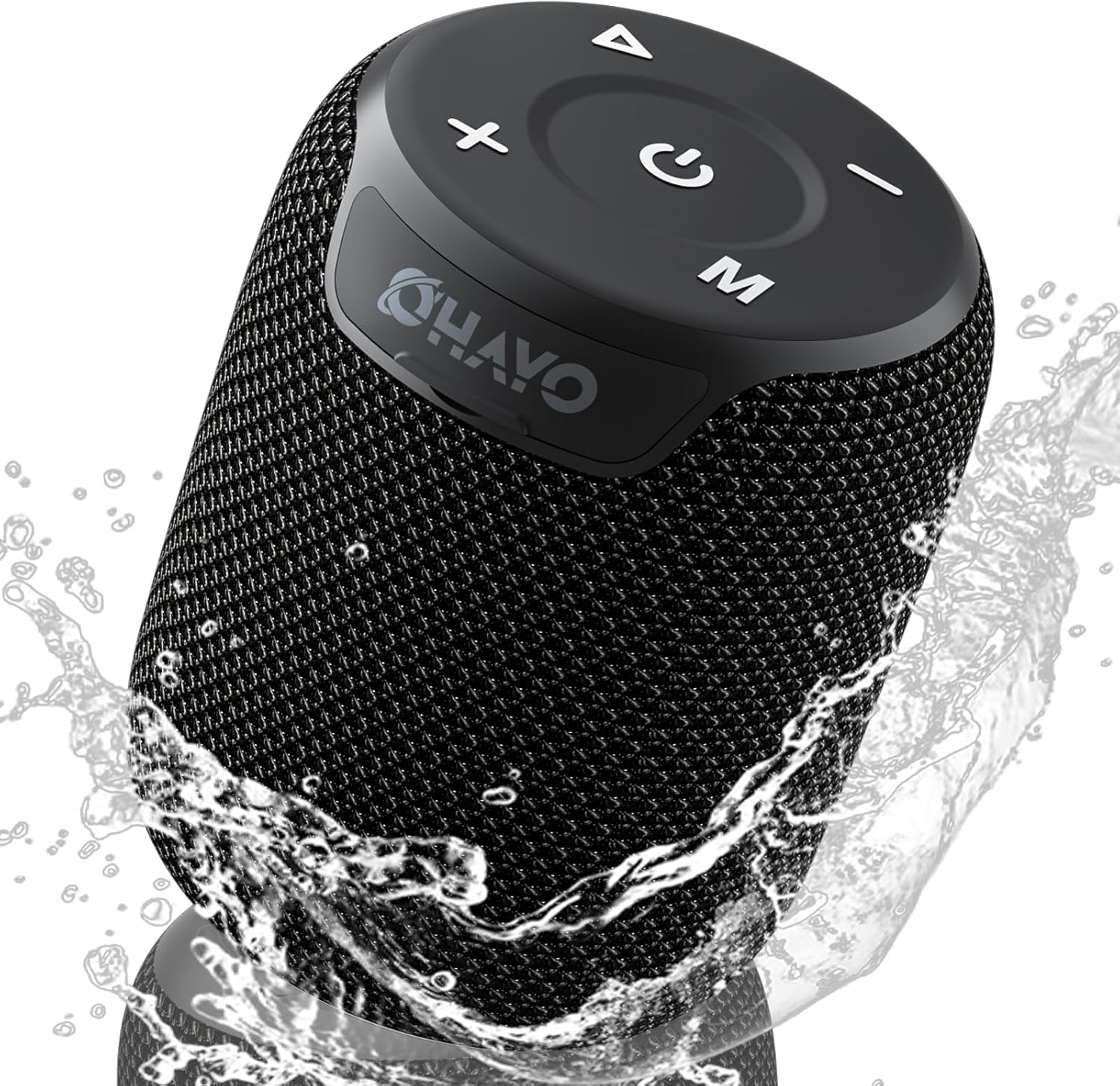
Image: The OHAYO Portable Bluetooth Speaker, showcasing its compact design and IPX7 waterproof capability with water splashing around it.
2. Proizvod je gotovview
2.1 Ključne karakteristike
- Exceptional Audio Performance: Features a 60mm mid-high speaker and a 65mm bass diaphragm for clear treble and rich bass.
- IPX7 Vodootporan: Fully submersible up to 3 feet for 30 minutes, resistant to rain, dust, snow, and spills.
- Bluetooth V5.3: Ensures quick pairing and stable connection with automatic re-connection.
- TWS uparivanje: Connect two speakers for synchronized, immersive stereo sound.
- Raznovrsna reprodukcija: Supports Bluetooth, TF cards, and 3.5mm AUX input.
- Dugo vrijeme igranja: Do 18 sati reprodukcije muzike sa jednim punjenjem.
- Ugrađeni mikrofon: For high-quality, hands-free calls.
- Prijenosni dizajn: Compact, lightweight, and includes a handy lanyard for easy carrying.

Slika: Eksplodirala view of the speaker's internal components highlighting the 60mm mid-high speaker and 65mm bass diaphragm, alongside icons representing key features like Aux-in, HD Mic, Hand-free Call, IPX7 Waterproof, Bluetooth 5.3, Micro SD support, and 16 hours of playtime.
2.2 Kontrole i portovi
The OHAYO speaker features intuitive controls located on the top panel and essential ports for connectivity.

Slika: Detaljna view of the speaker's top panel, showcasing the sleek black design with bold white buttons for power, volume control, mode selection, and track navigation.
- Dugme za napajanje: Pritisnite i držite za uključivanje/isključivanje.
- Jačina zvuka (+): Povećajte jačinu zvuka.
- Stišavanje (-): Smanjite jačinu zvuka.
- Dugme za reprodukciju/pauzu: Pustite ili pauzirajte zvuk.
- Dugme za režim (M): Prebacivanje između Bluetooth, AUX i TF kartice.
- USB-C priključak za punjenje: Za punjenje zvučnika.
- AUX-in priključak: Za žičanu audio vezu.
- Utor za TF karticu: Za reprodukciju muzike direktno sa Micro SD kartice.
3. Getting Started
3.1 Punjenje zvučnika
Prije prve upotrebe, potpuno napunite zvučnik. Koristite priloženi kabel za punjenje tipa C.
- Connect the Type-C end of the cable to the speaker's charging port.
- Spojite USB-A kraj na kompatibilni USB adapter za napajanje (nije uključen) ili USB priključak računara.
- Indikator punjenja će se upaliti. Potrebno je otprilike 3 sata za potpuno punjenje.
- Indikatorska lampica će se promijeniti ili ugasiti nakon što je punjenje završeno.

Image: The OHAYO speaker connected to a USB-C charging cable, illustrating its fast charging capability and long battery life.
3.2 Uključivanje/isključivanje
- Za uključivanje: Pritisnite i držite dugme za napajanje 2-3 sekunde dok ne čujete zvučni signal i indikatorska lampica se ne upali.
- Za isključivanje: Pritisnite i držite dugme za napajanje 2-3 sekunde dok ne čujete zvučni signal i indikatorska lampica se ne ugasi.
4. Povezivanje
4.1 Bluetooth uparivanje
Zvučnik će automatski ući u Bluetooth način uparivanja kada se prvi put uključi ili ako nijedan uređaj nije povezan.
- Ensure the speaker is powered on and in Bluetooth mode (blue indicator light blinking).
- Na svom uređaju (pametnom telefonu, tabletu, laptopu) omogućite Bluetooth i potražite dostupne uređaje.
- Select "OHAYO X2" from the list of devices.
- Once connected, the speaker will emit a confirmation sound, and the blue indicator light will remain solid.
- Zvučnik će se automatski ponovo povezati sa posljednjim uparenim uređajem kada se uključi, ako je Bluetooth uređaja aktivan i unutar dometa.
4.2 Uparivanje putem pravog bežičnog stereo sistema (TWS)
You can pair two OHAYO X2 speakers together for a true stereo sound experience.
- Ensure both OHAYO X2 speakers are powered on and not connected to any Bluetooth device.
- On one speaker (this will be the primary speaker), double-press the Power button. You will hear a prompt indicating TWS pairing mode.
- Dva zvučnika će se automatski tražiti i povezati. Nakon povezivanja, čut ćete zvuk potvrde.
- Now, connect your device to the primary speaker via Bluetooth as described in Section 4.1. The audio will play through both speakers in stereo.

Image: Two OHAYO Portable Bluetooth Speakers wirelessly connected to a laptop, demonstrating the True Wireless Stereo (TWS) pairing feature for an immersive audio experience.
4.3 AUX-in način rada
Use the 3.5mm AUX input for wired connection to devices without Bluetooth.
- Spojite jedan kraj 3.5 mm audio kabela (nije uključen) na AUX-in priključak zvučnika.
- Drugi kraj priključite na audio izlaz vašeg uređaja.
- The speaker will automatically switch to AUX mode. If not, press the 'M' (Mode) button to select AUX mode.
4.4 Režim TF kartice
Play music directly from a Micro SD (TF) card.
- Insert a Micro SD (TF) card with MP3 audio files u otvor za TF karticu.
- The speaker will automatically switch to TF Card mode and begin playing music. If not, press the 'M' (Mode) button to select TF Card mode.
5. Upravljanje zvučnikom
5.1 Reprodukcija muzike
- Pusti/pauza: Pritisnite dugme za reprodukciju/pauzu jednom.
- Sljedeća pjesma: Pritisnite i držite dugme za pojačavanje zvuka (+).
- Prethodni zapis: Pritisnite i držite dugme za smanjenje jačine zvuka (-).
- Kontrola jačine zvuka: Kratko pritisnite tipke za pojačavanje (+) ili smanjivanje (-) jačine zvuka.
5.2 Pozivi bez upotrebe ruku
When connected via Bluetooth, you can use the speaker for hands-free calls.
- Odgovori na poziv: Pritisnite dugme za reprodukciju/pauzu jednom.
- Završi poziv: Pritisnite dugme Reprodukuj/Pauziraj jednom tokom poziva.
- odbiti poziv: Pritisnite i držite tipku Play/Pause 2 sekunde.
- Ponovno biranje zadnjeg broja: Dvaput pritisnite dugme Play/Pause.
6. Njega i održavanje
Proper care ensures the longevity of your OHAYO Portable Bluetooth Speaker.
6.1 Vodootpornost (IPX7)
The speaker is IPX7 waterproof, meaning it can be submerged in water up to 1 meter (3 feet) for up to 30 minutes. Ensure the charging port cover is securely closed before exposing the speaker to water.

Image: A person submerged in water, holding the OHAYO speaker, demonstrating its fully IPX7 waterproof capability and seamless, enclosed design.
6.2 Čišćenje
- Obrišite zvučnik mekom, damp tkanina.
- Ne koristite abrazivna sredstva za čišćenje, alkohol ili hemijske rastvarače.
- Prije punjenja provjerite je li zvučnik suh.
6.3 Skladištenje
- Čuvajte zvučnik na hladnom i suhom mjestu, dalje od ekstremnih temperatura.
- Izbjegavajte produženo izlaganje direktnoj sunčevoj svjetlosti.
7. Otkrivanje problema
If you encounter issues with your speaker, please refer to the following common problems and solutions.
| Problem | Mogući uzrok | Rješenje |
|---|---|---|
| Zvučnik se neće uključiti. | Slaba baterija; Dugme za napajanje nije pritisnuto dovoljno dugo. | Potpuno napunite zvučnik. Pritisnite i držite dugme za napajanje 2-3 sekunde. |
| Nije moguće uparivanje putem Bluetootha. | Zvučnik nije u režimu uparivanja; Bluetooth uređaja isključen; Previše daleko od zvučnika. | Ensure speaker is in Bluetooth pairing mode (blinking blue light). Turn on Bluetooth on your device. Move device closer to speaker (within 33 feet/10 meters). |
| Nema zvuka. | Jačina zvuka je preniska; odabran je pogrešan način rada; uređaj ne reproducira zvuk. | Increase speaker and device volume. Press 'M' button to select correct mode (Bluetooth, AUX, TF Card). Ensure audio is playing on your device. |
| Uparivanje TWS-a nije uspjelo. | Speakers already connected to another device; Incorrect pairing steps. | Disconnect both speakers from any Bluetooth devices. Follow TWS pairing steps carefully (Section 4.2). |
| Loša kvaliteta zvuka. | Low battery; Obstructions between speaker and device; Source audio quality. | Charge the speaker. Reduce distance or remove obstructions. Try a different audio source. |
8. Specifikacije
Detailed technical specifications for the OHAYO Portable Bluetooth Speaker.
| Feature | Detalj |
|---|---|
| Naziv modela | X2 |
| Brand | OHAYO |
| Vrsta zvučnika | Na otvorenom |
| Tehnologija povezivanja | Bluetooth |
| Bežična komunikacijska tehnologija | Bluetooth V5.3 |
| Maksimalna izlazna snaga zvučnika | 15 Watts |
| Vrsta audio drajvera | Dynamic Driver (60mm mid-high, 65mm bass diaphragm) |
| Frekvencijski odziv | 20 KHz (typical range for portable speakers) |
| Način audio izlaza | Stereo (sa TWS uparivanjem) |
| Waterproof Rating | IPX7 |
| Trajanje baterije | Do 16-18 sata |
| Kapacitet baterije | 3300 mAh |
| Vrijeme punjenja | Pribl. 3 sati |
| Izvor napajanja | Battery Powered |
| Dimenzije proizvoda | 3.97"D x 3.97"Š x 4.8"H |
| Težina artikla | 14.9 unce |
| Kontrolni metod | Touch (buttons on top) |
| Kompatibilni uređaji | Laptop, pametni telefon, tablet, televizor |
| Materijal | Other (durable mesh and plastic) |
9. Garancija i podrška
9.1 Informacije o garanciji
The OHAYO Portable Bluetooth Speaker comes with a Ograničena garancija. Please retain your proof of purchase for warranty claims. For specific terms and conditions, refer to the warranty card included in your product packaging or contact customer support.
9.2 Korisnička podrška
For any questions, technical assistance, or warranty inquiries, please contact OHAYO customer support. We offer 24-hour customer support and easy, hassle-free returns & replacements. Support Extended Term of Service is also available.
Kontakt informacije: Please refer to the contact details provided on the product packaging or the official OHAYO website.


