1. Uvod
This user manual provides comprehensive instructions for the installation, operation, and maintenance of your HUNTVISION E3-Z Security Camera. Please read this manual thoroughly before using the product to ensure proper function and safety. Keep this manual for future reference.
2. Sigurnosne informacije
Uvijek se pridržavajte sljedećih sigurnosnih uputa kako biste spriječili oštećenje uređaja ili ozljede sebe:
- Provjerite da li izvor napajanja odgovara zahtjevima kamere.
- Ne izlažite kameru ekstremnim temperaturama ili direktnoj sunčevoj svjetlosti duži vremenski period.
- Izbjegavajte postavljanje kamere u blizinu jakih magnetskih polja.
- Ne pokušavajte rastavljati ili modificirati kameru. Za sve servisne radove obratite se kvalifikovanom osoblju.
- Držite kameru i njenu dodatnu opremu van dohvata djece.
- Ensure proper mounting to prevent the camera from falling.
3. Sadržaj paketa
Provjerite da li su sve stavke prisutne u paketu:
- HUNTVISION E3-Z Security Camera (1)
- adapter za napajanje (1)
- Data Line (1)
- Auxiliary Package (1)
- User Guide (This manual)
Note: If any items are missing or damaged, please contact customer support.
4. Proizvod je gotovview
The HUNTVISION E3-Z is a 3MP PTZ (Pan-Tilt-Zoom) outdoor security camera designed for comprehensive surveillance. It features AI motion tracking, full-color night vision, and two-way audio communication.

Slika 4.1: Front view of the HUNTVISION E3-Z Security Camera, showing the lens, IR LEDs, and dual antennas.
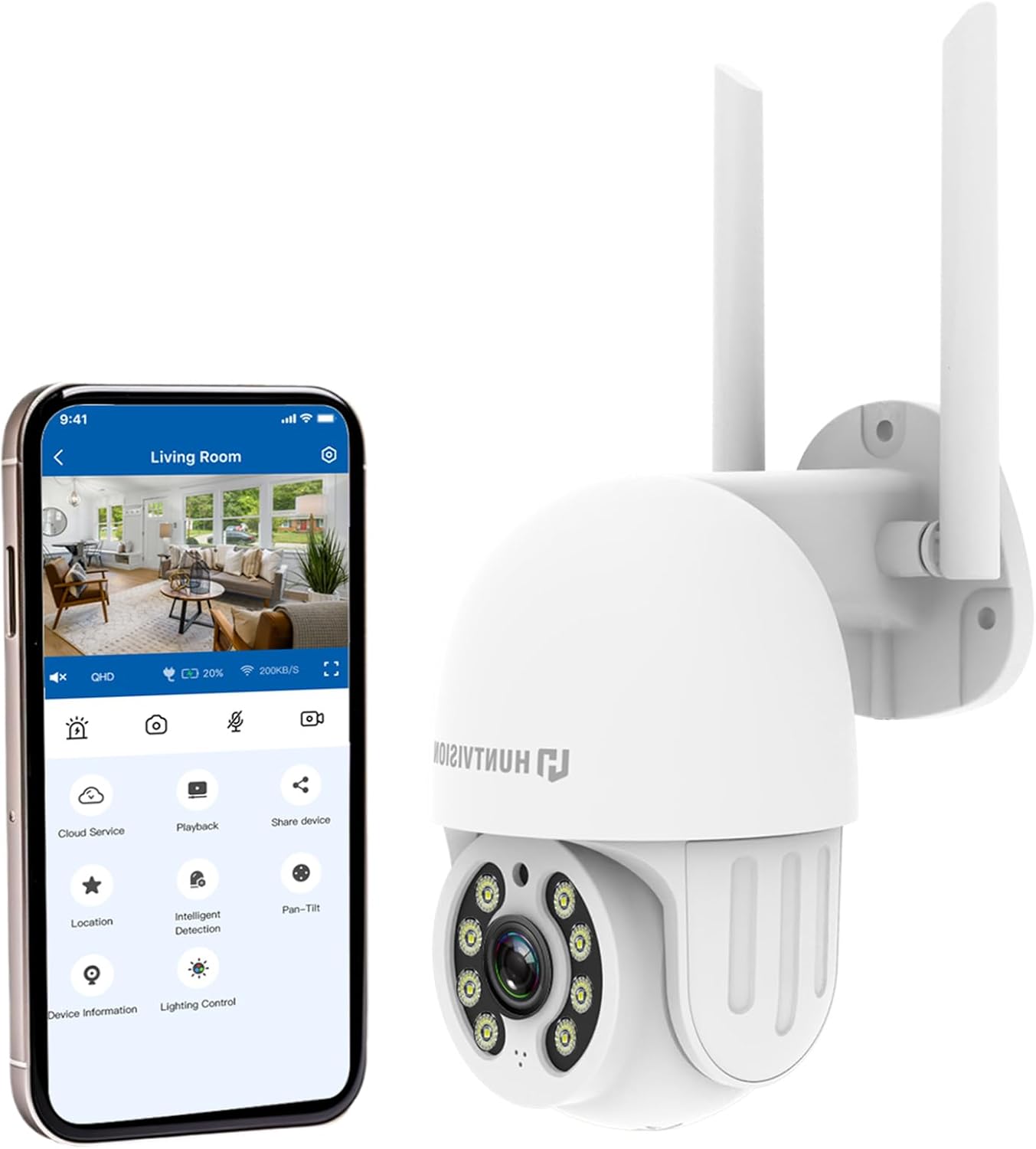
Slika 4.2: The HUNTVISION E3-Z camera alongside a smartphone displaying the companion mobile application interface, illustrating remote control capabilities.
Ključne karakteristike:
- 3MP Full HD Resolution: Captures clear 2304×1296 footage.
- 24/7 Color Night Vision: Advanced starlight technology for full-color monitoring in low light.
- Pametna AI detekcija: Distinguishes people, vehicles, and animals with AI-powered motion tracking.
- 360° PTZ kontrola: Remote pan, tilt, and zoom via the Huntvision app.
- Dvosmjerni zvuk: Ugrađeni mikrofon i zvučnik za komunikaciju.
- IP65 Otporan na vremenske uslove: Designed to withstand outdoor conditions (rain, snow, dust).
- Dual Storage: Supports up to 128GB TF card and cloud storage options.
- Jednostavno postavljanje: 2.4G WiFi and Bluetooth 4.2 for quick installation.
5. Postavljanje i instalacija
5.1 Odabir lokacije
Odaberite odgovarajuću vanjsku lokaciju koja pruža željene viewing angle and is within range of your 2.4G WiFi network. The camera is IP65 weatherproof, making it suitable for various outdoor environments.

Slika 5.1: Examples of suitable installation environments, including residential homes, farms, construction sites, and commercial properties.
5.2 Montiranje kamere
The camera supports wall mounting. Use the provided auxiliary package for secure installation.
- Označite tačke za bušenje na zidu koristeći nosač za montažu kao šablon.
- Izbušite rupe i po potrebi umetnite zidne tiple.
- Pričvrstite montažni držač na zid pomoću vijaka.
- Pričvrstite kameru na nosač za montažu, pazeći da je čvrsto na svom mjestu.
5.3 Uključivanje i početno podešavanje
- Spojite adapter za napajanje na kameru i uključite ga u utičnicu.
- Download the "Huntvision" app from your mobile app store (available for iOS).
- Open the app and follow the on-screen instructions to add your camera. The camera uses Bluetooth 4.2 for initial configuration, simplifying the WiFi connection process.
- Ensure your mobile device is connected to a 2.4G WiFi network during setup.
6. Upravljanje kamerom
6.1 Uživo View i PTZ kontrola
Once connected, access the live view through the Huntvision app. You can remotely control the camera's pan (355°) and tilt (85°) functions to adjust the viewing kut.

Slika 6.1: Illustration of the camera's remote pan (355°) and tilt (85°) capabilities, controlled via the mobile application, along with 6X digital zoom.
6.2 Detekcija pokreta i upozorenja
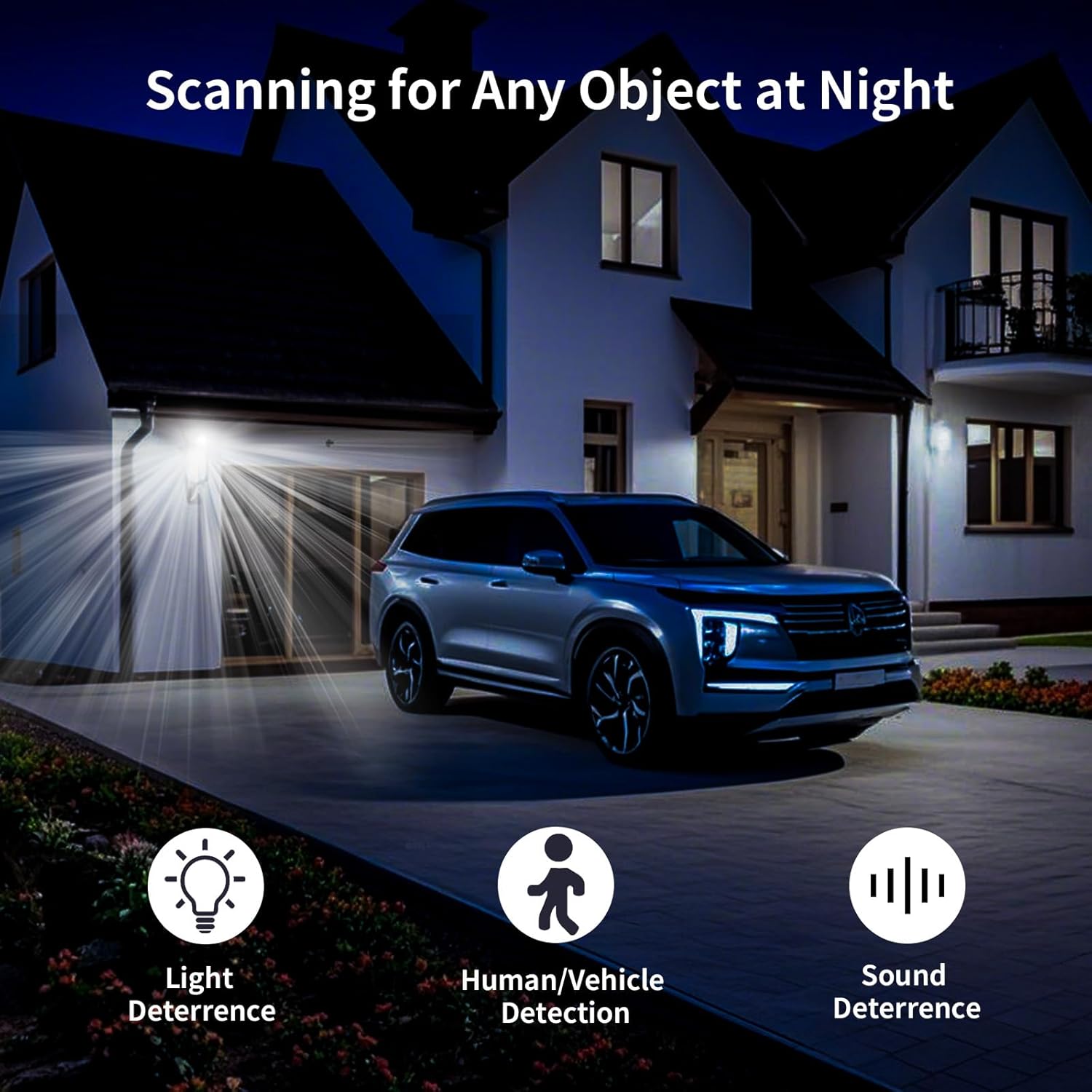
The camera features smart AI detection to distinguish between people, vehicles, and animals. Configure alert settings in the app to receive instant notifications on your mobile device when motion is detected.

Slika 6.2: Depiction of motion detection triggering a siren alert, spotlight alarm, and app notification push, alongside the two-way audio function.
6.3 Režimi noćnog vida
The E3-Z offers multiple night vision modes:
- Noćni vid u punom koloru: Utilizes advanced starlight technology to provide color images in low-light conditions.
- IR noćni vid: Standard black and white infrared vision for complete darkness.
- Smart Night Vision: Automatically switches between IR and color night vision based on detected motion or light conditions.
Slika 6.3: Visual comparison of Color Night Vision, IR Night Vision, and Smart Night Vision modes, demonstrating clear visibility in various nighttime scenarios.
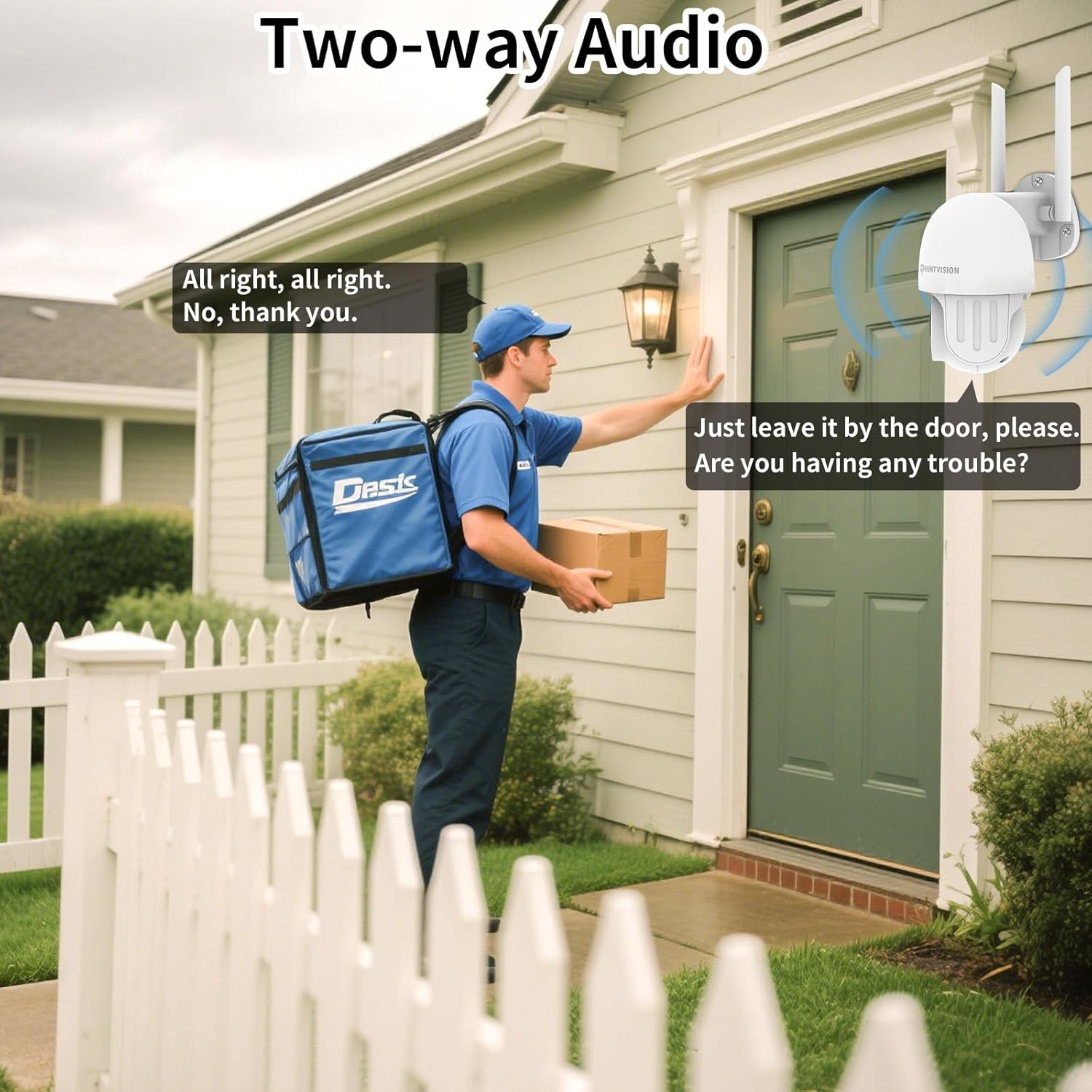
6.4 Dvosmjerni audio
Use the two-way audio feature to communicate with individuals near the camera. This is useful for deterring intruders or speaking with delivery personnel.

Slika 6.4: Bivšiample of two-way audio in use, showing a user communicating with a delivery person through the camera.
6.5 Opcije skladištenja
The camera supports local storage via a TF (microSD) card up to 128GB and cloud storage services. Insert the TF card into the designated slot on the camera.
Slika 6.5: Close-up view of the TF card slot on the camera and a list of compatible memory card brands (Kingston, SanDisk, PNY) with supported capacities.
7. Održavanje
Regular maintenance ensures optimal performance and longevity of your security camera:
- čišćenje: Pažljivo obrišite objektiv i kućište kamere mekom, suhom krpom. Ne koristite jake hemikalije ili abrazivna sredstva za čišćenje.
- Ažuriranja firmvera: Check the Huntvision app regularly for firmware updates. Keeping your camera's firmware up-to-date ensures access to the latest features and security enhancements.
- Ciklus napajanja: Ako kamera prestane reagirati, pokušajte je isključiti iz izvora napajanja na nekoliko sekundi, a zatim je ponovo uključiti.
- Upravljanje skladištem: Periodično review i upravljajte svojim snimljenim footage. If using a TF card, ensure it has sufficient space or consider setting up automatic overwriting.
8. Otkrivanje problema
If you encounter issues with your HUNTVISION E3-Z camera, refer to the following common problems and solutions:
| Problem | Mogući uzrok | Rješenje |
|---|---|---|
| Kamera van mreže u aplikaciji | No power; WiFi disconnected; Router issues | Check power connection; Verify WiFi signal strength; Restart router and camera; Re-add camera to app if necessary. |
| Loša kvaliteta slike | Dirty lens; Low light; Network bandwidth issues | Clean the lens; Ensure adequate lighting or proper night vision mode; Check network speed. |
| Obavještenja o kretanju nisu primljena | App notifications disabled; Detection sensitivity too low; Incorrect detection zone settings | Enable app notifications; Adjust detection sensitivity; Configure detection zones in the app. |
| Dvosmjerni zvuk ne radi | Mikrofon/zvučnik isključen u aplikaciji; Latencija mreže | Check audio settings in the app; Ensure stable network connection. |
| TF card not recording | Card full; Card not formatted; Incompatible card | Format the TF card via the app; Replace with a compatible card (up to 128GB); Check recording settings. |
For further assistance, please contact HUNTVISION customer support.
9. Specifikacije
| Feature | Detalj |
|---|---|
| Naziv modela | 3MP Outdoor PTZ Camera (E3-Z) |
| Rezolucija | 3MP (2304 x 1296p) |
| Tehnologija povezivanja | Wireless (2.4G WiFi, Bluetooth 4.2 for setup) |
| Opseg pomeranja/nagiba | Pan 355°, Tilt 85° |
| Night Vision | Full-Color Night Vision, IR Night Vision, Smart Night Vision |
| Audio | 2-Way Audio |
| Opcije skladištenja | TF kartica (do 128 GB), pohrana u oblaku |
| Weatherproof Rating | IP65 |
| Izvor napajanja | Corded Electric |
| Vrsta montaže | Zidni nosač |
| Dimenzije (D x Š x V) | 6.36 x 5.31 x 3.62 inča |
| Težina artikla | 1 funta |
| Uključene komponente | Camera, Power adapter, Data line, Auxiliary package, User guide |
10. Garancija i podrška
HUNTVISION products come with a standard manufacturer's warranty. Please refer to the warranty card included in your package or visit the official HUNTVISION webstranicu za detaljne uslove i odredbe garancije.
Korisnička podrška:
If you require technical assistance or have questions regarding your HUNTVISION E3-Z Security Camera, please contact our customer support team. For the most up-to-date contact information, please visit the official HUNTVISION webweb-mjesto ili pogledajte kontakt podatke navedene na pakovanju vašeg proizvoda.
Please have your model number (E3-Z) and purchase information ready when contacting support.


