Uvod
The R-MUSIC Party Boost S speaker is designed to provide an immersive audio experience, perfect for parties and events. This high-power speaker features Bluetooth 5.3 connectivity, dynamic RGB light effects, a dedicated karaoke mode, and an impressive battery life, combining robust performance with portable design.
This manual provides essential information for setting up, operating, and maintaining your Party Boost S speaker to ensure optimal performance and longevity.
Šta je u kutiji
Upon unboxing your R-MUSIC Party Boost S, please verify that all components are present:
- Party Boost S Speaker
- Žični mikrofon
- Kabel za punjenje
- Punjač
- Korisnički priručnik (ovaj dokument)
Product Overview
Familiarize yourself with the key features and components of your Party Boost S speaker.

The R-MUSIC Party Boost S speaker, showcasing its integrated RGB lighting on the front grille and top control panel. The speaker is black with a textured finish on the sides and a convenient carry handle on top.
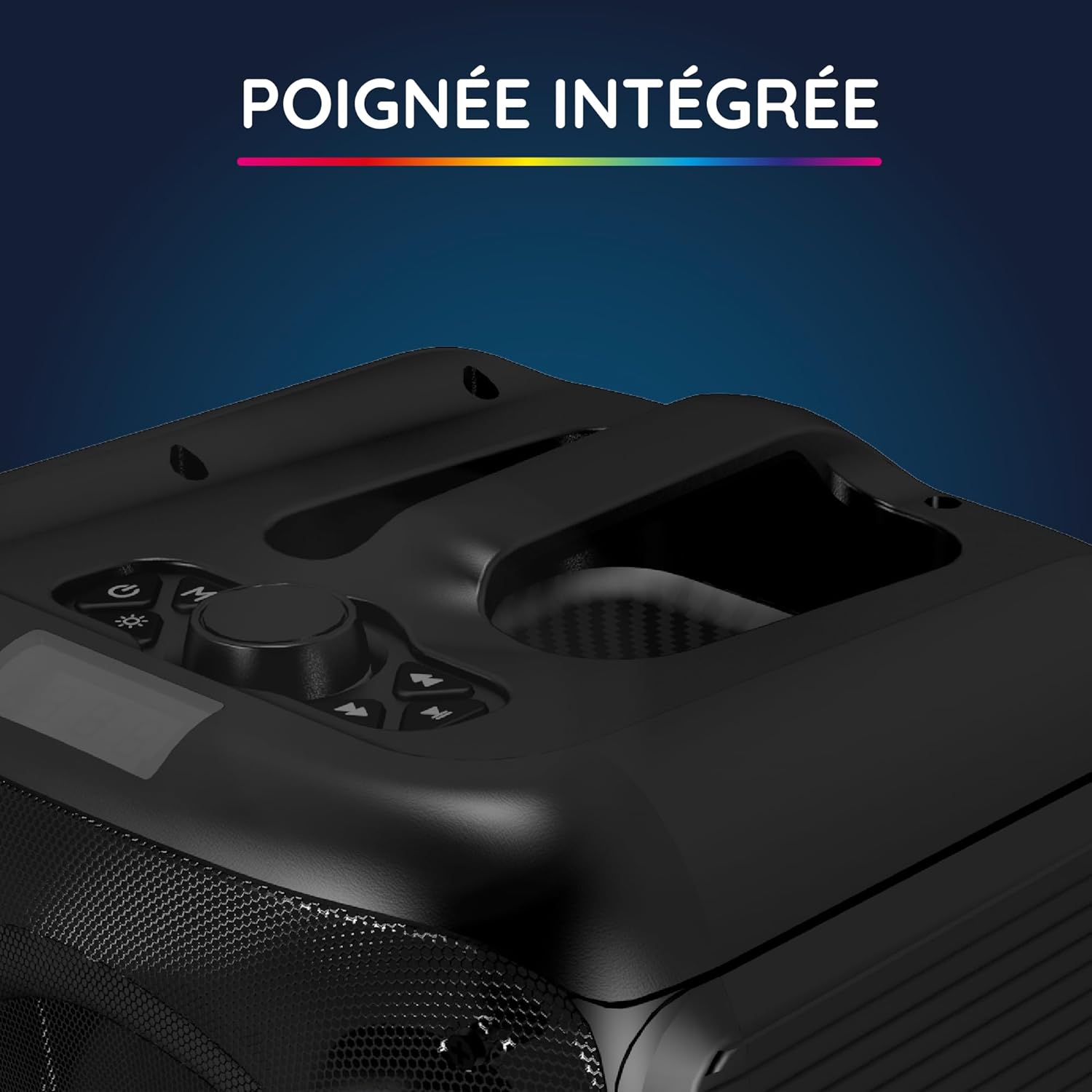
Krupni plan view of the integrated handle located on the top of the Party Boost S speaker, designed for easy portability and transport.

The connectivity panel of the Party Boost S speaker, featuring various input ports including USB, USB-C, AUX, and Micro-SD slots for versatile device connections.

The top control panel of the Party Boost S speaker, showing buttons for equalizer settings, volume adjustment, and echo control, along with a digital display.
Setup
Punjenje zvučnika
Before first use, fully charge the speaker. Connect the provided charging cable to the speaker's charging port and the other end to the charger. Plug the charger into a power outlet. The charging indicator will show the charging status. A full charge takes approximately 5 hours and provides up to 10 hours of continuous playback.
Početno uključivanje
Locate the power button on the speaker's control panel. Press and hold the power button for a few seconds until the speaker powers on and the LED lights illuminate.
Uputstvo za upotrebu
Bluetooth veza
- Ensure the Party Boost S speaker is powered on.
- Activate Bluetooth on your smartphone, tablet, PC, or laptop.
- Traži "R-MUSIC Party Boost S" in your device's Bluetooth settings.
- Odaberite zvučnik za uparivanje. Zvuk potvrde će označiti uspješno povezivanje.
- The speaker uses Bluetooth 5.3 for a stable connection up to 10 meters.
Using Other Connectivity Options
- USB port: Umetnite USB disk sa zvukom fileu USB priključak. Zvučnik će automatski detektovati i reprodukovati muziku.
- AUX ulaz: Connect an external audio device (e.g., MP3 player) using a 3.5mm AUX cable to the AUX port.
- Micro SD kartica: Umetnite Micro SD karticu sa zvukom files into the Micro SD slot.
- 6.35 mm Jack: This port is primarily for the wired microphone.
Karaoke Mode and Microphone Use
To use the karaoke feature:
- Connect the wired microphone to the 6.35mm jack port on the speaker.
- Play your desired instrumental track via Bluetooth or other input methods.
- Adjust the microphone volume and echo effects using the controls on the speaker's top panel for an optimal karaoke experience.

The wired microphone included with the Party Boost S speaker, featuring an on/off switch and a standard audio jack for connection.
Sound Adjustment (Bass & Treble)
Use the dedicated controls on the speaker's top panel to adjust the bass and treble levels according to your audio preferences. This allows for fine-tuning the sound output for various music genres or environments.
RGB svjetlosni efekti
The speaker features integrated RGB light shows that synchronize with your music. Use the light mode button on the control panel to cycle through different light animations or turn them off.
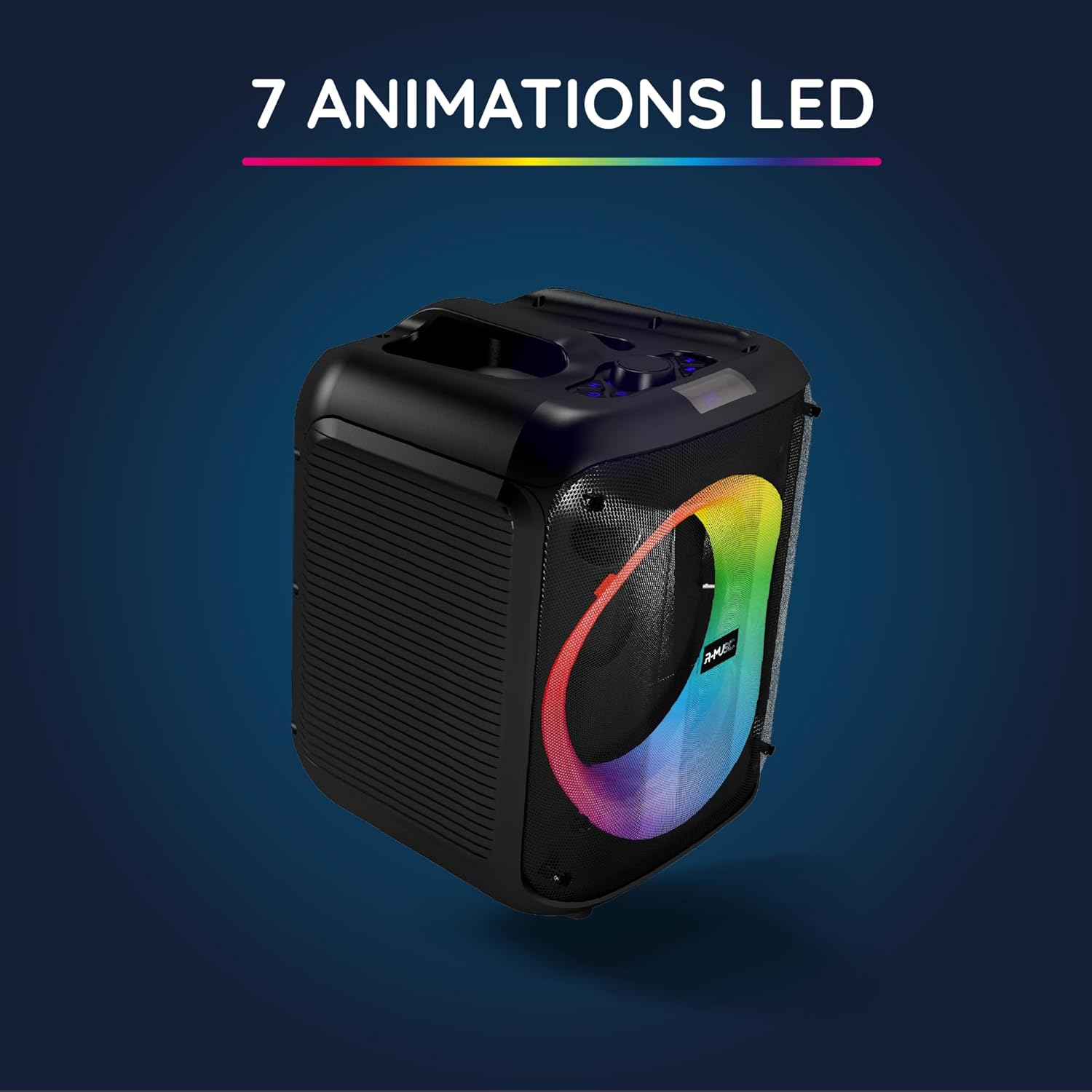
The Party Boost S speaker illuminated with vibrant RGB LED animations, showcasing its ability to create a dynamic visual experience synchronized with audio.
Veza sa više zvučnika
For an enhanced stereo experience, you can connect two Party Boost S speakers together. Refer to the specific instructions for TWS (True Wireless Stereo) pairing, usually initiated by a dedicated button or a long press on the Bluetooth button on both speakers. Ensure both speakers are in pairing mode before attempting to connect them to each other.
Održavanje
- čišćenje: Za čišćenje vanjske strane zvučnika koristite meku, suhu krpu. Nemojte koristiti abrazivna sredstva za čišćenje, voskove ili rastvarače.
- Skladištenje: Kada se zvučnik ne koristi duži period, čuvajte ga na hladnom i suhom mjestu, dalje od direktne sunčeve svjetlosti i ekstremnih temperatura.
- Održavanje baterije: Da biste produžili vijek trajanja baterije, izbjegavajte često potpuno pražnjenje baterije. Redovno punite zvučnik, čak i ako ga ne koristite.
- Otpornost na vodu: This speaker is not water-resistant. Avoid exposure to liquids.
Rješavanje problema
| Problem | Mogući uzrok | Rješenje |
|---|---|---|
| Nema struje | Baterija je prazna; Kabel za napajanje nije pravilno spojen. | Potpuno napunite zvučnik; Provjerite je li kabel za napajanje sigurno spojen. |
| Nema zvuka | Volume is too low; Incorrect input source selected; Device not paired correctly. | Increase volume on speaker and connected device; Select correct input (Bluetooth, AUX, USB, SD); Re-pair Bluetooth device. |
| Bluetooth veza je nestabilna | Device is out of range; Interference from other devices. | Move device closer to speaker (within 10m); Move speaker away from other wireless devices. |
| Mikrofon ne radi | Microphone not plugged in correctly; Microphone switch is off. | Ensure microphone is fully inserted into the 6.35mm jack; Turn on the microphone switch. |
Specifikacije
| Broj modela | RM484529 |
| Brand | R-MUSIC |
| Vrsta povezanosti | Bluetooth 5.3 |
| Audio ulazi | Bluetooth, USB, 6.35mm Jack, AUX, Micro SD |
| Frekvencijski odziv | 20 Hz - 20 kHz |
| Trajanje baterije | Up to 10 hours (3600mAh Lithium-ion) |
| Vrijeme punjenja | Pribl. 5 sati |
| Dimenzije (D x Š x V) | 29 x 34 x 26 cm |
| Težina | 3.95 kg |
| Boja | Crna |
| Kompatibilni uređaji | Smartphones, Tablets, PCs, Laptops |
| Posebne karakteristike | Integrated RGB Lights, Karaoke Mode, Wired Microphone Included, Bass & Treble Adjustment, Multi-speaker Connection (TWS), Integrated Handle |
Garancija i podrška
Garancija proizvođača
The R-MUSIC Party Boost S speaker comes with a 2-godišnja garancija proizvođača od datuma kupovine. Ova garancija pokriva nedostatke u materijalu i izradi pri normalnoj upotrebi. Ne pokriva štetu uzrokovanu nepravilnom upotrebom, nezgodama, neovlaštenim modifikacijama ili normalnim habanjem.
Molimo sačuvajte svoj dokaz o kupovini za zahtjeve u vezi s garancijom.
Korisnička podrška
For technical assistance, warranty claims, or any questions regarding your R-MUSIC Party Boost S speaker, please contact your retailer or the manufacturer's customer support. Refer to the product packaging or the retailer's webstranica za kontakt informacije.


