1. Proizvod je gotovview
The Krysenix KGH2 Gaming Headset is designed to provide an immersive audio experience for gaming. It features stereo surround sound, an adjustable noise-canceling microphone, and comfortable ergonomic design for extended use. This manual provides instructions for setup, operation, maintenance, and troubleshooting to ensure optimal performance of your headset.
2. Sadržaj paketa
Molimo Vas da provjerite paket za sljedeće stavke:
- Krysenix KGH2 Gaming Headset (1 unit)
3. Ključne karakteristike
- Kvalitet stereo surround zvuka: Delivers clear and immersive audio for an enhanced gaming experience.
- Podesivi mikrofon za poništavanje buke: Ensures clear voice communication by reducing background noise.
- Udoban ergonomski dizajn slušalica: Designed for long gaming sessions with soft earcups and an adjustable headband.
- Kompatibilnost sa više platformi: Compatible with various devices, primarily designed for PC.
- Dynamic Soft LED Lighting: Adds aesthetic appeal with integrated LED lights.
4. Vodič za postavljanje
4.1 Povezivanje slušalica
The KGH2 Gaming Headset uses a wired connection. It features a 3.5mm audio jack for sound and microphone, and a USB connector for LED lighting.
- Connect the 3.5mm Audio Jack: Plug the 3.5mm audio jack into the corresponding audio port on your PC. This port is typically marked with a headphone icon or green color for audio output, and a microphone icon or pink color for microphone input. If your PC has a single combined audio jack, you may need a Y-splitter (not included).
- Connect the USB Connector: Plug the USB connector into an available USB port on your PC. This connection powers the headset's LED lighting. The headset will function for audio and microphone without the USB connection, but the LED lights will not illuminate.
4.2 Adjusting the Microphone
The microphone is adjustable for optimal positioning and clarity.
- Gently bend the flexible microphone boom to position it approximately 1-2 inches (2.5-5 cm) from your mouth.
- Ensure the microphone is not directly in front of your mouth to avoid breath noises, but close enough to capture your voice clearly.
4.3 Nošenje slušalica
Adjust the headband to fit comfortably over your head. The earcups are designed to fully cover your ears for optimal sound isolation and comfort.
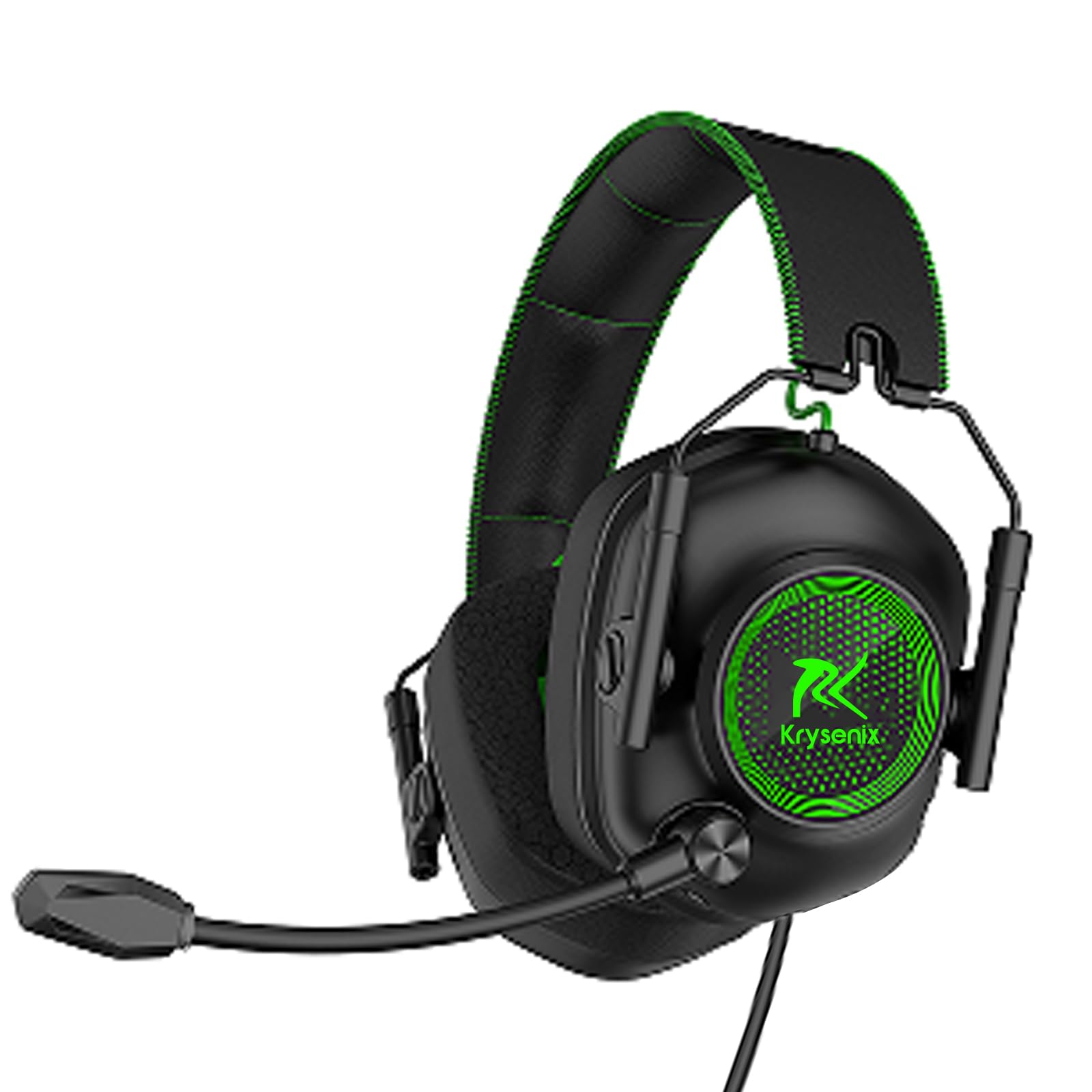
Image: Krysenix KGH2 Gaming Headset. This image displays the overall design of the headset, including the earcups, headband, and microphone boom. The headset is green with black accents.
5. Uputstvo za upotrebu
5.1 Kontrola jačine zvuka
The headset features an in-line volume control wheel on the cable. Rotate the wheel up to increase volume and down to decrease volume.
5.2 Isključivanje mikrofona
An in-line switch on the cable allows you to mute or unmute the microphone. Slide the switch to the 'OFF' position to mute the microphone and to the 'ON' position to unmute it.
5.3 LED rasvjeta
The dynamic soft LED lighting activates automatically when the USB connector is plugged into a powered USB port. There are no separate controls for the LED lighting; it is either on (when USB is connected) or off (when USB is disconnected).
6. Održavanje i njega
Proper care will extend the life of your Krysenix KGH2 Gaming Headset.
- čišćenje: Use a soft, dry cloth to wipe down the headset. For stubborn dirt, a slightly damp Može se koristiti krpa, ali pazite da vlaga ne uđe u rešetke zvučnika ili mikrofona. Nemojte koristiti jake hemikalije ili abrazivna sredstva za čišćenje.
- Skladištenje: Slušalice čuvajte na hladnom i suhom mjestu, dalje od direktne sunčeve svjetlosti i ekstremnih temperatura. Izbjegavajte stavljanje teških predmeta na slušalice.
- Održavanje kablova: Avoid sharply bending or twisting the cable. Do not pull on the cable to disconnect the headset; always grasp the plug.
7. Otkrivanje problema
Ako imate problema sa slušalicama, pogledajte sljedeća uobičajena rješenja:
7.1 Nema zvuka iz slušalica
- Ensure the 3.5mm audio jack is fully inserted into the correct audio output port on your PC.
- Check the in-line volume control wheel on the headset cable and ensure it is turned up.
- Verify your PC's audio settings. Ensure the headset is selected as the default playback device and the system volume is not muted.
- Testirajte slušalice na drugom uređaju kako biste isključili problem specifičan za taj uređaj.
7.2 Mikrofon ne radi
- Ensure the 3.5mm audio jack is fully inserted into the correct microphone input port on your PC.
- Check the in-line microphone mute switch and ensure it is in the 'ON' (unmuted) position.
- Verify your PC's sound settings. Ensure the headset microphone is selected as the default recording device and its input volume is not muted or set too low.
- Provjerite je li nosač mikrofona pravilno postavljen.
7.3 LED Lights Not Illuminating
- Ensure the USB connector is fully plugged into a functional USB port on your PC.
- Try plugging the USB connector into a different USB port.
- Verify that the USB port is providing power.
8. Specifikacije
| Feature | Detalj |
|---|---|
| Naziv modela | KGH2 |
| Tehnologija povezivanja | Žičani |
| Bežična komunikacijska tehnologija | NO |
| Uključene komponente | Gaming Headset * 1 |
| Dobni raspon (opis) | Kid Teen Adult |
| Materijal | Plastika |
| Specifične upotrebe za proizvod | Gaming |
| Kompatibilni uređaji | za PC |
| Unit Count | 1.0 Count |
| Vrsta audio drajvera | Dynamic Driver |
| Oblik slušalice | Preko uha |
| Hardversko sučelje | 3.5 mm audio |
| UPC | 791126894146 |
| Interfejs ulaznog uređaja | USB |
| Funkcije kontrole buke | Poništavanje buke |
| Podržava Bluetooth tehnologiju | br |
| Posebna karakteristika | Noise Cancellation, Surround Sound, LED Lighting |
| Proizvođač | Shenzhen Xintaiyang Technology Co., Ltd |
| Dimenzije proizvoda | 8.66 x 8.27 x 3.86 inča |
| ASIN | B0DHGTXRJV |
| Broj modela artikla | KGH2 |
| Datum prve dostupnosti | 19. septembra 2024 |
| Brand | Krysenix |
| Boja | Zeleno |
| Postavljanje uha | Preko uha |
| Form Factor | Preko uha |
| Priključak za slušalice | 3.5 mm Jack |
9. Garancija i podrška
Warranty information for the Krysenix KGH2 Gaming Headset is not provided in this manual. For details regarding warranty coverage, terms, and conditions, please refer to the product packaging or contact Krysenix customer support directly.
For technical support, troubleshooting assistance beyond what is covered in this manual, or to inquire about replacement parts, please visit the official Krysenix webstranice ili kontaktirajte njihov odjel za korisničku podršku.
