1. Uvod
The Khadas Mind 2 Mini PC is a compact and powerful computing device designed for various tasks, from daily productivity to creative projects. This manual provides essential information for setting up, operating, and maintaining your device.

Figure 1: Khadas Mind 2 Mini PC, showcasing its compact design and available ports.
The device features a sleek, ultra-portable design, weighing just 435 grams and measuring only 2 cm thick. Its CNC unibody design and anodized aluminum casing provide both durability and a comfortable grip. The Khadas Mind 2 is equipped with an Intel Core Ultra 5 125H processor, 16GB of LPDDR5 memory, and a 512GB PCIe 4.0 SSD, ensuring efficient performance for diverse applications.

Figure 2: The Khadas Mind 2 Mini PC demonstrating its ultra-portable and lightweight design, easily fitting into a small bag.
Video 1: Overview of the Khadas Mind Portable Workstation, highlighting its features and modularity.
2. Šta se nalazi u kutiji
Please ensure all items are present in the packaging:
- Mind 2 Mini PC
- Adapter za napajanje
- USB-C kabl
- Uputstvo za upotrebu
3. Vodič za postavljanje
3.1 Početno podešavanje
- Priključite napajanje: Connect the provided power adapter to the Khadas Mind 2 Mini PC and plug it into a power outlet.
- Poveži se sa ekranom: Use an HDMI 2.1 cable to connect the Mini PC to your monitor or TV. The device also supports Thunderbolt 4/USB4 for display output.
- Povežite periferne uređaje: Connect your keyboard and mouse to the available USB-A 3.2 Gen2 ports.
- Uključeno: Pritisnite dugme za napajanje koje se nalazi na uređaju da biste ga uključili.
Slika 3: Pozadi view of the Khadas Mind 2 Mini PC, illustrating the available ports for connectivity.
3.2 First-Time Operating System Configuration
Upon first boot, the Windows 11 Home operating system will guide you through the initial setup process, including language selection, network connection, and user account creation. Follow the on-screen instructions to complete the setup.
Video 2: A guide on how to set up graphics for the first time, relevant for initial OS configuration.
4. Uputstvo za upotrebu
4.1 Performanse iznadview
The Khadas Mind 2 is powered by the Intel Core Ultra 5 125H processor, featuring a three-in-one architecture (CPU, GPU, and NPU) for balanced performance. It includes 14 cores and 18 threads, with a max turbo frequency of up to 4.5GHz. The integrated Arc graphics provide enhanced visual performance, and the AI Boost NPU offers 34 TOPS of combined computing power for AI-driven tasks.

Figure 4: Detailed specifications and performance benchmarks for the Intel Core Ultra 5 125H processor.

Slika 5: Gotovoview of the Arc Integrated Graphics and AI Boost NPU, highlighting their performance metrics.
4.2 Connectivity and Expansion
The Mini PC offers versatile connectivity options:
- Thunderbolt 4 & USB4: For lightning-fast 40Gbps data transfers and display output.
- HDMI 2.1 TMDS: Supports 18Gbps output for high-resolution displays.
- USB-A 3.2 Gen2: Two ports offering 10Gbps data transfer.
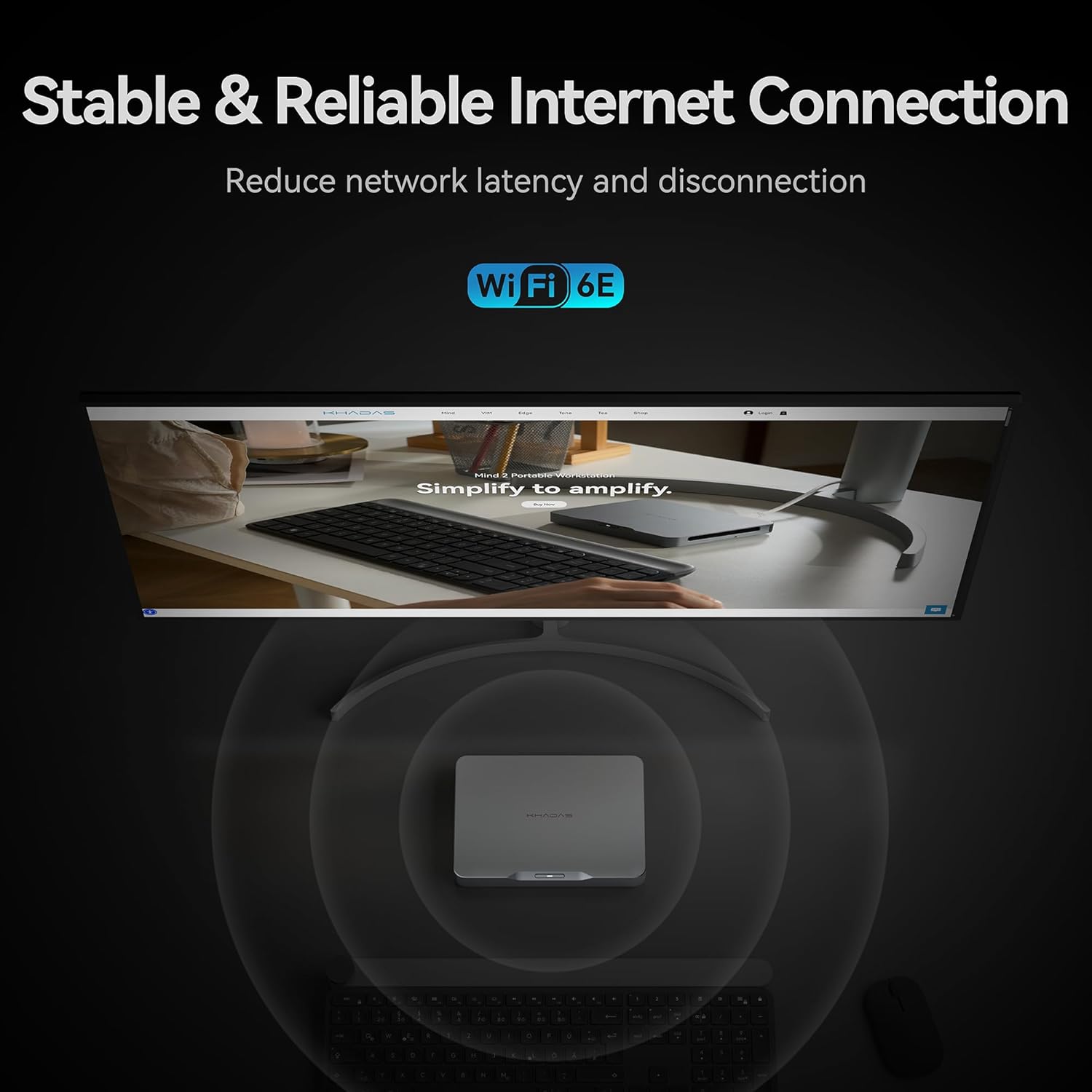
- bežični: Built-in Bluetooth 5.3 and Wi-Fi 6E for seamless wireless connections.

Figure 6: Thunderbolt 4 interface and its high-speed data transfer rates compared to other ports.
For storage expansion, the device includes an M.2 2230 SSD expansion slot with an ingenious magnetic cover design, allowing for easy addition of up to 2TB PCIe 4.0 SSD storage.
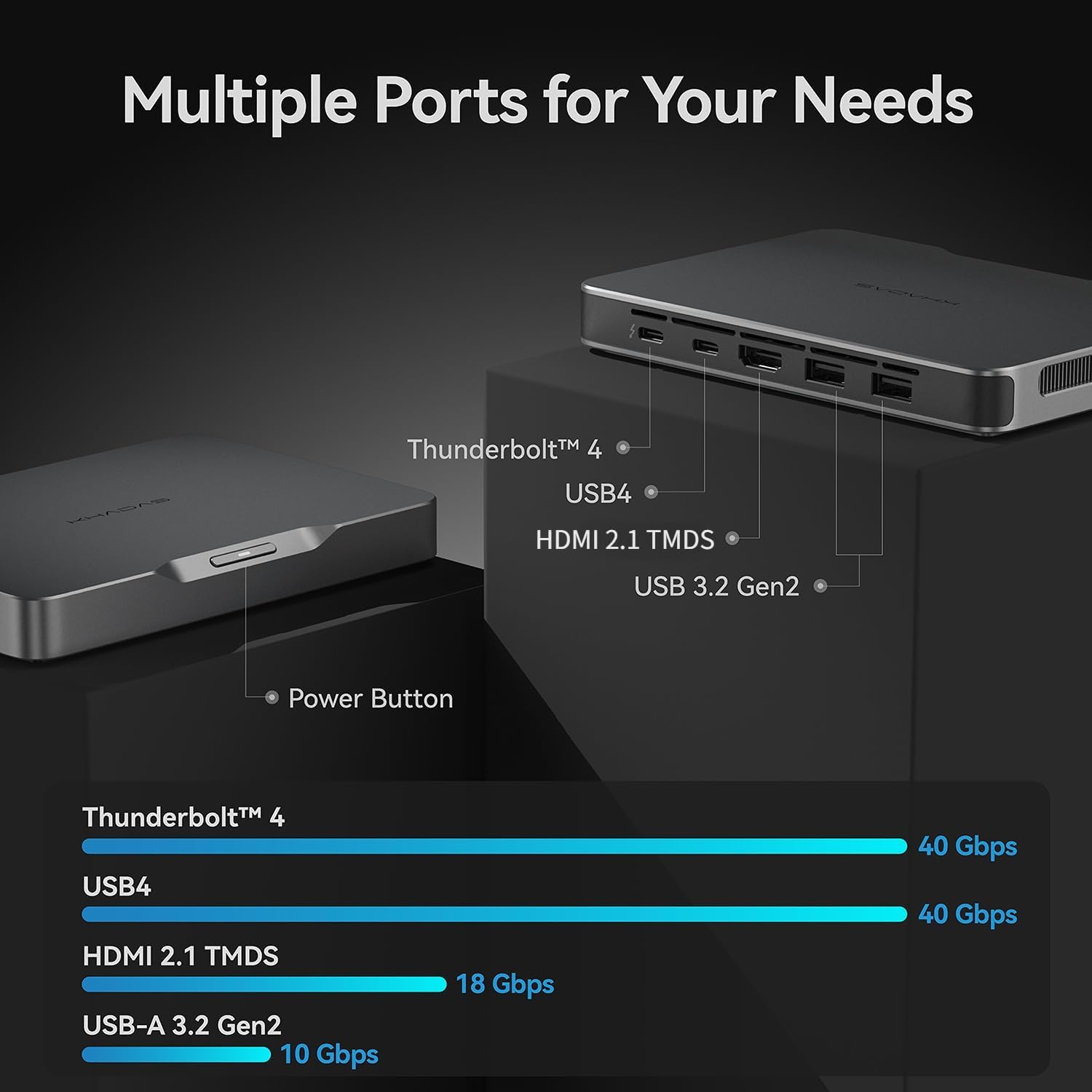
Figure 7: The M.2 2230 SSD expansion slot, designed for easy storage upgrades.
4.3 Ugrađena baterija
The Khadas Mind 2 features a built-in 5.55Wh battery, providing up to 25 hours of standby time. This allows the device to enter sleep mode instantly upon power disconnection, preserving your work without data loss. It can wake up in just 2 seconds, enabling quick resumption of tasks.

Figure 8: Illustration of the built-in 5.55Wh battery, enabling uninterrupted mobility and standby time.
5. Specifikacije
| Feature | Detalj |
|---|---|
| Procesor | Intel Core Ultra 5 125H (14 Cores, 18 Threads, up to 4.5GHz) |
| RAM | 16 GB LPDDR5 (6400.0 MHz) |
| Skladištenje | 512 GB PCIe 4.0 SSD |
| Grafika | Intel Arc Integrated Graphics (up to 2.2GHz, 8 GB VRAM) |
| Operativni sistem | Windows 11 Home |
| Bežično povezivanje | Bluetooth 5.3, Wi-Fi 6E |
| I/O portovi | Thunderbolt 4, USB4, HDMI 2.1 TMDS, 2x USB-A 3.2 Gen2 |
| Baterija | 5.55Wh (up to 25 hours standby) |
| Dimenzije (DxŠxV) | 5.75 x 4.13 x 0.79 inča |
| Težina | 15.2 unci (približno 435 grama) |
6. Održavanje
6.1 Ažuriranja softvera
Regularly check for and install operating system updates (Windows Update) and driver updates to ensure optimal performance and security. Visit the official Khadas website for the latest drivers and firmware for your Mind 2 Mini PC.
6.2 Čišćenje
To maintain optimal performance and prevent overheating, periodically clean the device. Use a soft, dry cloth to wipe down the exterior. For vents, use compressed air to gently remove dust buildup. Ensure the device is powered off and unplugged before cleaning.
7. Otkrivanje problema
7.1 Nema napajanja
- Provjerite je li adapter za napajanje sigurno spojen na uređaj i utičnicu.
- Provjerite da li je utičnica funkcionalna tako što ćete priključiti drugi uređaj.
7.2 Nema izlaza za prikaz
- Check that the HDMI or USB-C display cable is securely connected to both the Mini PC and the monitor.
- Provjerite je li monitor uključen i postavljen na ispravan ulazni izvor.
- Try a different display cable or monitor to rule out hardware issues.
7.3 Problemi s povezivanjem
- For Wi-Fi, ensure the router is working and the device is within range. Reconnect to the Wi-Fi network.
- For Bluetooth, ensure the peripheral is in pairing mode and within range.
- For USB devices, try connecting to a different USB port or restarting the Mini PC.
8. Garancija i podrška
The Khadas Mind 2 Mini PC typically comes with a 3-year protection plan. For detailed warranty terms and conditions, please refer to the warranty card included in your product packaging or visit the official Khadas support website.
For technical support, troubleshooting assistance, or service inquiries, please contact Khadas customer support through their official website or designated channels.


