1. Uvod
The LAMAX X5.2 is a versatile action camera designed to capture your adventures in high definition. Featuring real 4K video recording at 30 frames per second (FPS) and Full HD at 60 FPS, it ensures clear and detailed footage. The camera incorporates MAX Soft Electronic Stabilisation for smooth shots, even in dynamic environments. It is waterproof up to 40 meters with its included case, offers USB-C charging, a 2-inch LCD display, and Wi-Fi connectivity for easy file transfer.

Slika 1.1: Prednja strana view of the LAMAX X5.2 Action Camera, showcasinnjegov objektiv i kompaktni dizajn.
2. Sadržaj paketa
Before using your LAMAX X5.2 Action Camera, please verify that all items are present in the package:
- LAMAX X5.2 Akciona kamera
- Vodootporno kućište (do 40m)
- Mounting Accessories (various clips, mounts, and adhesive pads)
- USB-C kabl za punjenje
- Cloth Cloth
- Punjiva baterija
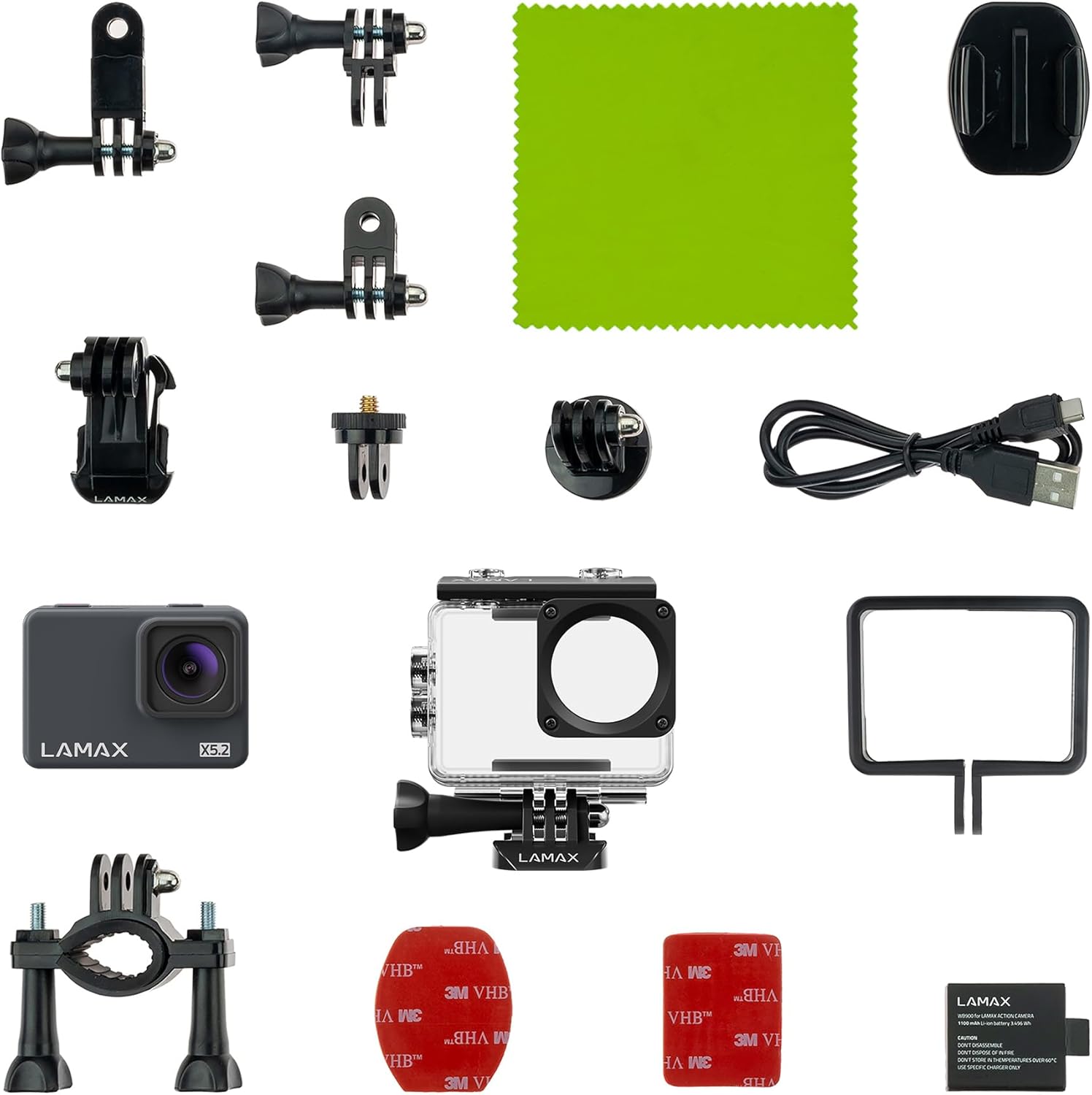
Image 2.1: All components included with the LAMAX X5.2 Action Camera, laid out for inspection.
3. Getting Started
3.1 Punjenje baterije
Before first use, fully charge the camera battery. Connect the camera to a USB power source (e.g., computer, wall adapter) using the provided USB-C cable. The charging indicator light will illuminate during charging and turn off when complete.
3.2 Umetanje MicroSD kartice
The LAMAX X5.2 supports microSD cards up to 128 GB. Use a high-speed card (Class 10 or UHS-I/UHS-3 recommended) for optimal performance. Open the card slot cover, insert the microSD card with the contacts facing the correct direction until it clicks into place. To remove, press the card gently until it springs out.
3.3 Uključivanje/isključivanje
- Za uključivanje: Pritisnite i držite dugme za napajanje/režim nekoliko sekundi dok se ekran ne osvijetli.
- Za isključivanje: Ponovo pritisnite i držite dugme za napajanje/režim dok se ekran ne isključi.
4. Osnovni rad
4.1 Navigacija kroz meni
Use the Power/Mode button to cycle through different modes (Video, Photo, Playback, Settings). Use the Up/Down buttons (if available, or the Shutter button for selection) to navigate within menus and adjust settings on the 2-inch LCD display. The multilingual menu allows for easy customization.
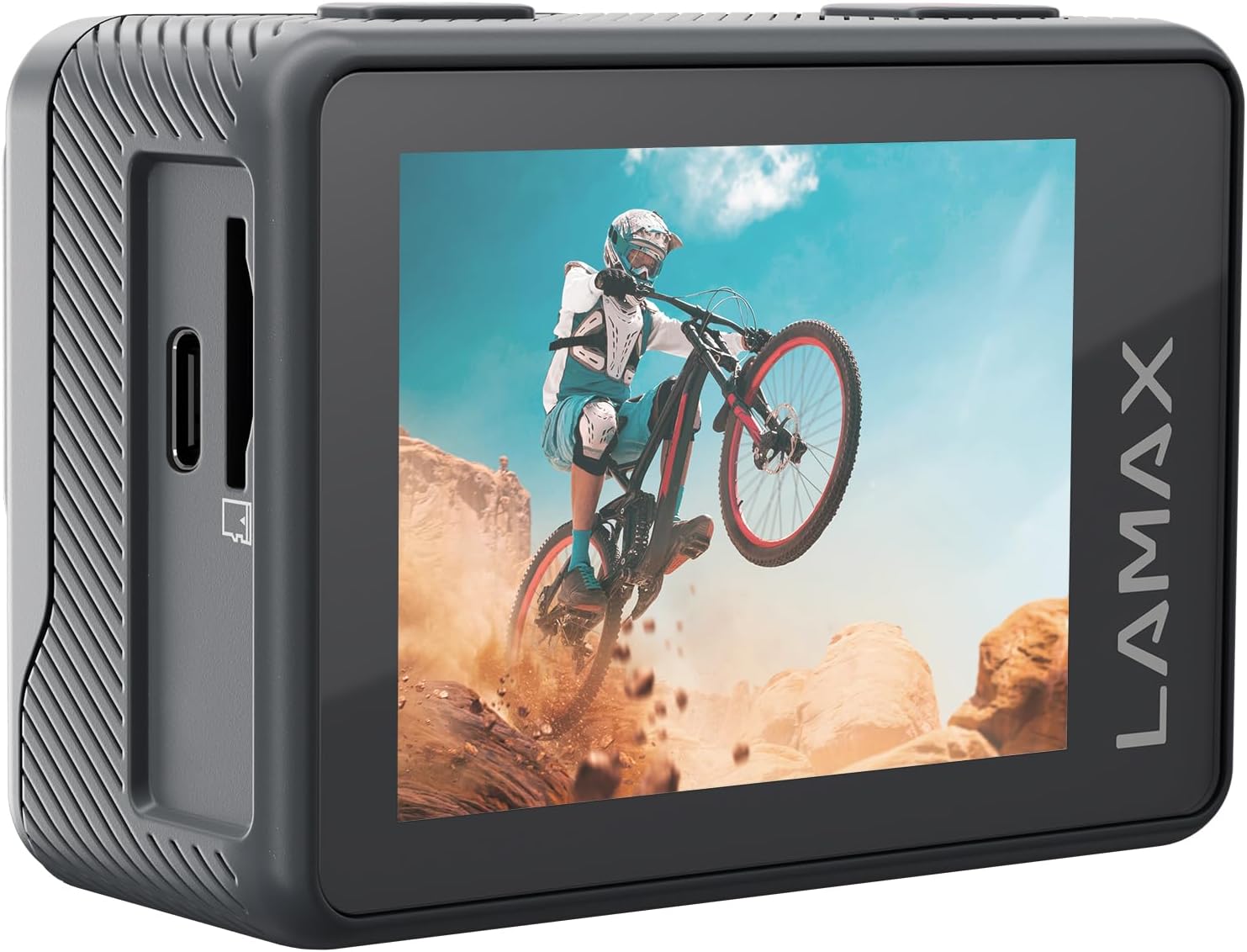
Slika 4.1: Pozadi view of the LAMAX X5.2 Action Camera, showing the 2-inch LCD screen displaying captured action footage.
4.2 Video snimanje
In Video mode, press the Shutter button to start recording. Press it again to stop. The camera supports real 4K at 30 FPS and Full HD at 60 FPS. MAX Soft Electronic Stabilisation helps achieve smooth video footage.
4.3 Snimanje fotografija
U režimu za fotografisanje, pritisnite dugme okidača da biste snimili sliku.
4.4 Wi-Fi veza
Activate Wi-Fi in the camera settings. Download the official LAMAX app on your smartphone or tablet. Connect to the camera's Wi-Fi network. This allows for fast and wireless transfer of footage and remote control of the camera.
5. Napredne funkcije
The LAMAX X5.2 offers several creative functions:
- Time Lapse: Capture a series of photos at set intervals and combine them into a video.
- Snimanje u petlji: Continuously record video, overwriting the oldest files kada je memorijska kartica puna.
- Usporeni snimak: Snimite video s većom brzinom kadrova za reprodukciju u usporenom snimku.
- Samookidač: Postavite odgodu prije snimanja fotografije.
6. Vodootporna upotreba
The LAMAX X5.2 is waterproof up to 40 meters when enclosed in its dedicated waterproof case. Ensure the case is properly sealed before submerging the camera. Always rinse the case with fresh water after use in saltwater and allow it to dry completely.

Image 6.1: The LAMAX X5.2 Action Camera securely housed within its transparent waterproof case.
7. Održavanje
7.1 Čišćenje
Wipe the camera body and lens with a soft, lint-free cloth. For the waterproof case, clean with fresh water and a soft cloth. Avoid harsh chemicals.
7.2 Njega baterija
Store the battery in a cool, dry place. Do not expose to extreme temperatures. If storing for extended periods, charge the battery to approximately 50% every few months.
7.3 Skladištenje
When not in use, store the camera and accessories in a protective case to prevent damage from dust and impacts.
8. Otkrivanje problema
If you encounter issues with your LAMAX X5.2, try the following solutions:
- Kamera se ne uključuje: Ensure the battery is fully charged. Try a different USB-C cable and power source.
- Recording issues (freezing, corrupted files): Ensure you are using a high-speed microSD card (Class 10 or higher). Format the microSD card in the camera's settings.
- Problemi s Wi-Fi vezom: Restart both the camera and your mobile device. Ensure the LAMAX app is up to date.
- Loš kvalitet slike/videa: Provjerite objektiv da li ima mrlja ili prljavštine. Osigurajte odgovarajuće uslove osvjetljenja.
For persistent issues, contact LAMAX customer support.
9. Tehničke specifikacije
| Feature | Specifikacija |
|---|---|
| Broj modela | X5.2 |
| Rezolucija video snimanja | 4K (30 FPS), Full HD (60 FPS) |
| Tehnologija foto senzora | CMOS |
| Electronic Stabilization | MAX Soft Electronic Stabilisation |
| Vodootporna dubina | Up to 40 m (with waterproof case) |
| Povezivanje | USB-C, Wi-Fi |
| Veličina ekrana | 2 inča |
| Vrsta Flash memorije | Micro SD (do 128 GB) |
| Format video snimanja | MP4 |
| Podržani audio format | MP4 |
| Maksimalna žižna daljina | 2.8 milimetara |
| Boja | Crna |
| Proizvođač | LAMAX |
10. Garancija i podrška
For information regarding the product warranty, please refer to the warranty card included in your package or visit the official LAMAX website. For technical support or service inquiries, please contact LAMAX customer service through their official channels.