Uvod
This manual provides essential instructions for the setup, operation, maintenance, and troubleshooting of your MUNBYN ITP02 Portable Thermal Printer. The ITP02 is a compact, inkless thermal printer designed for convenient printing of documents up to 8.5"x11" (US Letter) and A4 sizes, compatible with Android, iOS, and Windows devices.
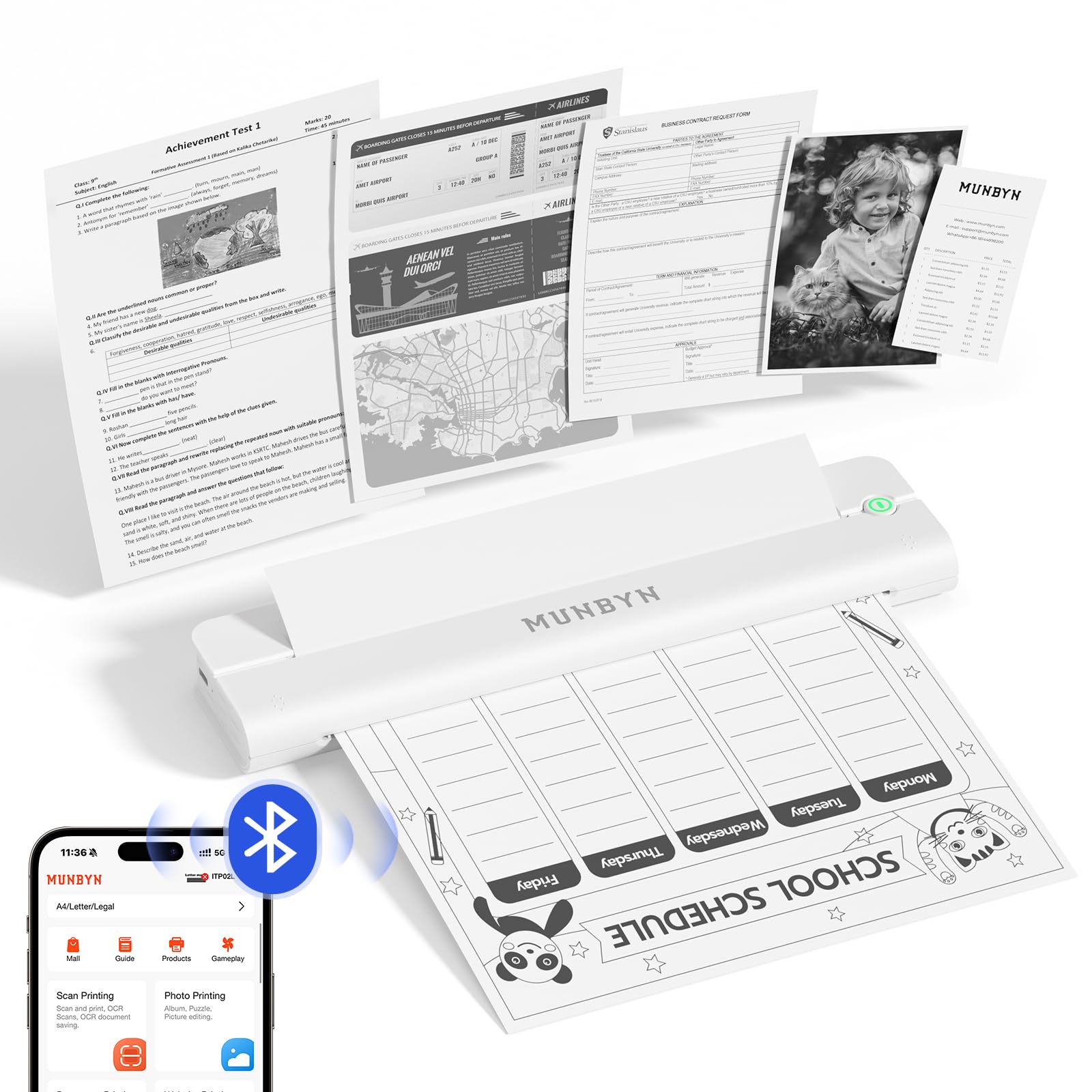
Figure 1: The MUNBYN ITP02 printer demonstrating its ultra-portable design and printing capabilities.
Setup
1. Raspakivanje i prvi pregled
Carefully remove all components from the packaging. Verify that all items are present: the MUNBYN ITP02 printer, a USB-C charging cable, and a user manual. Inspect the printer for any visible damage.
Video 1: Overview of the MUNBYN ITP02 Portable Thermal Printer, showcasinnjegovim karakteristikama i kompaktnim dizajnom.
2. Uključivanje i punjenje
Press and hold the power button for 3 seconds to turn on the printer. The power indicator light will illuminate. For optimal performance, ensure the printer is fully charged using the provided USB-C cable before first use. The built-in 2000mAh battery provides extended use.

Figure 2: The printer's internal battery, illustrating its 2000mAh capacity for long-lasting performance.
3. Ubacivanje termalnog papira
The MUNBYN ITP02 uses thermal paper only. Ensure the paper is loaded with the print-side down (the side without black marks). The printer will auto-feed the paper once correctly inserted. It supports A4, US Letter, A5, and B5 thermal paper sizes.

Figure 3: Proper paper loading technique, emphasizing that the black mark on the thermal paper should face upwards.
4. Povezivanje s uređajima
4.1. Bluetooth Connection (Android/iOS)
- Download the "Munbyn Print" app from the App Store (iOS) or Google Play Store (Android).
- Omogućite Bluetooth na pametnom telefonu ili tabletu.
- Open the "Munbyn Print" app and follow the in-app instructions to connect to the printer. Do not pair the printer directly in your phone's Bluetooth settings.
- Select your printer model (ITP02 or ITP02L) within the app to establish the connection.
Video 2: Step-by-step guide on how to download the Munbyn Print app and connect the printer via Bluetooth to a mobile device.
4.2. USB Connection (Windows/Mac)
- Windows: Connect the printer to your Windows computer using the provided USB-C cable. Download and install the necessary drivers from the MUNBYN website.
- Mac: Connect the printer to your Mac computer via USB. Note that Mac computers require a USB connection for printing, as Bluetooth is not supported for this model. Download and install the necessary drivers from the MUNBYN website.

Figure 4: The MUNBYN ITP02 printer connected to a laptop via USB for printing.
Uputstvo za upotrebu
1. Printing from the Munbyn Print App
- Ensure your printer is connected via Bluetooth (see Setup section).
- Open the Munbyn Print app.
- Select the type of printing you wish to perform (e.g., Document Printing, Photo Printing, Scan Printing).
- Odaberite svoj file (supports Word, Excel, PowerPoint, TXT, JPG, PDF).
- Adjust print settings such as paper size, quantity, and density within the app.
- Tap "Print" to send the document to the printer.

Figure 5: The powerful Munbyn Print app interface, offering multiple printing options and templates.
2. Printing from Computer
Once drivers are installed and the printer is connected via USB (or Bluetooth for Windows), you can print from any application on your computer as you would with a standard printer. Select the MUNBYN ITP02 from your list of available printers.
Održavanje
1. Inkless Operation
The ITP02 is a thermal printer and does not require ink, toner, or ribbons. This eliminates the need for cartridge replacement and reduces maintenance efforts. It only prints in black and white.

Figure 6: The inkless printing feature of the ITP02, highlighting no toner cartridge, no ink, and no hassle.
2. Čišćenje štampača
To maintain print quality, periodically clean the print head and paper path. Use a soft, lint-free cloth slightly dampened with isopropyl alcohol. Ensure the printer is turned off and disconnected from power before cleaning. Allow to dry completely before use.
3. Održavanje baterije
To prolong battery life, avoid fully discharging the printer frequently. Charge the printer regularly, especially if it will be stored for an extended period. Use only the provided USB-C cable for charging.
Rješavanje problema
1. Printer Not Connecting via Bluetooth
- Provjerite je li Bluetooth omogućen na vašem uređaju.
- Confirm you are connecting through the "Munbyn Print" app, not directly through your device's Bluetooth settings.
- Restart the printer and your device.
- If the issue persists, try forgetting the printer in your device's Bluetooth settings (if it was previously paired directly) and reconnect through the app.
2. Loš kvalitet ispisa
- Ensure you are using genuine MUNBYN thermal paper. Other brands' paper may not be compatible or may result in unclear printing.
- Check if the paper is loaded correctly (print-side down).
- Očistite glavu za štampanje (pogledajte odjeljak Održavanje).
- Adjust the print density settings within the Munbyn Print app.
- Verify the image or document quality before printing.

Slika 7: Prample of 203 DPI print quality from the ITP02 printer.
3. Paper Jam or Misfeed
- Odmah isključite štampač.
- Gently pull out any jammed paper. Avoid tearing the paper inside the printer.
- Ensure the paper is aligned properly when loading.
Specifikacije
| Feature | Detalj |
|---|---|
| Brand | MUNBYN |
| Naziv modela | ITP02 |
| Tehnologija štampe | Thermal |
| Vrsta tinte za printer | Bez tinte (termalno) |
| Maksimalna brzina štampanja crno-belo | 4 ppm |
| Maksimalna brzina kopiranja (crno-bijelo) | 5 ppm |
| Maksimalna rezolucija crno-belog štampe | 203 x 203 dpi |
| Podržane veličine medija | A4, US Letter, A5, B5 |
| Maksimalni kapacitet ulaznog lista | 25 listova |
| Hardversko sučelje | Bluetooth, USB |
| Dimenzije proizvoda | 11.22 x 4.13 x 2.56 inča |
| Težina artikla | 0.704 unce |
| Kapacitet baterije | 2000mAh |
| Boja | Bijelo |
Informacije o garanciji
The MUNBYN ITP02 Portable Thermal Printer comes with a ograničena garancija. For specific terms and conditions, please refer to the warranty card included in your product packaging or contact MUNBYN customer support.
Podrška
For further assistance, MUNBYN offers comprehensive support services:
- Video tutorijali: Access helpful video guides for setup and operation.
- Printing Tips: Find advice for optimizing your printing experience.
- Telefonska podrška: Contact technical support for direct assistance.
- Computer Remote Help: Receive remote assistance for driver installation or software issues.
- 24/7 podrška na mreži: Get prompt replies to your queries through online channels.
You can find contact information and additional resources on the official MUNBYN website or through the QR codes provided in the product packaging.


