1. Uvod
Dobrodošli u Crnoview Tab60WiFi user manual. This guide provides essential information for setting up, operating, and maintaining your new 10-inch Android 14 tablet. Please read this manual thoroughly to ensure proper usage and to maximize your device's potential.

Crniview Tab60WiFi, a 10.1-inch tablet running on the latest Android 14 operating system.
2. Šta se nalazi u kutiji
Nakon otvaranja vašeg Blackview Tab60WiFi package, you should find the following items:
- Crnaview Tab60WiFi Tablet
- Napajanje 10W
- USB-C kabl
- Uputstvo za upotrebu

Ilustracija crnogview Tab60WiFi tablet and its included accessories.
3. Proizvod je gotovview
Crniview Tab60WiFi features a sleek and lightweight metal body, designed for portability and comfort.

The tablet is available in stylish colors and weighs approximately 520.5g.
4. Početno podešavanje
4.1 Punjenje tableta
Before first use, fully charge your tablet using the provided 10W power adapter and USB-C cable. Connect the USB-C cable to the tablet's Type-C port and the adapter to a power outlet.
4.2 Uključivanje/isključivanje napajanja
- Za uključivanje: Pritisnite i držite dugme za napajanje dok se ne upali crnoview pojavljuje se logotip.
- Za isključivanje: Pritisnite i držite dugme za napajanje, a zatim odaberite "Isključivanje" iz ponuđenih opcija.
- Za ponovno pokretanje: Press and hold the power button, then select 'Restart' from the options.
5. Uputstvo za upotrebu
5.1 Funkcije Androida 14
Tvoja Crnaview Tab60WiFi runs on Doke OS_P 4.0, based on Android 14, offering enhanced performance, privacy, and security features.

Key Android 14 features include split screen, privacy protection, parental controls, and three-finger screenshot functionality.
5.2 PC Mode 2.0
The tablet supports PC Mode 2.0, allowing for a desktop-like experience ideal for productivity tasks such as using office applications like Excel. This mode enhances multitasking and workflow efficiency.
This video demonstrates how to activate and use the PC Mode feature on a Blackview tablet, showcasing its desktop-like interface and multitasking capabilities.
5.3 Funkcionalnost podijeljenog ekrana
Utilize Split View 2.0 to enhance productivity by running two applications side-by-side on a single screen. This is useful for multitasking, such as watching a video while chatting with friends or comparing documents.

The Split View 2.0 feature allows for efficient multitasking by displaying two apps simultaneously.
5.4 Workspace App
The Workspace app helps you separate your work and personal environments, ensuring business data security and maintaining clear boundaries between professional and private use.

The Workspace app provides distinct environments for personal and work-related activities.
5.5 WPS Office Suite
The tablet comes with the WPS Office suite pre-installed, allowing you to start working on documents, spreadsheets, and presentations immediately without additional setup.

WPS Office is pre-installed for immediate productivity.
5.6 Atomized Memory 2.0
Atomized Memory 2.0 intelligently allocates RAM, improving performance and freeing up 5-9% of idle memory from other processes and background applications.

Atomized Memory 2.0 optimizes RAM for smoother performance.
5.7 Funkcije privatnosti
Android 14-based Doke OS 4.0 enhances privacy settings, allowing you to manage data sharing and access permissions seamlessly. Features include automatic clipboard history deletion after a specified time to protect sensitive information.

Manage app permissions and clipboard history for enhanced privacy.
5.8 Načini prikaza
The tablet offers various display modes to suit your needs:
- Način čitanja: Optimizes the screen for comfortable reading.
- Način zaštite očiju (noćni način rada): Reduces blue light to protect your eyes, especially in low light.
- Tamni način rada: Changes the interface to a darker theme, reducing eye strain and saving battery.

Different display modes for various usage scenarios.
6. Prikaz i multimedija
6.1 Kvalitet prikaza
The 10.1-inch Incell IPS display (1280x800 resolution) delivers vibrant colors and wide viewing angles. With Widevine L1 certification, you can enjoy 1080P high-quality streaming from services like Netflix, Amazon Prime Video, and Disney+.

The 10.1-inch Incell IPS display offers a 1280x800 HD resolution with a 16:10 aspect ratio and 300 nits brightness.

Widevine L1 certification enables high-definition streaming from popular platforms.
6.2 Zvučno iskustvo
Enjoy stereo sound quality with the dual smart box speakers. The tablet also includes a 3.5mm headphone jack for private listening.

The tablet features dual smart BOX stereo speakers for an immersive audio experience.

Dual box speakers and a 3.5mm headphone jack provide versatile audio options.
7. Kamera
Crniview Tab60WiFi is equipped with an 8MP rear camera and a 5MP front camera, allowing you to capture photos and videos of your important moments.

Capture life's beautiful moments with the 8MP rear and 5MP front cameras.

Detaljno view of the tablet's 8MP rear camera with flashlight and 5MP front camera.
8. Performanse i pohrana
The tablet features a powerful Octa-core Allwinner A523 CPU with Mali-G57 GPU, ensuring smooth performance for videos and games. It comes with 12GB RAM (4GB physical + 8GB virtual) and 128GB internal storage, expandable up to 1TB with an SD card.
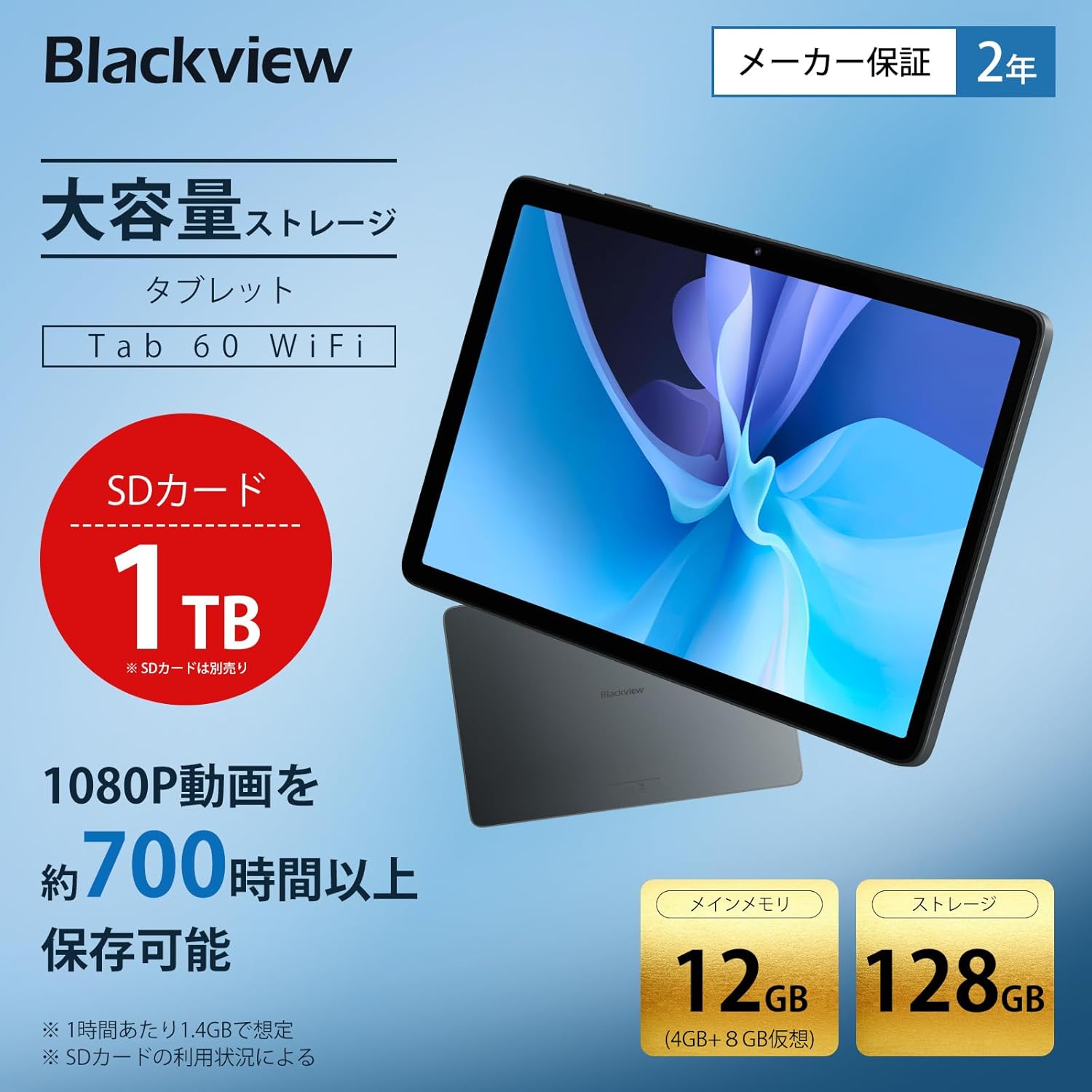
The tablet offers 12GB RAM (4GB + 8GB virtual) and 128GB storage, expandable up to 1TB with an SD card.

Generous RAM and storage capacity for all your needs.

Powered by an Octa-core Allwinner A523 processor for smooth operation.
9. Povezivanje
The Tab60WiFi supports the latest Wi-Fi 6 standard for ultra-high-speed communication, along with Bluetooth 5.2 for seamless peripheral connections. It also features wireless projection for sharing your screen during meetings or classes.

Enjoy high-speed connectivity with Wi-Fi 6 and Bluetooth 5.2.

Wirelessly cast your screen to a larger display for shared viewing.
10. Trajanje baterije
The tablet is equipped with a 5100mAh large-capacity battery, providing long hours of continuous use. It supports 10W fast charging to quickly replenish power.

The 5100mAh battery supports 10W fast charging via Type-C.

Extended battery life for gaming, video playback, web browsing, and standby.
11. Održavanje
11.1 Opšta njega
- Izbjegavajte izlaganje tableta ekstremnim temperaturama, direktnoj sunčevoj svjetlosti ili visokoj vlažnosti.
- Do not drop or subject the tablet to strong impacts.
- Držite tabletu dalje od vode i drugih tekućina.
11.2 Čišćenje
- Za čišćenje ekrana i kućišta tableta koristite meku krpu koja ne ostavlja dlačice.
- Ne koristite jake kemikalije ili abrazivna sredstva za čišćenje.
12. Otkrivanje problema
12.1 Tablet se ne uključuje
- Provjerite je li baterija napunjena. Spojite punjač i pričekajte nekoliko minuta prije nego što pokušate uključiti uređaj.
- Pritisnite i držite dugme za napajanje najmanje 10-15 sekundi da biste prisilno ponovo pokrenuli računar.
12.2 Ekran ne reaguje
- Ponovo pokrenite tablet.
- Ako problem i dalje postoji, izvršite fabričko vraćanje na tvorničke postavke (napomena: ovo će izbrisati sve podatke).
12.3 Problemi s Wi-Fi vezom
- Provjerite je li Wi-Fi omogućen u postavkama.
- Ponovo pokrenite svoj Wi-Fi ruter.
- Zaboravite mrežu i ponovo se povežite.
12.4 Rušenje/zamrzavanje aplikacija
- Obrišite keš memoriju i podatke aplikacije u Postavkama > Aplikacije.
- Ažurirajte aplikaciju na najnoviju verziju.
- Deinstalirajte i ponovo instalirajte aplikaciju.
13. Specifikacije
| Feature | Specifikacija |
|---|---|
| Brand | Crnaview |
| Naziv modela | Tab60WiFi |
| Operativni sistem | Doke OS_P 4.0 (Android 14 based) |
| Veličina ekrana | 10.1 inča |
| Rezolucija ekrana | 1280x800 pixels (Incell IPS) |
| Marka CPU-a | Allwinner |
| Brzina procesora | 2 GHz |
| GPU | Mali-G57 |
| RAM | 12 GB (4 GB fizičke + 8 GB virtuelne) |
| Kapacitet memorije | 128 GB (proširivo do 1 TB) |
| Rezolucija zadnje kamere | 8 MP |
| Rezolucija prednje kamere | 5 MP |
| Kapacitet baterije | 5100mAh |
| Povezivanje | Wi-Fi 6, Bluetooth 5.2 |
| Težina | 950 g (package weight) / 520.5 g (device weight) |
| Dimenzije | 32.7 x 20 x 4 cm (dimenzije pakovanja) |
14. Garancija i podrška
Tvoja Crnaview Tab60WiFi tablet comes with a 2-year quality guarantee. Blackview is committed to providing excellent products and customer service.
14.1 Kontaktiranje korisničke podrške
If you encounter any issues or have questions, please contact Blackview customer support. Our support team is available 24 hours online.
- Preko Amazona: Navigate to the product page, click on the seller's name below the "Add to Cart" button, then click "Ask a Question" in the top right.
- Email: You can also contact us via email. The link is available on your Amazon account under "Order History" > "Problem with Order" > "Contact Seller".

Crnaview offers a 24-month warranty and 24-hour online customer support.


