1. Uvod
Thank you for choosing the OMOTON KB568 Foldable Bluetooth Keyboard with Touchpad. This compact and versatile keyboard is designed to enhance your productivity across various devices. Featuring a foldable design, integrated touchpad, and multi-device Bluetooth connectivity, it is an ideal companion for your iPad, iPhone, Windows PC, Android tablet, or smartphone.
This manual provides detailed instructions for setting up, operating, and maintaining your keyboard to ensure optimal performance.
2. Sadržaj paketa
- OMOTON KB568 Foldable Bluetooth Keyboard with Touchpad
- USB-C kabl za punjenje
- Uputstvo za upotrebu
3. Proizvod je gotovview
Familiarize yourself with the keyboard's components and layout.

Image: The OMOTON KB568 keyboard unfolded, showing its dimensions (11.9in width, 3.8in height, 0.7in thickness) and key features like the USB-C port, power switch, Bluetooth indicator, power indicator, and touchpad. The folded size is also shown as 5.9in x 3.8in x 0.7in, comparable to a mobile phone.
Ključne komponente:
- Prekidač: Located on the side for manual power control.
- USB-C priključak za punjenje: Za punjenje interne baterije.
- Bluetooth indikator: Lights up during pairing and connection.
- Indikator napajanja: Prikazuje status baterije.
- Touchpad: Integrated for mouse functionality, with separate left and right click buttons.
- Foldable Hinges: Allows the keyboard to fold for portability and automatically powers off when folded.
4. Podešavanje
4.1. Punjenje tastature
Before first use, fully charge the keyboard. Use the provided USB-C cable to connect the keyboard to a USB power source (e.g., computer, wall adapter).
- Potpuno punjenje traje otprilike 2 sati.
- The keyboard provides up to 60 sati of continuous use on a single charge.
- The power indicator light will show charging status.
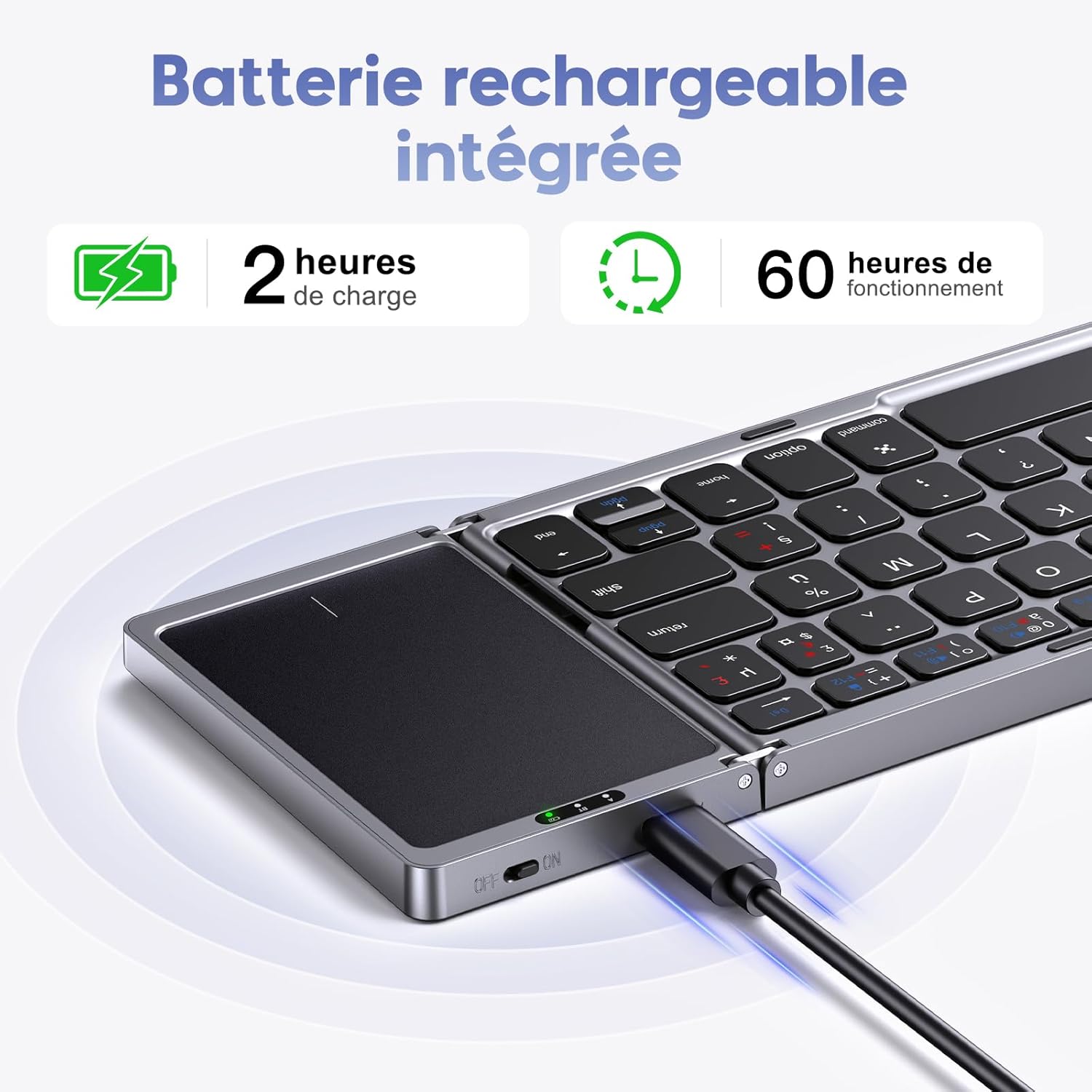
Image: The OMOTON KB568 keyboard being charged via its USB-C port, with icons indicating 2 hours of charge time for 60 hours of operation.
4.2. Uključivanje / isključivanje napajanja
- Za uključivanje: Unfold the keyboard. The keyboard will automatically power on. Alternatively, use the physical ON/OFF switch located on the side.
- Za isključivanje: Fold the keyboard. It will automatically power off. Alternatively, use the physical ON/OFF switch.
4.3. Bluetooth uparivanje
The OMOTON KB568 keyboard supports connecting to two Bluetooth devices simultaneously within a 10-meter range.
Kompatibilnost:
- iPad (iPad OS 13 and above)
- iPhone (iOS 13 i noviji)
- PC (Windows 7/8/10 and above)
- Android/Tablet/Mobile Phone (Android 4.3 and above)
- Not compatible with Linux.
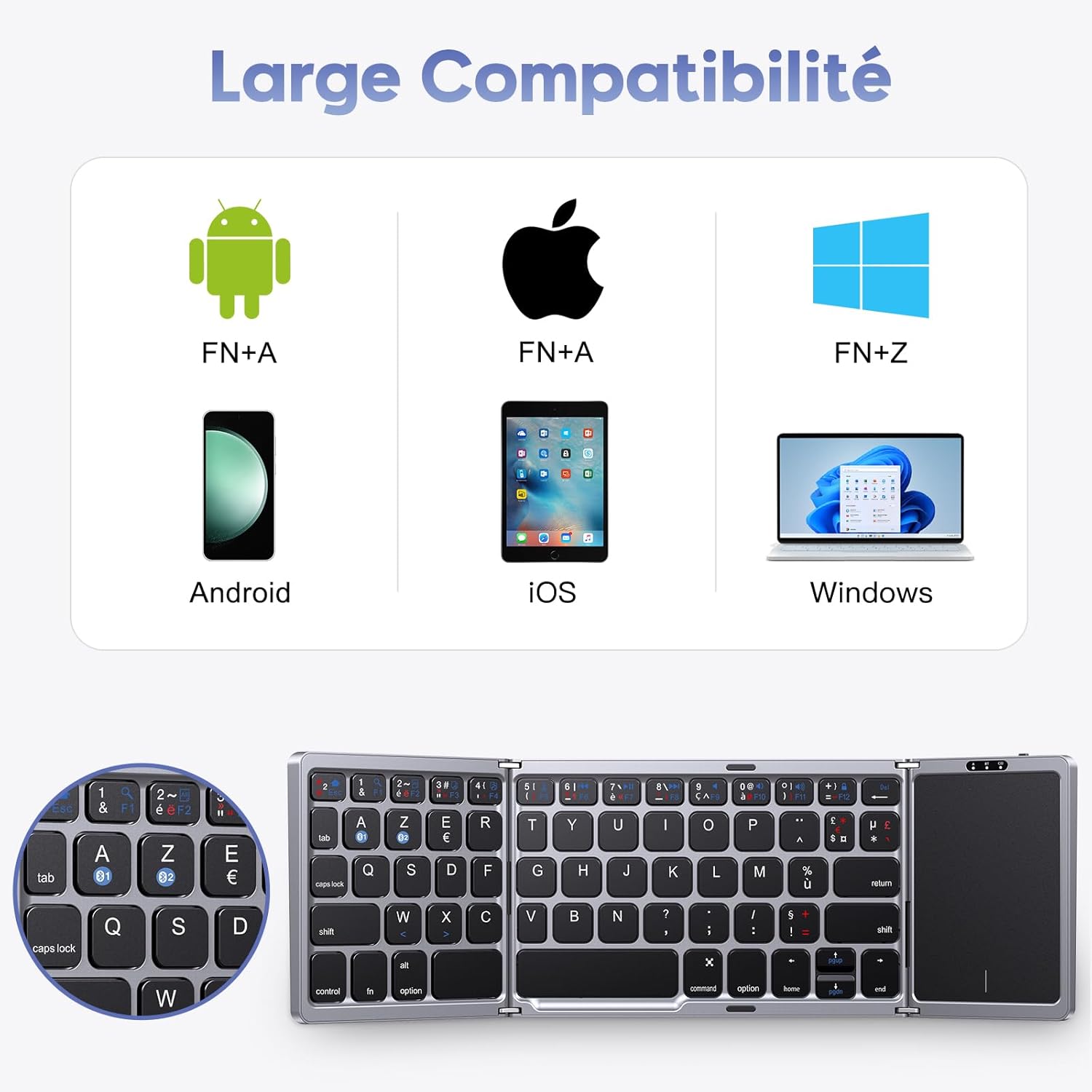
Image: A visual representation of the keyboard's broad compatibility with Android (FN+A), iOS (FN+A), and Windows (FN+Z) operating systems, showing corresponding device types.
Koraci uparivanja:
- Provjerite je li tastatura napunjena i uključena.
- On your device (iPad, PC, Android, etc.), enable Bluetooth.
- Pritisnite fn + A keys simultaneously to select the first Bluetooth channel (BT1) for Android/iOS devices, or Fn+Z for Windows devices. The Bluetooth indicator will flash, indicating pairing mode.
- On your device, search for Bluetooth devices. You should see "OMOTON Keyboard" or a similar name. Select it to connect.
- Once connected, the Bluetooth indicator on the keyboard will stop flashing and remain solid for a few seconds, then turn off.
- To pair a second device, repeat steps 3-5, but select the other Bluetooth channel (e.g., if you used BT1, now use BT2).
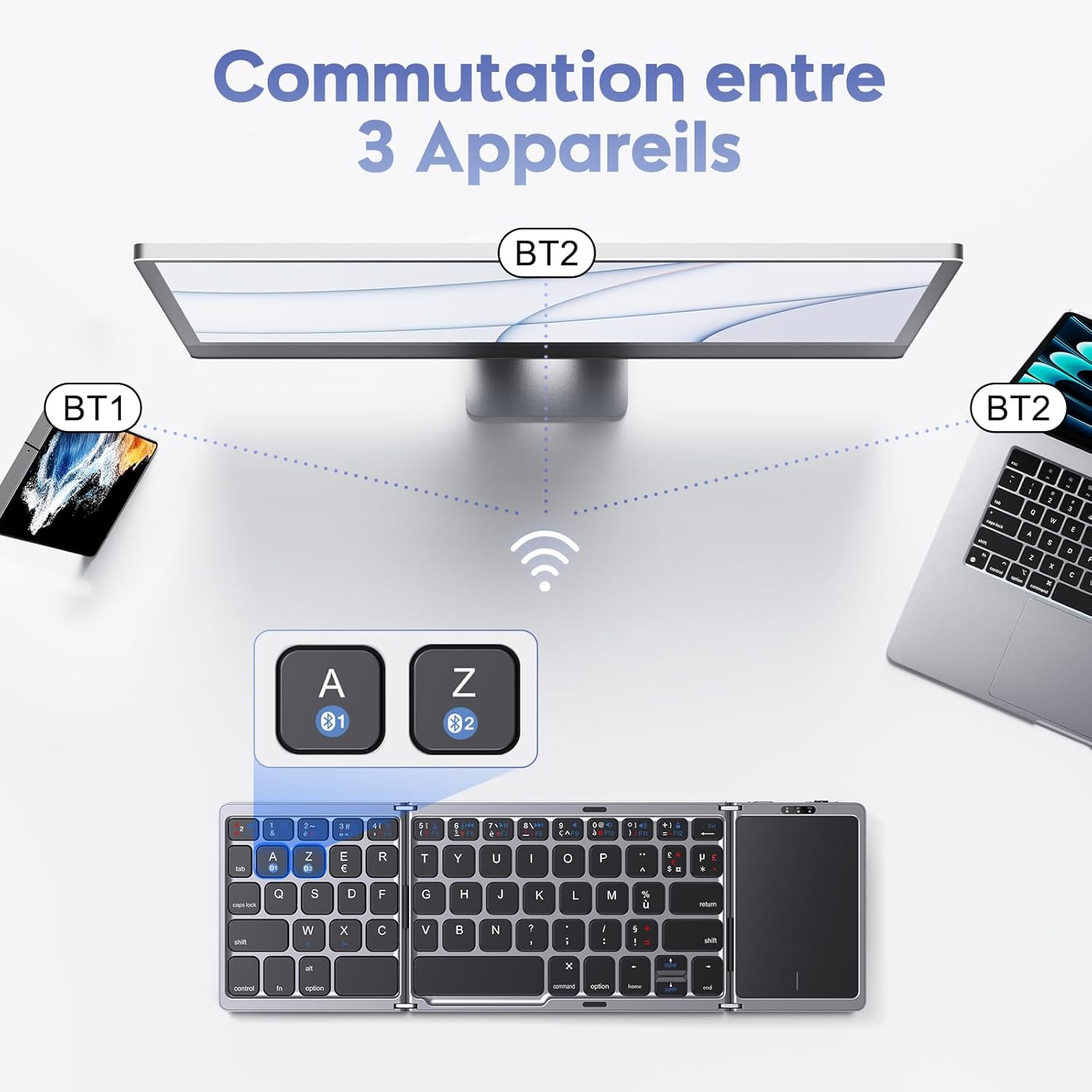
Image: An illustration showing the OMOTON KB568 keyboard connected to a smartphone (BT1) and a laptop (BT2), with the ability to switch between them using the A and Z keys (likely Fn+A and Fn+Z).
5. Uputstvo za upotrebu
5.1. Korištenje dodirne table
The integrated touchpad functions as a wireless mouse, offering enhanced navigation and control. It features separate left and right click buttons for convenience.
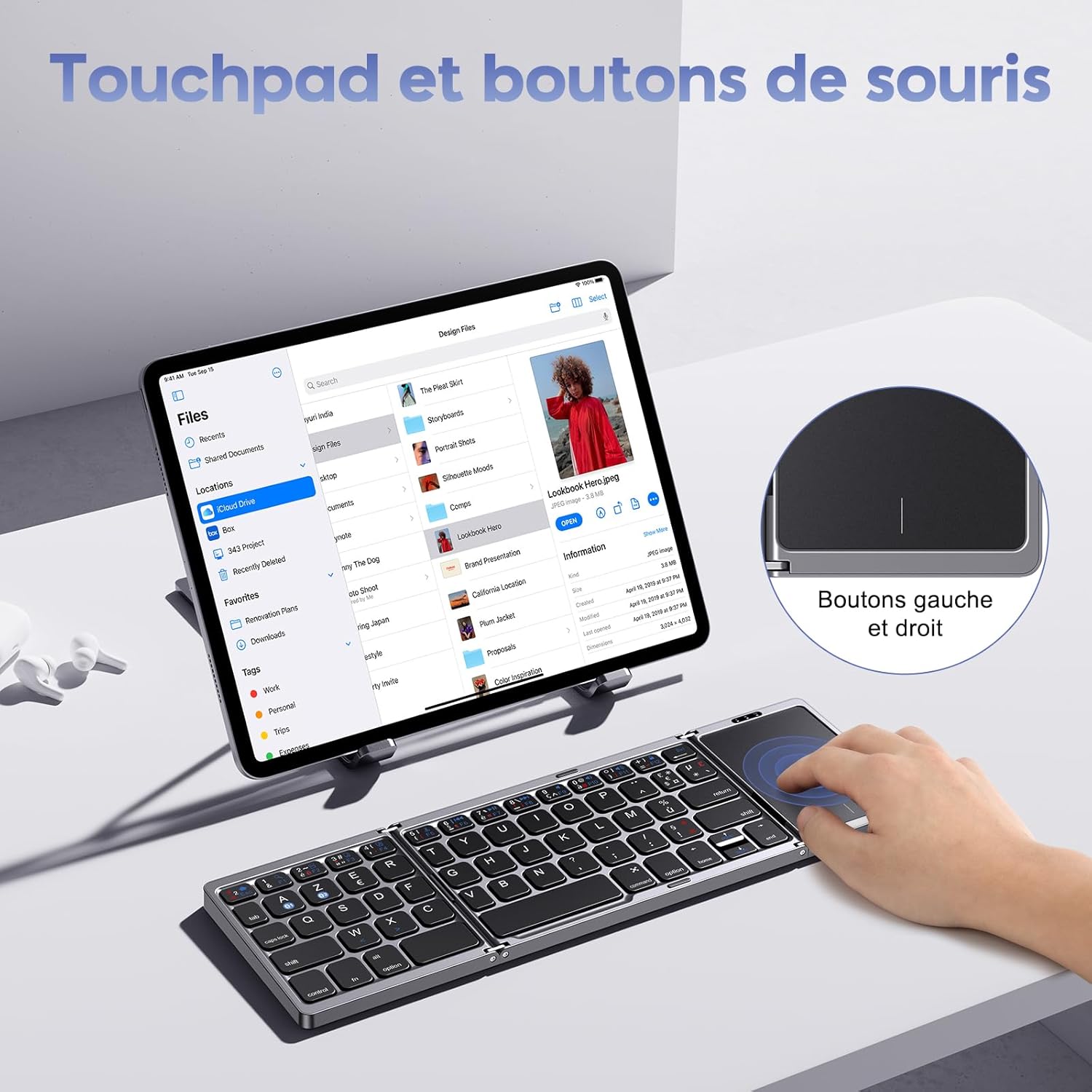
Image: A user interacting with the touchpad of the OMOTON KB568 keyboard, highlighting the dedicated left and right mouse buttons.
- Dodir jednim prstom: Lijevi klik.
- Dodir s dva prsta: Right click (or use the dedicated right-click button).
- Pomicanje s dva prsta: Pomičite se gore ili dolje.
- Dedicated Left/Right Buttons: For precise clicking actions.
5.2. Keyboard Layout and Special Keys
The keyboard features an AZERTY layout (FR-Layout) and includes function keys that can be accessed using the Fn ključ.
- Fn + A: Switch to Android/iOS operating system mode.
- Fn + Z: Switch to Windows operating system mode.
- Fn + [Function Key]: Access multimedia controls or system functions (e.g., volume, playback, screen lock). Refer to the keycap legends for specific functions.
5.3. Sleep Mode
To conserve battery, the keyboard will automatically enter sleep mode after 10 minuta of inactivity. To wake it up, simply press any key.
6. Održavanje
6.1. Čišćenje
- Use a soft, dry, lint-free cloth to clean the keyboard surface.
- Za tvrdokornu prljavštinu, lagano dampi krpu vodom ili blagim neabrazivnim sredstvom za čišćenje.
- Avoid using harsh chemicals, solvents, or abrasive materials, as these can damage the keyboard.
- Pazite da tekućina ne uđe u unutrašnje komponente tastature.
6.2. Skladištenje
- When not in use, fold the keyboard to protect the keys and touchpad.
- Tastaturu čuvajte na hladnom i suhom mjestu, dalje od direktne sunčeve svjetlosti i ekstremnih temperatura.
- If storing for an extended period, ensure the keyboard is fully charged to maintain battery health.
7. Otkrivanje problema
7.1. Keyboard Not Pairing or Connecting
- Provjerite snagu: Provjerite je li tastatura uključena i ima li dovoljno napunjene baterije.
- Omogući Bluetooth: Provjerite je li Bluetooth omogućen na vašem uređaju.
- Udaljenost: Make sure the keyboard is within the 10-meter Bluetooth operating range of your device.
- Ponovo upariti: Delete the keyboard from your device's Bluetooth list and attempt to pair it again following the steps in Section 4.3.
- Operating System Mode: Ensure you have selected the correct operating system mode (Fn+A for Android/iOS, Fn+Z for Windows).
7.2. Dodirna tabla ne reaguje
- Napajanje tastature: Confirm the keyboard is powered on and not in sleep mode.
- Očistite dodirnu ploču: Ensure the touchpad surface is clean and free from obstructions.
- Ponovno povezivanje: Pokušajte prekinuti i ponovo uspostaviti Bluetooth vezu.
7.3. Tipke ne reagiraju
- Nivo baterije: Check if the keyboard battery is low and recharge it.
- Bluetooth veza: Provjerite je li Bluetooth veza stabilna.
- Ponovno pokretanje: Power off and then power on the keyboard and your device.
8. Specifikacije
| Brand | OMOTON |
| Model | KB568 |
| Tehnologija povezivanja | Bluetooth |
| Posebne karakteristike | Foldable, Integrated Touchpad |
| Kompatibilni uređaji | Windows, iOS, Android, Tablet, PC, Smartphone, Laptop |
| Raspored tipkovnice | AZERTY (FR-Layout) |
| Boja | Crna |
| Trajanje baterije | Up to 60 hours (40 hours mentioned in text) |
| Vrijeme punjenja | Pribl. 2 sati |
| Operativni opseg | Do 10 metara (33 stope) |
| Preklopljene dimenzije | 15.18 x 9.8 x 2 cm (5.9 x 3.8 x 0.7 inča) |
| Uključene komponente | USB-C kabl |
9. Garancija i podrška
For warranty information or technical support, please refer to the contact details provided with your purchase or visit the official OMOTON webSačuvajte dokaz o kupovini za eventualne reklamacije.


